GBP Management
See why your Google Maps ranking moved and who did the work
Follow your rank over time, see what happened between scans, ask AI what most likely moved it, and see what each person on your team did.
Updated November 1, 2026 · 4 min read
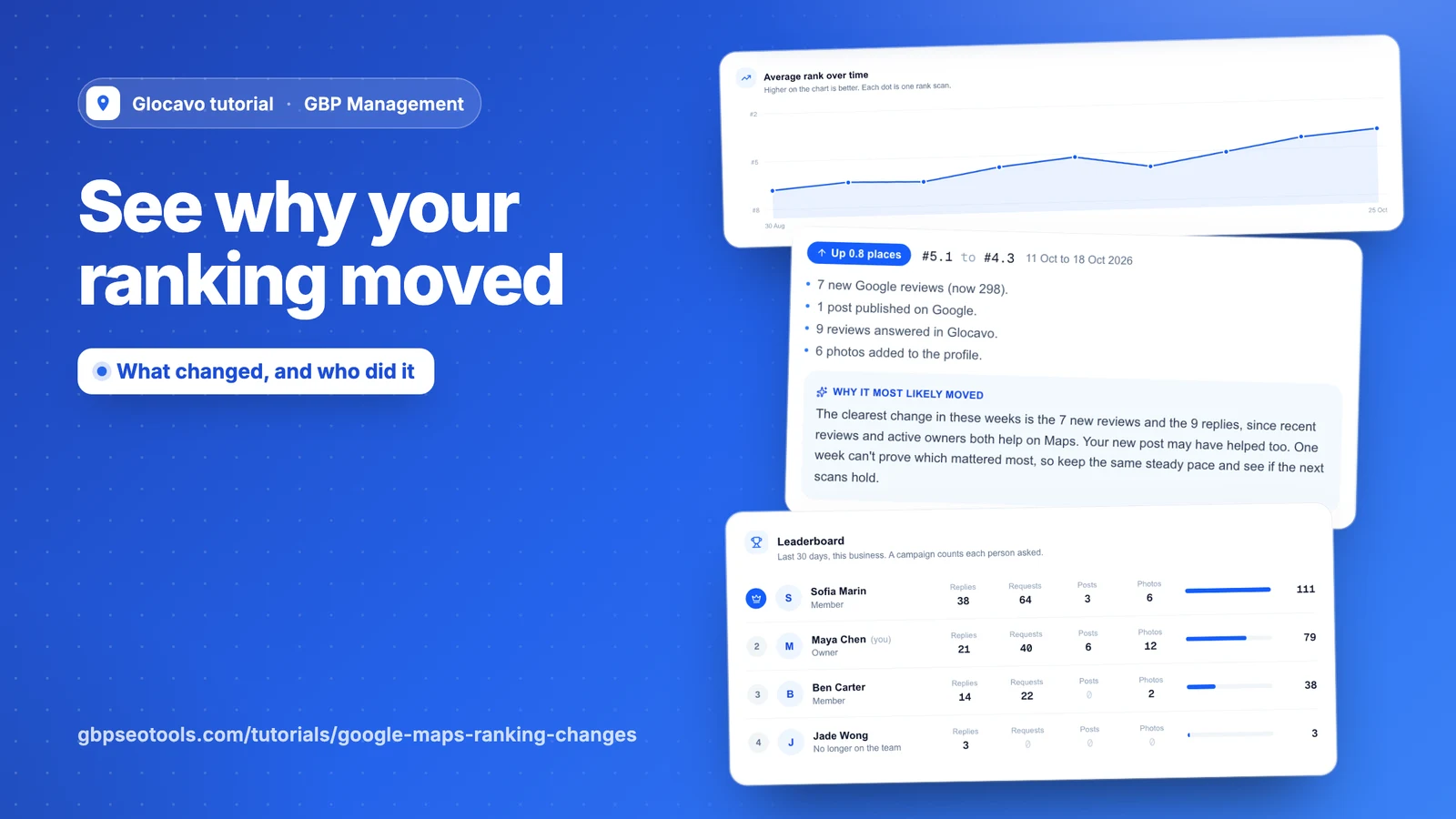
Ranking changes follows your rank on Google Maps and shows what happened between your scans. Team shows who on your team did the work.
- Where
- GBP Management, open a business, Results
- You need
- At least two grid scans of the same keyword
- Cost
- Both pages are included. An AI explanation costs 10 AI Power.
Follow your rank for a keyword
Click Results, then Ranking changes. The chart shows your average rank on the map, with one dot for each scan, and higher is better. If you’ve scanned more than one keyword, pick it from the list.
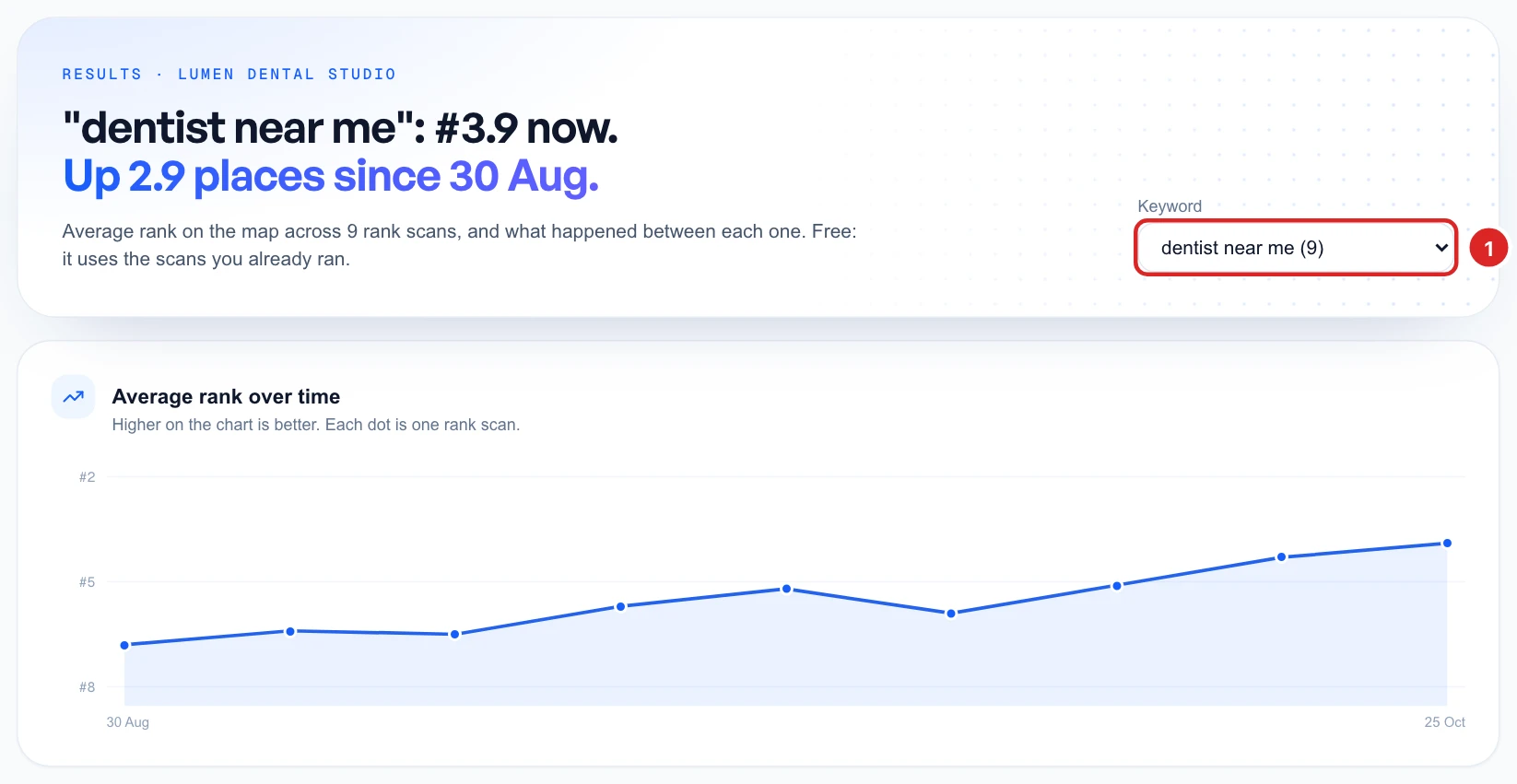
This page uses the scans you already ran, so it costs no scan credits. With only one scan there’s nothing to compare yet, so set up a recurring scan to get one every week.
See what happened between scans
What changed, and why lists each change, newest first, with how far you moved and what happened in those days. Depending on the change, that can include:
- New reviews, or a change in your rating.
- Posts on Google, or a stretch with none.
- Reviews answered, customers asked for a review and photos added in Glocavo.
- A rival taking the top spot, or new names in the map pack.
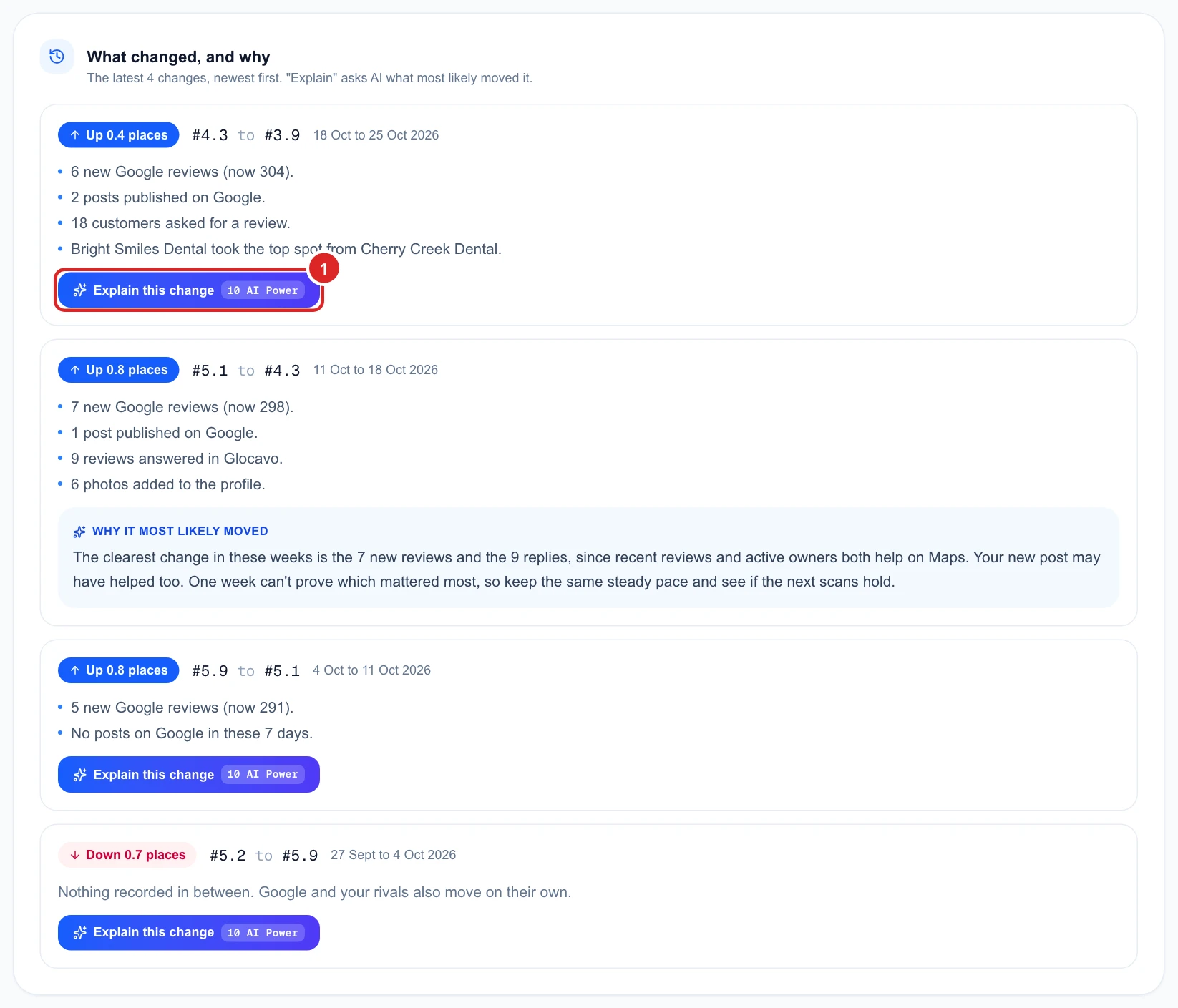
If nothing is listed, the page says so, because Google and your rivals also move on their own. If you changed your scan grid between two scans, a line warns you that those numbers don’t compare exactly.
Ask AI to explain a change
Click Explain this change for 10 AI Power. AI looks at what’s listed for that change and tells you what most likely moved your rank. The answer stays with the change for 180 days, so you don’t pay for it again.
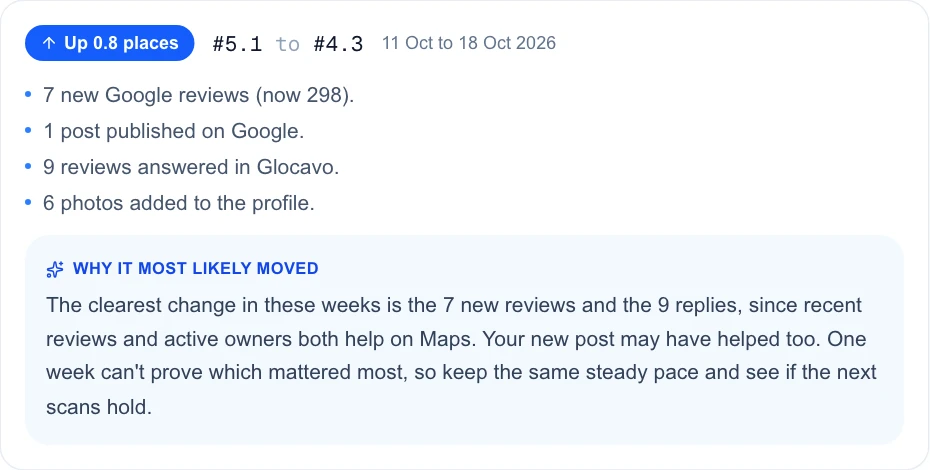
It’s a likely reason, not a proof. Google doesn’t say why a rank moves, so look for what holds up over several scans.
See what your team did
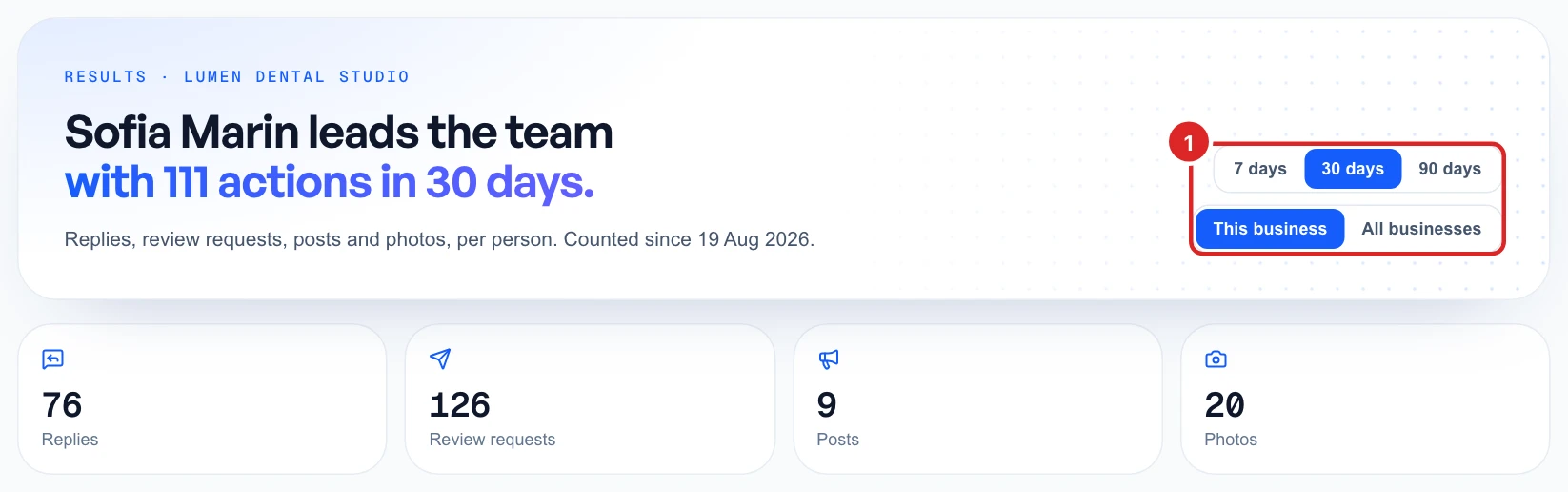
Click Team. The top shows who’s leading and how many replies, review requests, posts and photos your team added up to. Click a number to go to that page.
Read the leaderboard
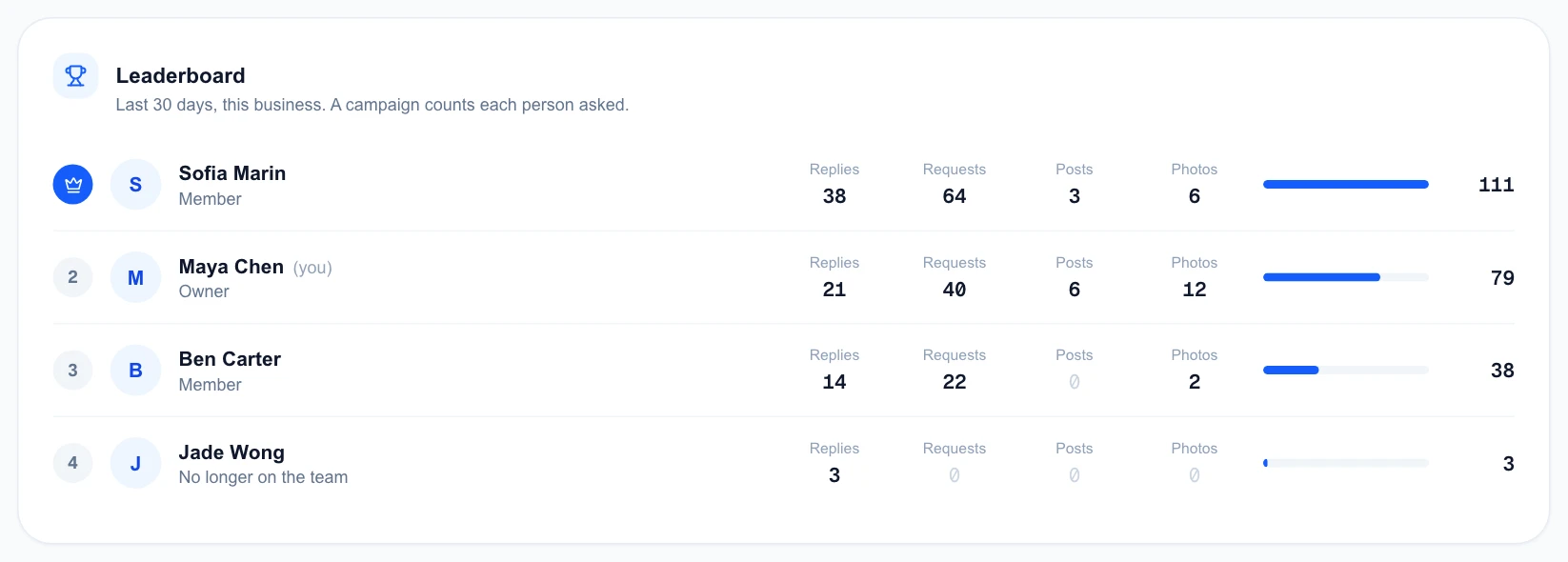
The Leaderboard ranks each person by their total. A review request campaign counts each person asked, and counting starts from your team’s first action, so older work isn’t included. People who have left stay on the list, marked No longer on the team.
Working alone? The page offers a button to invite people. See team and workspaces for how inviting works.
Members can do the daily work, like replies, posts and review requests. Connecting or removing a business takes the workspace owner or an admin.