GBP Management
Edit your Google Business Profile
Change your name, contact details, description, hours, holiday hours, categories, services and attributes from Glocavo, saved straight to Google.
Updated October 31, 2026 · 7 min read
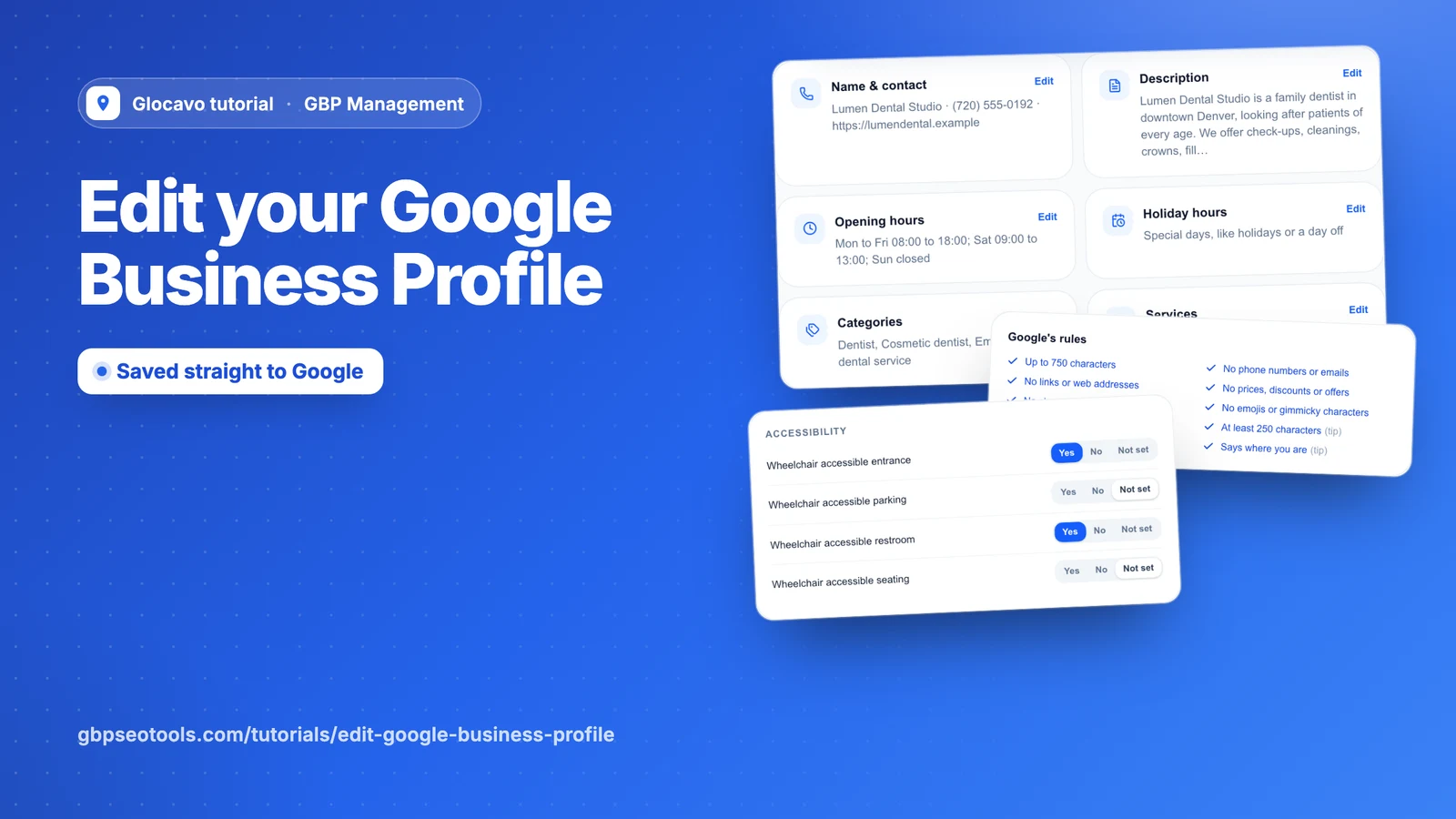
You can change what people see on Google and Maps without leaving Glocavo. Everything you save goes straight to your Google profile.
- Where
- GBP Management, open a business, Profile, Edit profile
- You need
- A connected business, see connect your Google Business Profile
- Cost
- Editing is included. Each AI run for your description or services costs 10 AI Power.
Pick what to change
Click Profile, then Edit profile. Each card shows what Google has now. Click one to edit it in a panel at the side.
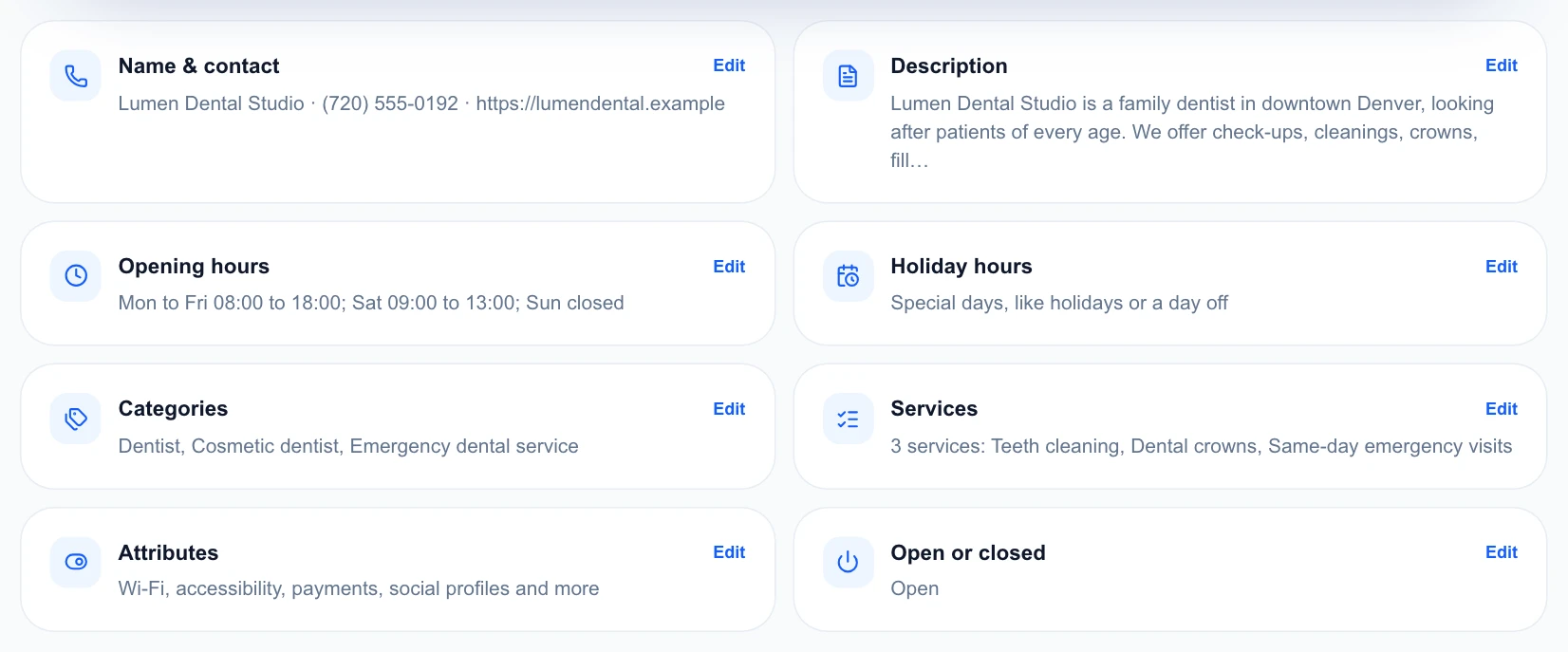
Each part saves on its own with Save to Google. A change can take a few minutes to show. Google checks some changes first, which usually takes up to a day, and the page tells you when it does.
Update your name and contact details
Under Name & contact, change your business name, phone and website. You can add up to 2 more phone numbers. Use your own website rather than a social page, as Google doesn’t allow short links like bit.ly.
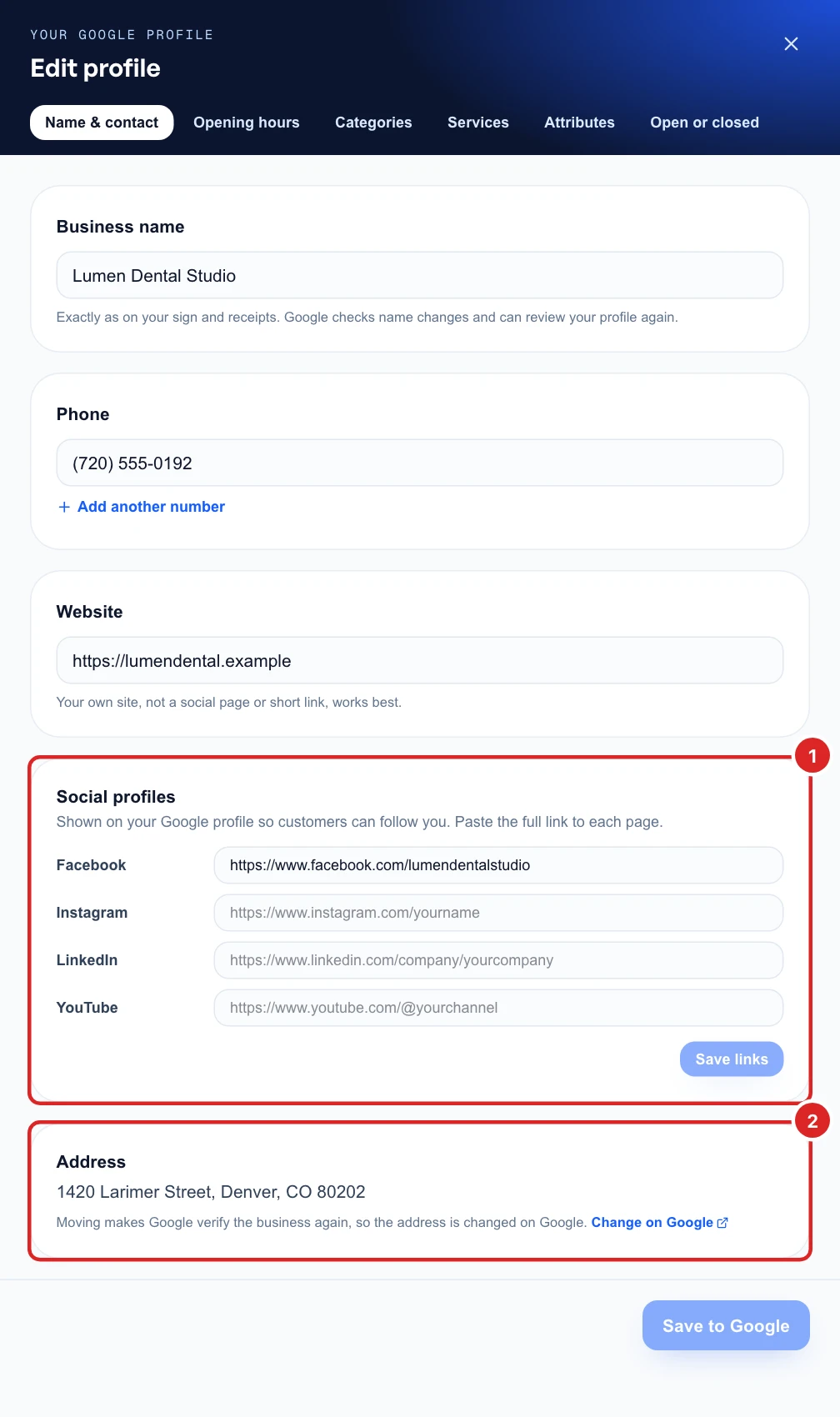
Your address can’t be changed here. Moving makes Google verify the business again, so Change on Google takes you there.
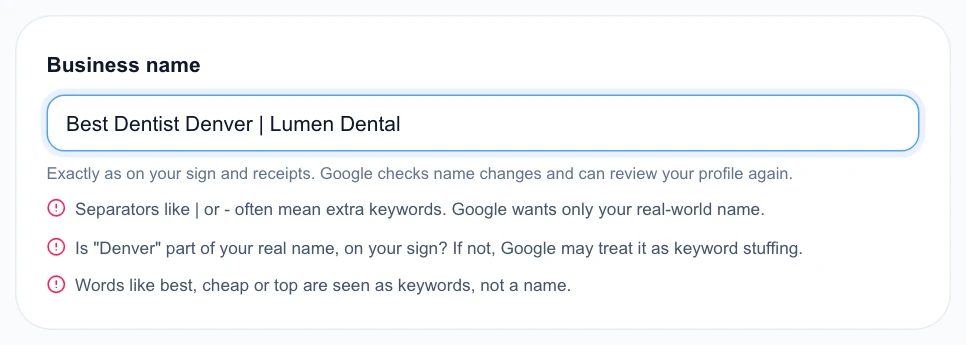
Use your name exactly as it appears on your sign. Google can review your profile again after a name change, and Glocavo warns you about anything that looks like added keywords.
Write your description
Open Description. You have up to 750 characters, and customers see the first 250 before “More”, so put what matters first. Google’s rules checks your text as you type, such as no phone numbers, links or offers.
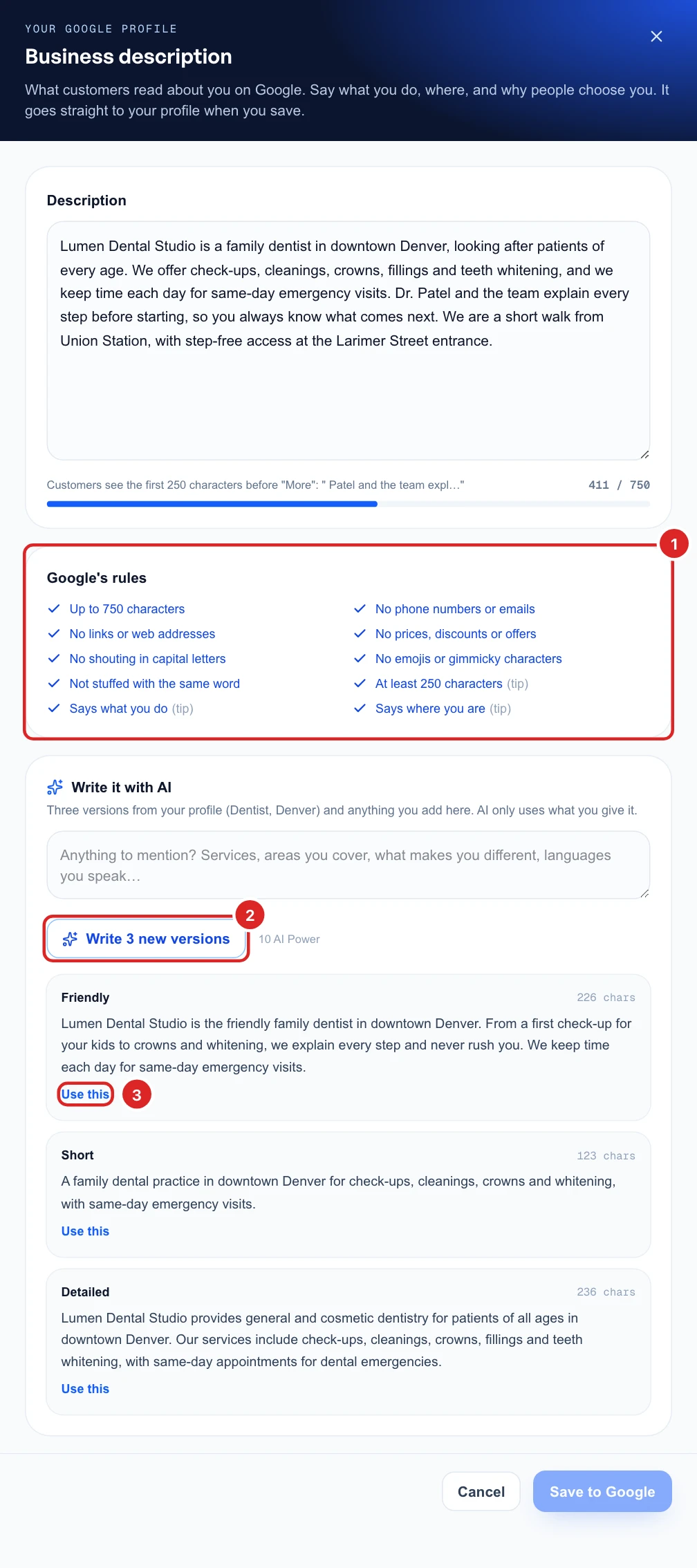
To start from AI, add anything it should mention, like areas you cover or languages you speak, then click Write 3 versions. AI only uses what your profile and your note give it. Use this puts a version in the box, where you can change it before you click Save to Google.
Set your hours
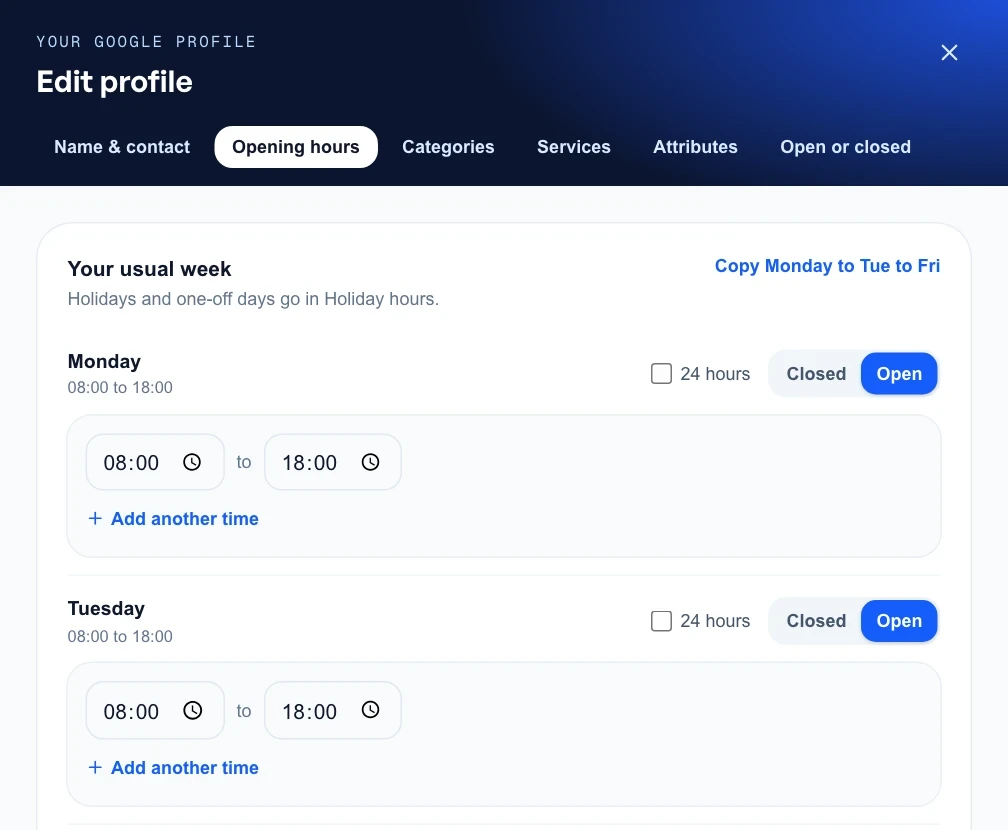
Under Opening hours, set each day to open or closed. Copy Monday to Tue to Fri saves repeating yourself, 24 hours is there for all-day opening, and Add another time is for a lunch break. A day can have up to 3 opening times.
Holiday hours lists the public holidays coming up in your country. Pick Closed, Usual hours or Different hours for each one. Under Other days and closures, add any other day, or a first and last day to close for a stretch.
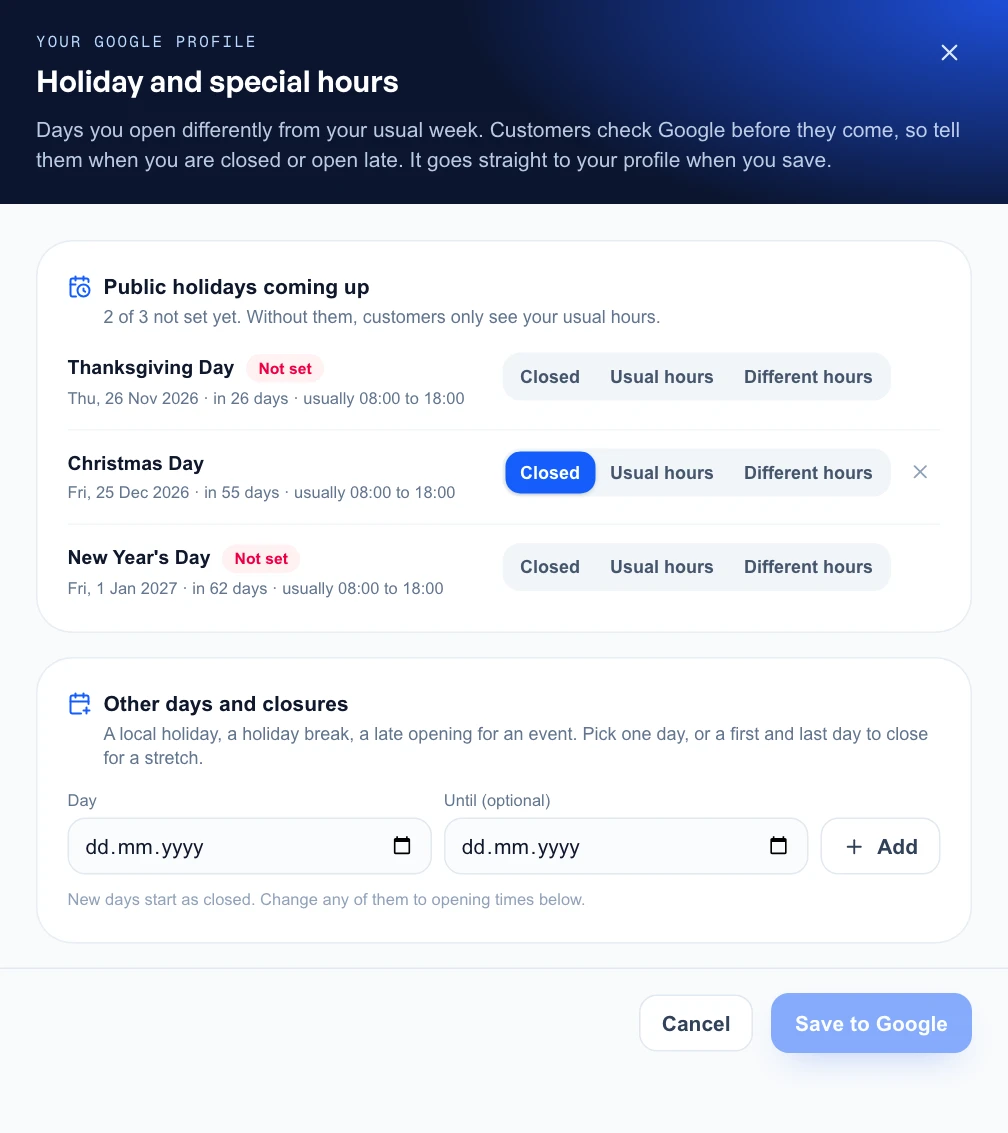
Google only takes holiday hours on a profile that has its usual weekly hours, so set those first.
Choose your categories
Your main category matters most for which searches show you. Extra categories, up to 9, cover the other things you really do. Type under Find a category to search Google’s own list, then click Add or Make main.
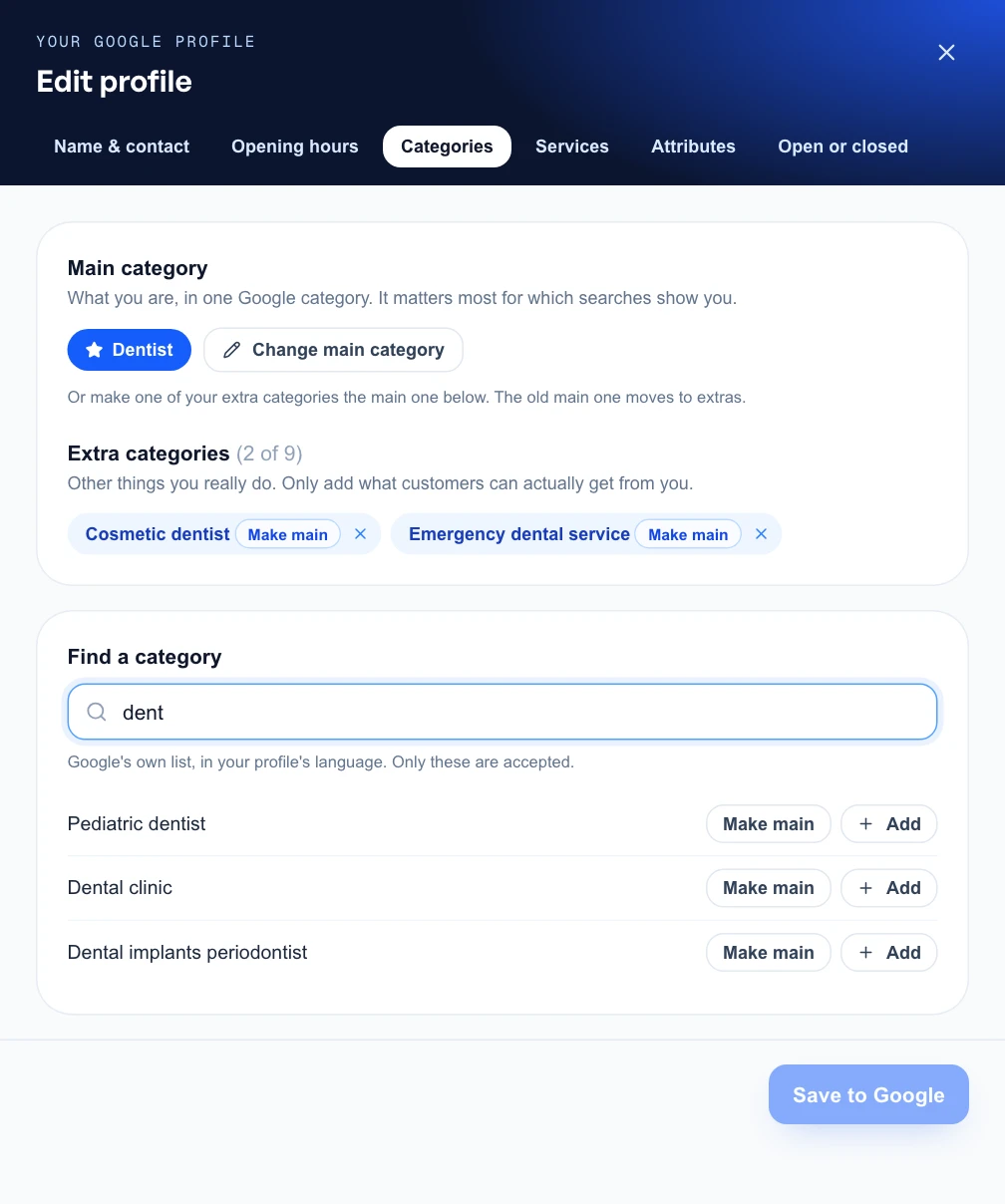
A new main category can change which searches show you, and Google may review your profile again. Change it only if the old one is wrong.
List your services
Under Services, you can list up to 100. A price and a short description help people choose. There are three ways to add one:
- Ideas from AI: click Suggest with AI for services you may have missed, and descriptions for the ones without one.
- Suggested by Google: tap one of Google’s own names for your categories.
- Add your own: type a name in your own words.
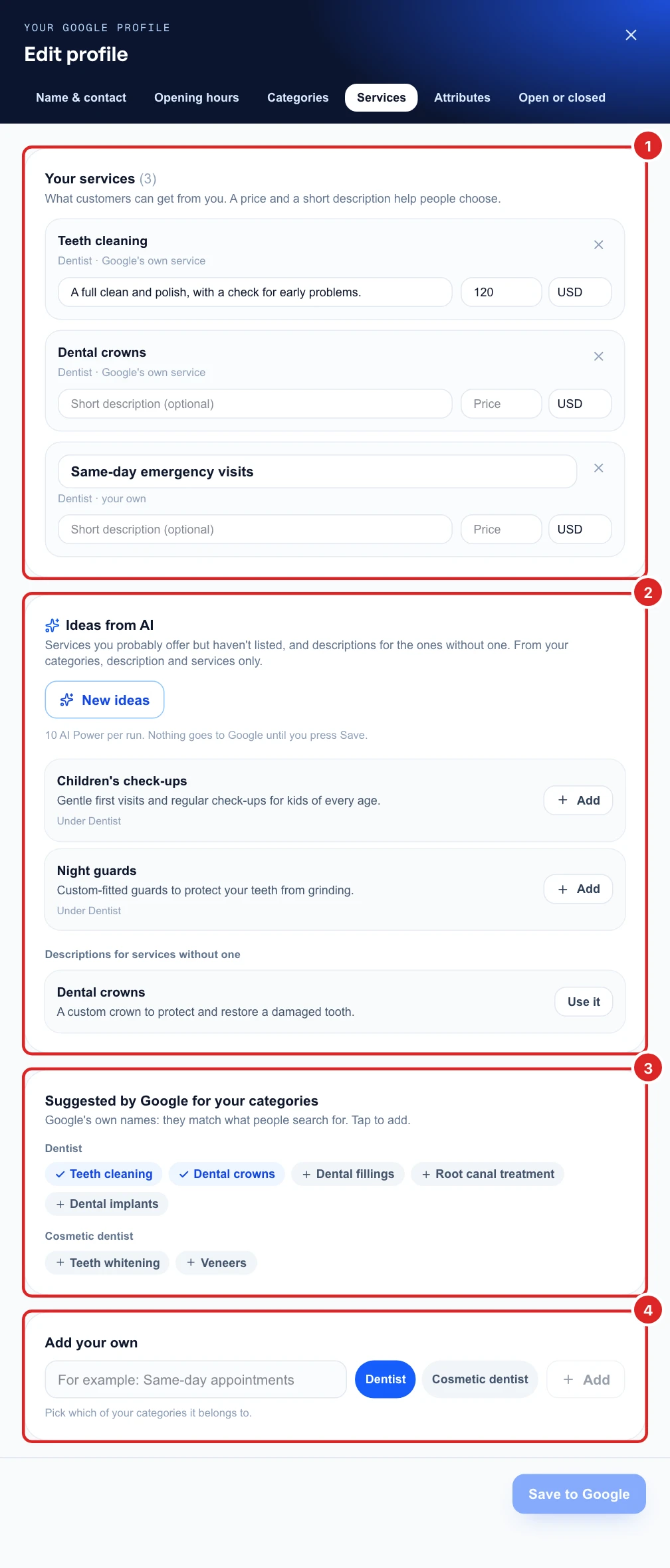
Only add what you really offer, as AI is guessing from your profile. Nothing reaches Google until you click Save to Google.
Fill in your attributes
Attributes are facts like wheelchair access, payment options and Wi-Fi. Google shows them on your profile and uses them when people filter their search. Click Profile, then Attributes, to see how much is filled in, group by group.
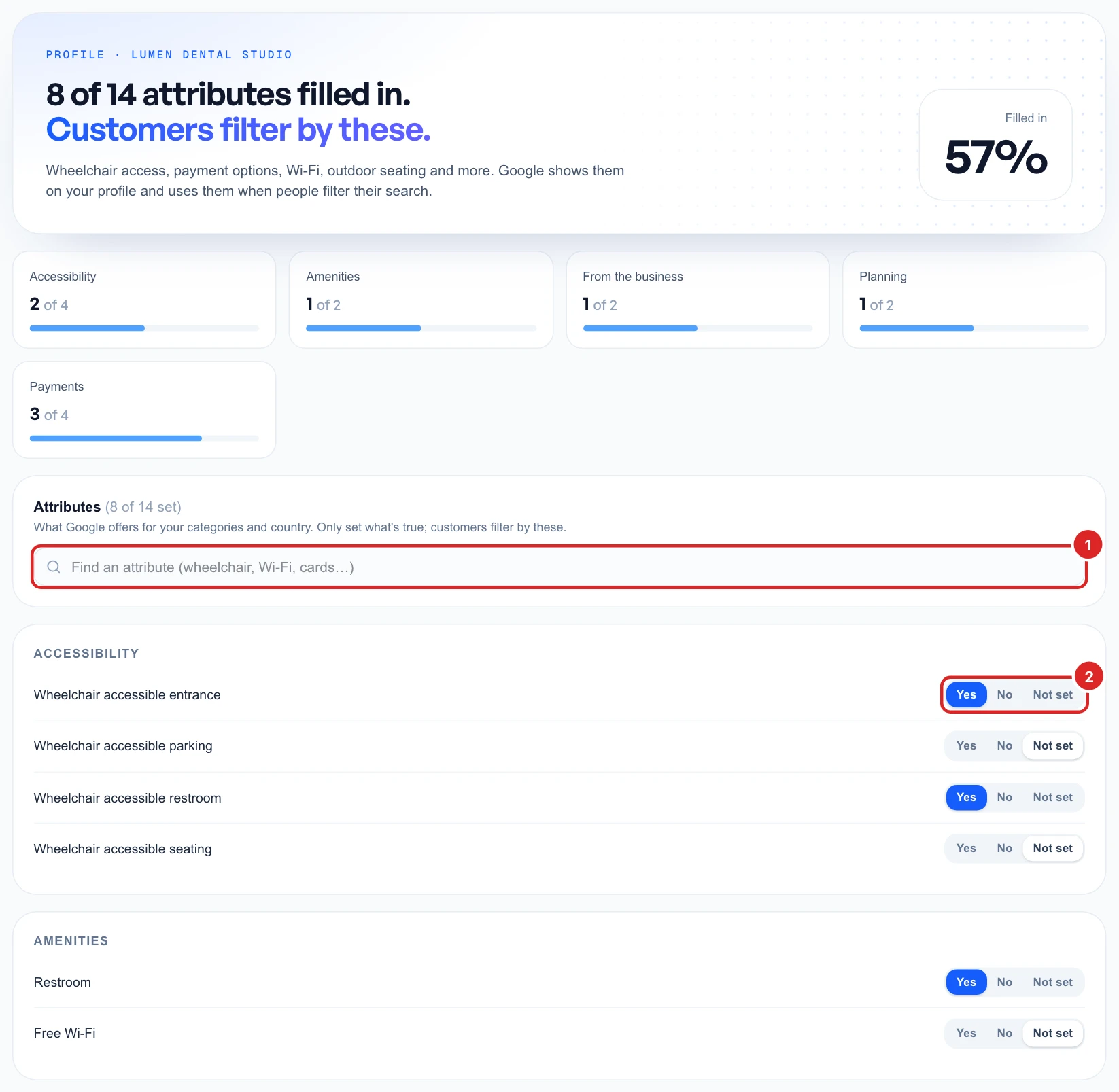
The list comes from Google and depends on your categories and country. Only answer what’s true, leave the rest as Not set, then save at the bottom of the page. The same list is in the Attributes tab of Edit profile.
Mark your business open or closed
Open or closed controls what Google tells customers. Use Temporarily closed for a renovation or a long break. Google says you’re closed until you mark it open again. For a single day off, use holiday hours instead.
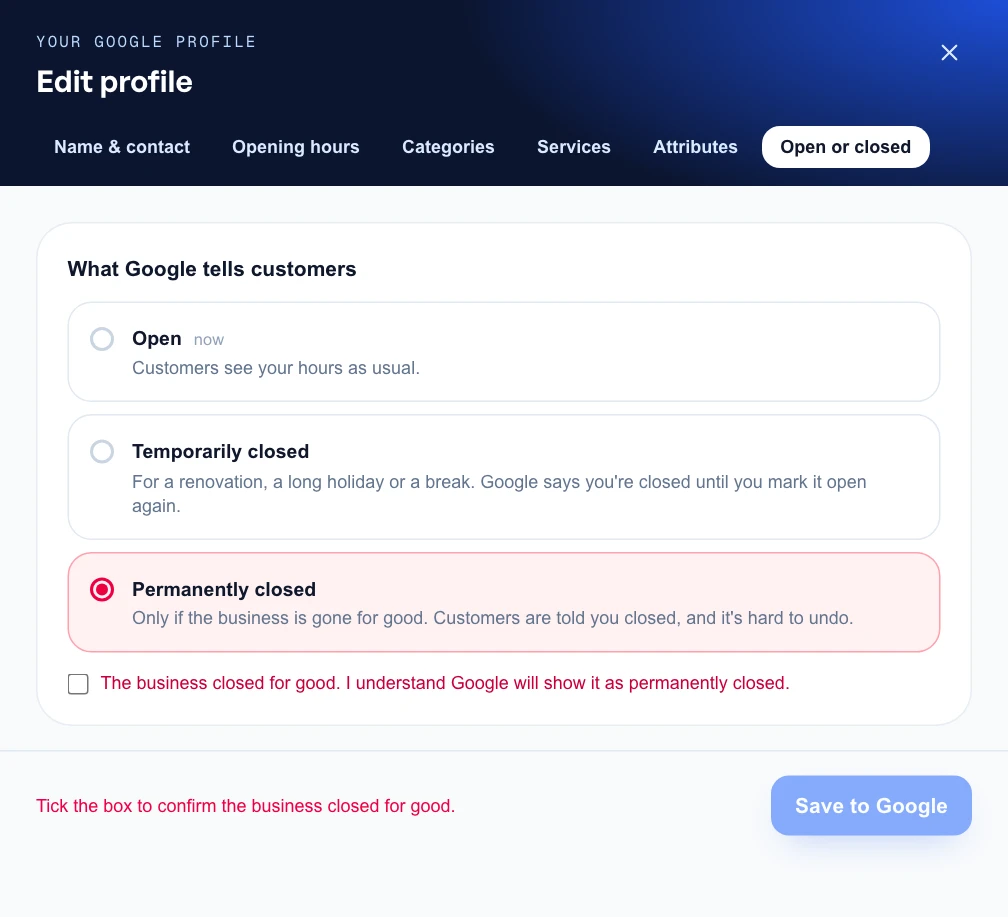
Use Permanently closed only if the business is gone for good. Customers are told you closed, and it’s hard to undo.