GBP Management
See what customers say in your Google reviews
See how customers feel month by month and the words they use most, then let AI find the topics behind your good and bad reviews and what to do next.
Updated October 31, 2026 · 5 min read
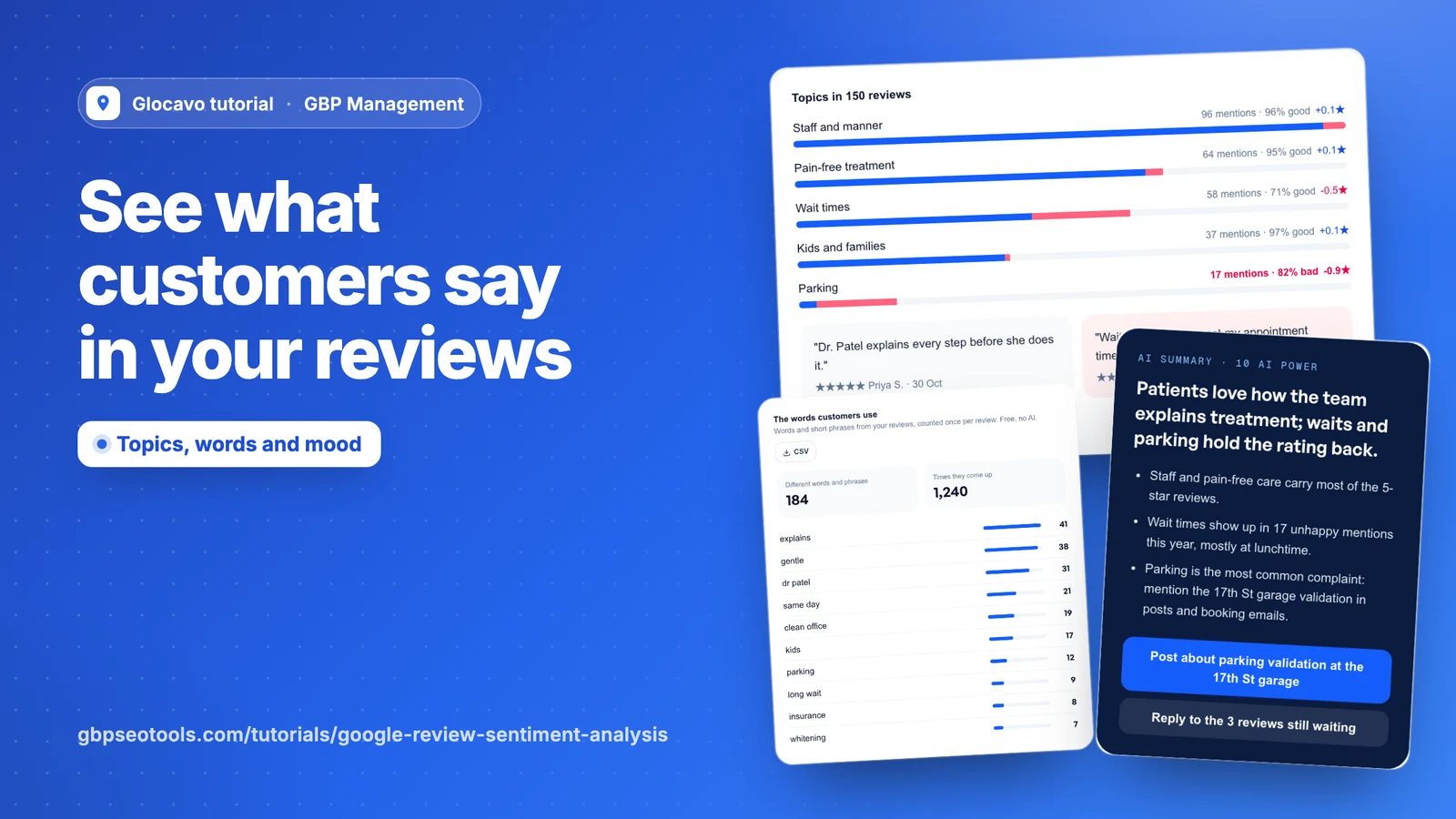
A star rating tells you how you’re doing, not why. This page shows how customers feel, the words they use most and, with AI, the topics behind the good and bad reviews.
- Where
- GBP Management, open a business, Reviews, What customers say
- You need
- A connected business with reviews, see connect your Google Business Profile
- Cost
- The numbers and words are included. Each AI analysis costs 10 AI Power.
Check your numbers
Click Reviews, then What customers say. The first row shows your Google rating, how many reviews have words, and how the stars split. If reviews are waiting for an answer, Reply with AI drafts takes you to them.

See how customers feel
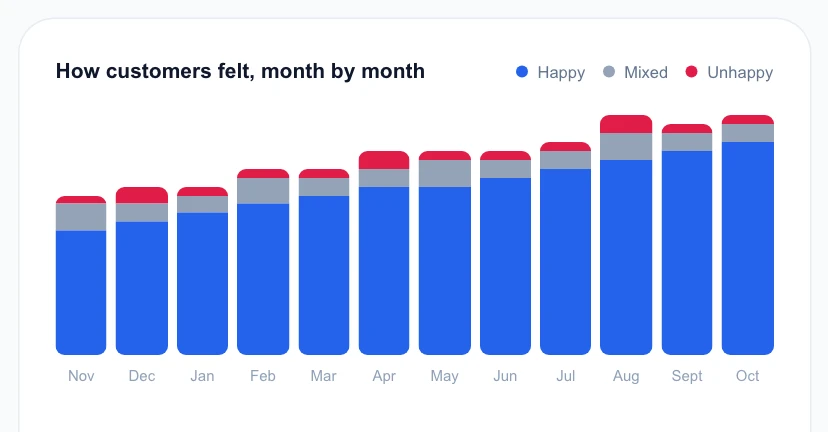
The next row sorts every review by its stars: 4 and 5 are happy, 3 is mixed, and 1 and 2 are unhappy.

How customers felt, month by month shows the last 12 months. Hover over a bar for that month’s numbers. Look for a month with more red than usual, then check what changed at the business around then.
See the words customers use
The words customers use lists the words and short phrases that repeat in your reviews, most used first. Each one counts once per review, in whatever language your customers write. If the list is long, Show more opens the rest, and CSV downloads it.
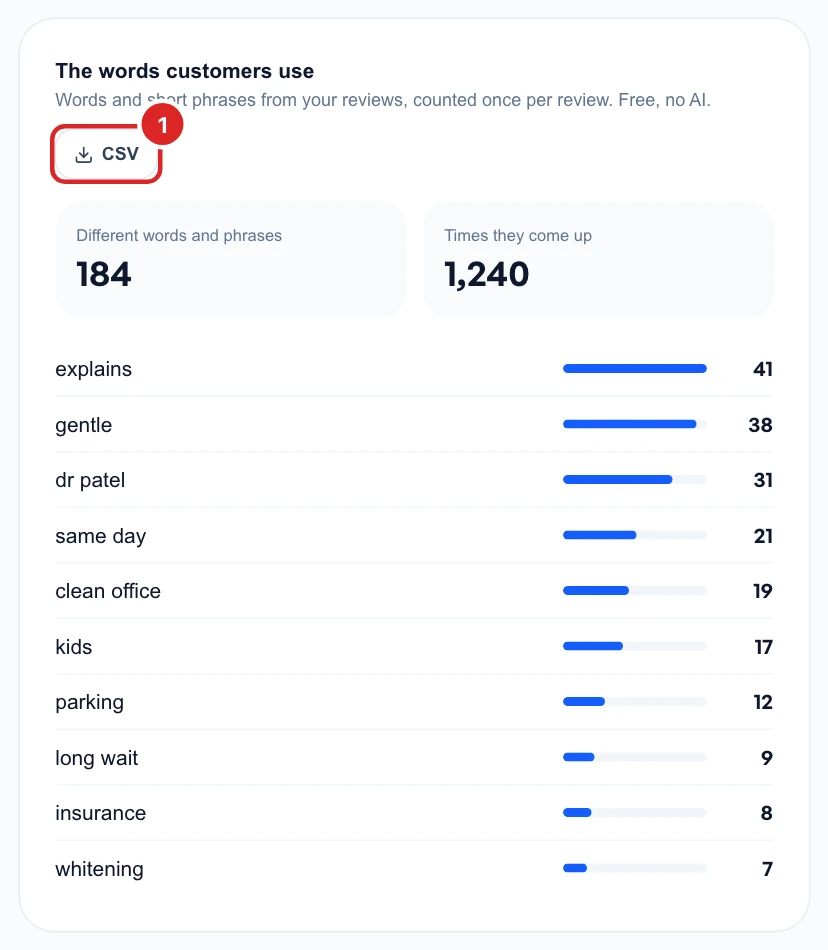
Words that keep coming up are worth using in your posts and on your website, because they’re how your customers describe you.
Run the AI analysis
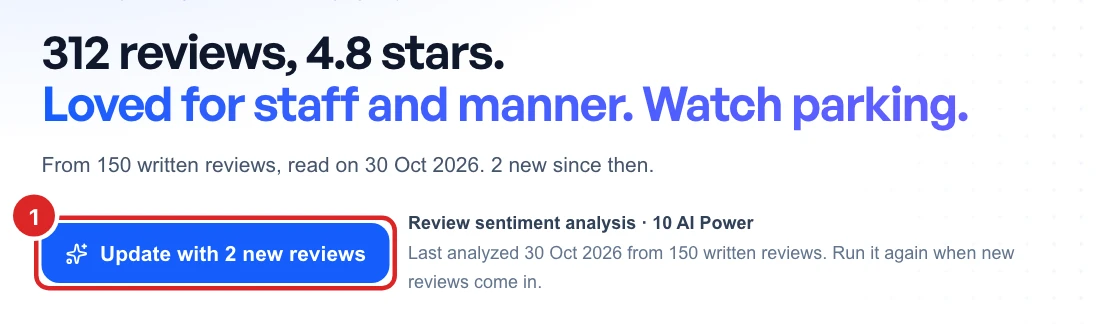
Everything so far is counted from your reviews. To find out what they’re actually about, click Analyze review sentiment. AI reads your newest 150 written reviews, in any language.
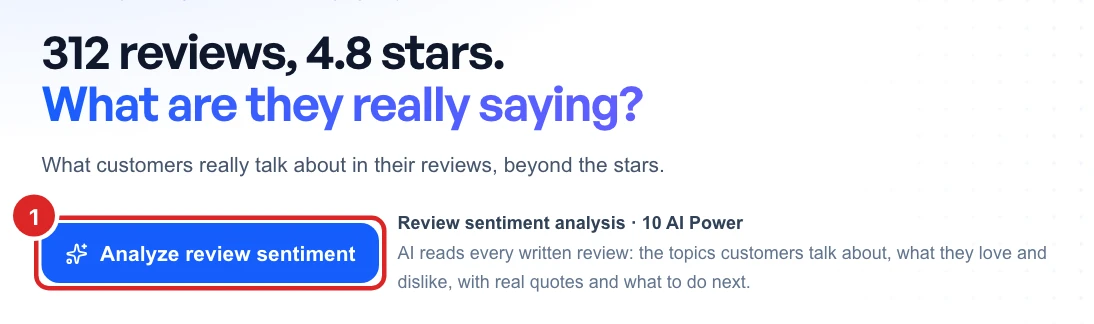
The result is saved, so opening the page again costs nothing. When new reviews come in, the button shows how many. Click it when you want them included, which costs another 10 AI Power.
Read the topics
Topics shows what your reviews talk about, with the biggest first. Each row tells you:
- Mentions: how many of the reviews bring it up.
- Good or bad: the share of those mentions, or “mixed” if it’s close. The bar shows the same in blue and red.
- Stars: how reviews that mention it compare with your average. In the picture, reviews about wait times average half a star lower.
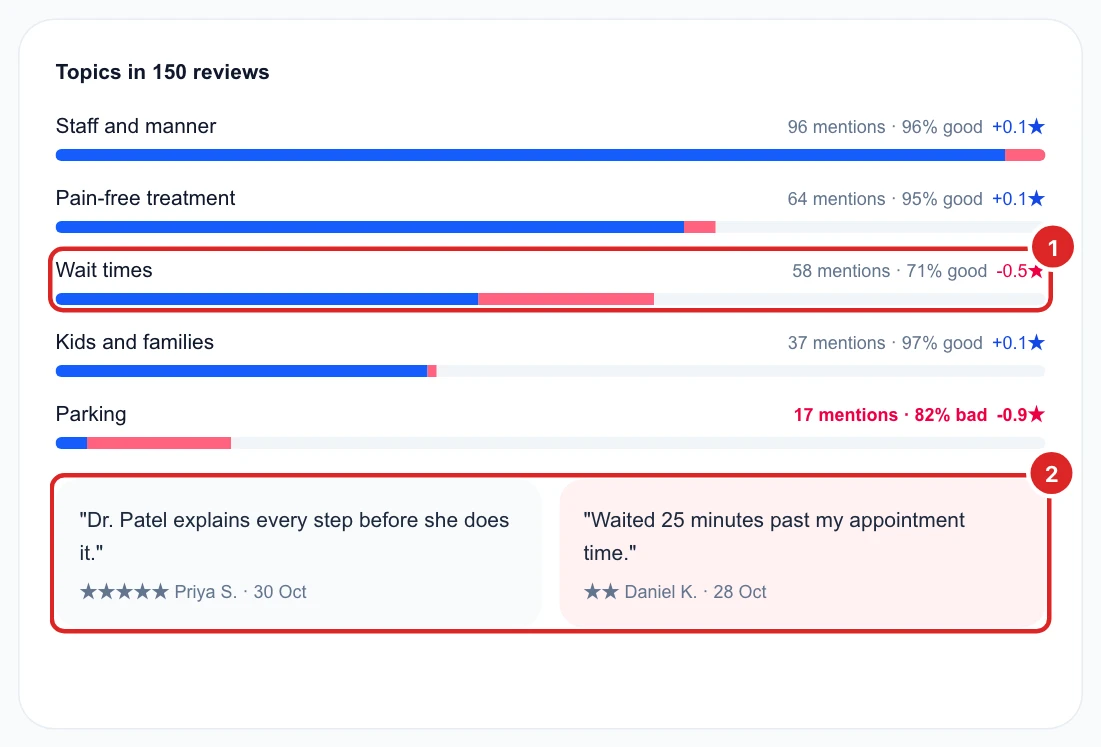
A topic with many mentions and a minus next to its stars is usually the best place to start. The two quotes underneath are the strongest praise and sharpest complaint, in your customers’ own words.
Act on the summary
AI summary sums it all up in a few lines and suggests what to do next. Its buttons only open the right page, like Posts or the reviews waiting for a reply, so nothing is posted for you.
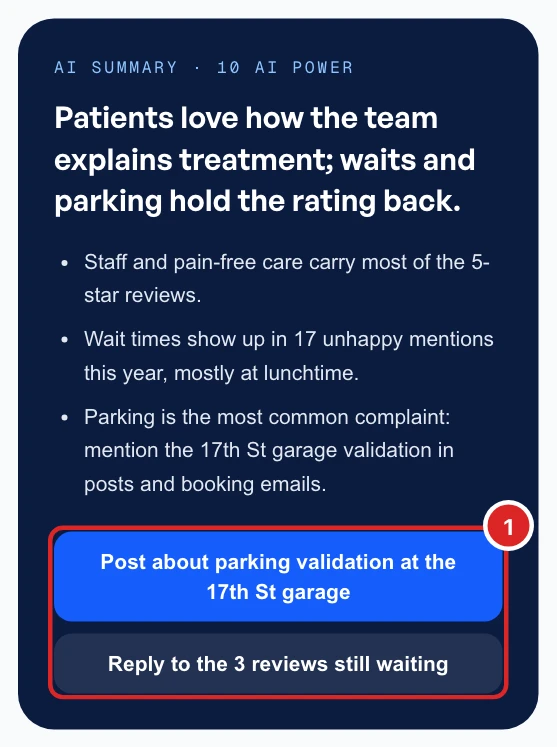
The summary comes from your reviews alone, so check any specific detail is still true before you post about it.
Once you’ve run the analysis, Posts can also suggest post ideas from what customers praise. To answer the reviews behind a bad topic, see reply to your Google reviews.