
Multi-Location SEO: A Scorecard to Rank Every Location
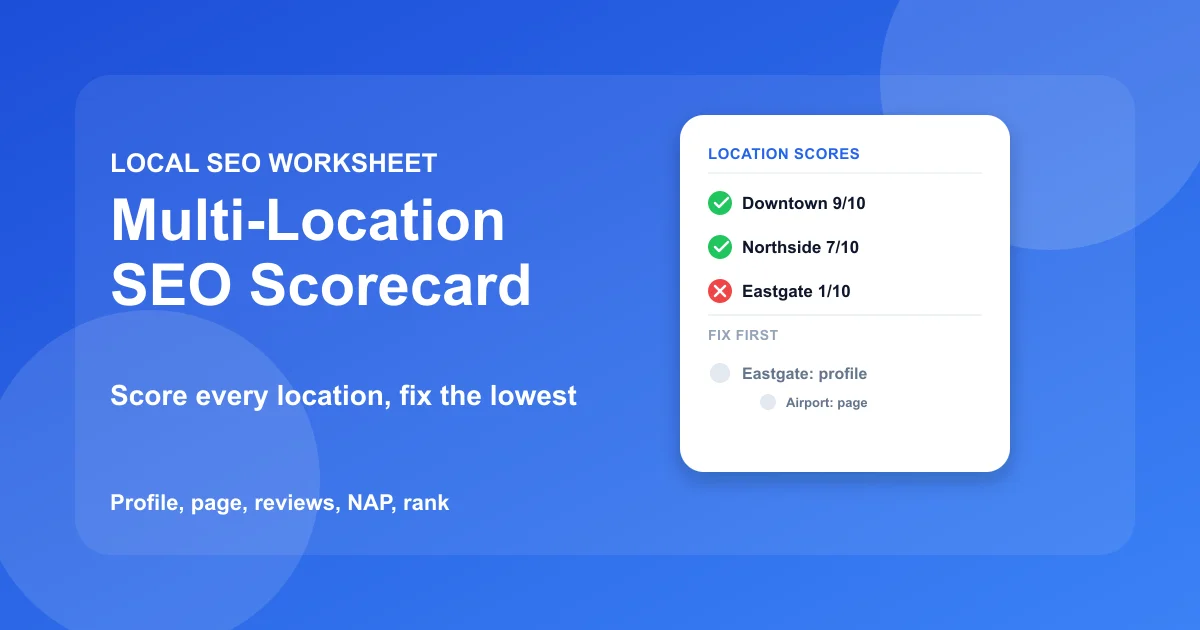
Multi location SEO comes down to five things scored one location at a time: the Google Business Profile, the location page, the reviews, the name-address-phone data, and the rank. Score every location from 0 to 2 on all five, and the lowest number tells you what to fix first, so effort goes to the location that can move most.
Most multi-location advice is a list of tasks with no way to decide where to start. That is how a business with 12 branches ends up polishing the flagship while two locations sit unverified. This guide is a worksheet instead: copy the scorecard into a spreadsheet, fill one row per location, and let the totals set your order of work.
It also covers the part most guides skip. It explains how to score honestly, what a real month of fixes looks like, how franchises and service-area businesses should adapt the sheet, and the mistakes that make a scorecard useless.
Jump to a section:
- The scorecard
- What counts as a location
- How to score each signal
- Reading your totals
- A worked month for two locations
- Adapting the scorecard to your setup
- Scoring mistakes that hide the real problem
- Rules for using it
- Multi Location SEO: Common Questions
The scorecard
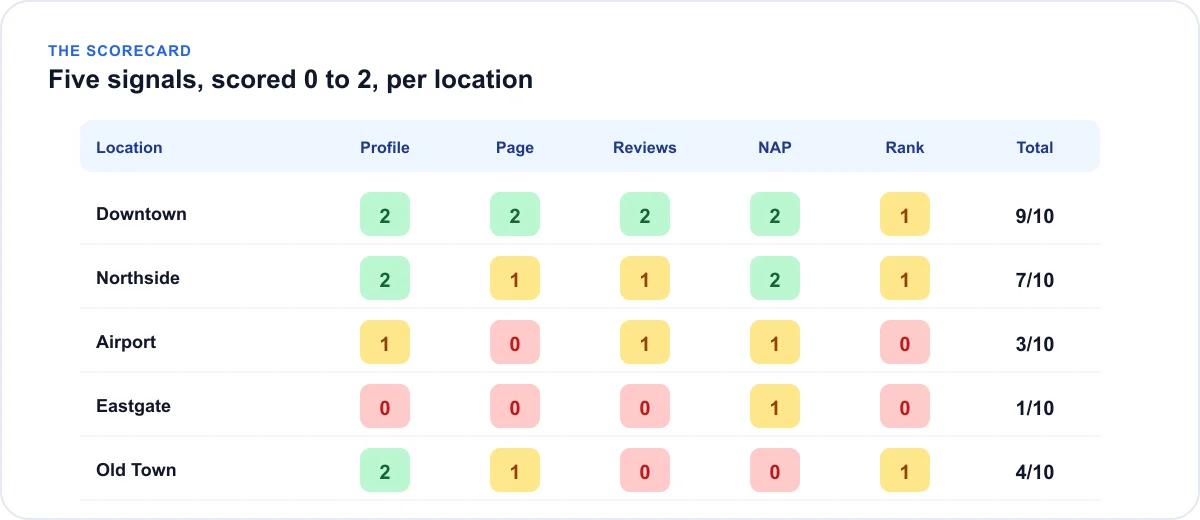
One row per location, five signals per row. Paste the template into a spreadsheet, with a tab between each column.
The blank template
Location Profile Page Reviews NAP Rank Total Fix first
Add a row for every location once you've settled the list in the next section. Total is the five scores added together, so the maximum is 10. The last column holds the name of the lowest-scoring signal, which is your first task for that location.
A filled-in example
The table below shows how five hypothetical branches of one business might look after scoring.
| Location | Profile | Page | Reviews | NAP | Rank | Total | Fix first |
|---|---|---|---|---|---|---|---|
| Downtown | 2 | 2 | 2 | 2 | 1 | 9 | Rank |
| Northside | 2 | 1 | 1 | 2 | 1 | 7 | Page |
| Airport | 1 | 0 | 1 | 1 | 0 | 3 | Page |
| Eastgate | 0 | 0 | 0 | 1 | 0 | 1 | Profile |
| Old Town | 2 | 1 | 0 | 0 | 1 | 4 | Reviews |
Notice that the biggest problem is rarely the busiest branch. Eastgate scores 1 out of 10 and has a profile problem, so nothing else it does will matter until that is solved.
What counts as a location
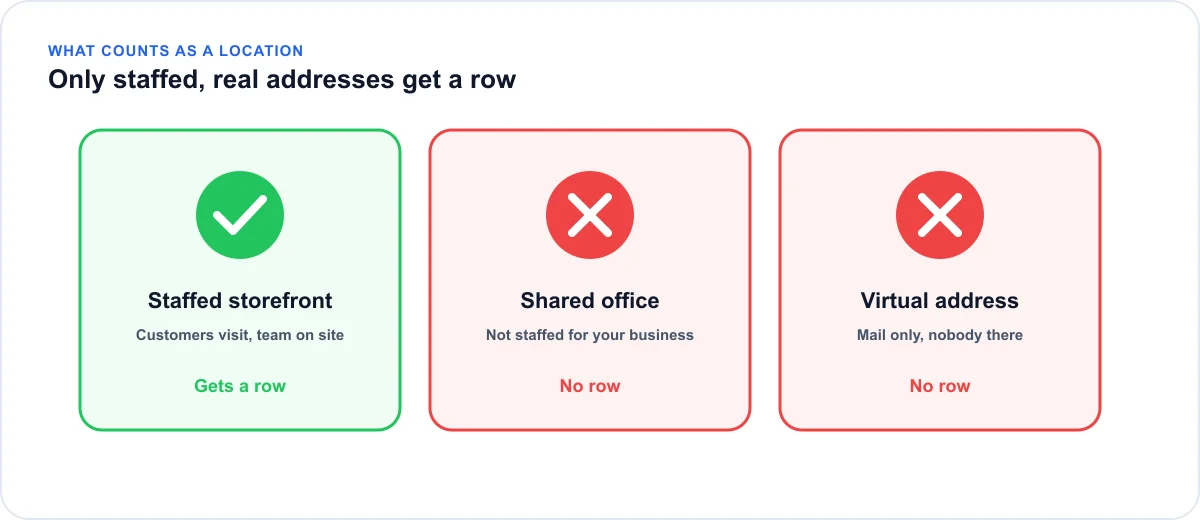
Before you score anything, settle which locations get a row. Only real locations count.
Storefronts and staffed offices
A place where customers can visit, with your team on site during the hours you list, gets its own Google Business Profile with its own address, phone number, and hours. Read Google's eligibility rules for locations before you add or change a profile, because they decide which locations qualify.
Shared addresses and virtual offices
A shared office, a mailbox, or a virtual address isn't eligible under Google's guidelines and can lead to suspension. If the business isn't staffed and open there, don't give it a row. A shorter list of locations that hold up beats a long one that gets flagged.
How to score each signal
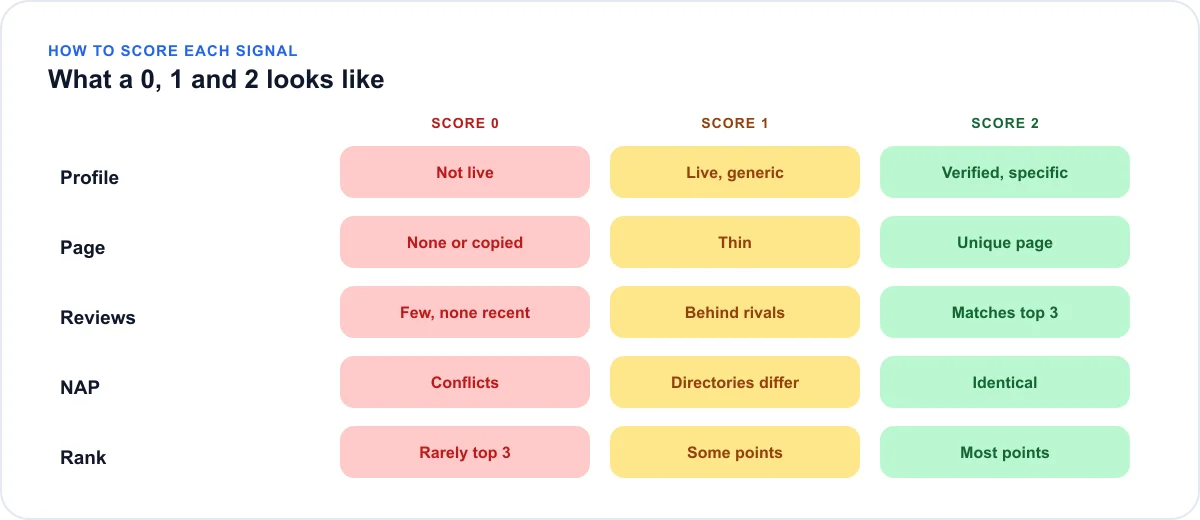
Score honestly. A generous 2 hides the problem you most need to see.
The rubric
| Signal | 0 | 1 | 2 |
|---|---|---|---|
| Profile | Not verified, suspended, or a duplicate exists | Live, but a broad category or missing hours or website link | Verified, specific category, full hours, links to its own page |
| Page | No page, or a copy with only the city swapped | A page exists but it's thin or generic | Unique page: address, team, services, proof from this branch |
| Reviews | Few, and none recent | Steady, but behind the top local competitors | At or above the top three competitors in count and recency |
| NAP | Profile and page disagree | Profile and page match, directories don't | Identical everywhere you checked |
| Rank | Not in the local pack at most points | Top three at some points | Top three across most of the service area |
Checking the profile
Search the branch name on Google Maps, then open the profile manager. Look for verified status, the most specific primary category available, complete hours, and a website link. That link should go to this branch's own page, not the homepage. A profile that points every branch at the homepage tops out at a 1, even when everything else is perfect.
Checking the page
Read the page aloud and ask whether it would still make sense with another city name pasted in. If yes, it's a template, and it scores a 0 or a 1. A page that scores a 2 has facts only this branch has: the street address, the team, the services it actually offers, directions, and proof from its own customers.
Checking the reviews
Look up the three businesses that outrank you near this branch and compare two things: how many reviews they have and when their latest one arrived. Recency matters as much as count, because a large pile that stopped growing a year ago reads as a business that has slowed down. Score against the competition in that neighborhood, not against your other branches.
Checking NAP
NAP is your name, address, and phone number. Put the profile, the location page, and your main directory listings side by side and look for any difference, including suite numbers, abbreviations, and old phone numbers. For the directories worth checking, see keeping each listing's details consistent. One mismatch on a directory is a 1, and a mismatch between the profile and the page is a 0.
Checking rank
Rank is the one signal you can't judge by eye, because it depends on where the searcher stands. Use a grid scan of every location and take grid visibility, the share of points where the business ranks in the top 20, as your bands. As a starting rule, under 30% is a 0, 30% to 60% is a 1, and above that is a 2. Those cutoffs are ours, not Google's, so adjust them to your market.
Reading your totals
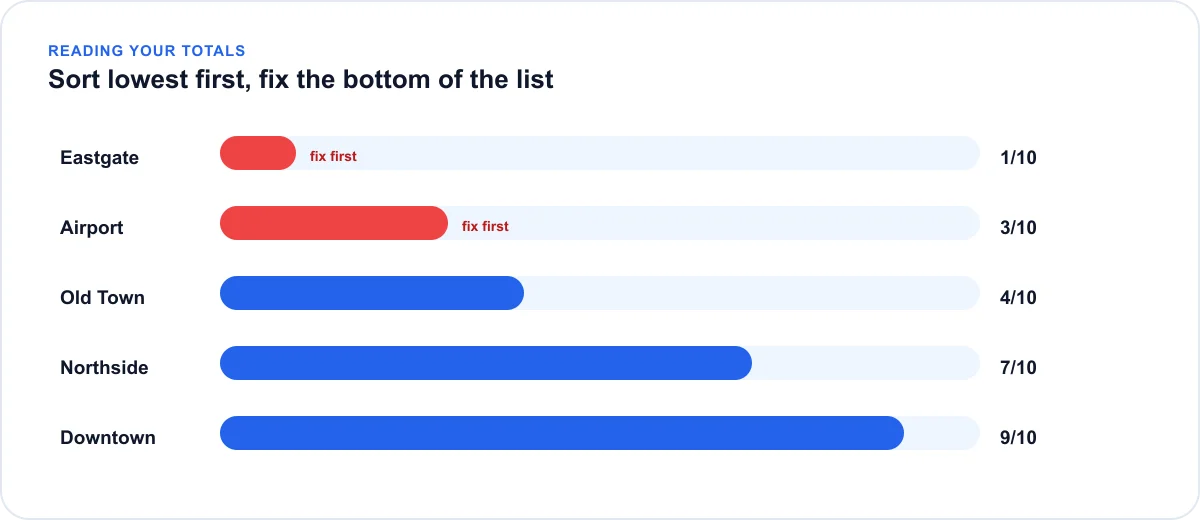
The total ranks your locations. The lowest signal decides the work.
Rank locations, then signals
Sort the sheet by Total, lowest first. Work on the bottom third before you touch anything else. A branch at 2 out of 10 has far more to gain than one at 8, and fixing the weak ones shows whether your process works before you repeat it across the rest.
What each low score means
| Lowest signal | First fix |
|---|---|
| Profile | Finish verification, fix suspensions, remove duplicates |
| Page | Write a unique page for that branch and link it from the profile |
| Reviews | Ask at the point of service using that branch's own review link |
| NAP | Standardize one name, address, and phone, then correct the outliers |
| Rank | Improve the weak areas the scan shows, then re-scan |
If two signals tie for lowest, fix them in the order the table lists them. A dead profile blocks everything below it.
A worked month for two locations
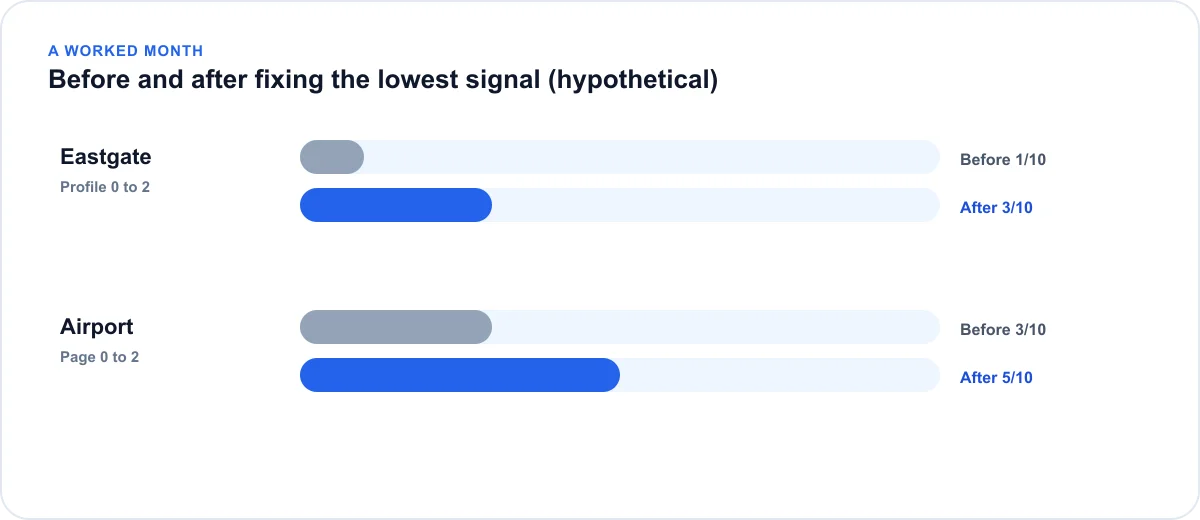
Take the two weakest branches from the example, Eastgate and Airport, and give each two weeks. The scores below are hypothetical. They show the process, not a guaranteed result.
Weeks one and two: Eastgate's profile
Eastgate scores a 0 on the profile, so it starts there. Check whether verification is finished and whether a suspension warning is showing. Search the address and phone number for a duplicate, and correct the category and hours once the profile is live. If the profile becomes verified with a specific category and full hours, its score moves from 0 to 2.
Weeks three and four: Airport's page
Airport's lowest signal is its page. Write a page for that branch from scratch, using its own address, team, services, and directions, and link it from the branch's profile. Once Airport is re-scored, start the review request routine, since reviews are its next weakest signal and take longest to build.
What the re-scored sheet looks like
| Location | Before | After | What changed |
|---|---|---|---|
| Eastgate | 1 | 3 | Profile 0 to 2 |
| Airport | 3 | 5 | Page 0 to 2 |
Rank rarely moves inside a month, so don't expect the Rank column to change yet. Re-scan after four to six weeks, and treat a single scan as a snapshot, not a trend.
Adapting the scorecard to your setup
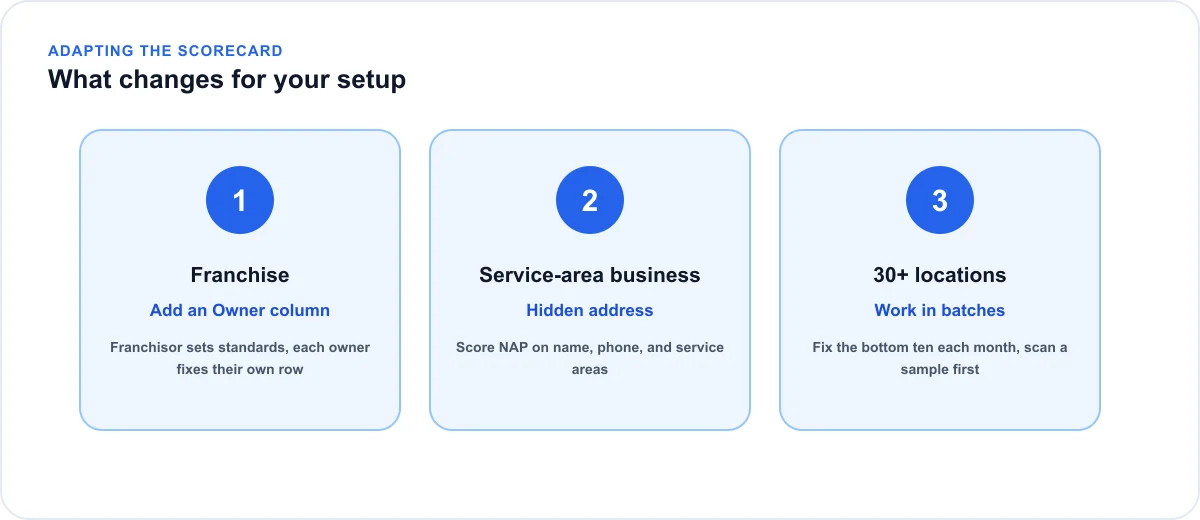
The five signals hold for every business. What changes is who does the work and how much of it you take on at once.
Franchises: add an owner column
A franchise has two layers of control. The franchisor sets brand standards, and each owner runs their own profile, reviews, and local page. Add an Owner column to the sheet so every low score has a name next to it, and agree in advance which fields the franchisor may change and which the owner controls. Without that, profiles drift out of sync and pages get copied.
Service-area businesses: score NAP differently
A service-area business can hide its street address, so NAP can't mean the street address. Score it on the business name, the phone number, and the list of service areas, and check that all three match between the profile and the page. For rank, center the scan on the business's base and check that the service areas you list are the ones where it appears.
Large networks: work in batches
With 30 or more locations, scoring is easy and fixing is the bottleneck. Score every row, then take the bottom ten each month rather than trying to lift everyone at once. Scan a sample of locations first, since scan cost grows with grid size and keyword count, and use spreadsheet filters to sort by Owner or Fix first.
Scoring mistakes that hide the real problem
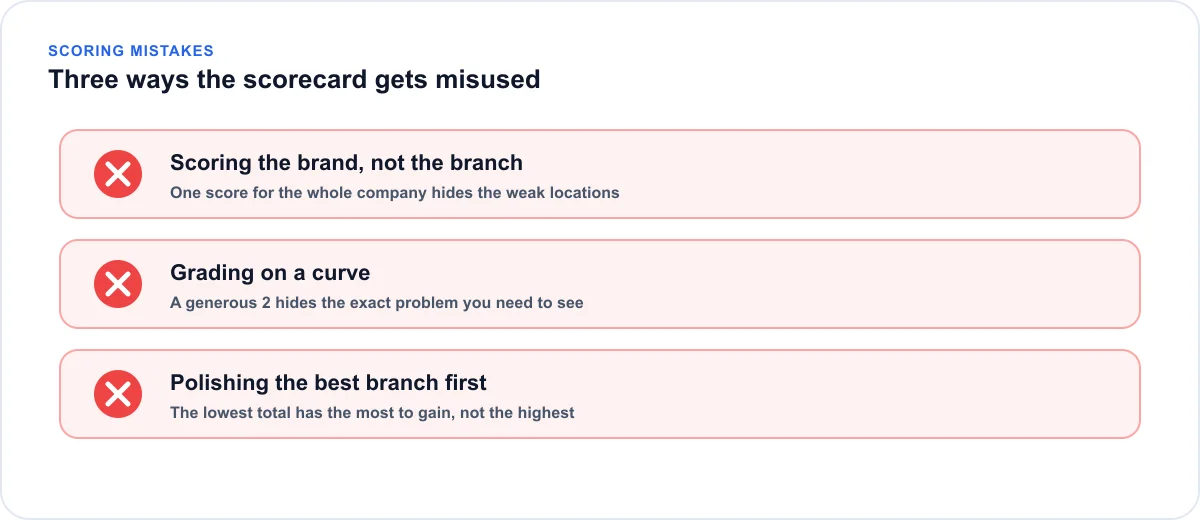
A scorecard only helps if the numbers are honest. These three habits quietly ruin it.
Scoring the brand instead of the branch
It's tempting to give the whole company one score. Do it and the weak locations vanish into the average. Score each row from that branch's own profile, page, and reviews, even when the answer is uncomfortable.
Grading on a curve
If you compare a branch with your other branches, a mediocre one looks fine next to a worse one. Compare reviews and rank against the competitors that surround each location, since those are the businesses customers actually choose between.
Polishing the best branch first
The flagship is visible and familiar, so it gets the attention. But the lowest total has the most to gain, and the highest total has the least. Sort by Total and start at the bottom.
Rules for using it
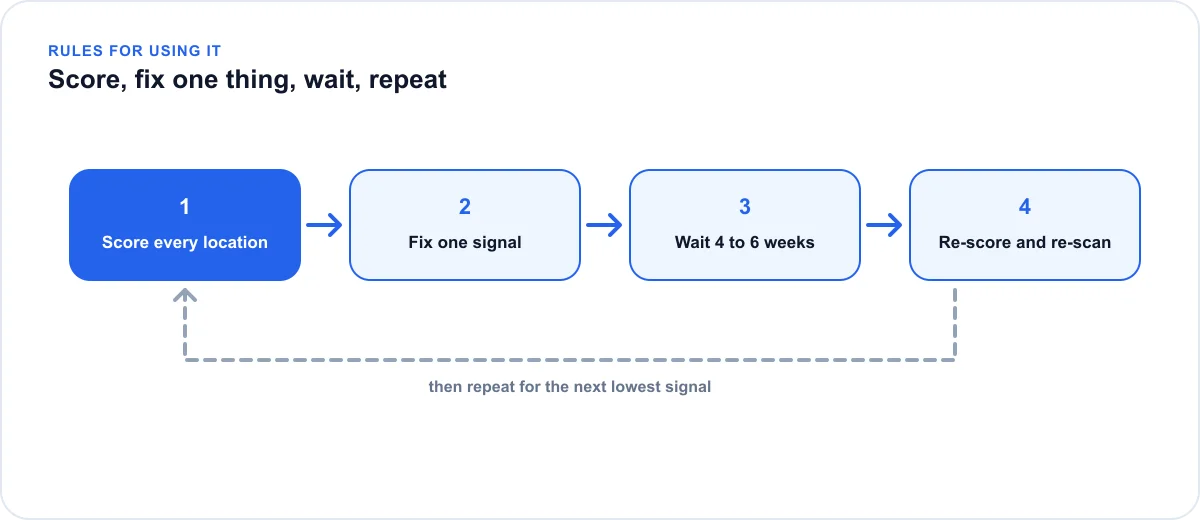
A scorecard only works if you keep using it.
Fix one signal at a time
Change one thing per location, then re-score after a few weeks. If you rewrite the page, rebuild the reviews, and change the category at once, you won't know which change moved the number.
Re-score every month
Profile and page fixes are often picked up within days, though timing varies. Rank and reviews move in weeks. Re-scan each location every four to six weeks, and remember that a single scan is a snapshot, not a trend. For the full method, see the guide to tracking rank across multiple locations.
Glocavo keeps each client's scans in a separate workspace. Importing a whole list of locations at once is on the Glocavo roadmap, not available yet, so scan your lowest-scoring locations first.
Multi Location SEO: Common Questions
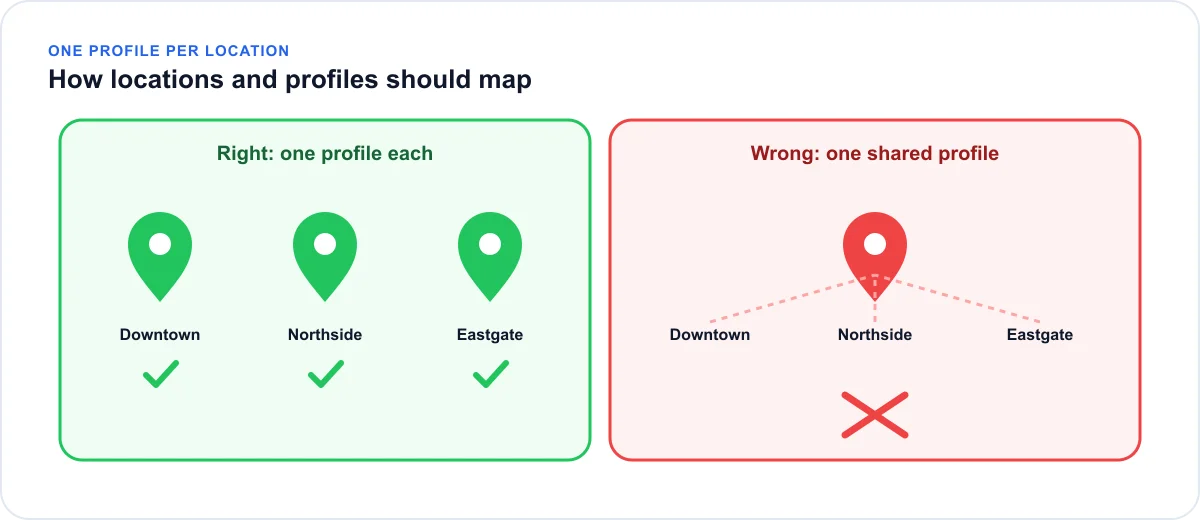
Can multiple locations share one Google Business Profile?
No. Each physical location that customers can visit needs its own profile with its own address. Merging branches into one listing goes against Google's guidelines and can put the listing at risk.
Do franchises need a separate page for each location?
Each franchise location needs its own profile, and a unique page for each is standard practice. Franchises also need clear rules for what the franchisor controls and what each owner may edit, or profiles fall out of step with each other.
Is multi-location SEO different from regular local SEO?
The same signals apply, but they apply per location and the workload multiplies. Any mistake repeats at every branch you add, which is why a per-location score is useful.
How many location pages do I need?
One per real location you operate, and no more. Pages for cities where you have no presence don't help and can look like doorway pages.
How do I check rankings for several locations?
Check each location from points around its own address, not from your office. A grid scan does this for one location at a time, so you repeat it for each branch and score the coverage.