
Google Reviews for Business: The 2026 Playbook
Google reviews for business do three jobs at once: they help you rank in the local map results, they earn the click once you're showing, and they close the decision when a customer is choosing between you and the shop down the road. In 2026 they also carry a risk they didn't a year ago, because Google rewrote the rules on how you're allowed to ask for them.
If you have been collecting reviews the way most guides taught, with a tablet at the front counter or a script that asks customers to name their technician, some of that is now against Google's policy and can get individual reviews removed or your whole profile restricted. This guide covers what changed in April 2026, how to earn reviews without tripping the new rules, how to reply so the next customer sees a business that listens, and how to get a fake review taken down. It draws on patterns the GBP SEO Tools team sees across hundreds of real Business Profile audits.
In this guide:
- Why Google reviews matter for your business in 2026
- What changed in Google's review policy for 2026
- Asking for reviews within Google's rules
- How to get your Google review link and QR code
- Replying to reviews, good and bad
- How to remove a fake or policy-violating review
- Your 30-day Google reviews plan
Before you work through it, look at your current rating, your review count, and the date of your newest review, then jump to whichever section matches your biggest gap.
Why Google Reviews Matter for Your Business in 2026
Reviews aren't just social proof sitting on your listing. They feed the ranking system, they change behavior on the results page, and buyers weigh recent ones most.
The three jobs a review does
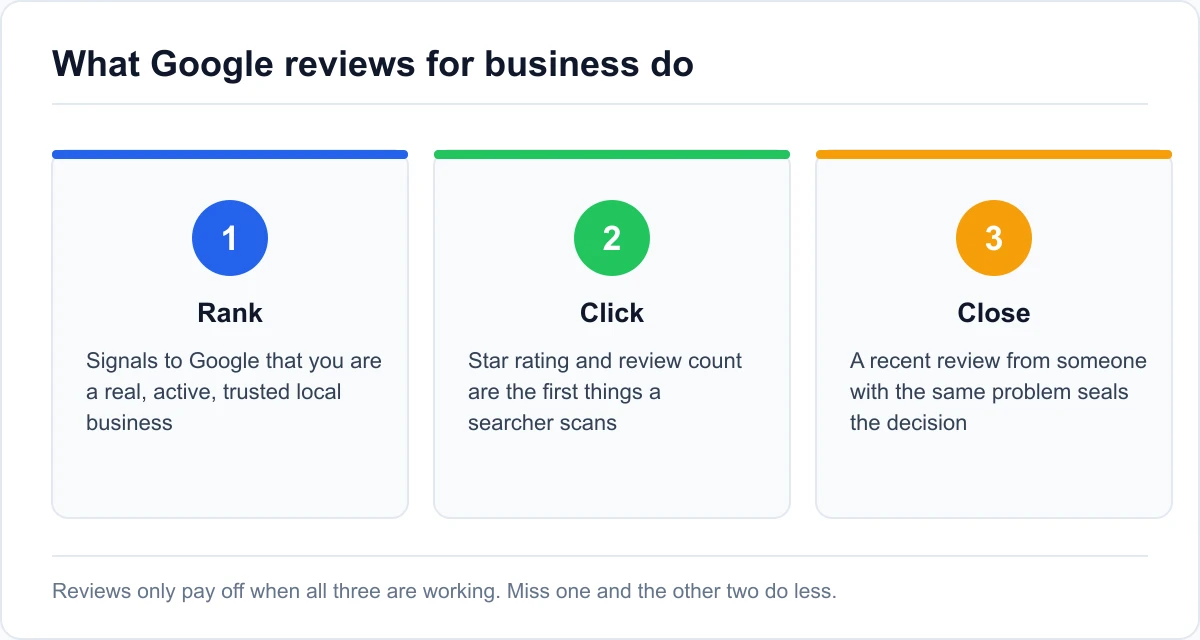
A steady stream of reviews works in three places. It helps Google decide you're a real, active, trusted business worth showing in the local pack. It raises your star rating and review count, the two things a searcher scans first when three businesses appear side by side. And it gives a hesitant customer the last push to call, because a recent review from someone with the same problem reads as proof you can handle it.
Miss on any one of those and the other two do less work. A great rating that nobody sees because you don't rank is wasted. A top ranking with a 3.6 average and a newest review from two years ago leaks clicks to the business below you.
Review signals in the local pack
Industry analyses of local ranking in 2026 put review signals at about 20% of what decides local pack position, second only to your Google Business Profile itself and ahead of on-page signals, links, and citations. That is enough to move you a place or two for a competitive search, which is often the difference between the visible top three and the "more places" tab nobody taps.
Google weighs more than the raw average here. Review count, how often new ones arrive, and whether the text mentions the service someone searched for all feed in.
Why recent reviews win the click
A review has a shelf life with buyers. Consumer surveys through 2026 keep finding that recent reviews carry far more weight with shoppers than old ones, with many discounting anything older than a month or two. A listing whose newest review is eight months old looks quieter than the one next to it, whatever its total.
Whether pace also lifts your ranking is a different question, and our own data says not by much. When we pulled the newest reviews for the top three and for three businesses at positions 11 to 20 in 24 searches on the same day, the top three had collected reviews faster in only 9 of them. Across 4,000 Google Maps results, the top three had a median of 94 reviews and positions 11 to 20 had 98. Keep the flow steady for the customers reading your profile, not in the hope that pace alone moves you up the map.
What Changed in Google's Review Policy for 2026
Google updated its review rules over two days in April 2026, tightening the language around how businesses are allowed to ask. Several tactics that were standard practice are now explicit violations.
The April 2026 updates: staff names, quotas, and scripts
Two additions to the rating manipulation policy stand out. You can no longer direct staff to bring in a set number of reviews, and you can no longer direct customers to write reviews that include specific content, including content that names an employee. The "ask every customer to mention Dave by name" tactic that many service businesses ran is out.
The principle behind it is that a review has to be the customer's own unprompted account of their experience. Anything that scripts the wording, steers the rating, or ties the review to your internal targets crosses the line. Google's prohibited and restricted content policy is the reference document if you want the exact wording.
Kiosks, shared devices, and review gating
Three collection methods are now named as problems. Shared devices and in-store kiosks, where customers leave a review on your tablet before they leave the building, are out. On-premises pressure, asking for the review while the person is still standing at your counter, is discouraged for the same reason. And review gating, where you survey people first and only send the Google link to the ones who seemed happy, is a violation.
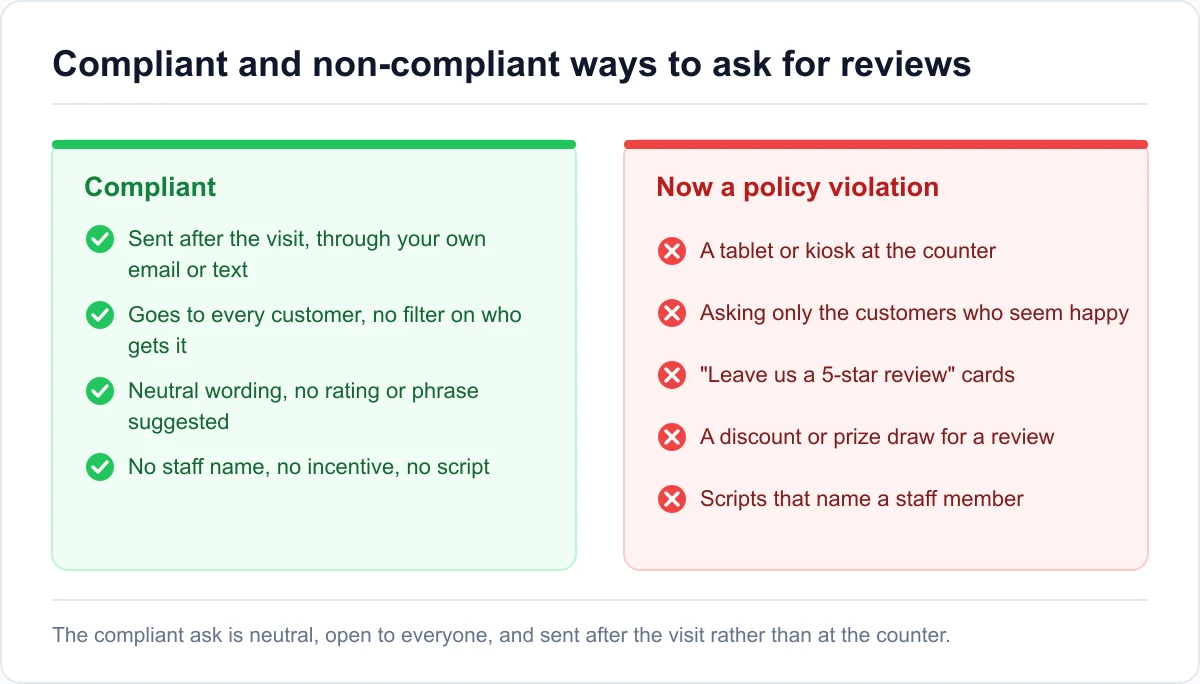
The fix for all three is the same. Send the request after the visit, to every customer, through your own email or text, with no filter on who gets it and no screen for expected sentiment.
How Google enforces the rules now
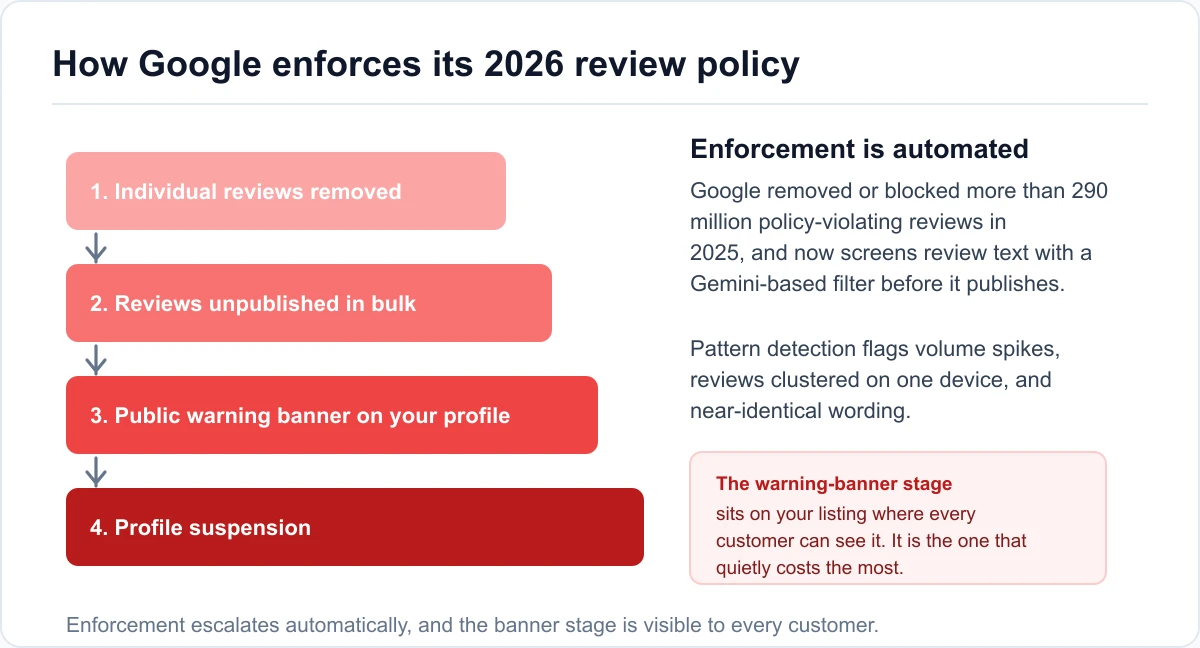
Enforcement is automated and it escalates. Google reported removing or blocking more than 290 million policy-violating reviews in 2025, and it now runs review text through a Gemini-based filter before publication, plus pattern detection that looks for volume spikes, clusters of reviews from one device, and near-identical phrasing.
When it finds a problem the response climbs a ladder: individual reviews removed, then reviews unpublished in bulk, then a public warning banner on your profile that every customer can see, then suspension of the profile. The warning banner stage is the one that quietly costs the most, because it sits on your listing telling searchers Google caught you gaming reviews.
If you're not sure whether your current setup crosses any of these lines, run your profile through a Business Profile audit before you change how you collect reviews. It's easier to fix a request process than to appeal a banner.
Asking for Reviews Within Google's Rules
The goal is a small, steady flow of unprompted reviews from a wide slice of your customers. That's what Google's rules allow and what buyers trust. The short version is below. For the full weekly routine, request messages for text, email, and print, and how many reviews to aim for in your industry, see our guide on how to get more Google reviews.
What the rules still allow
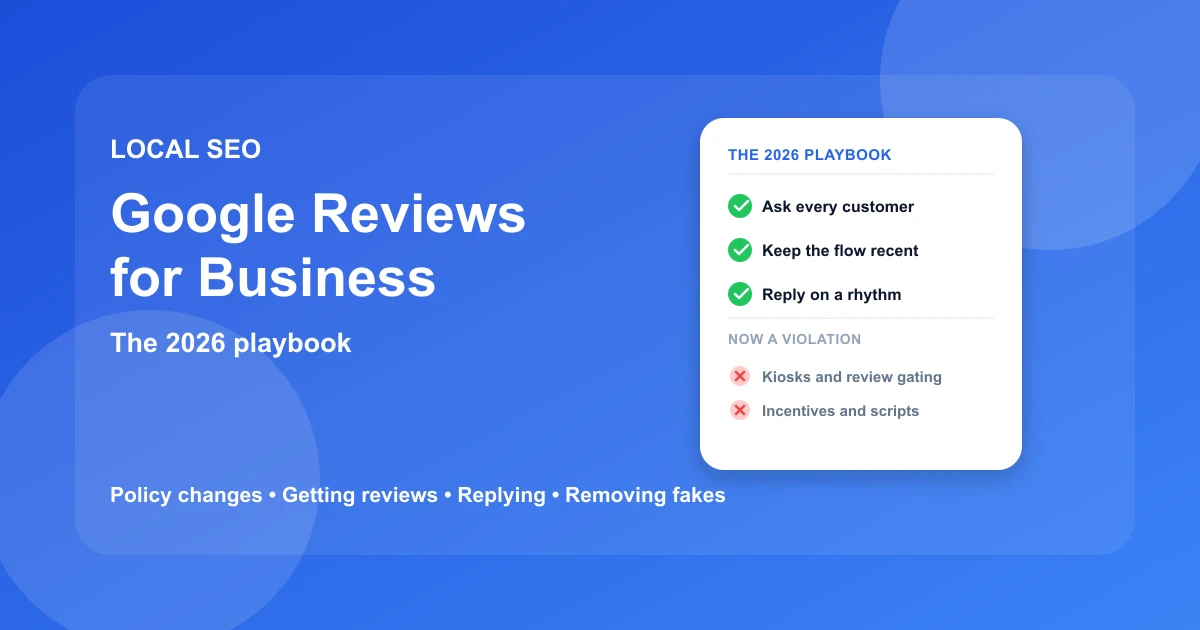
Ask every customer once the job is done, not only the ones you expect to be happy, since filtering by mood is the gating violation. Send a link that opens the review box in one tap, through your own email or text, after the visit rather than at the counter.
Keep the wording plain. "If you have a minute, a review of how it went would really help us" is enough. No star suggestion, no script, no employee name.
Tactics that used to work and now backfire
Cross these off your list:
- The counter tablet or in-store kiosk
- The "leave us a 5-star review" card
- Any discount, prize draw entry, or loyalty points in exchange for a review
- Scripts that ask customers to name their technician
- Surveying people first and only sending the Google link to the happy ones
Each of these is now a policy violation that risks removal or a warning banner, and the incentive-based ones can taint every review you have already collected. A cafe that ran a "review us for a free pastry" card for six months found this out the hard way: a batch of its reviews vanished in a single week and a banner appeared on the listing. The ones that survived were the handful left by people who were never offered anything.
How to Get Your Google Review Link and QR Code
A direct review link is the single highest-return thing you can set up, because it removes the step where most would-be reviewers give up.
Find the link in your Business Profile
Search your business name on Google while signed in as the owner, or open the Business Profile dashboard. There is a "Ask for reviews" or "Get more reviews" option that produces a short link pointing straight at your review form. Copy it once and store it somewhere you can reach quickly.
If you manage the profile through the Google Maps app, the same share option lives on your business listing under the account you use to manage it.
Turn it into a short link and a QR code
The raw link is long and easy to mistype when someone reads it off a sign. Run it through any link shortener to get a clean, memorable URL, then generate a QR code from that short link for anything printed. Free QR generators are fine here; the code just encodes the URL.
Print the QR code at a size people can scan from a comfortable distance, and test it with two or three different phones before it goes out.
Where to put it
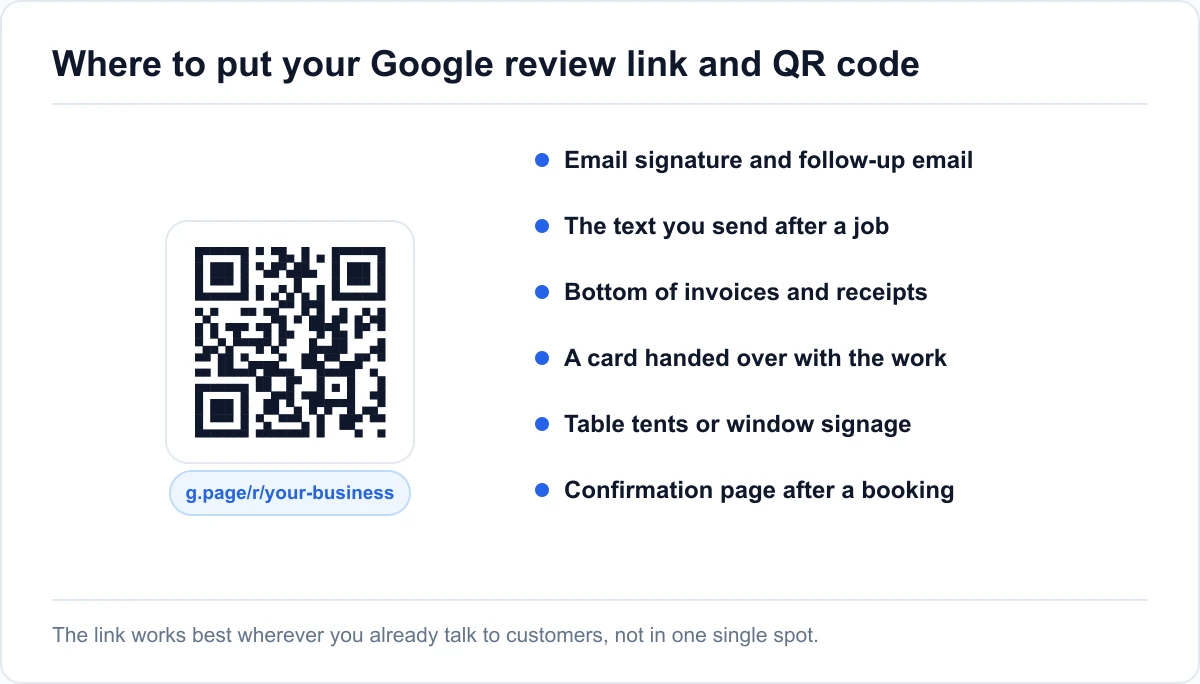
Spread the link and code across the touchpoints you already own:
- Your email signature and any follow-up email
- The text message you send after a job or appointment
- The bottom of invoices and receipts
- A small card handed over with the finished work
- Table tents or window signage for a storefront
- The confirmation page after an online booking
The point isn't one perfect placement. It's that the link is never more than a glance away when a customer actually feels like leaving feedback.
Replying to Reviews, Good and Bad
Replying is part of review strategy, not an afterthought. It shows that someone is running the profile, and it's read by every future customer who scrolls your reviews. The basics are below. For weak and better example replies to every kind of review, from star-only ratings to reviews from people who were never customers, see how to respond to Google reviews. To keep every review in one inbox with drafts you edit yourself, there's our GBP management platform.
A reply framework for positive reviews
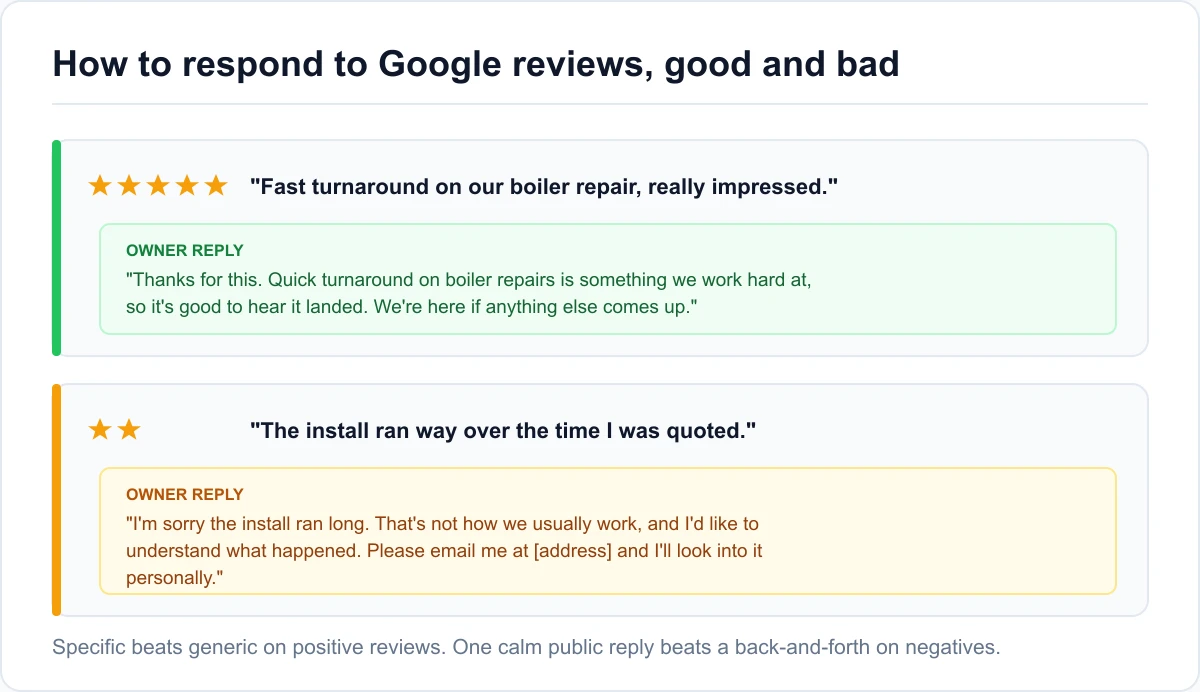
Keep it short, specific, and human. Thank the person, name the specific thing they mentioned so the reply doesn't read as a template, and add one forward-looking line. A good reply to a five-star review about a fast turnaround might read: "Thanks for this. Quick turnaround on boiler repairs is something we work hard at, so it's good to hear it landed. We're here if anything else comes up."
Avoid the copy-paste "Thank you for your feedback!" on every review. Reviewers and searchers both notice, and identical replies are one of the patterns Google's spam detection looks for.
Handling negative and unfair reviews
Reply calmly, in public, once. Acknowledge the experience, avoid arguing the details, and move the specifics offline with a name and a direct contact. Something like: "I'm sorry the install ran long. That's not how we usually work, and I'd like to understand what happened. Please email me at [address] and I'll look into it personally." It reads well to the next customer even if the reviewer never writes back.
If the review breaks a Google policy, that's a separate track, covered in the next section. A reply and a flag aren't mutually exclusive.
Why reply speed matters
Customers notice how fast you answer. A reply within a few days reads as attentive, and one that arrives a month later reads as damage control. Google doesn't name replies as a ranking factor, but a profile that's clearly looked after is the one that keeps earning the steady, recent reviews that do count. Set a rhythm you can hold. Twice a week is plenty for most businesses, and you reply to the negative ones first.
How to Remove a Fake or Policy-Violating Review
You can't delete a review yourself. What you can do is flag it and make the case that it breaks a Google policy, and in 2026 there are more tools for doing that than there used to be.
What Google will and will not remove
Google removes reviews that break its content policy. That includes:
- Spam and fake engagement
- Reviews from people who were never customers
- Off-topic rants that aren't about the experience
- Conflicts of interest, such as a competitor or a former employee
- Hate speech, harassment, or personal information
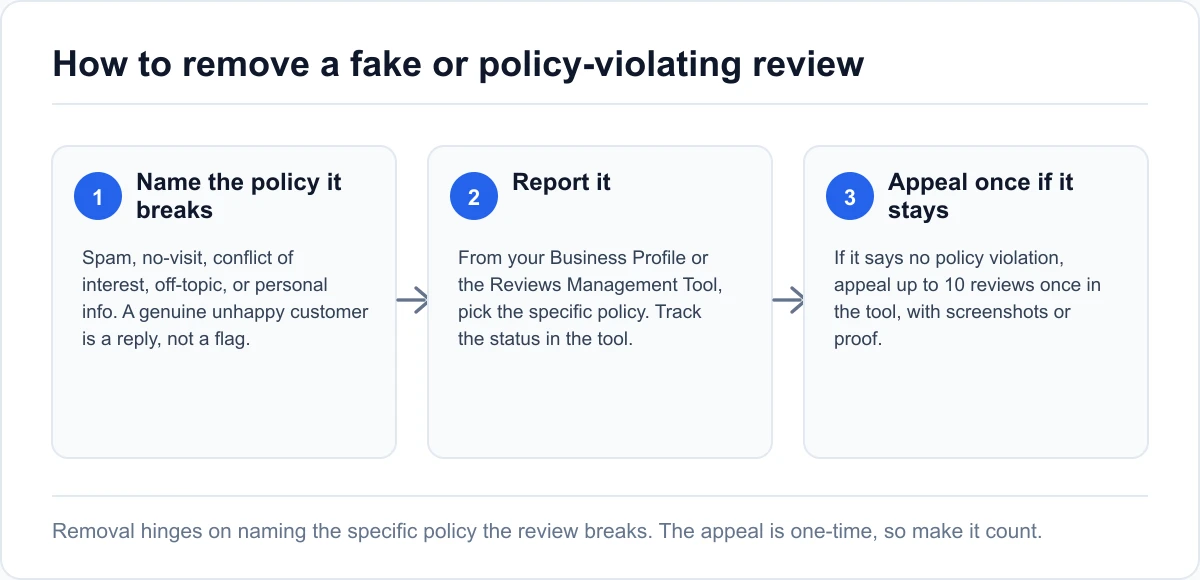
It won't remove a review just because it's negative, inaccurate in your view, or unfair. Fake reviews are a policy violation rather than a criminal matter in most cases, so the realistic route is the policy flag, not a lawyer. Be honest about which bucket a review falls in before you spend time on it. A genuinely unhappy customer is a reply, not a flag.
Report it, then appeal once if Google says no
Report the review from your Business Profile (open Read reviews, select the report icon next to the review, and pick the policy it breaks) or from Google's Reviews Management Tool. The tool is the better route, because it also shows what happened to every review you've reported. It asks you to confirm your account, then pick the business.
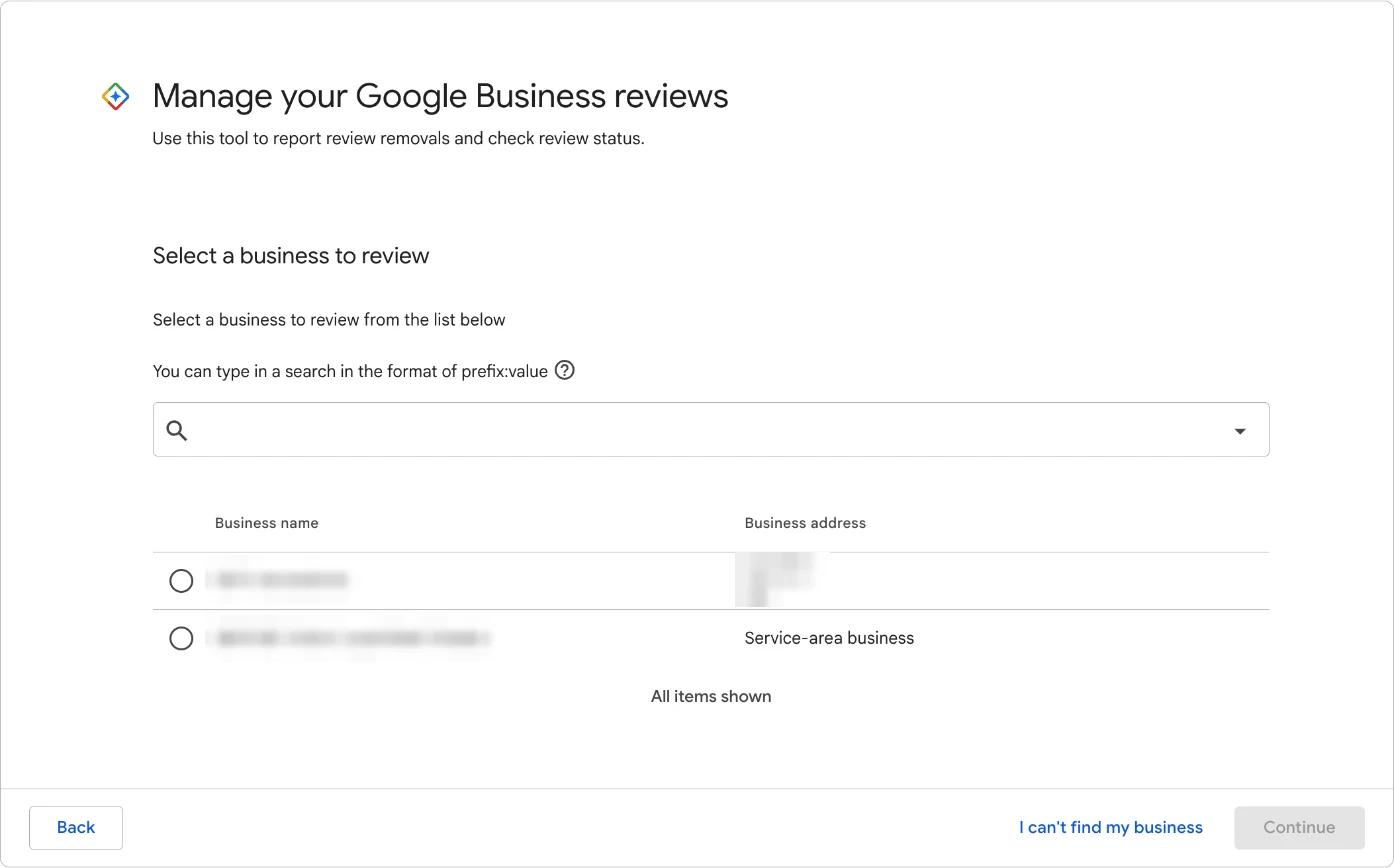
Each reported review then shows one of three statuses: "Decision pending" (not checked yet), "Report reviewed - no policy violation" (Google looked and kept it), or "Escalated - check your email for updates" (an appeal is under review).
If the status is "no policy violation," you get one appeal. In the tool, choose to check previously reported reviews, select "Appeal eligible reviews," pick up to 10 at once, and submit the form. Google emails the result: a review that breaks policy is removed, one that doesn't stays up. The appeal is one-time only, so explain in plain terms which named policy the review breaks, for example "the reviewer names a competing business they work for" rather than "this review is unfair," and attach screenshots or any evidence the person was never a customer.
New 2026 moderation tools and warning banners
Google's 2026 changes added faster reporting paths and the same Gemini-based filtering that screens new reviews also helps catch coordinated fake-review attacks after the fact. The flip side is the public warning banner: if Google decides a business has been gaming its own reviews, it can put a visible notice on the profile. Getting fake reviews removed is worth the effort, but the higher priority is never earning a banner of your own.
Your 30-Day Google Reviews Plan
Turning this into a habit takes about a month of light, consistent effort. Here is a sequence that works for a single-location business.
Week 1: set up the link, QR, and request habit
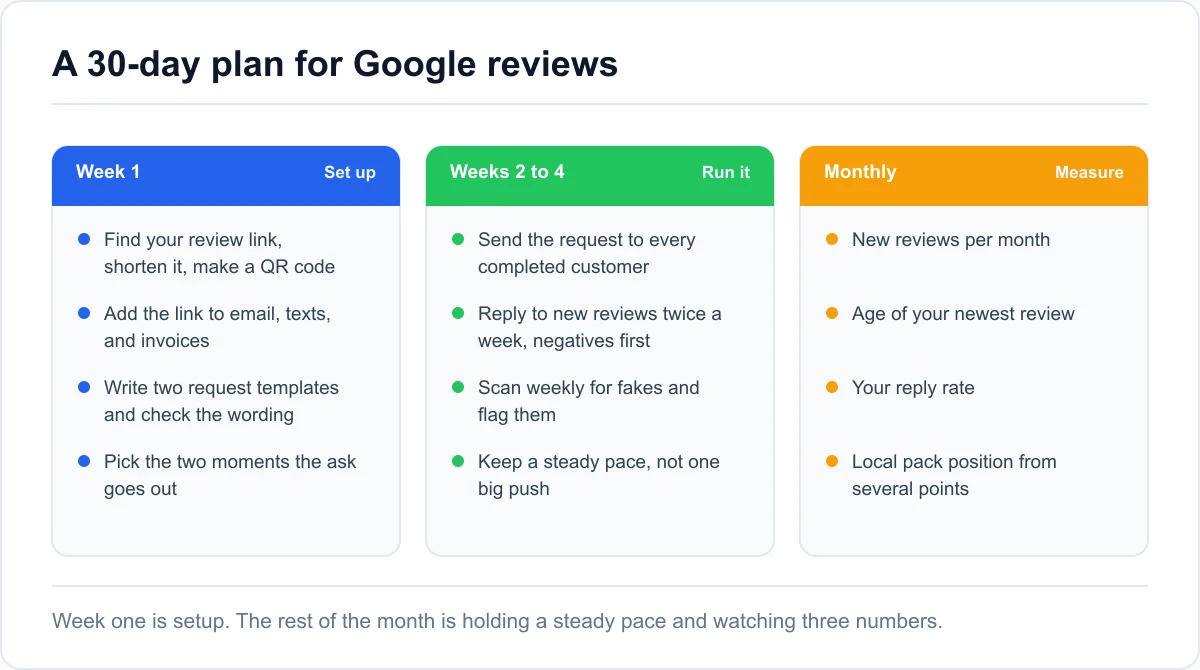
Find your review link, shorten it, and make a QR code. Add the link to your email signature, your after-job text, and your invoice template, and print a few QR cards or a small sign. Write two short request templates, one text and one email, and check them against the rules above. Decide the two moments in your customer flow when the ask goes out.
By the end of the week the ask should be something that happens automatically, not something you have to remember.
Weeks 2 to 4: cadence, replies, and monitoring
Send the request to every completed customer at your chosen moments. Twice a week, reply to new reviews, negatives first, with specific non-templated responses. Once a week, scan for anything that looks fake or policy-violating and flag it with the right policy named. Keep the pace steady rather than doing one big push, since a spike looks worse to Google than a trickle.
What to measure
Track three numbers monthly: new reviews per month, the age of your newest review, and your reply rate. Those tell you whether the habit is holding. Watch your local pack position for two or three main searches from more than one point in your service area, since a single check from your office overstates how you're doing. Tie it all back to calls and bookings, not just the star average.
Conclusion
Google reviews for business are still one of the highest-return things a local business can work on, and in 2026 the winning approach is narrower than it used to be. Earn reviews from every customer through your own channels, keep the flow steady so your newest review is always recent, reply on a rhythm, and flag the fakes with a specific policy in hand.
The tactics to drop are the ones built on pressure or incentives: kiosks, review cards that suggest a rating, discounts for feedback, scripts that name staff, and surveying people before you decide who gets the link. Those now risk removal, a public warning banner, or suspension, and the banner alone can undo years of goodwill.
Start by seeing where your listing stands today. Run the audit for a read on your rating, review volume, and recency against your category, plus the specific gaps to close first.
Google Reviews for Business: Common Questions
Do Google reviews help SEO?
Yes, for local search. Review signals are about 20% of what decides local pack ranking in 2026, and Google factors in the count, how recently reviews arrived, and whether the text matches what people search for. They do less for national, non-local rankings, where the page rather than the listing is what competes.
How many Google reviews does my business need?
It depends on your industry and city. In our check of 4,000 Google Maps results, the median top-three business had 94 reviews and positions 11 to 20 had 98, while the top-three median ranged from 8 for accountants to 460 for veterinarians. Aim to roughly match the businesses already ranking for your main search, keep your rating above about 4.5, and keep a steady flow so your newest review stays recent for the customers reading it.
Can I offer a discount in exchange for a Google review?
No. Incentivized reviews, whether the incentive is a discount, a free item, a prize draw, or loyalty points, are against Google's policy. Beyond the risk of those reviews being removed, an incentive can put every review on your profile under suspicion during a review. Ask without offering anything in return.
Can I ask a customer to mention an employee by name?
No, not since April 2026. Google's updated policy specifically bars directing customers to include set content in a review, including naming a staff member, and bars staff review quotas. You can still deliver service good enough that customers name someone on their own, but you can't ask them to.
How do I get my Google review link?
Sign in as the profile owner, open your Business Profile or find your business on Google, and use the "Ask for reviews" or "Get more reviews" option to copy a short link that opens your review form directly. Shorten it with any link tool for print use, and generate a QR code from the shortened version for signage and cards.
Can someone leave a Google review without a Gmail account?
They need a Google account, but that doesn't have to be a Gmail address. Anyone can create one using an existing email address from another provider. In practice most customers already have a Google account on their phone, so this is rarely the blocker people expect.
How long does it take Google to remove a flagged review?
Google says evaluating a reported review typically takes several days, and you can follow it in the Reviews Management Tool. If the report comes back as "no policy violation," you can file one appeal covering up to 10 reviews, and Google emails the final decision.