
Google Business Profile Suspended: Why It Happens and How to Fix It
A Google Business Profile suspended for a policy issue almost always falls into one of three buckets: a policy violation in the name or description, a location or category mismatch, or a duplicate listing. Fix the specific violation first. Then gather proof the business is real and located where it says. Finally, appeal through Google's own tool.
Most business owners find out from a customer asking "are you closed?" before Google ever explains why, and that stress is real. This guide covers what triggers a suspension, what Google's guidelines actually require, how to appeal correctly the first time, and what determines how long reinstatement takes.
What "Google Business Profile Suspended" Actually Means
Google uses a few different terms for a listing that's stopped showing up, and they don't all mean the same thing or require the same fix.
Suspended vs. Disabled vs. Removed
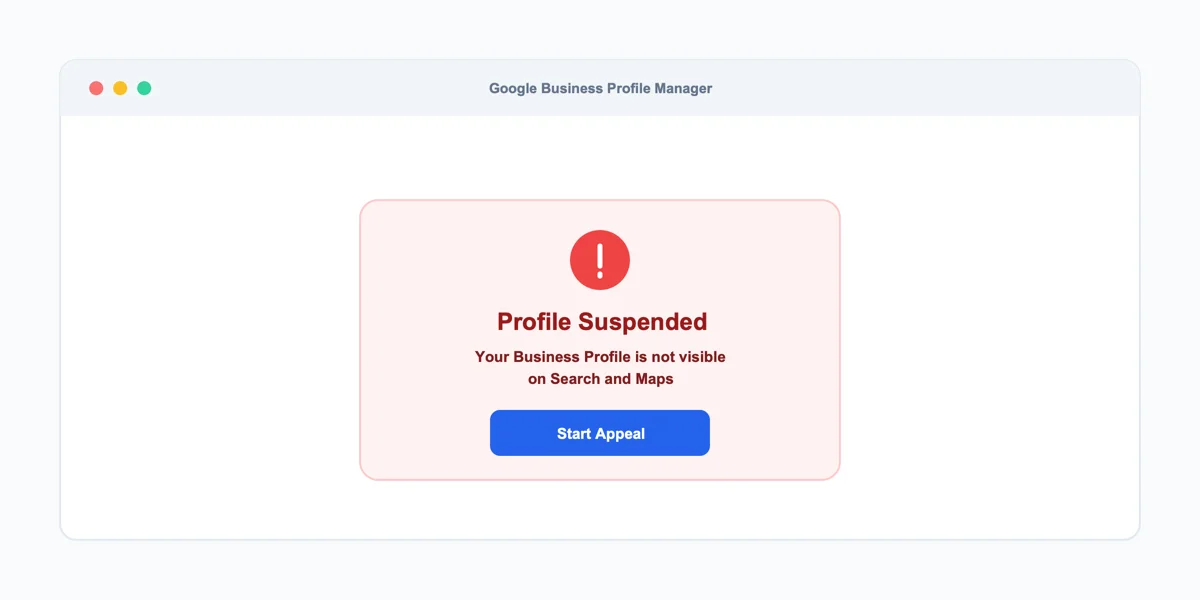
A "suspended" profile is hidden from Google Search and Maps but not deleted, which is one of several reasons a business can stop showing up on Google Maps. The underlying listing data still exists, and an appeal can restore it. A "disabled" profile means the same thing from the business owner's side, Google uses the two terms almost interchangeably in its own support documentation. A "removed" listing is different and more permanent: Google decided the business doesn't meet its guidelines at all, not that one specific policy was violated. Reinstatement is far less likely in that case.
How You Find Out Your Profile Is Suspended
Most businesses learn about a suspension one of two ways. Either the profile stops appearing when they search their own business name, or they log into the dashboard and see a suspension notice instead of the normal editing screen. Google doesn't always send an email warning first, especially for automated suspensions triggered by the business name or description itself. If you're not sure whether your listing is already flagged, check the name and description against Google's own content policy before filing an appeal.
Common Reasons Google Suspends Business Listings
Google suspends business listings for a narrow set of recurring reasons, and most of them trace back to something a business owner controls directly, not a random algorithm decision.
Keyword Stuffing in Your Business Name
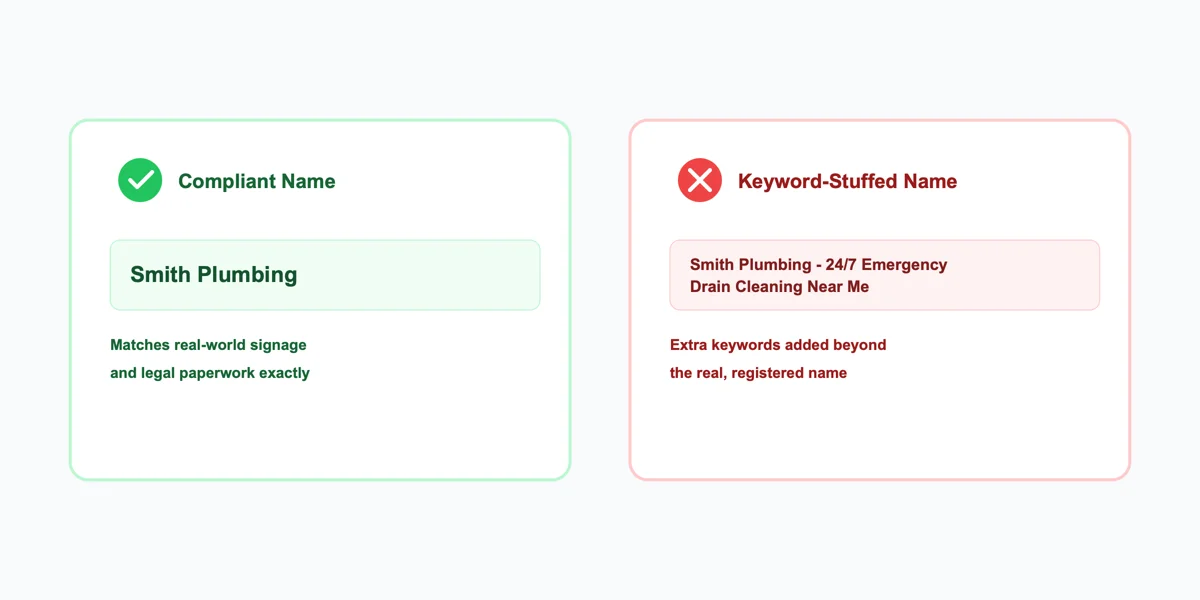
Adding extra descriptive words to the business name field is one of the most common triggers for an automated suspension. For example, "Smith Plumbing - 24/7 Emergency Drain Cleaning Near Me" instead of just "Smith Plumbing." Google's guidelines require the name field to match the business's real-world signage and legal paperwork exactly, with nothing added for search visibility. This counts as a violation even when every extra word genuinely describes what the business does.
Policy Violations in Your Description or Photos
Beyond the name field, Google's content policy also covers the business description, photos, and posted attributes. That means no prohibited claims, no keyword stuffing there either, and no photos that misrepresent the location or weren't actually taken at the business. A single flagged photo rarely triggers a suspension on its own. A pattern of policy-adjacent content across multiple fields, however, raises the odds significantly. A Google Business Profile policy violation counts the same way no matter which field it happens in, the standard doesn't change field by field.
Duplicate or Ineligible Listings
A second profile for a business that already has one live is a suspension trigger on its own, even if it was created by accident through a different login or a data aggregator sync. This happens more often than most owners expect. A marketing agency might claim a listing on the business's behalf without checking whether one already exists. Or a franchise location gets auto-generated by a third-party directory that never confirmed the business had already claimed its own profile. Brands running several branches are exposed to this most, so multi-location SEO starts with knowing which listings actually exist.
A second, separate trigger is eligibility itself. Google's guidelines explicitly restrict certain business types from having a public-facing profile at all, and a service-area business claiming a storefront address it doesn't actually staff falls into the same category. That distinction matters most for mobile businesses like plumbers, mobile groomers, and home cleaning services that work from a residence rather than a customer-facing location.
Google Business Profile Guidelines You Need to Know
Most suspensions are preventable simply by knowing what Google's guidelines actually require, since the rules aren't hidden, just rarely read before something goes wrong.
Eligibility Requirements
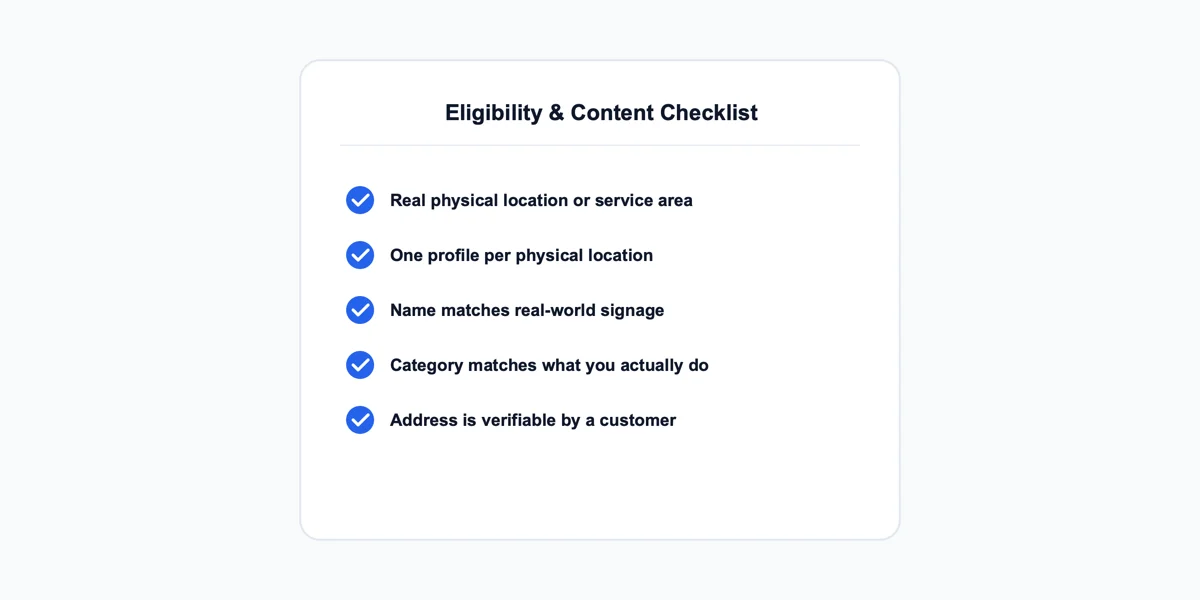
To qualify for a Business Profile at all, a business needs a real, physical interaction with customers. That means either a storefront customers can visit or a genuine service area the business actively works in. Google generally allows one profile per physical location. A business without a permanent, staffed address, a P.O. box, for example, has to represent itself as a service-area business rather than claiming a storefront.
Content Restrictions
Every field on the profile has to reflect real information:
- Name: matches the business's actual signage
- Category: matches what the business genuinely does, not the closest high-volume category
- Address: is where a customer or Google's own verification process could actually find the business
A dentist listed under a broad "Medical Clinic" category to chase more search volume is a content mismatch. So is a bakery whose photos show a commissary kitchen rather than the storefront customers actually visit. Neither looks like an obvious violation on its own, but both fall under the same restriction. None of these rules are unique to suspended listings, they apply to every live profile. That's exactly why reviewing them before an appeal, not just after a suspension, prevents the same issue from recurring.
How to Appeal a Suspended Google Business Profile
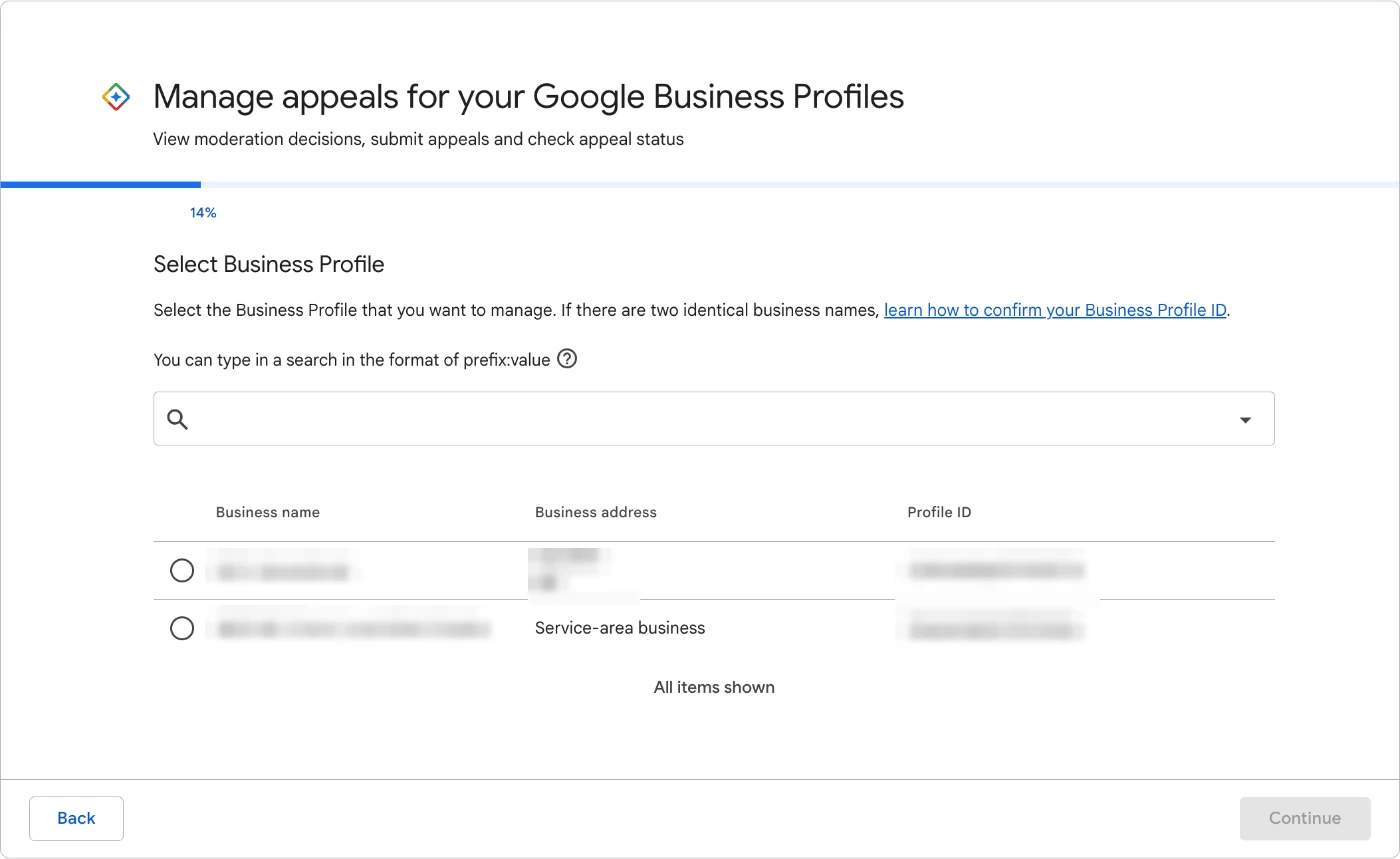
Once you know which issue triggered the suspension, appealing happens in one Google tool, called "Manage appeals for your Google Business Profiles." The screenshots in this section are from that tool, taken in October 2026 from an account that manages two profiles, with personal details blurred.
Step 1: Fix the Underlying Issue First
Correct the actual violation before appealing: a stuffed business name, a mismatched category, a duplicate listing. Submitting an appeal while the underlying issue is still live is close to an automatic denial. Google's guidance on fixing suspended profiles walks through this same sequence, confirm the profile matches every guideline first, then appeal.
Step 2: Gather Your Evidence
The appeals tool lists four kinds of documents it accepts: a business registration, a business license, tax certificates, and utility bills. Evidence is optional, but the name and address on every document should match the profile exactly. Gather them before you open the appeal, because you only get one submission per decision.
Step 3: Open the Appeals Tool and Pick the Profile
The tool first asks you to confirm the Google account you're signed in with, then shows every profile that account manages, with its address and Profile ID. Pick the suspended one and continue. If you manage two locations with the same name, the Profile ID is how you tell them apart.
If your whole Google account is restricted, not just the profile, the order changes. Appeal the account restriction first on your Google Account's restrictions page, and only appeal the profile once that's lifted.
Step 4: Choose the Decision You're Appealing
Next you see every moderation decision on that profile: the date, what was blocked, the policy behind it, whether it's eligible for appeal, and the review status. In the example below, the decisions are rejected name and category edits marked "Business identity changed," each still "Eligible for appeal" with no appeal submitted. A suspension shows up in this same table.
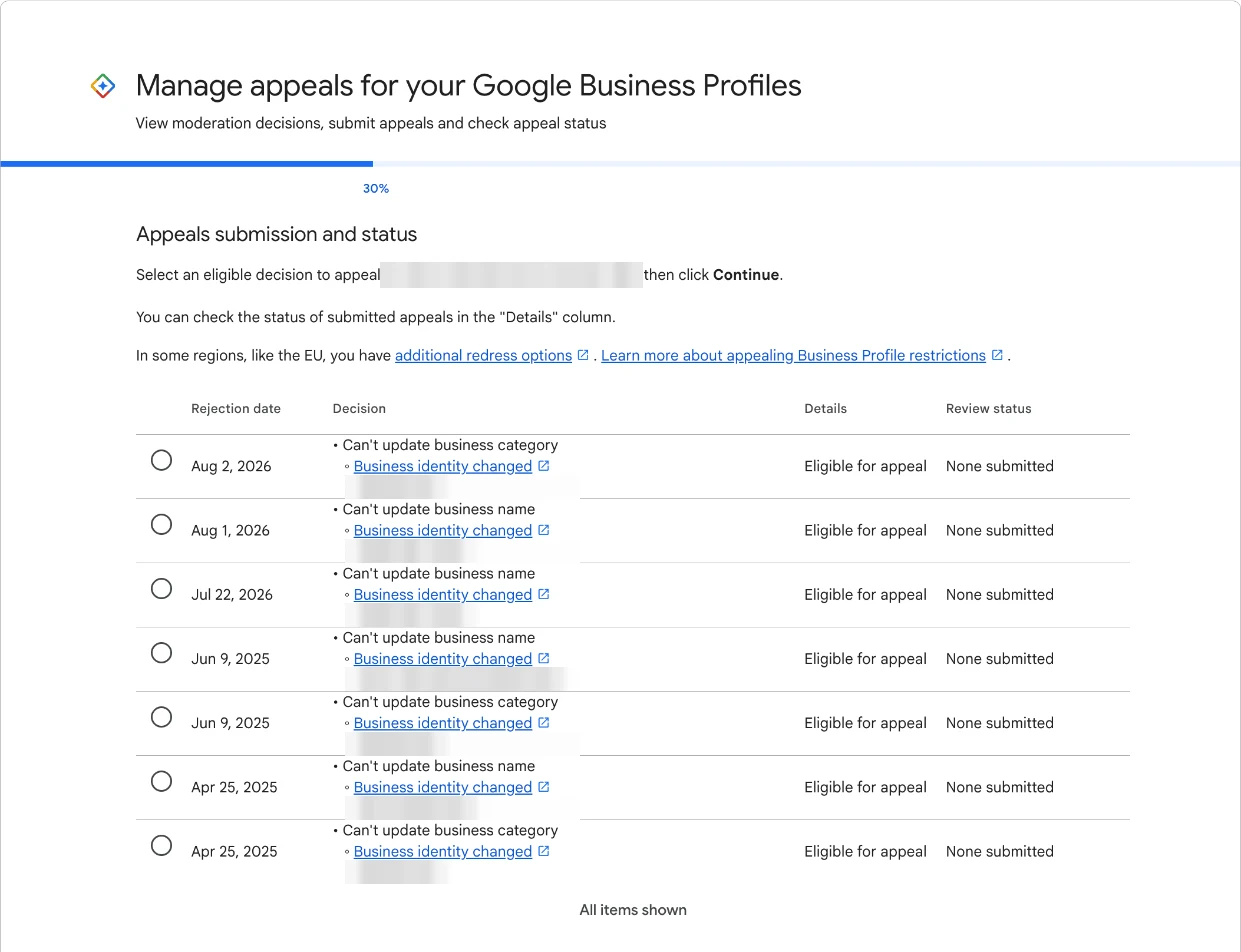
If the tool says "No rejected content to appeal," Google hasn't recorded a decision against that profile. That usually means the problem is somewhere else: an account-level restriction, a different profile, or a listing that's live but not ranking.
Step 5: Upload Evidence and Submit Once
The last screen is where the appeal is won or lost. Upload your documents, then use the text box to explain in two or three plain sentences what you fixed and how the documents prove the business is real at that address. Tick the confirmation box and select Submit appeal. The screen says it plainly: appeals can only be submitted once.
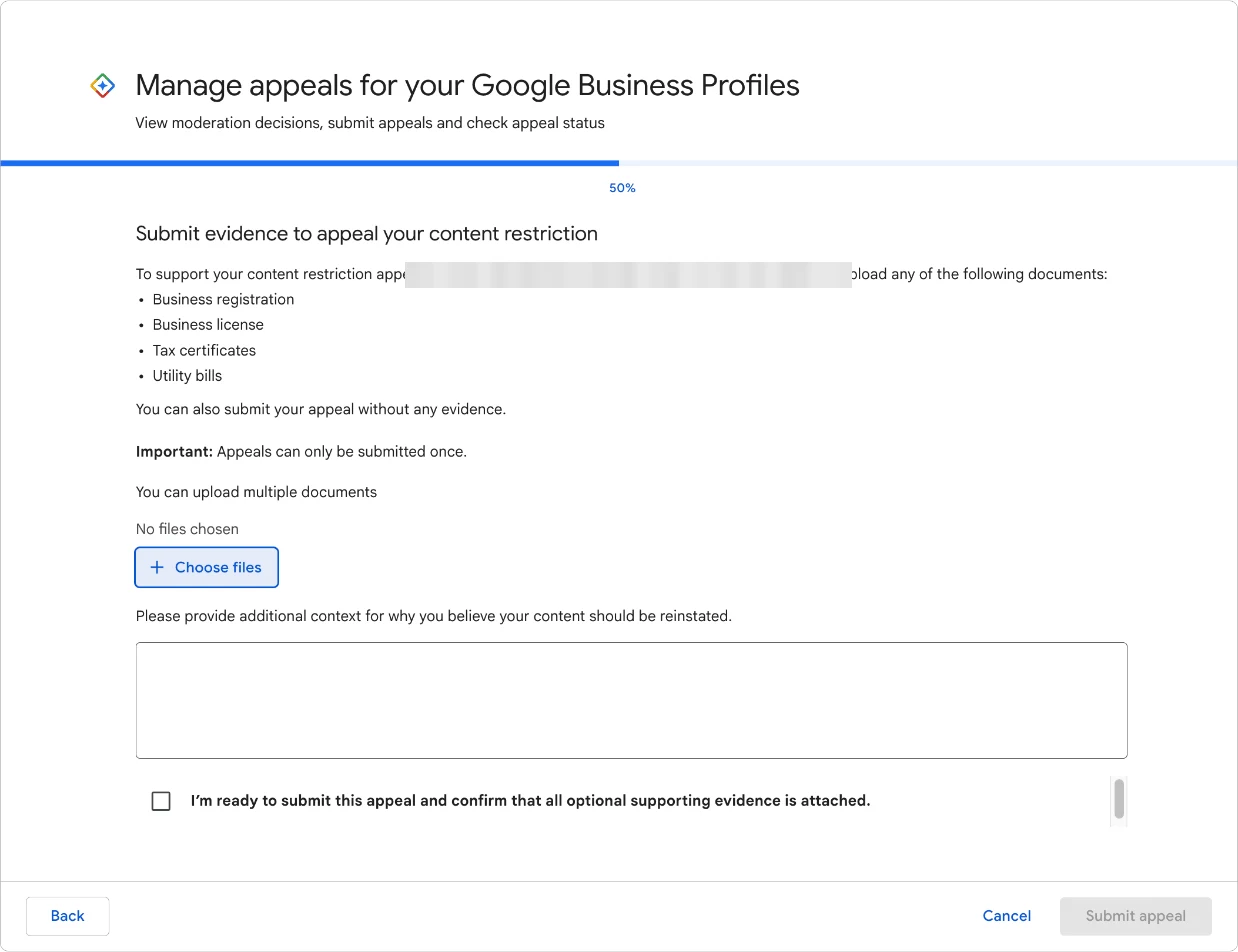
Appealing for 10 or more locations at once? When the tool asks whether you're requesting bulk reinstatement, answer yes and attach a spreadsheet listing each suspended location's Profile ID along with the supporting documents.
How Long Google Business Profile Reinstatement Takes
Once an appeal is filed correctly, the timeline is fairly predictable, though it depends heavily on how clean the first submission was.
Typical Appeal Review Timelines
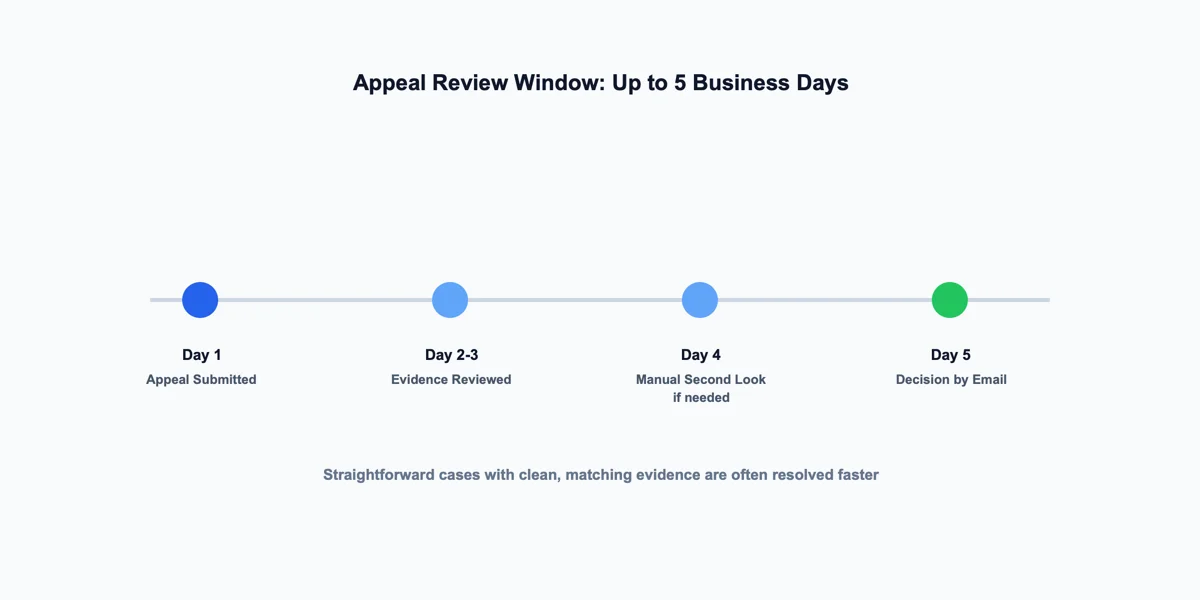
Appeal reviews and decisions fall within Google's stated 5-business-day appeal window. Straightforward cases with clear evidence are often resolved faster, and Google emails you the decision. You can also check the status in the appeals tool at any time. Once the profile is back, check your reviews as well. Some can drop off after reinstatement, and missing Google reviews after a reinstatement are a support case you can open with evidence.
If Google Denies the Appeal
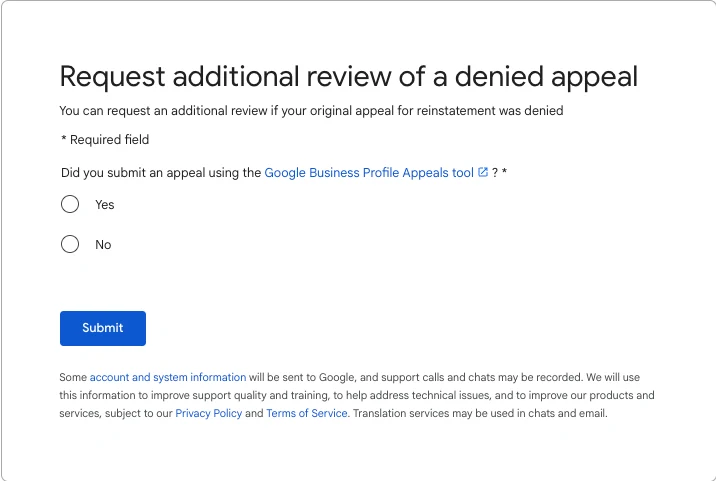
A denied appeal isn't always the end. Google has a separate form, "Request additional review of a denied appeal," that opens only after the appeals tool has turned you down. It's your chance to add evidence you didn't include the first time, so treat it as a second and final attempt, not a resubmission of the same file. Businesses in the European Economic Area have additional redress options as well.
What Delays or Derails an Appeal
The most common reason an appeal fails is a mismatch between the submitted evidence and the profile's exact listed name or address. Even a difference as small as "St." versus "Street" can trigger a manual second look. Because the tool accepts one appeal per decision, a rushed submission with the wrong documents costs more than waiting a day to get them right. Creating a new profile for the same business while you wait makes it worse, since a duplicate listing is itself a policy violation.
How to Avoid Future Suspensions
The same review that gets a suspended profile reinstated is worth running proactively, since most future suspensions are preventable with the same information used to fix the first one.
Check for Policy Risk Before It's a Problem
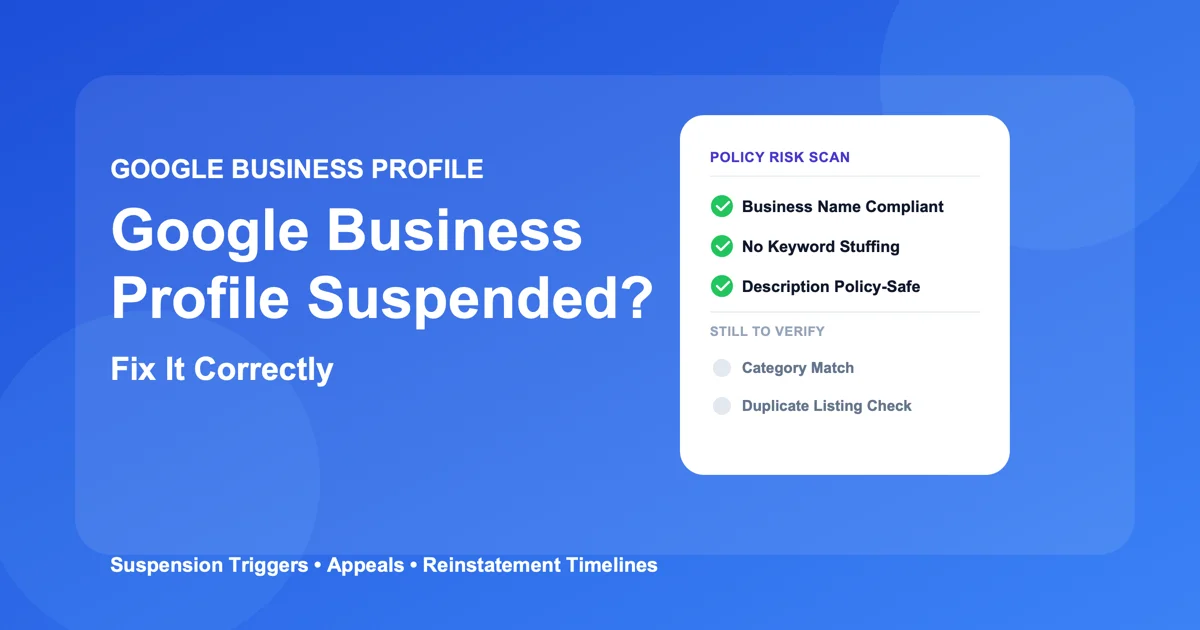
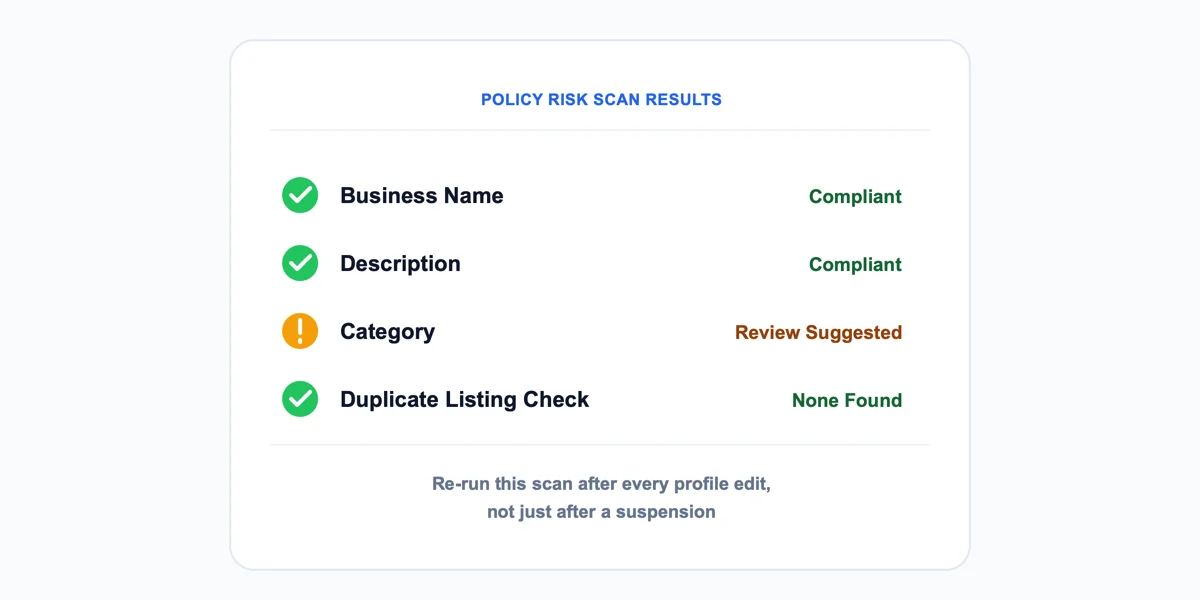
Reviewing the business name, description, and category against Google's actual guidelines, not assumptions about what's allowed, catches the kind of issue that triggers an automated suspension before it happens. For example, a bakery might add "Best Cupcakes in Town" to its business name field. Or a plumber's category gets set to a broader, unrelated trade to chase more search volume. Both are real, common examples of preventable risk sitting quietly on an otherwise normal listing.
Ongoing Habits That Keep You Compliant
Re-check the profile any time it's edited. A single field change, a new description, a new set of photos after a renovation, can reintroduce a policy issue that wasn't there before. Treat guideline compliance as an ongoing habit tied to every edit, not a one-time task completed at setup and never revisited.
Google Business Profile Suspended: Common Questions
What does it mean when a Google Business Profile is suspended?
It means Google has hidden the listing from Search and Maps because it flagged a policy violation, but the underlying profile data still exists and can be restored through an appeal. This is different from a permanent removal, where Google has determined the business doesn't qualify for a profile at all.
Why was my Google Business Profile suspended?
The most common triggers are extra keywords added to the business name, a category or address that doesn't match a real, physically-visited location, or a duplicate listing for a business that already has one live. Google's suspension notice sometimes names the specific policy, but not always. That's why checking the name, category, and address fields first is the fastest way to find it yourself.
Can keyword stuffing in my business name get me suspended?
Yes. Adding descriptive or search-focused words to the name field beyond what appears on real signage and paperwork is one of the most common automated suspension triggers, even when every added word accurately describes something the business does.
How long does a Google Business Profile suspension last?
There's no fixed suspension length, it lasts until a successful appeal reinstates the listing or Google determines the business doesn't qualify at all. A profile with a clear, single policy issue and clean supporting evidence is typically reinstated within the review window; an unresolved or repeated issue can leave a listing suspended indefinitely.
How do I appeal a suspended Google Business Profile?
Fix the underlying issue first. Gather documents tying the business name and address to a real operating business, then open Google's Business Profile appeals tool, pick the profile and the decision, upload the evidence and submit. Each decision can only be appealed once, so get the documents right before you submit.
How long does Google Business Profile reinstatement take after appealing?
Google states that appeal reviews and decisions can take up to 5 business days, though a clean submission with clear, matching evidence is often resolved faster than that window.
How can I tell if my listing is at risk of suspension before it happens?
Check three fields. Does the business name have any word beyond the real, legally registered name? Does the category match what the business actually does, rather than a higher-volume adjacent category? Is the listed address a real, physically-visited location? A mismatch in any one of those three is the risk pattern behind most preventable suspensions.
Getting Your Listing Back and Keeping It That Way
The Fastest Path Back
A Google Business Profile suspended for a policy issue almost always traces back to one of three things: a content violation, a location or category mismatch, or a duplicate listing. Fixing the specific violation before appealing, not after, is what separates a reinstatement resolved in days from one that drags on for weeks of back-and-forth. Identify exactly which field triggered the flag, gather evidence that matches the profile's name and address precisely, then file one careful appeal with that evidence attached.
Staying Off Google's Radar Going Forward
Once reinstated, repeat the same guideline review any time the profile gets edited, since prevention takes the same few minutes a first fix does. A suspended listing is stressful precisely because it happens without warning. The fix itself, however, is usually narrower and faster than it first feels.