
Google Business Profile Optimization: The Complete 2026 Guide
Google Business Profile optimization in 2026 is the ongoing work of keeping your listing accurate, correctly categorized, and actively maintained, because Google now treats how recently you touched the profile as a ranking signal, not just how complete it looks. A profile that was filled out perfectly two years ago and left alone since is not an optimized profile anymore. That's the shift most guides still miss.
Most business owners assume the job is finished once every field has something in it. It isn't. The listing that ranks in the local pack is usually the one with the right primary category, steady new reviews, fresh photos, and a weekly post. It's rarely the one with the longest description. This guide walks through what to fix, in what order, and how to confirm each change actually registered with Google.
In this guide:
- What Google Business Profile optimization means now, and what changed in 2026
- Getting the profile fundamentals right
- Choosing categories and attributes that match how people search
- Building review signals that hold up
- Keeping the profile active, now that freshness is a ranking signal
- Protecting the listing from suspension
- Measuring whether any of it worked
This guide comes from the team behind SEO tools, so it leans on what real Google Business Profile audits turn up most often. Before you change anything, it helps to see where the listing stands today, then come back and work through whichever section below matches your biggest gap.
What Google Business Profile Optimization Actually Means in 2026
Optimization is not a one-time setup. It is a maintenance habit tied to the signals Google uses to decide which local businesses to show and in what order.
The Three Signals Google Ranks On
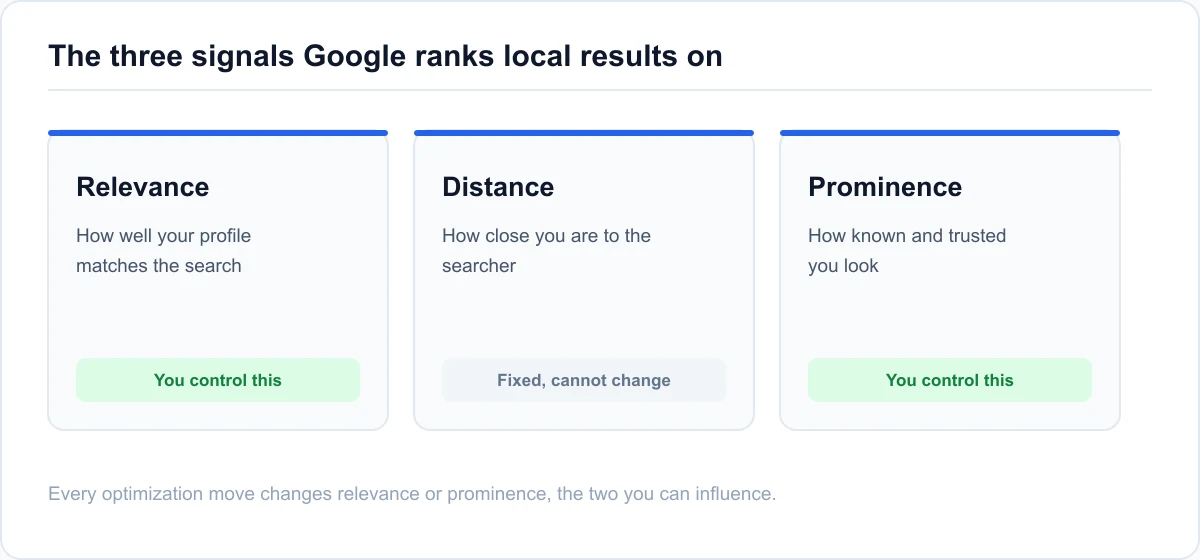
Google's own local ranking guidance narrows it down to three factors: relevance, distance, and prominence. Relevance is how well your profile matches what someone searched. Distance is how close your business is to the searcher or the area they searched. Prominence is how well known and trusted your business appears to be, based largely on reviews and your wider web presence.
You can't change distance. You can change relevance and prominence, and almost every tactic in this guide maps back to one of those two. If you want the full breakdown of how those factors are weighted, see our guide to ranking factor weights.
What Changed in 2026
Several things shifted this year, and they change what to prioritize:
- Freshness is now a direct signal. Recent posts, photos, and review replies feed local pack ranking directly, not as a soft tiebreaker.
- Attributes carry more weight in relevance calculations than they used to.
- Visual search became a real ranking input, so photo quality and coverage matter more.
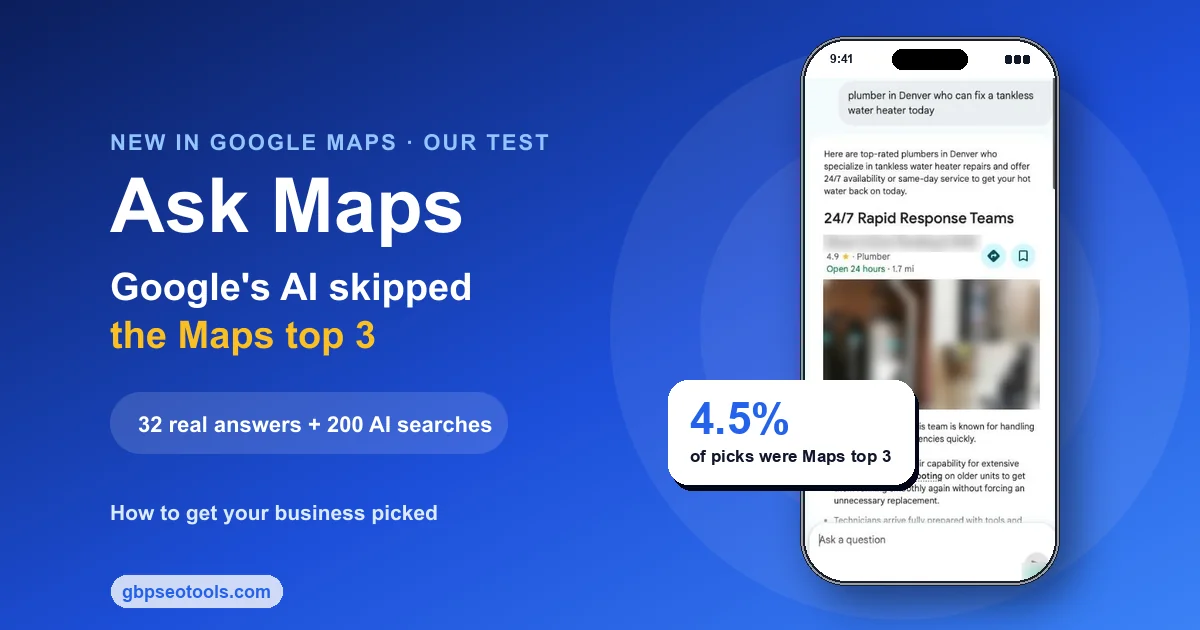
- Q&A is gone. It's been replaced by a Gemini-powered "Ask Maps" experience, so seeding your own questions no longer works the way it did.
- Video verification is now the default for new listings in most regions.
None of these change the fundamentals. They change the order you work in, and they raise the cost of letting a profile sit untouched.
The Gaps Real Audits Catch Most Often
When a Google Business Profile is underperforming, the cause is usually one of a short list of recurring issues:
- The primary category is broader or narrower than what customers actually search.
- Hours are missing, or special hours were never added.
- The description was written to pack in keywords rather than to read naturally.
- Posts stopped months ago.
- The business name contains a keyword or location that breaks Google's naming policy and quietly caps the listing's trust.
Work through the sections below in order and you'll catch most of these before they cost you ranking.
Get the Profile Fundamentals Right
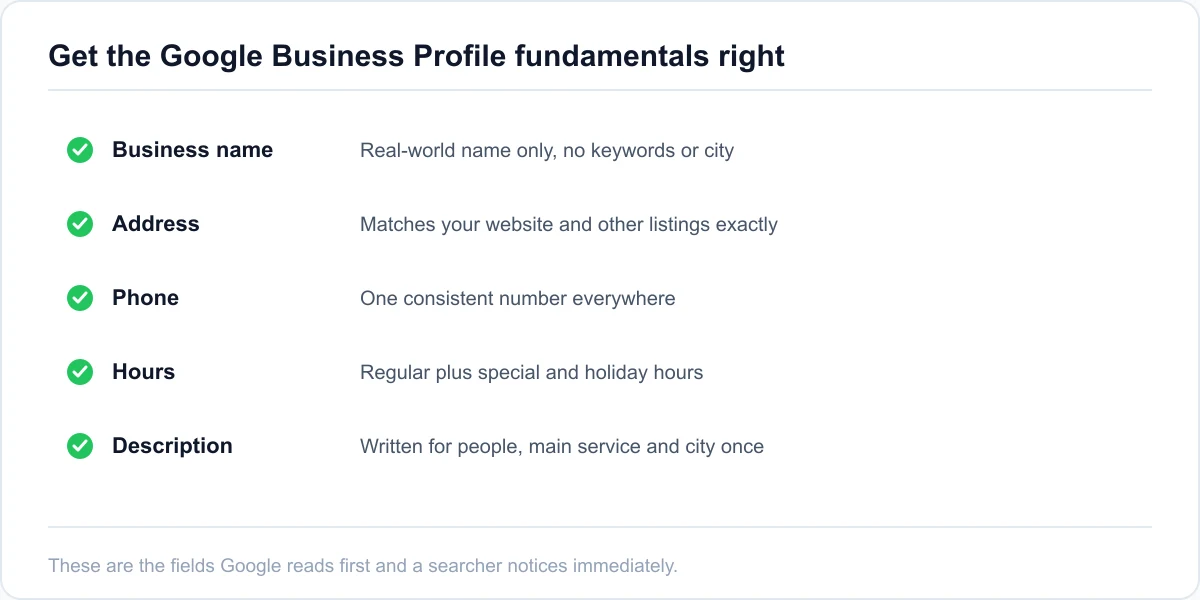
The fundamentals are the fields Google checks first and the ones a searcher notices immediately. Get these wrong and nothing else you do will carry full weight.
Name, Address, and Phone That Match Everywhere
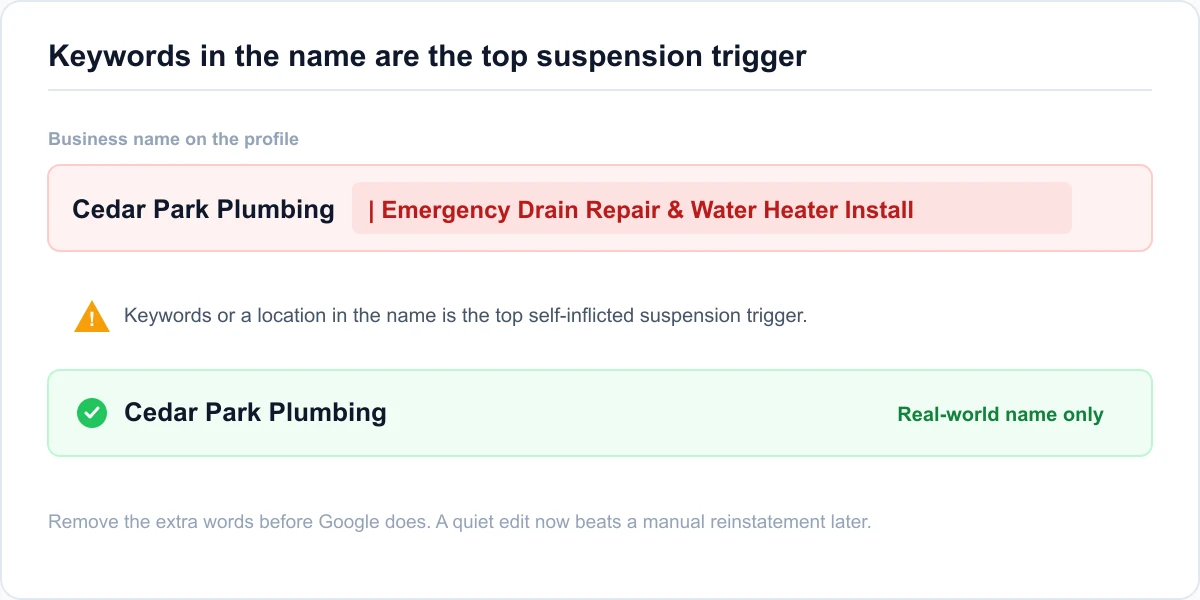
Your business name on the profile should be your real-world name, with no added keywords, city names, or taglines. "Cedar Park Plumbing" is fine if that is the legal name. "Cedar Park Plumbing | Emergency Drain Repair & Water Heater Install" is a policy risk that can limit the listing or get it suspended.
The address and phone number should match what's on your website and your other listings exactly, down to whether you write "Suite" or "Ste." Google cross-references these details across the web to confirm two listings are the same business, and small mismatches introduce doubt. A service-area business should hide its street address and set a realistic service radius instead of listing a fake storefront.
Hours, Including Special and Holiday Hours
Missing or wrong hours are one of the most common audit findings and one of the fastest to fix. Add your regular hours, then add special hours for public holidays before they arrive. A profile that shows "open" when the door is locked erodes the trust signal Google and customers both rely on.
If your hours vary by service, for example a kitchen that closes earlier than the bar, use the more specific hours fields where they are available rather than cramming a note into the description.
A Description Written for People, Not Keywords
The description does not directly move ranking, but it shapes whether someone taps through. Use the first sentence to say plainly what the business does and who it serves. Mention your main service and city once, naturally, then stop. A description stuffed with every service and neighborhood reads as spam to a customer and does nothing for Google.
Keep it under about 750 characters, lead with the useful part, and skip the mission-statement language.
Not sure which of these fields are actually incomplete on your listing? Run the audit, note the fundamentals it flags, and fix those before moving on to categories.
Choose Categories and Services That Match Intent
Category selection is the single highest-leverage part of Google Business Profile optimization, and the part most often set wrong.
Picking the Primary Category
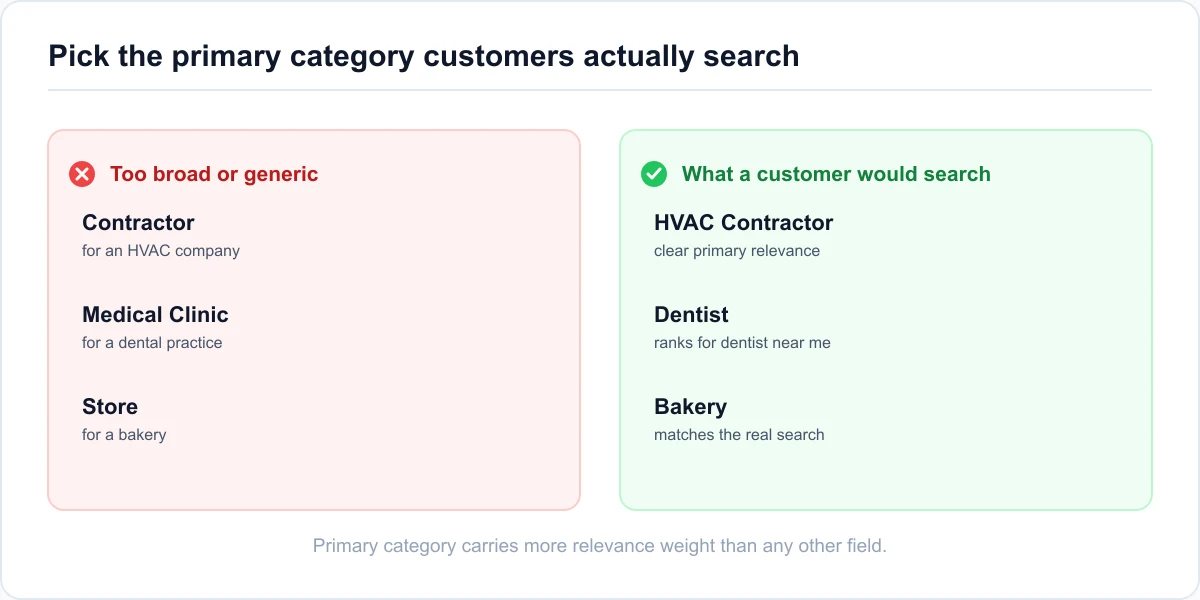
The primary category carries more relevance weight than almost anything else on the profile. Pick the one term a customer would use to describe the business, not the widest label that technically fits. An HVAC company that also does some plumbing should be "HVAC Contractor" as the primary, not "Contractor." A bakery that also serves coffee is a "Bakery," not a "Cafe," unless sit-down coffee is genuinely the bigger draw.
Consider a two-location dental practice with its primary category set to "Medical Clinic" from an old setup. It ranked for almost nothing. Once the category was changed to "Dentist," it started appearing for "dentist near me" within a few weeks. The fix took five minutes.
Secondary Categories and Services Without Diluting the Signal
Add secondary categories only for services you genuinely offer and want to rank for. Two or three focused secondary categories help. Ten unrelated ones blur what the profile is about and can pull it into searches you do not want to compete in.
Under each category, fill in the specific services with short plain-language names and one or two sentences each. This is where a plumber lists "water heater installation," "drain cleaning," and "sump pump repair" as distinct services rather than hoping one catch-all description covers them.
Attributes, and Why They Carry More Weight in 2026
Attributes are the checkboxes for things like wheelchair access, free parking, outdoor seating, LGBTQ+ friendly, and "identifies as women-owned." In 2026 these feed relevance more than they used to, partly because voice and AI-assisted searches lean on them to filter results.
Go through every attribute available for your category and set the ones that apply. It takes a few minutes and it is a rare case where completeness alone helps.
Build Review Signals That Hold Up
Reviews are a large share of the prominence signal, and in 2026 the pattern of reviews matters as much as the total.
Volume, Rating, and Why Recency Beats Total Count
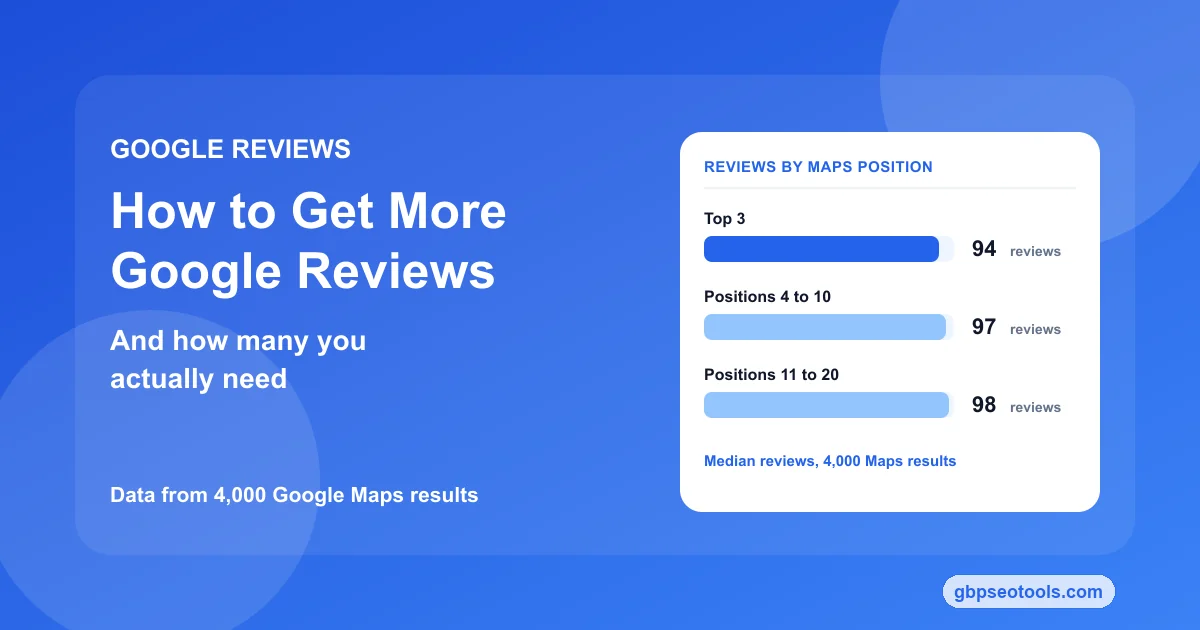
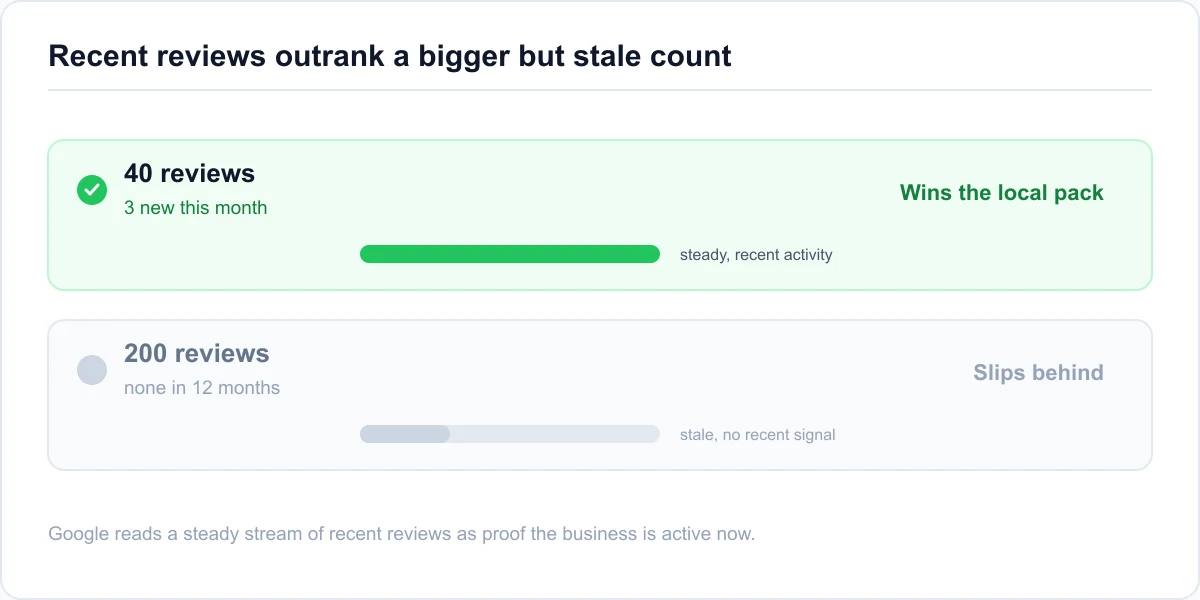
A business getting a few new reviews every month usually outranks a competitor whose reviews have gone stale. Google reads a steady stream of recent reviews as evidence the business is active and relevant now. So a listing with 40 reviews and three new ones this month can beat a listing with 200 reviews and nothing since last year.
Ask every satisfied customer for a review, in person or with a follow-up message, and keep the request simple. Do not buy reviews, do not run incentives, and do not set up a tablet in the lobby for reviews, which is now against policy (more on that next).
Responding to Reviews, and the 2026 Policy Limits
Reply to reviews, positive and negative, within a few days. Replies are a documented way to help a listing stand out, and they show prospective customers how the business handles feedback.
Two 2026 policy limits matter here. You can't solicit reviews that name a specific staff member, and you can't use review kiosks or gating stations that filter who gets asked. If your current review process does either, change it now, because enforcement tightened this year.
Handling Fake or Policy-Violating Reviews
Fake and off-topic reviews can be reported, and Google's review moderation tools improved in 2026. Flag anything that is clearly not a genuine customer, contains hate speech or advertising, or refers to a different business. Keep a short record of what you reported and when, since a single flag does not always resolve it and you may need to follow up.
Don't respond to an obvious fake with anger in the public reply. A calm, factual reply reads better to the next customer than the fake review itself does.
Keep the Profile Active
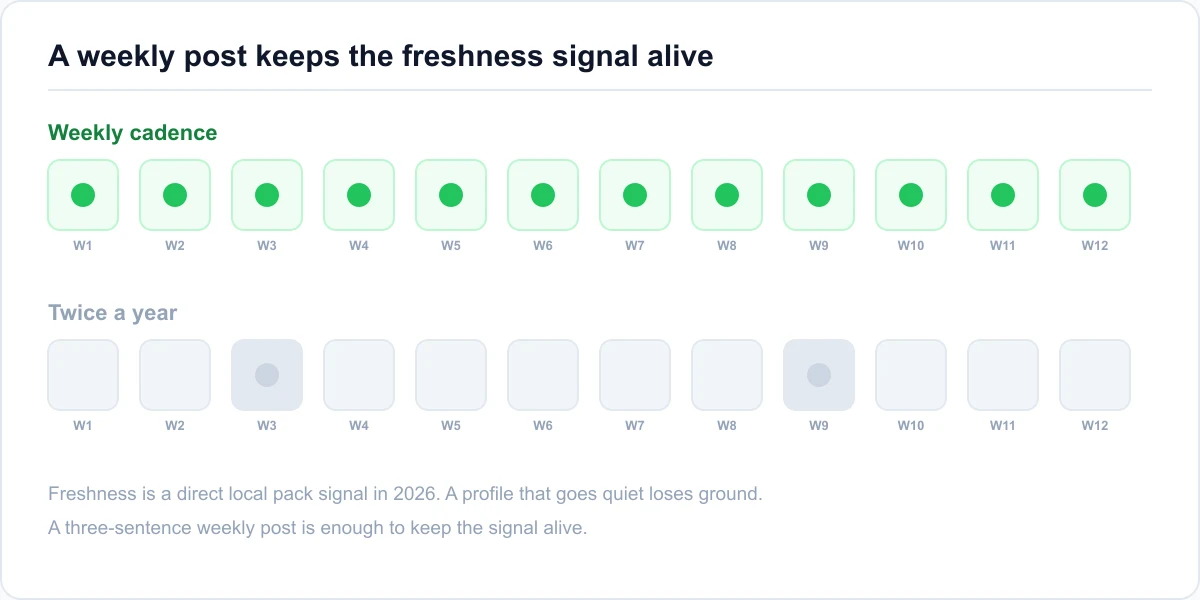
Freshness is now a direct local pack signal, so a profile you never touch slowly loses ground to competitors who post every week.
Google Posts on a Weekly Cadence
Publish a post at least once a week. It doesn't need to be elaborate: an offer, a new service, a seasonal note, a short update with one photo. The point is a regular signal that the business is operating and paying attention. Posts expire from view after a while, which is part of why cadence matters more than any single post.
An HVAC company that switched from posting twice a year to a short weekly post saw its profile hold local pack position through a season when two competitors slipped. The posts were three sentences each. Consistency did the work.
Photos, Video, and Visual Search
Add new photos every month: the storefront, the team, completed work, the interior. With visual search now a ranking input, image quality and coverage carry more weight than they did. Name the image files descriptively before uploading, use good lighting, and avoid stock photography, which Google can often identify and discount.
A short video, even 20 to 30 seconds, adds a format most competitors skip and gives the profile something to surface in image-heavy results.
Products, Services, and Q&A Moving to Ask Maps
Keep the products and services sections current, since they expand what the profile can match. The old Q&A section has been replaced by the Gemini-powered "Ask Maps" experience, so seeding your own questions and answers is no longer the tactic it was. Instead, make sure your services, description, and posts actually contain the plain answers customers used to ask in Q&A, because that is the text Ask Maps now draws from.
Setting up a weekly posting habit is the highest-return change most owners can make. Put a 15-minute slot on the calendar, pair it with your photo upload, and treat it as maintenance, not marketing.
Protect the Profile From Suspension
Optimization work is wasted if the listing gets suspended, and some common "optimization" moves are exactly what triggers it.
Name and Description Policy Risk
The most frequent self-inflicted suspension cause is a business name padded with keywords or a location. Google's naming policy allows your real-world name only. If you've added "Best" or a city or a service to the name to rank better, remove it before Google does. A manual reinstatement is slower and riskier than a quiet edit now.
Scan the description for claims that overstate what you can promise, and for anything that reads as another business's name. Both can flag the listing.
Video Verification and Service-Area Setup
New listings in most regions now verify by video: one continuous take showing signage, the interior or work area, and a live management action such as logging into the dashboard. Have this ready before you start, since a failed verification can stall the listing for weeks.
For a service-area business, set the areas you actually serve and hide the address. An oversized service area does not expand reach; it weakens the distance signal and can look deceptive.
What to Do If the Profile Gets Suspended
If the listing is suspended, don't create a new one. Gather proof the business is real and operating, such as a utility bill, a business license, and photos of signage. Then file a reinstatement request through Google's process and wait. Creating a duplicate makes reinstatement harder. A structured audit of the name, description, and category before you appeal will often show you what tripped the suspension in the first place.
Measure Whether Optimization Is Working
Doing the work is only half of it. You need to confirm Google picked up each change and watch the metrics that actually reflect visibility.
What to Check in the Profile Dashboard
Field-level edits, like a category change or new hours, usually show up within a few hours to a couple of days. Check the dashboard to confirm the edit saved and wasn't reverted by a Google review or a competing suggested edit. The performance view shows how many people found the listing through search versus maps, and which searches brought them in. That tells you whether a relevance change is landing.
Watch calls, direction requests, and website clicks over a few weeks rather than day to day, since local metrics are noisy.
Tracking Local Pack Position From More Than One Point
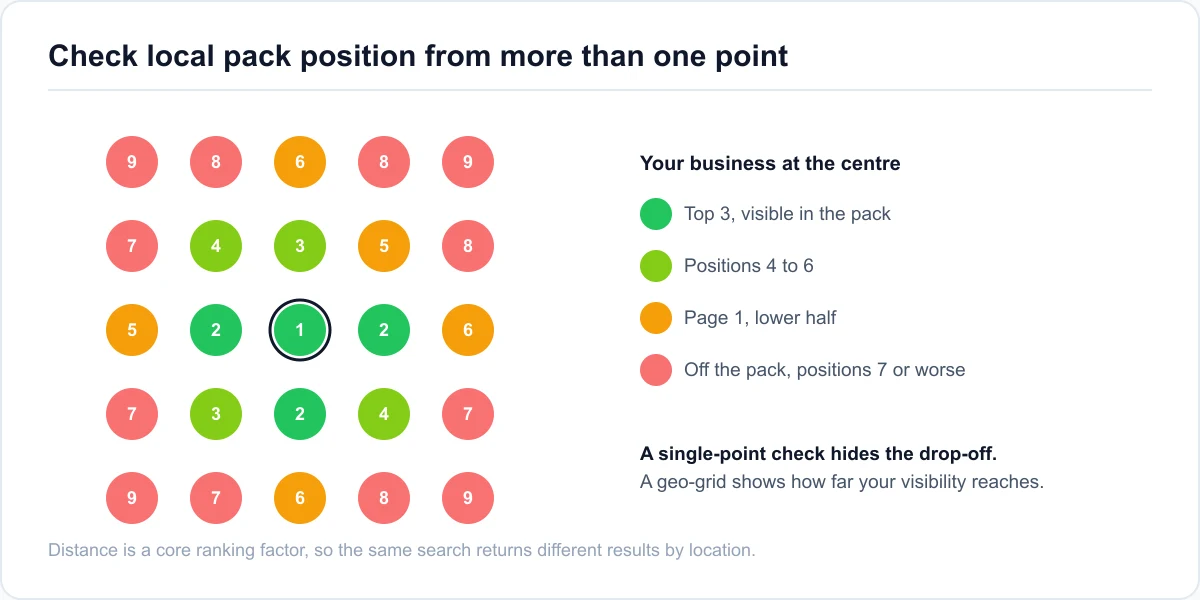
Your ranking isn't a single number. Because distance is a core factor, the same search returns different results depending on where it runs from. A listing can sit in the local pack at its own address and drop out a mile away. Checking from one point, usually your office, hides that.
Check your position for your main keywords from several points around your service area, or use a local rank tracker that scans a geo-grid at once, so you can see where visibility holds and where it falls off.
A Monthly Maintenance Routine
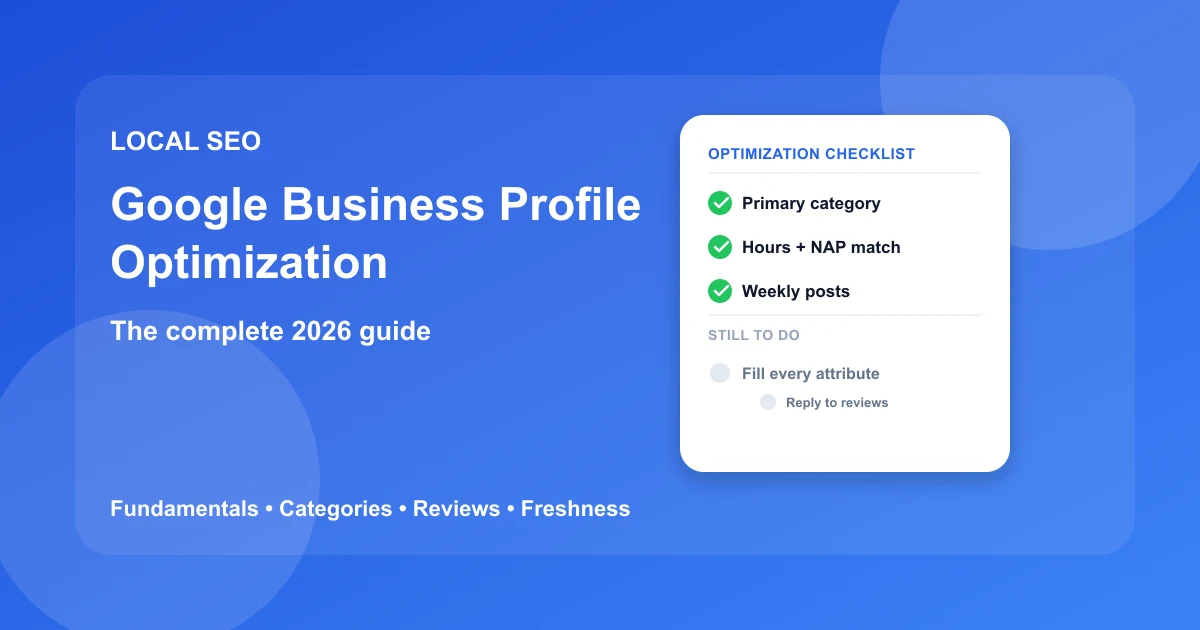
Optimization holds only if you maintain it. Once a month, run through a short checklist:
- Confirm hours and contact details are still correct.
- Add fresh photos.
- Check that the week's posts actually went out.
- Reply to any open reviews.
- Re-check the primary category against how customers are searching now.
Once a quarter, run a full audit so a slow drift in reviews or a new policy issue doesn't go unnoticed.
Conclusion
Google Business Profile optimization in 2026 rewards accuracy and consistent activity over a one-time push to fill every field. The listings that win the local pack tend to share the same traits: a precise primary category, current hours and contact details, a steady flow of recent reviews with replies, weekly posts, monthly photos, and a name that stays inside Google's policy.
Start with the fundamentals, fix the primary category if it is wrong, then build the weekly habit that keeps the freshness signal alive. Measure from more than one point so you know whether a change actually moved visibility, and run a full audit each quarter so nothing drifts.
The fastest way to know where to begin is to see what your listing looks like against these checks right now. Run the full audit to get a prioritized list of what's holding the profile back, with the specific fixes to make first.
Google Business Profile Optimization: Common Questions
How long does Google Business Profile optimization take to work?
Field changes like a category fix or new hours are picked up by Google within a few hours to a couple of days. Ranking movement takes longer, usually two to six weeks, because it depends on review activity building up and Google recrawling and re-evaluating the listing. Freshness changes like posting weekly show their effect gradually rather than all at once.
What is the most important part of a Google Business Profile?
The primary category. It carries more relevance weight than any other single field, and setting it too broad or too narrow is the most common reason a profile that looks finished still does not rank. After that, recent reviews and consistent activity matter most.
How often should I update my Google Business Profile?
Post at least once a week, add photos monthly, and reply to reviews within a few days. Check hours and contact details monthly, and run a full audit each quarter. In 2026 this cadence matters directly, because Google now uses profile freshness as a local pack ranking signal.
Does posting on Google Business Profile help ranking?
Yes, more than it used to. Posts were once a minor signal. In 2026 a regular posting cadence feeds the freshness signal that influences local pack position, so a profile that posts weekly holds ground against one that has gone quiet, even with similar reviews and categories.
Can I optimize a Google Business Profile without a physical address?
Yes. A service-area business hides its street address and sets the areas it serves instead. Everything else in this guide still applies: primary category, reviews, posts, photos, and attributes. Keep the service area realistic, since an oversized one weakens the distance signal rather than expanding reach.
What changed for Google Business Profiles in 2026?
Profile freshness became a direct ranking signal, attributes gained relevance weight, and visual search became a real ranking input. The Q&A section was replaced by the Gemini-powered Ask Maps experience, video verification became the default for new listings, and a review policy update banned soliciting reviews that name specific staff and banned review kiosks.
Is Google Business Profile optimization free?
The optimization work itself is free: every change described here is made in your own Google Business Profile dashboard at no cost. Paid tools speed up the diagnosis, for example checking your category against search behavior or tracking local pack position from multiple points, but Google never charges for a better ranking and no tool can buy one.