
Local SEO Reporting for Clients: What to Include Every Month
A good local SEO report answers three questions in this order. Did the business get more calls, direction requests, and website visits from Google? Where does it now show up on the map? And what are you doing next month?
Everything else is supporting detail. If a client can't find those three answers in the first minute, the report is too long or built in the wrong order.
Most agencies already have the data. The problem is presentation. Reports turn into 20-page exports of every metric a tool can produce, and the client skims for one number, usually the wrong one. The result is predictable: the client can't tell whether the work is paying off, so the first bad month feels like proof it isn't.
This guide covers what to include and what to cut, how to word the Google Business Profile numbers, how to show map rankings without a single misleading position, and a template you can copy. It's written for agencies and consultants who handle local SEO reporting for local businesses every month, and it pairs with the local SEO tools for client work we build.
In this guide:
- SEO reporting for clients starts with three questions
- Lead with the Google Business Profile numbers that mean revenue
- Show the map, not a single ranking
- Keep the monthly SEO report short, save decisions for the quarter
- Numbers that look good but mislead clients
- Questions clients ask about their local SEO report
- An SEO report template clients can read in two minutes
SEO reporting for clients starts with three questions
SEO reporting for clients goes wrong when it's organized around the tools instead of the reader. A client doesn't think in impressions and click-through rates. They think in phone calls, booked jobs, and whether the competitor down the road is beating them.
The three questions behind every report
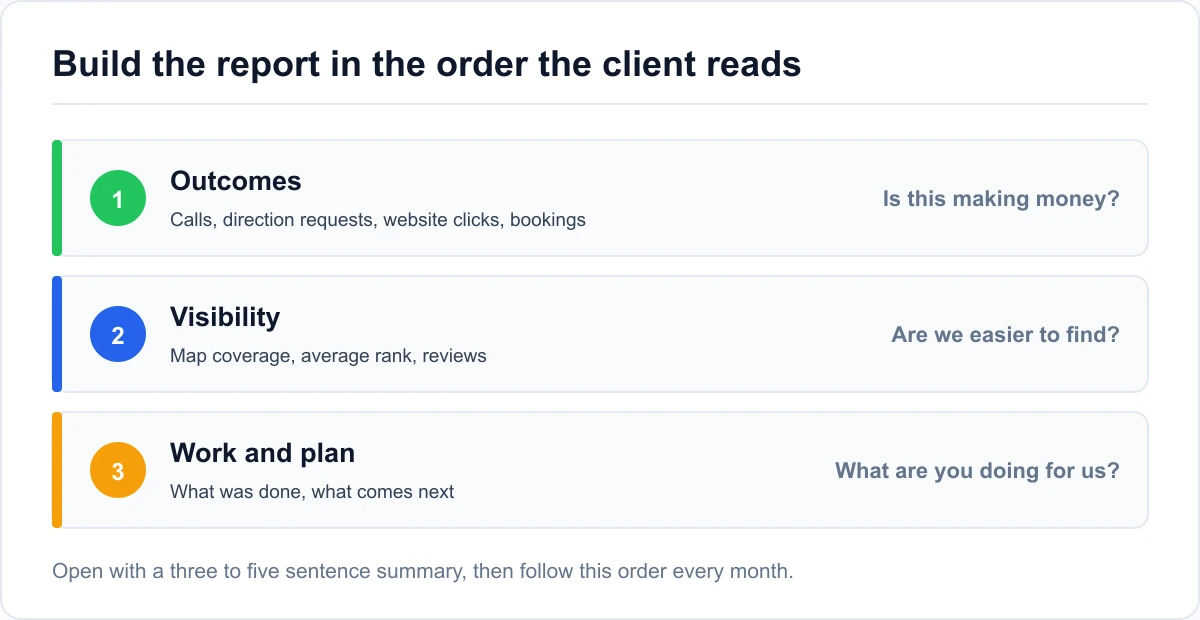
Almost every client question fits one of three buckets:
- Is this making money? Calls, direction requests, website visits, messages, and bookings that came through Google.
- Are we more visible than before? Where the business shows up on the map and in search, compared with last month and with competitors.
- What are you doing for us? The work completed this month and the plan for next month.
Build the report in that order. The first page answers question one, the second answers question two, and the work log comes last. Clients who see outcomes first read the rest with more patience.
Write a summary before any chart
Open every report with three to five sentences in plain language. Something like: "Calls from the profile were up 18% on last month. The business now ranks in the top three across most of the north side, where it was invisible in June. Next month we're focusing on reviews that mention the two suburbs where it's still weak."
That paragraph is the report for most clients. The charts that follow are the proof behind it. If you can't write the summary, it usually means the month's data doesn't support a clear story yet, and the honest move is to say so.
Lead with the Google Business Profile numbers that mean revenue
The Business Profile performance report is the core of a local report because it measures actions, not just visibility. The job is choosing which metrics to show and how to word them, not dumping every tile.
The action metrics worth leading with
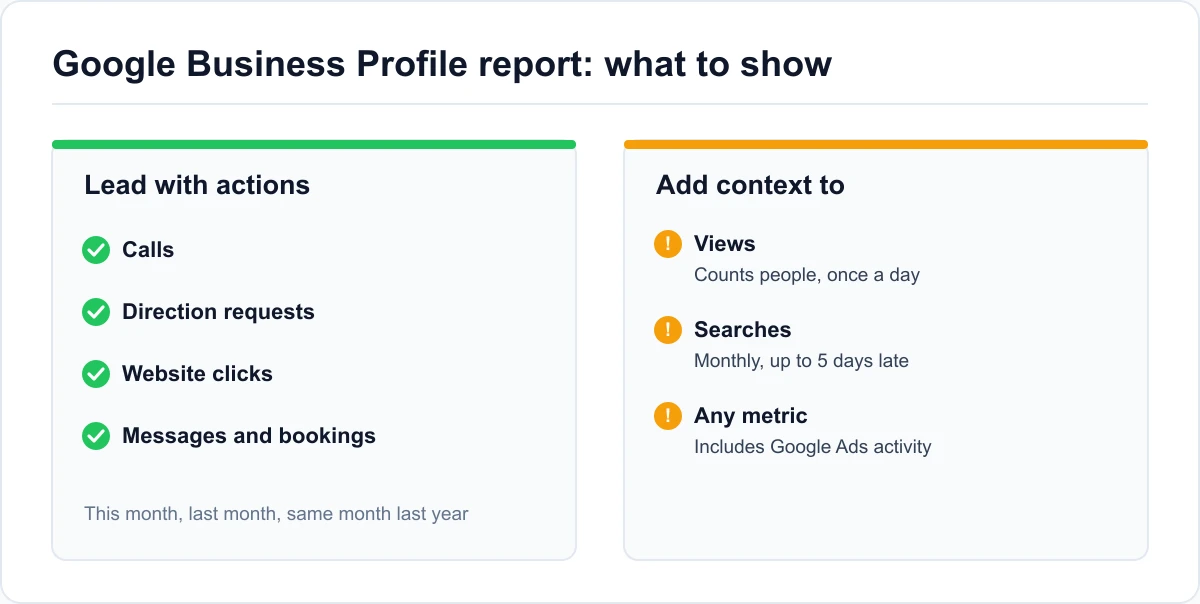
These are the numbers closest to revenue, so they belong at the top:
- Calls. Taps on the call button from the profile.
- Direction requests. People asking for a route to the business, the strongest signal for storefronts.
- Website clicks. Visits to the site from the profile.
- Messages and bookings. Where the business uses them.
Show each one as this month against last month and against the same month last year. Seasonal businesses need the year-over-year view most. A roofer's calls will drop every winter, and a report that only compares to last month makes a normal season look like a failure.
The visibility numbers that need context
Views and searches are useful, but they're easy to misread. According to Google's performance metric definitions, views count people rather than page loads, and a person is counted at most once a day. The searches metric updates at the start of each month and can take up to 5 days to appear, so a report sent on the 2nd may be missing it.
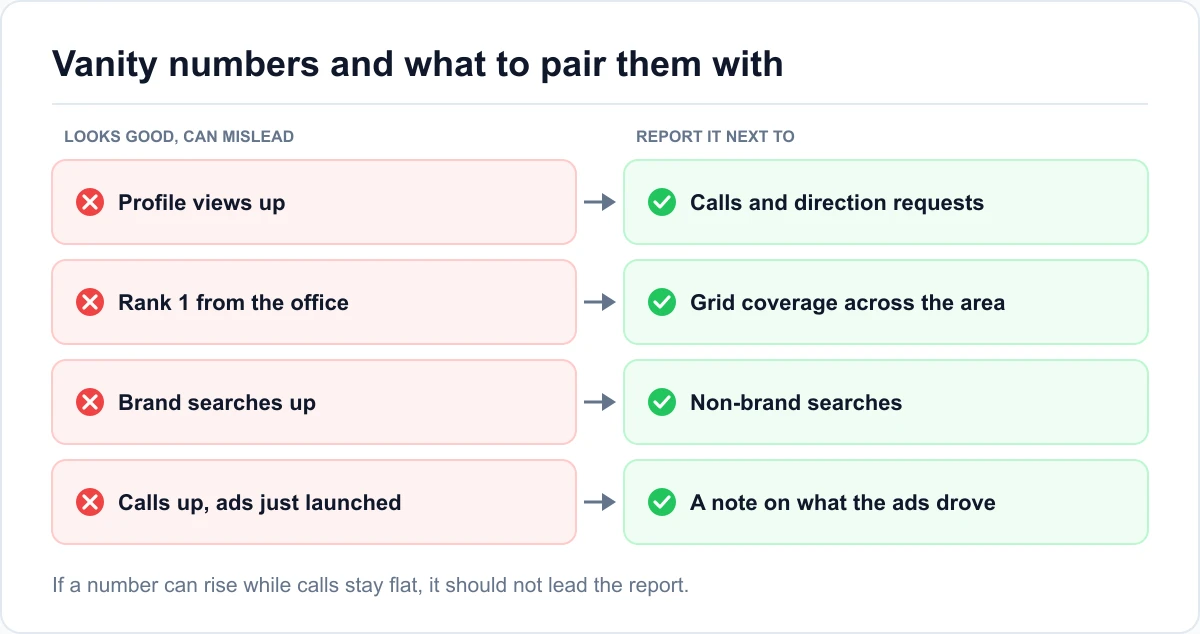
One more detail matters for clients running ads: Google's performance data includes interactions from Google Ads as well as organic results. If the client started a campaign this month, a jump in calls may be the ads, not the SEO. Say that in the report before the client assumes otherwise.
Show the map, not a single ranking
"You rank number 3" is the line clients remember and the one most likely to backfire. Local rankings change with the searcher's location, so a single position is true for one spot and misleading everywhere else.
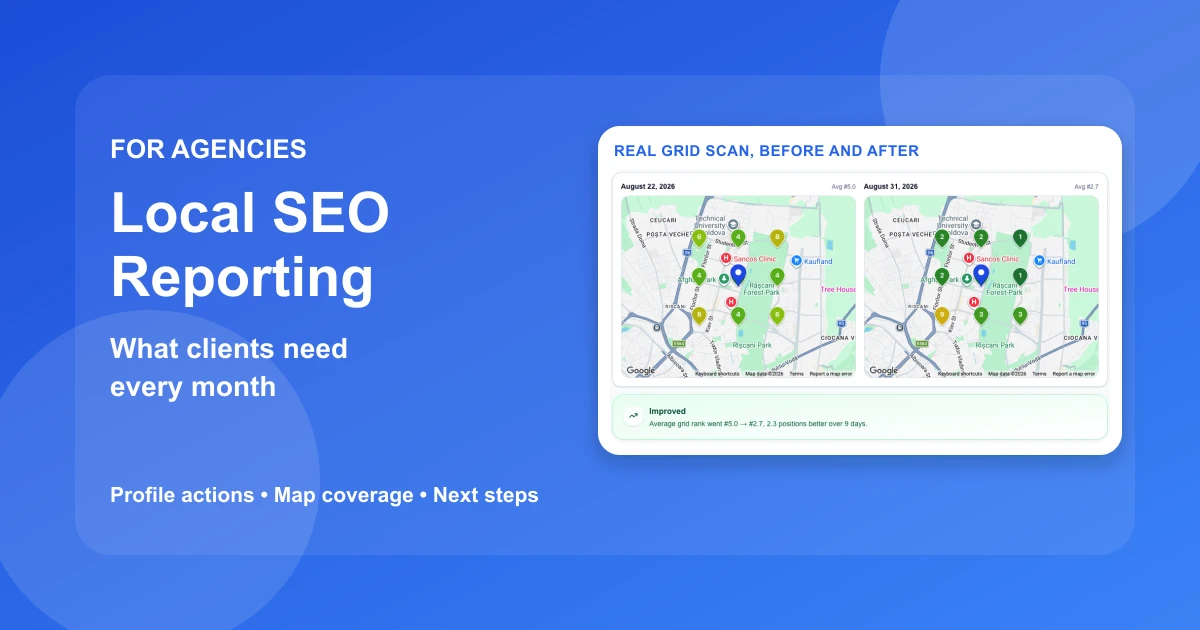
Report coverage and average rank as a trend
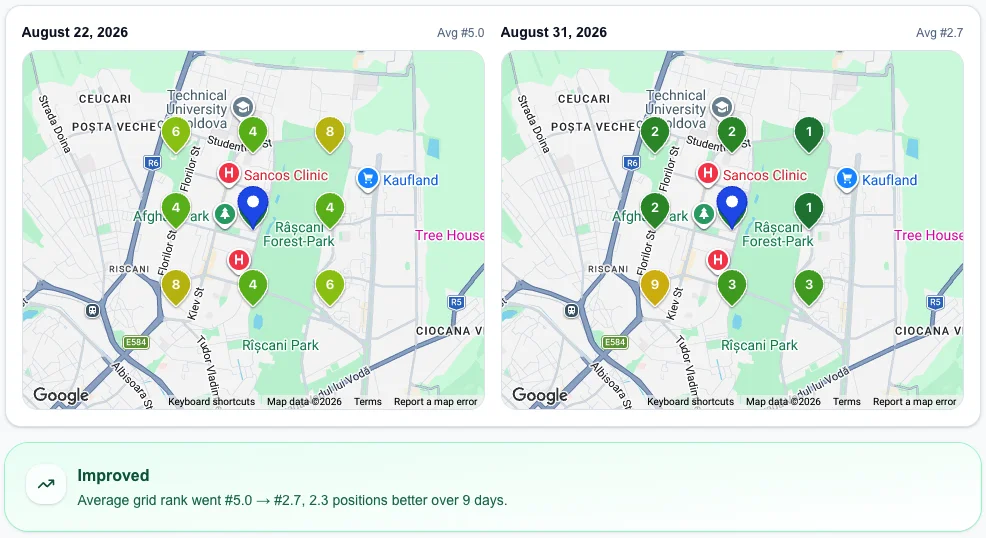
A grid scan checks the same keyword from many points across the service area and rolls them up into two numbers. If you need a refresher on what coverage and average rank measure, start there. For reporting, the point is how you present them.
Put the two numbers in a small trend line, one point per month, and add one sentence explaining the change. "Coverage went from 32% to 48%: the business now shows in the local pack across most of the east side" is something a client can repeat to a business partner. A table of 49 positions is not.
Keep scans comparable from month to month
A trend only means something if each scan is set up the same way. Keep these fixed between reports:
- The same keywords, ideally the three to five that match the client's main services.
- The same grid size and spacing between points.
- The same center point, usually the business address.
Change any of them and the numbers stop being comparable, even if they look better. When you do need to change the setup, say so in the report and reset the baseline. Glocavo, our Google Maps rank tracker, keeps each scan's history and lets you send shareable grid scan reports as a link that stays live for 90 days. The client can open the map themselves instead of reading a screenshot.
Keep the monthly SEO report short, save decisions for the quarter
Not everything needs reporting every month. Monthly numbers move around, and putting every metric in front of the client every month teaches them to react to noise.
The monthly report: short and consistent
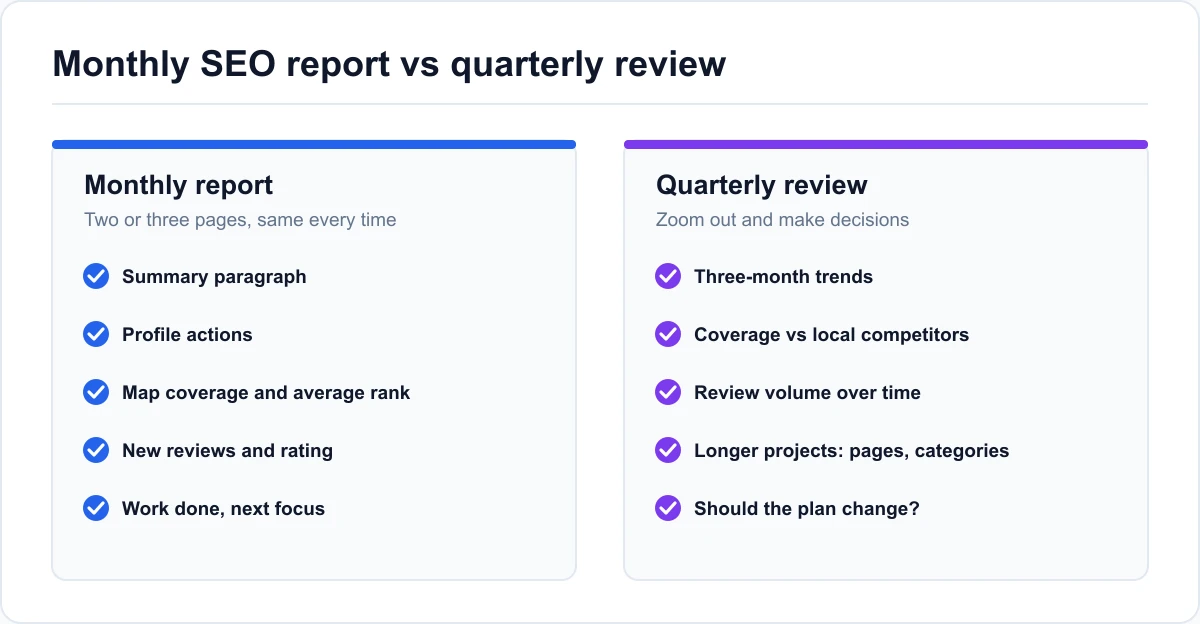
A monthly SEO report should fit on two or three pages and look the same every month, so the client knows where to find things:
- The summary paragraph.
- Profile actions: calls, direction requests, website clicks, and messages or bookings.
- Map coverage and average rank for the tracked keywords.
- Website rankings for the main service keywords, from a keyword rank tracker.
- New reviews and average rating.
- Work completed and next month's focus.
Consistency matters more than depth here. A client who sees the same five sections every month starts to recognize a good month on their own.
The quarterly review: trends and decisions
Once a quarter, zoom out. That's when you show three-month trends, how the client's map coverage compares with the competitors who keep showing up in their area, what's changed in review volume, and whether the plan should change.
The quarterly review is also where you discuss things that can't be judged in 30 days, like a new service page, a category change, or a push into a new suburb. Clients accept "too early to tell" much more easily when they know there's a scheduled point where you'll give the answer.
Numbers that look good but mislead clients
Some metrics are tempting because they almost always go up. Leading with them feels good for a few months, until the client notices the phone isn't ringing more.
Visibility without action
Views and impressions can climb for reasons that have nothing to do with more customers. A new broad keyword starts showing the profile to people who were never going to call, and the view count doubles. In every SEO client report, put visibility next to actions, so a rising view count with flat calls reads as a question to investigate, not a win.
A common version: an HVAC client's profile views rose sharply after a category change, while calls stayed flat. Shown alone, the views chart looked like the best month of the year. Shown next to calls, it pointed to the real finding: the profile was reaching more people for the wrong searches.
Office rank checks and brand searches
The other two traps are about where the number comes from. A rank checked from the agency's office, or the client's own phone at the shop, shows the best case: the searcher is right next to the business. Report grid results instead, and if a client sends you a screenshot of "rank 1," explain it in one sentence rather than disputing it.
Brand searches are the second trap. Searches for the business name mostly come from people who already know it, so growth there reflects word of mouth or advertising more than SEO. Separate brand and non-brand searches wherever the data allows, and give the credit to the right source.
Questions clients ask about their local SEO report
What should a local SEO report include?
A short summary, the profile's action metrics (calls, direction requests, website clicks, messages), map coverage and average rank for the tracked keywords, new reviews, and the work completed with next month's plan. Everything else is optional detail.
How often should you send a client SEO report?
Monthly for the core report, with a longer review once a quarter. Weekly reports tend to show noise rather than progress, since local rankings and profile actions move around week to week.
Which local SEO metrics matter most to clients?
The ones closest to revenue: calls, direction requests, website clicks, and bookings. Map coverage is the best supporting metric because it shows where the business can be found. Views and impressions are context, not results.
Can I download Google Business Profile data for several clients at once?
Yes. In Business Profile Manager you can select several profiles, open the insights download, choose a date range, and export a spreadsheet. That's the fastest way to build reports when you manage many locations.
How long before local SEO results show up in a report?
It depends on the starting point and the competition, so avoid promising a date. Profile fixes can show up in actions within weeks, while map coverage in competitive areas usually moves over months. The quarterly review is the right place to judge the trend.
Should the report include things you didn't change?
Yes, briefly. If calls dropped because the client closed for two weeks, or a new competitor opened nearby, say so. Explaining outside causes is part of the job, and it keeps the client from blaming or crediting the SEO for things it didn't do.
An SEO report template clients can read in two minutes
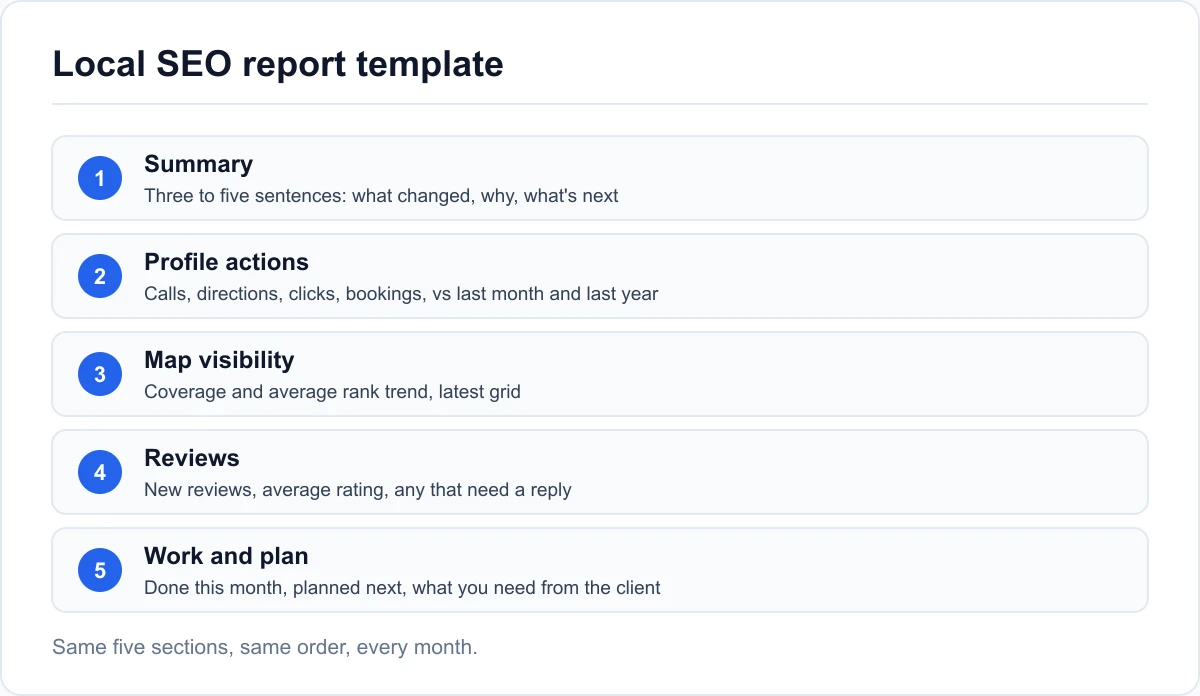
Use this as the skeleton for every monthly report. Keep the order fixed so clients learn where to look.
The template
- Summary (three to five sentences). What changed, why, and what's next, in plain language.
- Profile actions. Calls, direction requests, website clicks, and messages or bookings. This month vs last month vs the same month last year.
- Map visibility. Coverage and average rank for each tracked keyword, as a trend, plus the latest grid for the main keyword.
- Reviews. New reviews this month, average rating, and any review that needs a response or a conversation.
- Work and plan. What was done this month, what's planned for next month, and anything you need from the client.
For multi-location clients, repeat sections 2 to 4 per location and add a one-line summary table at the top, so the owner sees which locations need attention before reading any detail.
Send it with a five-minute walkthrough
A report that arrives as a PDF attachment often goes unread. Send it with a short call or a recorded walkthrough of the summary and the map. Five minutes of explanation does more for retention than five extra pages.
The best local SEO report is the one the client could summarize to someone else after reading it once. Build for that, and the numbers do the selling for you.