
How to Check Where Your Business Ranks on Google Maps (Free and Paid Methods)
A Google Maps ranking checker shows where a business actually shows up in the Map Pack from multiple points across its service area, not just the one search from a phone sitting at the front desk. Searching a business's own name from its own address tells almost nothing about how it ranks a mile away, where a real customer is more likely searching from.
This guide covers the free ways to check Google Maps ranking manually, what a paid checker adds once a business needs more than an occasional spot check, and how to read the two numbers, coverage percentage and average rank, that actually explain what a heatmap is showing.
This picture comes from patterns across real Google Maps ranking checks, not a single case.
Why One Google Map Ranking Check Isn't Enough
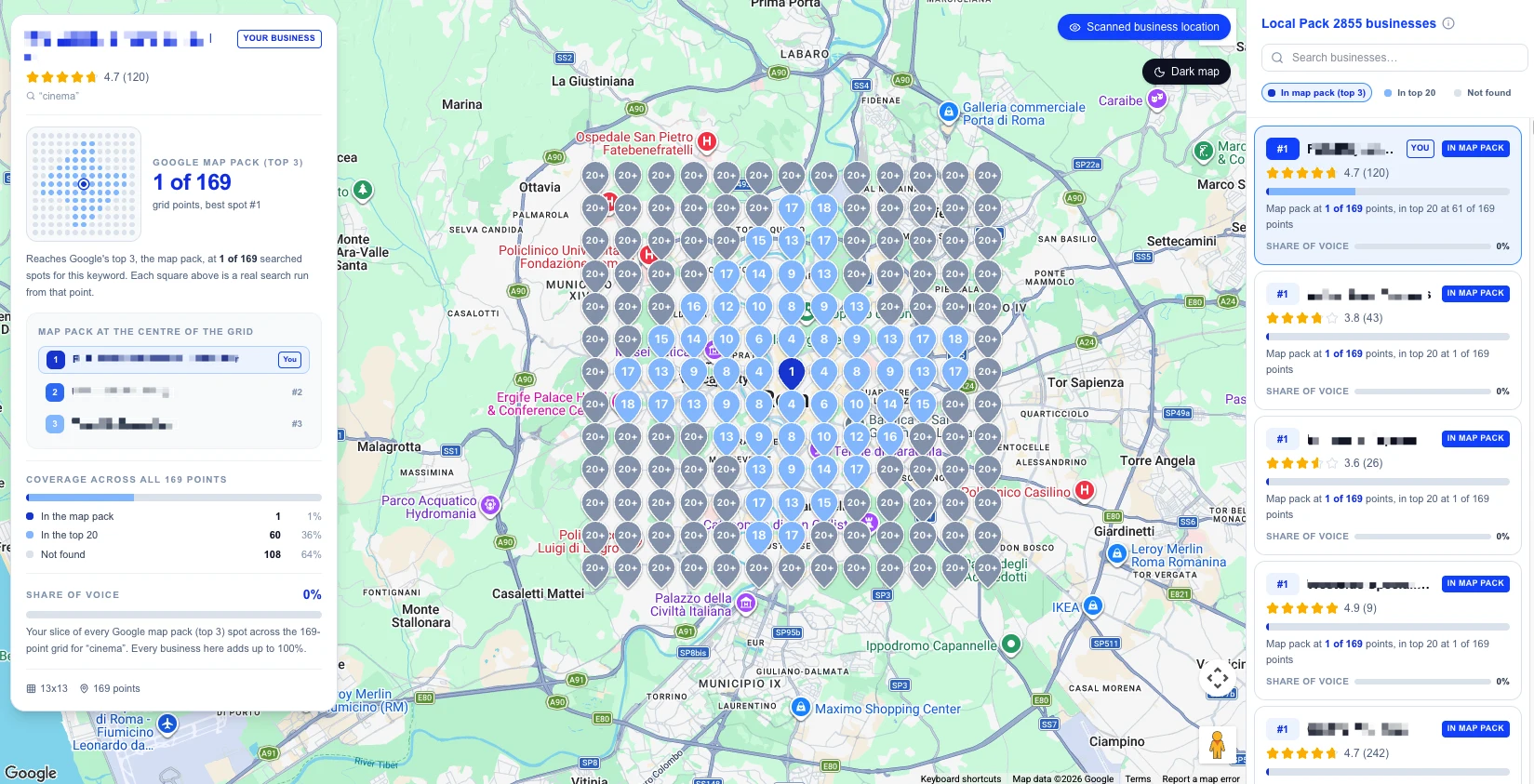
Searching a business's own name, or its main keyword plus "near me," from the business's own phone confirms exactly one thing: whether that listing shows up in the Map Pack from that specific point, at that specific moment. It says nothing about a customer searching from the other side of town.
What a single search actually confirms
A business can hold the top three spots searched from its own front door and drop out of the pack entirely a mile in any direction. That's not a bug or a fluke, it reflects how Google's local ranking system is built to work.
Why the same search returns different results a few blocks away
Google's own local ranking guidance names distance as one of three core ranking factors, alongside relevance and prominence. Since distance is measured from wherever the search happens to run, a search from four different points around a service area can return four different sets of results for the exact same keyword. A single check, no matter how carefully done, only ever tests the one point closest to the business itself, usually the point where it looks strongest.
How to Check Your Ranking for Free
A business can approximate a real check without paying for anything, it just takes more manual effort than most owners expect.
Searching manually from multiple locations
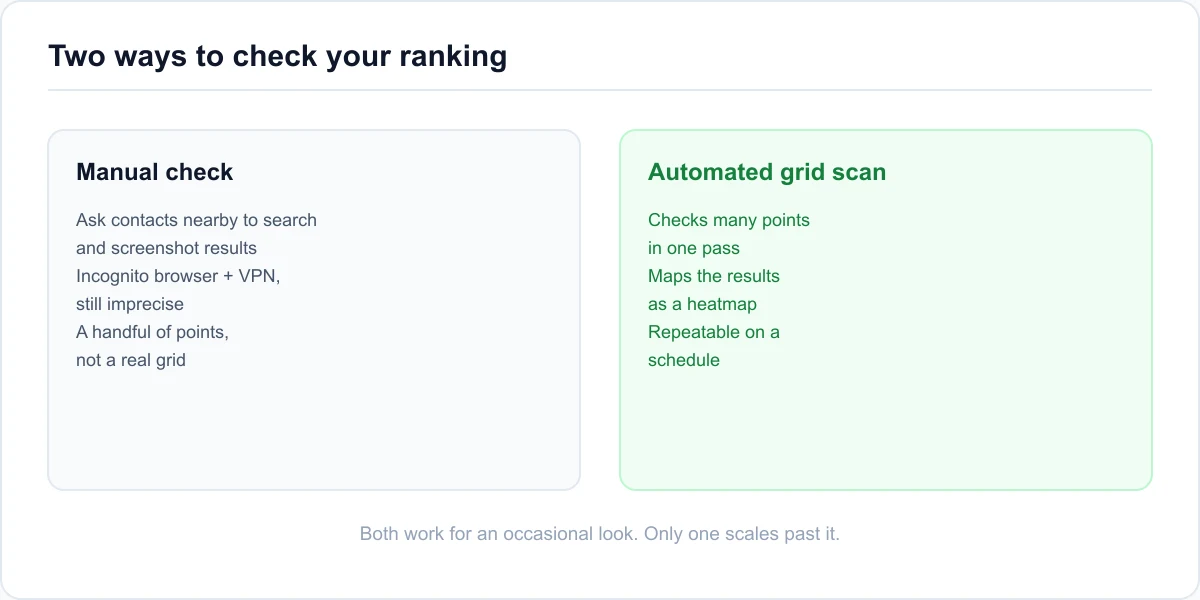
Ask a few contacts spread around the service area to search the same keyword from their own phones and screenshot the results, or use a browser's incognito mode combined with a VPN set to different nearby cities to approximate different search origins. Neither method is exact. Google personalizes results in ways a VPN alone doesn't fully bypass, and a handful of manual checks only ever sample a few points, not a genuine grid.
Using an automated free checker
A free Google Maps ranking checker automates the same idea without recruiting contacts or juggling a VPN. Glocavo's free plan, for example, gives 100 scan credits once at signup with no card required, and more can be topped up whenever they run out. That's enough for a handful of small grid scans that check a keyword from several points around a service area at once, then map the results as a heatmap instead of a single number.
When It's Worth Paying for a Rank Tracker
Free methods work for an occasional spot check. A paid checker earns its cost once a business needs to check regularly, cover a wider area, or track more than a keyword or two.
Checking a larger area or more keywords at once
Grid scans scale with the size of the grid and the number of keywords checked, more points and more keywords means more of the service area covered in one pass. A small local business can often get a useful read from a modest grid, while a multi-location brand or an agency managing several clients needs a checker built for larger grids and more keywords per scan, plus a way to organize scans by client or location.
What to look for beyond a bigger grid
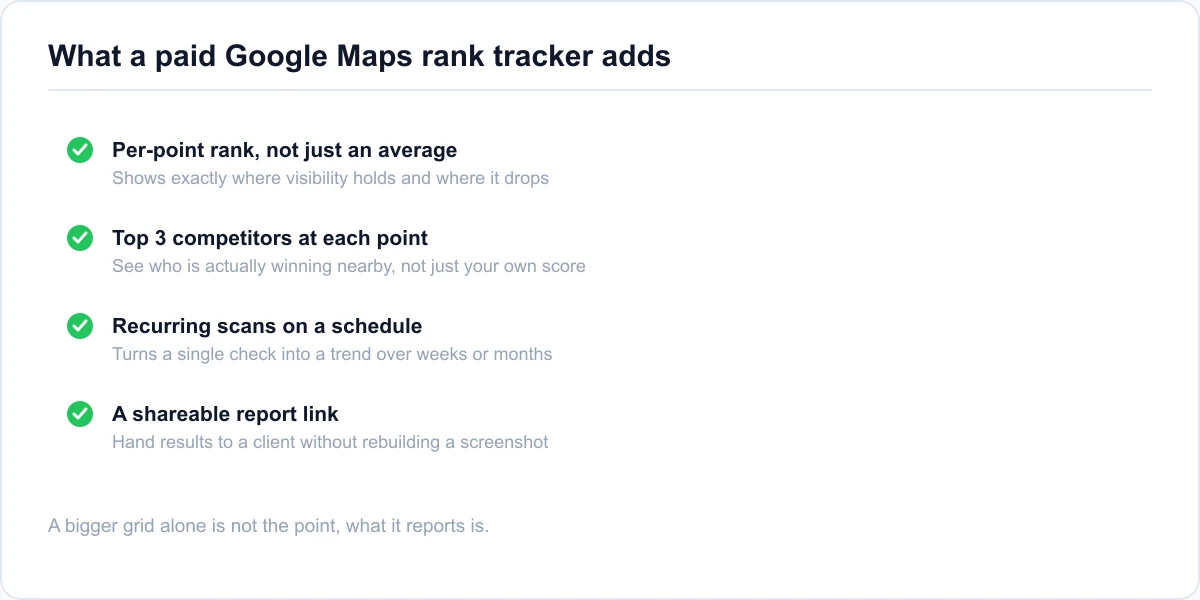
A useful paid checker reports more than a bigger version of the same single number. Look for a heatmap that shows per-point rank and the top competitors actually showing at each point, not just an aggregate score, recurring scans on a schedule so a single check becomes a trend instead of a snapshot, and a shareable report link for handing results to a client without rebuilding a screenshot every month.
Confirm what the checker is actually measuring, too. Some tools blend Map Pack position with regular organic (blue-link) rank into a single score, which hides which one actually moved when something changes. A checker built specifically around the Map Pack, with organic tracking kept as a separate view rather than folded in, keeps the two signals from blurring together, since Google evaluates them almost independently in the first place.
Coverage vs. Average Rank: The Two Numbers That Matter
A grid scan's heatmap rolls up into two numbers that matter more than any single point on the map.
Coverage percentage and average rank, what each one means
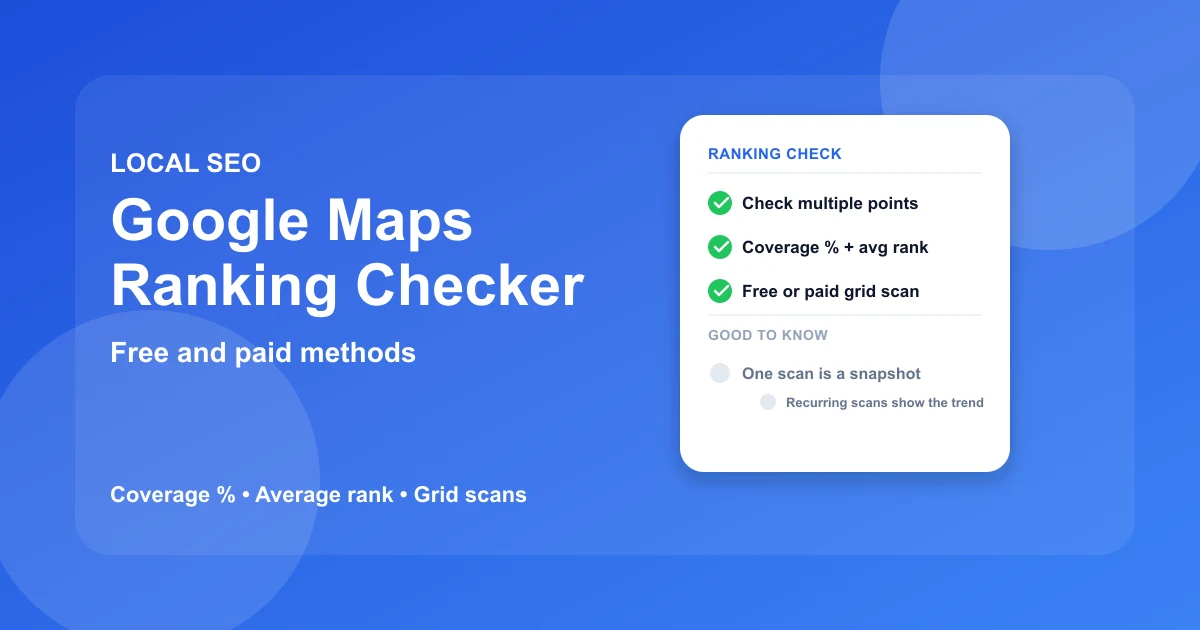
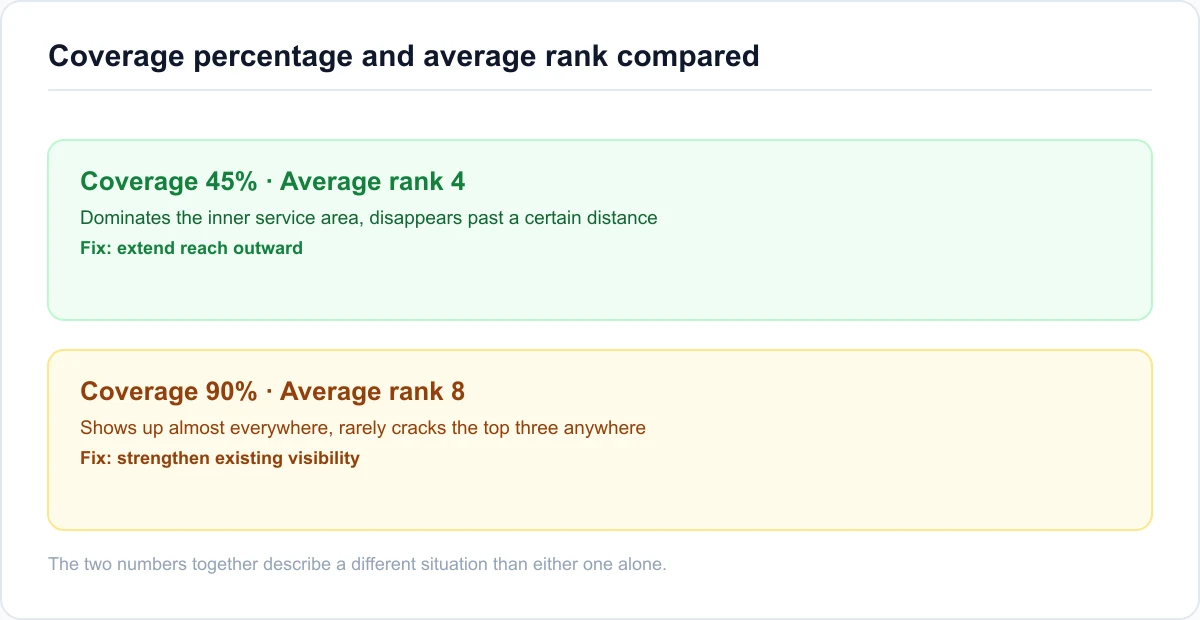
Average rank is the mean position across every point checked, a single number that summarizes the whole grid. Coverage percentage is the share of those points where the business actually shows up in the local pack at all. The two numbers can tell different stories: a business can hold a strong average rank while still missing the local pack entirely across a third of its service area, because a few very strong points can pull the average down even while coverage stays thin.
As an illustration, a coverage of 45% paired with an average rank of four might describe a business that dominates its inner service area but disappears past a certain distance, while a coverage of 90% paired with an average rank of eight might describe a business that shows up almost everywhere but rarely cracks the top three anywhere. Neither pattern is automatically better than the other, they point to different fixes: the first needs its reach extended outward, the second needs its existing visibility strengthened.
What a weak corner of the map actually means
A red or weak section of a heatmap doesn't automatically mean a technical problem. It usually reflects one of the three ranking factors already covered: distance from that point, weaker relevance if the primary category or services don't match closely enough, or lower prominence if reviews and web presence trail a competitor who's stronger in that specific area. Reading the weak corner against those three factors points to the actual fix instead of a guess. Our guide to ranking in the Google Local Pack walks through fixing each of those three factors in order.
How Often Should You Check?
How often a ranking check needs to run depends on whether a business is actively changing something or just keeping an eye on a stable listing.
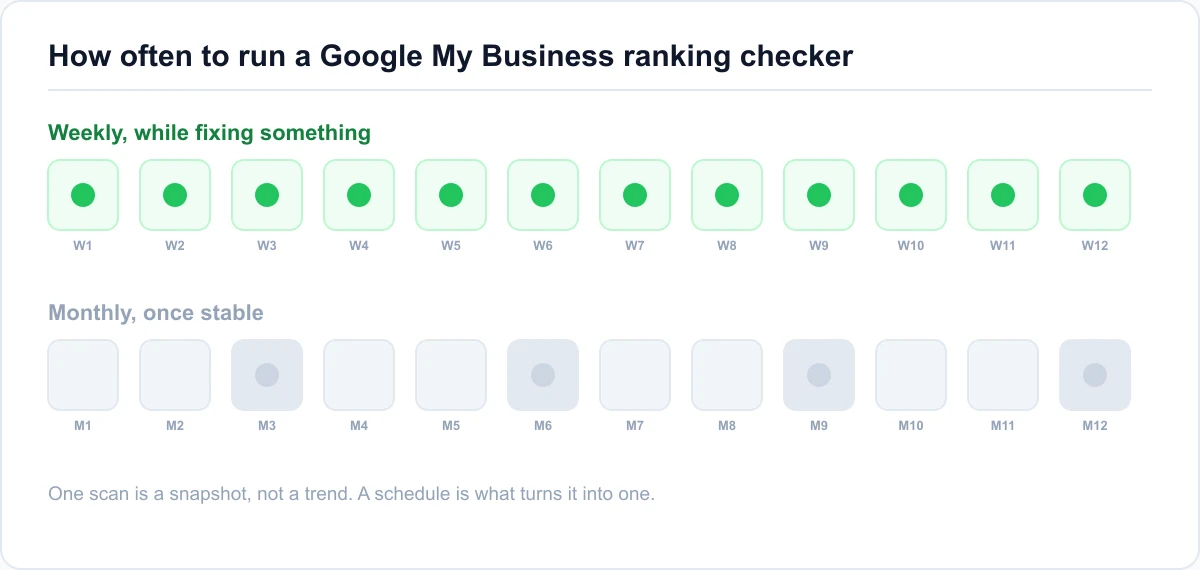
Weekly checks while actively fixing something
A business working through a specific fix, a category change, a new review push, benefits from a weekly check while the change is fresh, since it shows whether the fix is actually moving anything within the timeframe Google typically needs to recrawl and re-evaluate a listing. A local Map Pack tracker that runs recurring scans automatically removes the manual effort of remembering to check by hand.
Why a single scan is a snapshot, not a trend
One scan is a photograph of a specific moment, not a trend. Local rankings shift for reasons that have nothing to do with a business's own actions, a competitor's review push, a seasonal search pattern, an algorithm update, so a single good or bad result deserves a second look before it changes any real decision. A monthly cadence is usually enough once a listing has stabilized and nothing specific is being actively worked on.
Google Maps Ranking Checker: Common Questions
How do I check where my business ranks on Google Maps?
Search the target keyword from more than one point around the service area, not just from the business's own address, since ranking shifts by location. A manual check works for a rough read, a Google Maps ranking checker that runs a grid of points at once gives a fuller, faster picture.
Why does my business rank differently on Google Maps depending on where I search from?
Distance is one of Google's three core local ranking factors, alongside relevance and prominence. Since distance is measured from wherever a search happens to run, the same keyword searched from different points nearby can return different Map Pack results for the same business.
What's the difference between a Google Maps ranking checker and a regular rank tracker?
A regular rank tracker usually reports one number for one search point. A Google Maps ranking checker built around a grid checks the same keyword from many points across a service area at once, showing where visibility holds and where it drops off, not just a single average.
Is there a free Google Maps ranking checker?
Yes. Some free plans, including Glocavo's, give a set number of scan credits at signup with no card required, enough for a handful of small grid scans. Manual checks from multiple phones or an incognito browser also work for an occasional, rougher read.
How many points does a Google Maps ranking checker need to check?
It depends on the size of the service area and how granular the read needs to be. A small grid, five by five or 25 points, gives a useful first look for a single-location business, while a larger service area or a denser check benefits from a bigger grid.
What do coverage percentage and average rank mean?
Average rank is the mean Map Pack position across every point checked in a grid. Coverage percentage is the share of those points where the business shows up in the local pack at all. A business can have a strong average rank while still missing a real share of its service area.
How often should I check my Google Business Profile ranking?
Weekly while actively working on a specific fix, so it's clear whether the change is moving anything. Monthly is usually enough once a listing has stabilized and nothing specific is being changed, since a single scan is a snapshot, not a trend.
Conclusion
The three things worth remembering
A Google Maps ranking checker exists because one search from a business's own address hides more than it shows, distance, relevance, and prominence all shift the result depending on where and what's searched. Check from more than one point, not one address. A free manual method works for an occasional look, while a grid-based checker earns its place for anything regular. And coverage percentage matters as much as average rank, since a business can look strong on paper while still missing a real share of its area.
Check your own coverage now
A single scan answers where a business stands today. Run a Google Maps ranking check to see the actual coverage across a service area instead of guessing from one search.