
The Local Keyword Research Template (and How to Fill It In)
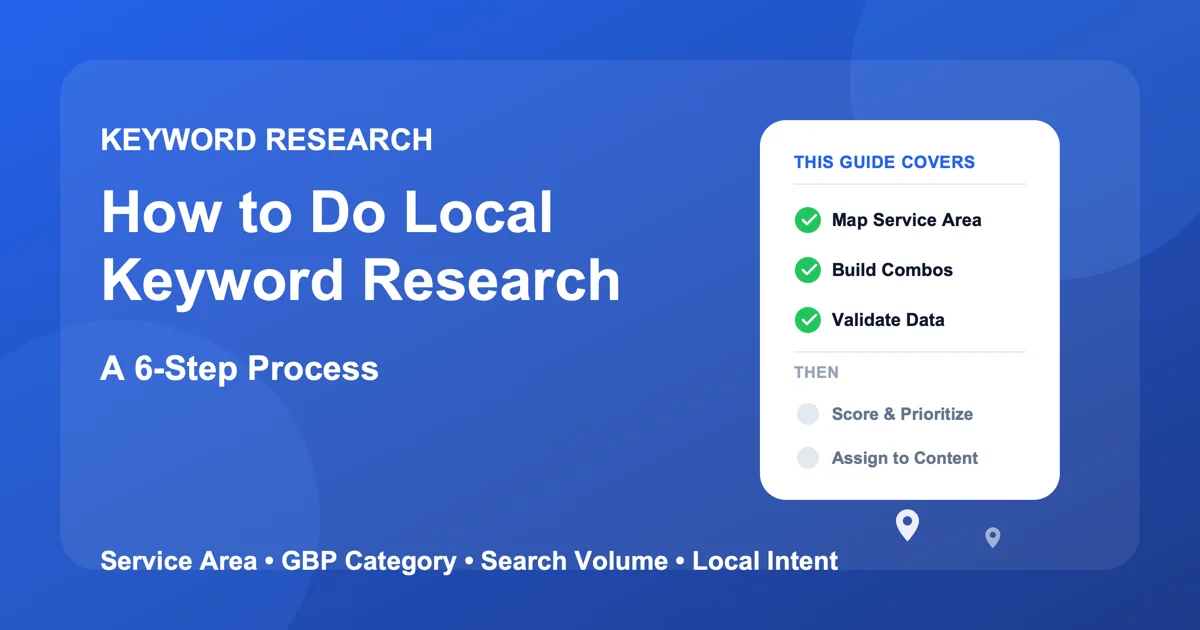
This local keyword research template is three linked tables you can copy straight into a spreadsheet: a seed-inputs block, a keyword grid, and a publication tracker. Fill them in order and you finish with a scored, assigned list of local keywords, each one mapped to a specific page or post, instead of a flat brainstorm that never gets used.
The rest of this guide is the instructions for each section: what to open first, what to type in each column, and how to score and assign the finished list. It assumes you already know the five keyword types; if you don't, read the local SEO keyword research concept guide first, then come back and fill this in. Think of that piece as the map and this one as the worksheet. Grab your Google Business Profile login and a blank spreadsheet before you start.
In this guide:
- The local keyword research template
- What this template covers (and what it doesn't)
- Section 1: map your real service area
- Section 2: pull your GBP category as a seed list
- Section 3: build the keyword combinations
- Section 4: validate volume and intent
- Section 5: score and prioritize
- Section 6: assign each keyword to a page or post
- The two mistakes that waste the most effort
- Frequently asked questions
The Local Keyword Research Template
Copy each block below into its own tab or section of a spreadsheet. The columns are built to be filled left to right as you work through Sections 1 to 6.
The seed-inputs block
Everything the rest of the template depends on. Fill this once, at the start, from your live Google Business Profile.
Field	Your entry
Primary GBP category
Secondary GBP category (if any)
Service-area radius (drive time)
Neighborhoods / landmarks inside it
Core services (from the GBP services section)
Problem phrases pulled from reviews
The keyword grid
The working table. One row per candidate keyword. The first four columns come from Sections 1 to 3, the middle three from Section 4, and the last two from Sections 5 and 6.
Service or problem	Location	Full keyword	Formula	Est. monthly volume	Local competitors	Fit (1-3)	Score (3-9)	Destination
water heater repair	Oakwood	water heater repair oakwood	service + location	20-50	2	3	8	new service-area page
furnace making banging noise	Riverside	furnace making banging noise riverside	problem + location	10-20	1	3	7	blog / FAQ post
emergency plumber	(none)	emergency plumber near me	near-me modifier	100-1K	6	3	6	existing homepage section
The publication tracker
A separate, simpler table that follows what is actually live, not what is planned. Revisit it monthly.
Page or post title Target keyword Published (Y/N) Date live
What This Template Covers (and What It Doesn't)
Local keyword research gets written about two different ways online, and mixing them up wastes time.
How this differs from a "types of local keywords" explainer
Most local keyword research content, including the local keyword types guide linked above, explains the five categories of local keywords: service, location, problem, industry, and long-tail. That's the right place to start if you don't yet know what a "problem keyword" even is. This template assumes you already have that vocabulary and instead walks through the actual sequence of actions: what to open first, what to type where, and what to do with the list once it exists.
Who this template is built for
It's built for the person who actually runs the Google Business Profile: a small business owner, an office manager, or a solo marketing consultant juggling more than one client's local listing. It assumes no paid tools beyond a free Google Ads account for Keyword Planner, and it assumes you're starting from scratch rather than refining an already-mature list. If you've built and validated a local keyword list before, Sections 5 and 6 will be the most useful.
Section 1: Map Your Real Service Area
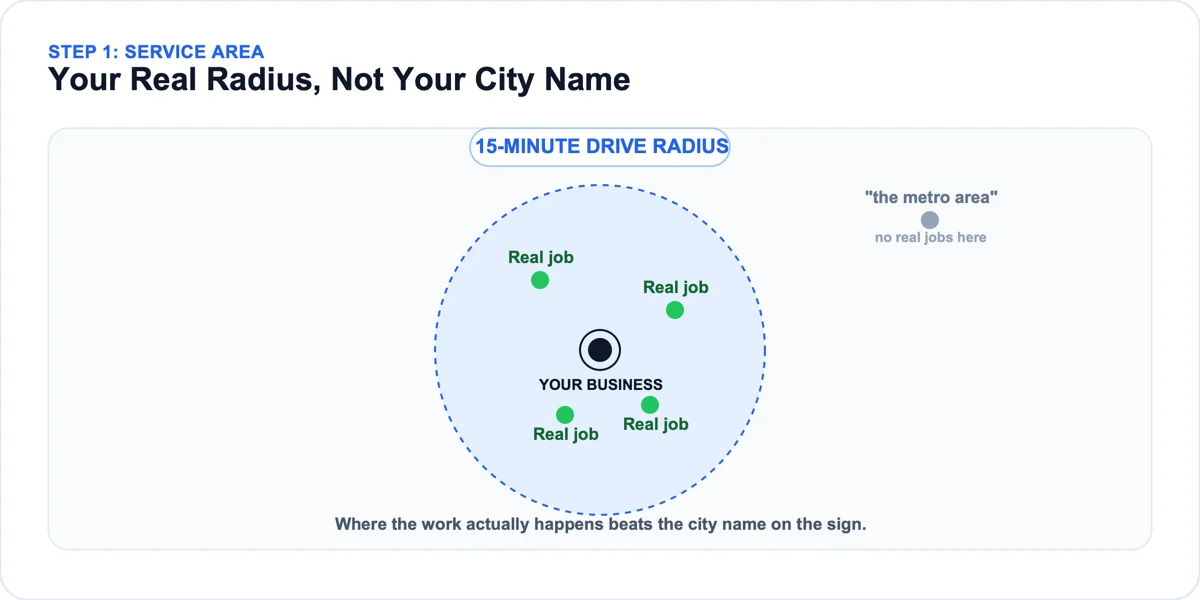
Local keyword research has to start from where a business actually operates, not from a keyword tool's default city radius. Get this section wrong and every keyword you validate in Section 4 is measuring the wrong competition. Fill the "service-area radius" and "neighborhoods / landmarks" rows of the seed-inputs block from this work.
Why your city name alone misses most local searches
A business's city name alone is usually the least specific, most competitive version of a local keyword available, and it's rarely how nearby customers actually search. A practice might claim "the greater metro area" on paper, while in practice over 90% of real patients come from just three specific suburbs within a fifteen-minute drive. Researching keywords against the metro area claimed on paper wastes effort chasing volume from people who were never going to book anyway, and it puts you in direct competition with every large group in the metro for a term you can't realistically win.
How to draw your actual service radius
Pull up a map and mark every job or appointment from the last three to six months, not where you'd like to expand, where the work actually happened. A cluster usually appears fast. For most single-location local businesses, that cluster falls somewhere between a five and fifteen-minute drive time, though a mobile service business may see a much wider, less tidy radius. Whatever the shape, that radius, not the city limit, is the real service area every keyword in the next five sections should be checked against.
The neighborhood and landmark names your customers actually use
Once the radius is drawn, list the specific neighborhood names, school districts, and landmarks that fall inside it, the words a local customer would actually type. Many suburbs have no single, obvious neighborhood name locals agree on, so a real list often ends up mixing two informal neighborhood names, a well-known shopping plaza, and a local high school's name, all of which show up in customer reviews before they ever show up in a keyword tool. That informal list becomes the location half of every combination built in Section 3.
Section 2: Pull Your GBP Category as a Seed List
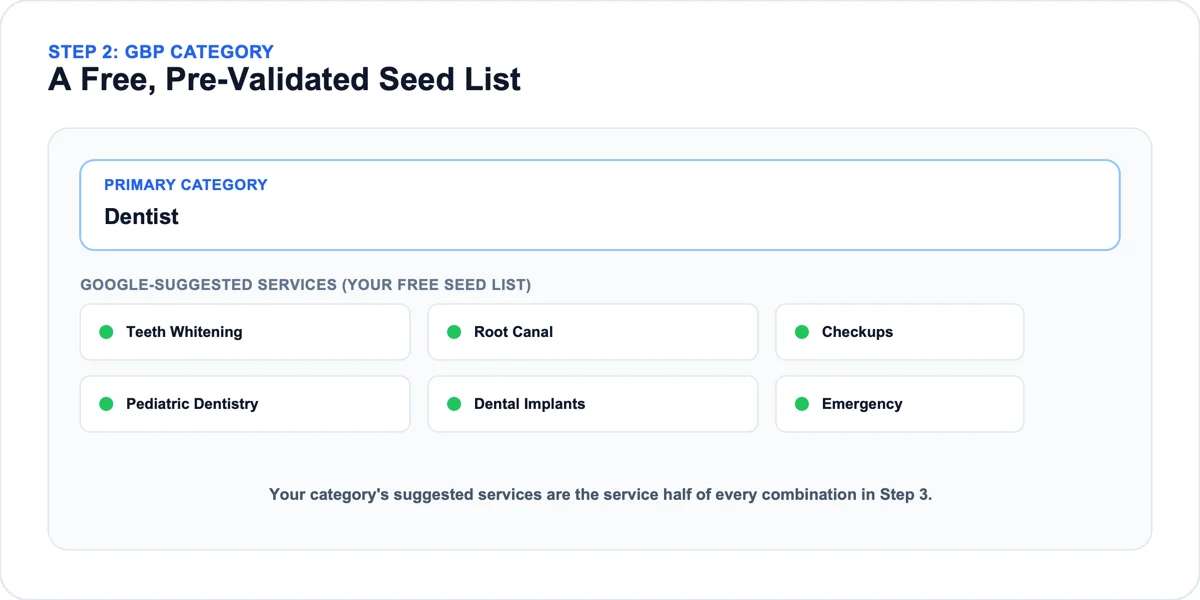
Once the service area is mapped, the next input the template needs is already sitting inside your Google Business Profile: your category. Fill the "primary GBP category," "secondary GBP category," and "core services" rows of the seed-inputs block here.
Why your primary category is your best starting point
The category on your Google Business Profile is the single strongest signal for which searches you're even eligible to show up for locally, and it belongs at the start of local keyword research, not as an afterthought. A practice listed under a broad category like "Medical Clinic" instead of "Dentist" is quietly ineligible for a huge share of the exact-match local searches it should be winning. Before brainstorming a single keyword, check your Business Profile setup first to confirm your category, hours, and service area are all set correctly, since the rest of this process assumes they are.
How to find related services Google already associates with you
Your primary category isn't the only seed keyword available. Inside the Google Business Profile dashboard, the services section lets you add specific offerings under your category, and Google itself suggests related ones as you type, a free list of terms it already believes are relevant to a business like yours. A primary category like Dentist surfaces suggested services like "Teeth Whitening," "Root Canal," and "Pediatric Dentistry" the moment you start adding your own. Each suggested service is a validated seed keyword worth carrying into Section 3.
What to do if you serve multiple categories
Some businesses genuinely span more than one category, and treating that as one flat seed list undercounts real opportunity. An HVAC company might legitimately be listed under both "HVAC Contractor" and "Air Conditioning Contractor," with roughly half its jobs heating-specific and half cooling-specific. Rather than merging both into one generic seed list, build two separate category-based lists and keep them distinct all the way through scoring in Section 5, since a heating-specific keyword and a cooling-specific keyword rarely share the same seasonal demand or the same competition.
Section 3: Build the Keyword Combinations
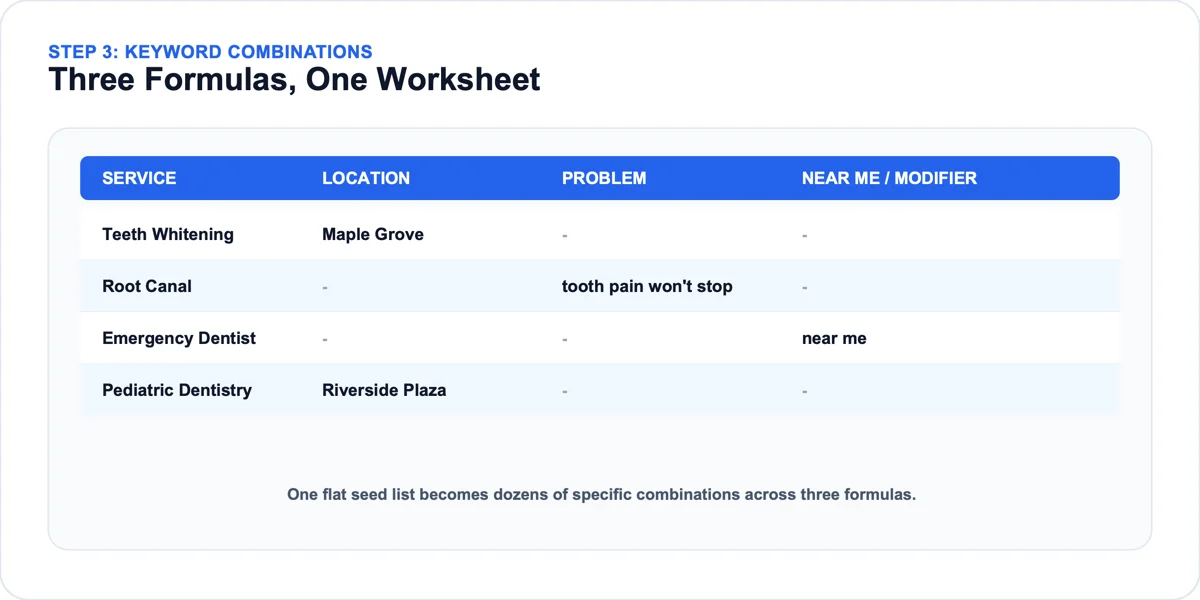
With a service area and a seed list in hand, the actual brainstorming can start. This is where the keyword grid starts filling up. Local keyword combinations come from crossing three formulas, not writing one flat list. Put the result in the "service or problem," "location," "full keyword," and "formula" columns.
The three formulas that cover every local search pattern
Nearly every local search a real customer types fits one of three patterns: a service crossed with a location, a problem crossed with a location, or a service modified by "near me" or a similar proximity phrase. Building your list formula by formula, rather than freehand, keeps you from missing an entire category of real searches simply because it didn't occur to you to think of it.
Service + location and problem + location rows
Take each service from your Section 2 seed list and pair it with each city, neighborhood, or landmark name from Section 1. A dentist offering teeth whitening, root canals, and pediatric checkups across three suburbs isn't looking at three keywords, she's looking at nine real combinations. Then read your own reviews and customer messages for the exact words people use to describe a problem before they know your service name for it, and cross each one with a location too. An HVAC company's reviews often show customers search "furnace making banging noise" and "AC not cooling upstairs bedroom" rather than "HVAC repair." Paired with a neighborhood name, phrases like those become some of the lowest-competition, highest-intent local keywords available.
"Near me" and modifier rows
The third formula adds proximity language directly, "near me," "in [neighborhood]," "closest," or "open now," to a service term without a specific location name attached. These variations matter because a meaningful share of local searches are typed with implicit rather than named location intent, especially on mobile. Add a "near me" and a "closest" version of each core service to the grid even if you've already built the same service against every named location, since the two formulas capture different searcher behavior and often show up separately in Section 4's data.
Section 4: Validate Volume and Intent with Real Data
A brainstormed list is only a hypothesis until you check it against real numbers and real search behavior. Fill the "est. monthly volume" and "local competitors" columns of the grid from this section. It's the step most DIY local keyword research skips, and it's the one that separates a target list from a wish list.
Why generic keyword tools fail for local research
A free keyword tool given a single seed word, "dentist," "HVAC repair," "hair salon," returns the same national list regardless of who's asking, because it has no idea which neighborhood, which category, or which real customer problem it's looking at. A real local keyword research tool has to solve the same input problem Sections 1 through 3 just solved by hand: a real service area, a real category, and real customer language, not a single seed word.
How to use Google Keyword Planner for local volume
Google Ads' own Keyword Planner tool is free to use and shows real monthly search volume and competition estimates for any phrase you enter, no ad spend required to just look up numbers. Run the grid through it and the results are often counterintuitive: a plain service-plus-city term like "furnace repair Aurora" can pull real, if modest, monthly volume, while a scarier-sounding phrase like "24 hour emergency HVAC Aurora" barely registers.
Reading the "low volume" trap
Most genuinely local combinations, a service crossed with a specific neighborhood, will show low volume in Keyword Planner, sometimes low enough that the tool displays a range instead of an exact number. That's expected. A neighborhood-level term showing 10 to 50 monthly searches with almost no listed competition is frequently a stronger real target than a city-wide term showing 500 searches and five entrenched competitors already ranking. Don't discard a keyword just because its number looks small, check what it's small relative to.
Checking local intent signals in the actual SERP
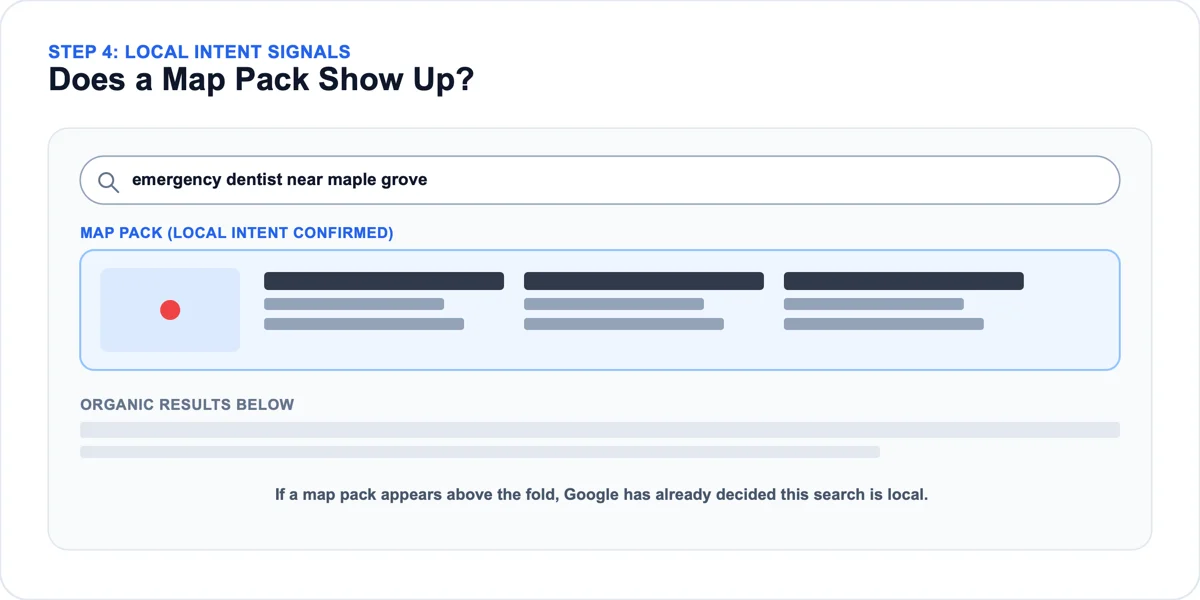
Volume and competition numbers tell you whether a keyword is worth chasing in theory. Searching the term yourself tells you whether Google treats it as a local search at all. Type your candidate keyword into Google exactly as a customer would. If a local pack, the block of three business listings with a map, appears above the regular results, Google has already decided this search carries local intent. If it doesn't appear, the term may pull national or informational results instead, which usually means it's a poor fit for a service page.
Section 5: Score and Prioritize Your Keyword List
A validated list is still just a list until it's ranked. Fill the "fit" and "score" columns of the grid here. Local keyword research pays off fastest when the highest-value keywords get worked first, not whichever one happens to be at the top of an unsorted spreadsheet.
The three-factor scoring system (volume, competition, fit)
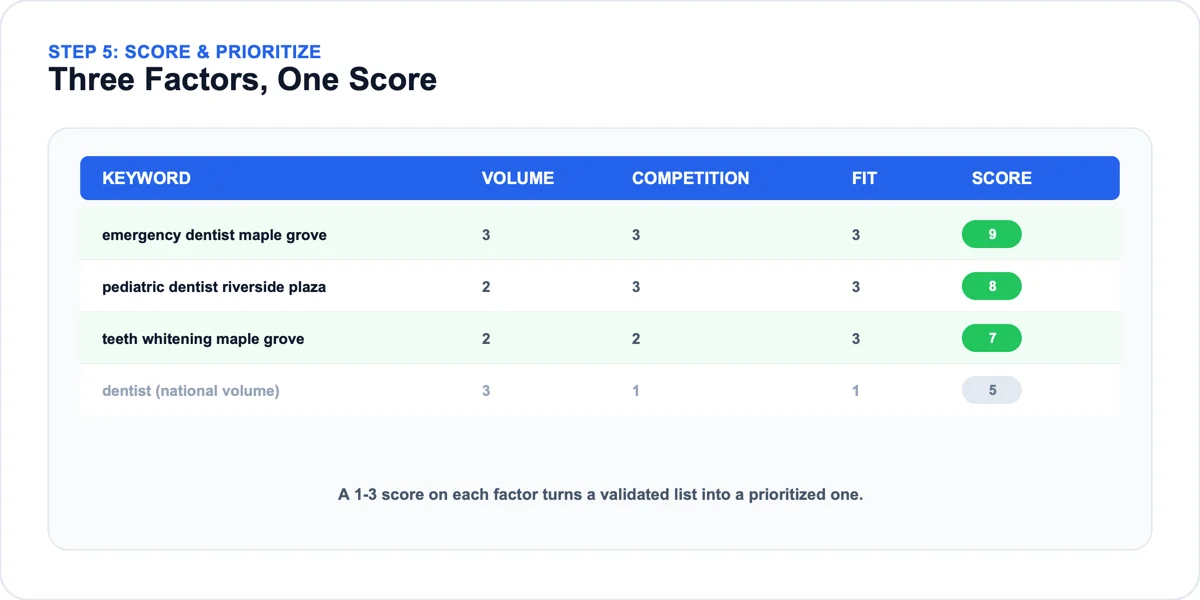
Score every keyword on your validated list across three factors, one to three points each: volume (1 point for barely-there, 3 points for a solid, consistent monthly number from Section 4), competition (1 point if five or more competitors already rank locally, 3 points if two or fewer do), and fit (1 point if it's tangential to what you actually offer, 3 points if it's a core service or a problem you solve daily). Add the three for a 3 to 9 total. A scored list might put "pediatric dentist [neighborhood name]" at a 9 well above "cosmetic dentist [city]" at a 4. The score, not gut instinct, decides which one gets worked first.
Which keywords belong on your website vs. your GBP
Not every scored keyword needs its own page. Keywords with a 7 or higher usually justify a dedicated page or a meaningfully rewritten section of an existing one. Keywords scoring in the 4 to 6 range, especially problem-phrased ones, often perform just as well as a Google Business Profile post or a line in your profile's services list, formats that take minutes to publish instead of a full page build. Reserving full pages for your highest-scored keywords keeps the site focused instead of thin across dozens of half-built pages.
Q&A entries used to be the other quick option. Google began retiring the Q&A section in late 2025, switching off its Q&A API on November 3, 2025, and Gemini-powered Ask Maps now answers those customer questions from what's already on your profile.
Creating your 30-day content target list
Once scoring is done, pull the top eight to ten keywords, the ones that scored 7 or higher, into a simple target list mapped one per week across the next month. Trying to act on an entire validated list at once is how most of it quietly never gets touched. One HVAC company picked its top nine scored keywords after a first full pass and had all nine assigned to a specific page or GBP post within five weeks, working one or two at a time alongside regular jobs.
Section 6: Assign Each Keyword to a Specific Page or Post
The last column of the grid is "destination," and this section fills it. The move before writing anything new is confirming exactly where each prioritized keyword goes, and whether it needs a new page at all. Copy the assigned rows into the publication tracker as they go live.
Mapping keywords to existing pages
Search each keyword from your Section 5 target list and see whether your own site already appears, even weakly, in the results. If a page already targets a close variant, strengthening that page's title tag and on-page copy usually outperforms building a brand-new one from scratch, and it's the faster move besides.
When to create a new service or location page
Once you've ruled out an existing match, scan what your site already targets to confirm the title tags and on-page copy genuinely don't cover the keyword yet, rather than assuming based on a quick memory check. A real gap, a keyword with a 7 or higher score and no existing page reasonably close to it, is worth a new page. An assumed one usually isn't, and building a page for a keyword you already rank for just splits your own authority across two competing pages.
How to keep the publication tracker current
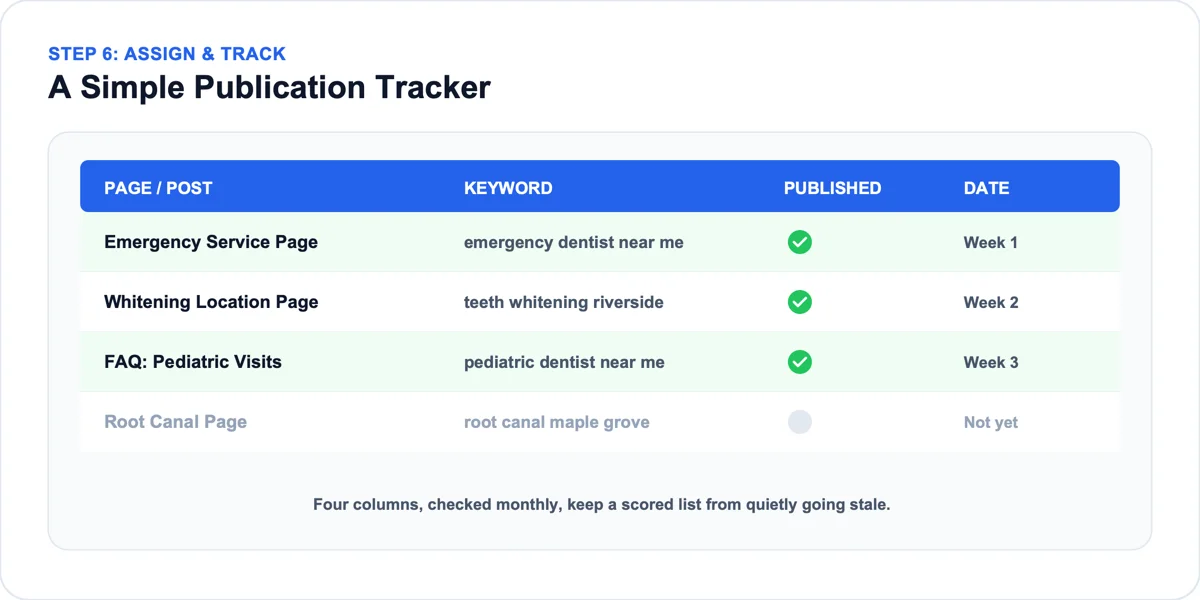
The publication tracker is deliberately simpler than the grid: page or post title, the keyword it targets, published (yes or no), and the date it went live. Revisit it monthly. That's exactly where good local keyword research quietly falls apart after the first week of enthusiasm, a scored list sitting untouched in a spreadsheet no one opens again.
The Two Mistakes That Quietly Waste the Most Effort
The same two mistakes show up across almost every DIY local keyword research project, regardless of industry, and both are more about process discipline than keyword knowledge.
Mistake 1: Chasing broad terms with no local modifier
Chasing the highest-volume version of a term, ignoring how many real local competitors already dominate it, spends effort on a keyword you were never going to win. A lower-volume, location-specific version of the same phrase with thin local competition, exactly the kind Section 5's scoring is built to surface, is almost always the stronger target, even though it looks less impressive on paper.
Mistake 2: Stopping at the keyword list and never assigning it
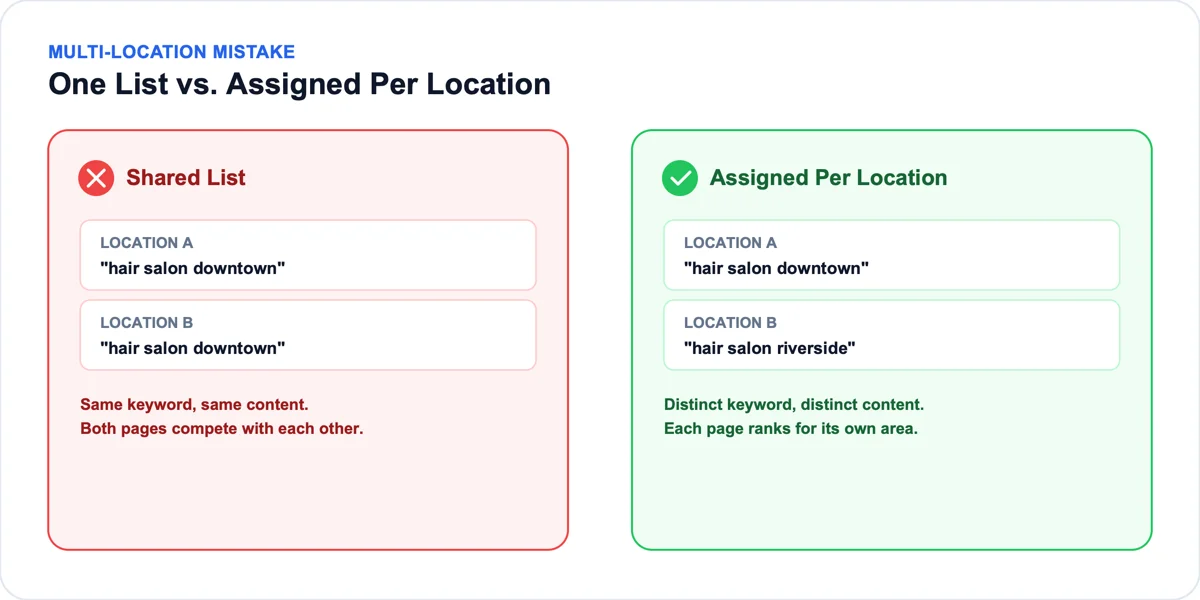
A business with two salon locations twenty minutes apart is a common way this shows up: one validated, scored list gets applied to both locations' pages word for word instead of running Section 6's assignment separately for each one. Neither page ranks well for its own neighborhood, since both end up competing against each other with near-identical content. Splitting the assignment step by location, with genuinely different keyword-to-page mapping for each, typically fixes both pages within about six weeks.
Frequently Asked Questions
Is there a Google Sheets version of this template?
The three blocks above are plain tab-separated tables, so pasting each one into a blank Google Sheet or Excel file builds the template directly, one block per tab. No add-on or copy of a shared file is needed.
How do I fill the template if my business only serves one area?
The process is the same, just narrower. Cross your services with the specific neighborhoods inside your one service area instead of city names, then layer in the problem language from your own reviews. A single-location business often ends up with more granular, lower-competition keywords than a multi-city one, since the local competition pool is smaller.
How long does filling in the whole template actually take?
Working all six sections by hand for a business with three or four services and a handful of locations usually takes an afternoon, longer if you're reading through reviews for problem language too. A tool that pulls the combinations directly from your Google Business Profile compresses that same work into minutes.
What if my business serves more than one city or neighborhood?
Treat each location as its own copy of the keyword grid rather than building one shared table, as covered in the mistakes section. Shared lists tend to produce pages that compete with each other instead of each one ranking for its own area.
Do I need a Google Ads account to use Keyword Planner for this?
You need a free Google Ads account to access Keyword Planner, but you don't need an active campaign or any ad spend just to look up search volume and competition estimates for the keywords in your grid.
Is it worth using a tool instead of filling this in manually?
Filling the template in by hand works and teaches you exactly what a good tool should be checking, which is worth doing at least once. Once you understand it, a Business Profile keyword builder that pulls your category and city directly from your live listing saves the hours the brainstorming and combination sections otherwise take, especially for a business with several services or locations.