
Breadcrumb Schema Markup Still Works. FAQ Schema Doesn't Anymore.
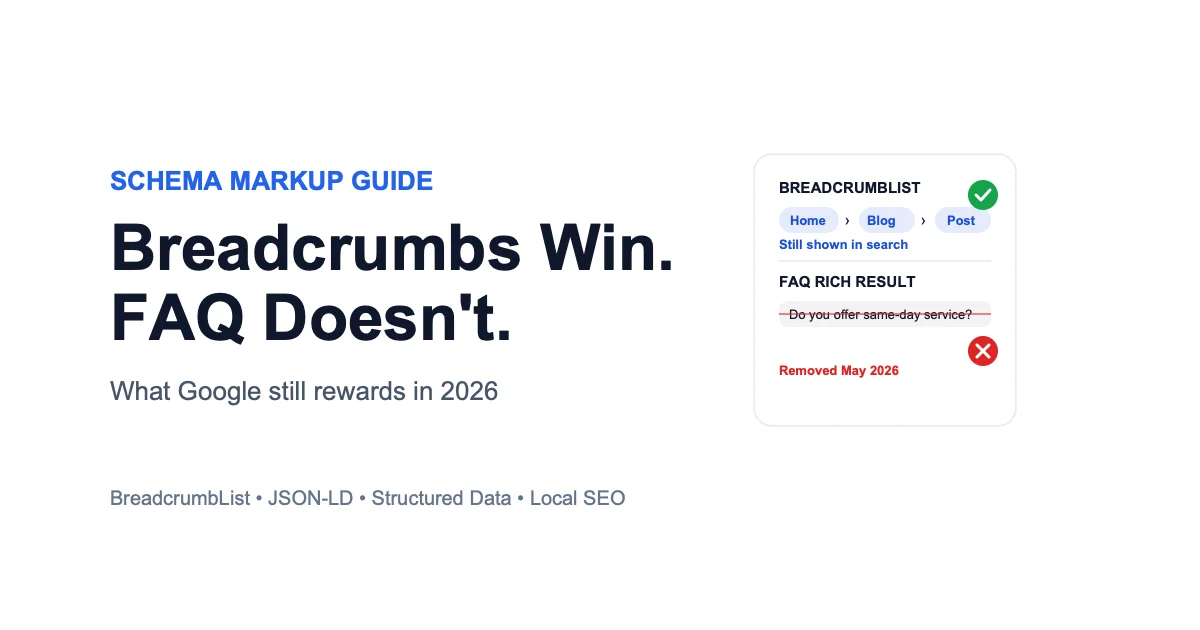
If your web developer added FAQ schema to your site hoping for those expandable question dropdowns under your listing in Google Search, it stopped working, and there's a good chance nobody told you. Google removed FAQ rich results from search entirely as of May 7, 2026. Not scaled back. Removed. Breadcrumb schema markup had no such fate: it kept working the whole time.
A lot of local SEO checklists still tell small business owners to add FAQ schema for "extra search real estate." That advice is now years out of date. Meanwhile, breadcrumb schema markup, specifically the BreadcrumbList type, still works exactly as it always has and still earns a visible payoff in search results.
This article covers what actually changed with FAQ schema, what breadcrumb schema markup still requires to qualify, and where a local business site should actually spend its schema effort in 2026.
What Changed: Google Removed FAQ Rich Results in 2026
FAQ rich results didn't disappear overnight. Google spent almost three years walking them back before pulling the plug completely.
The August 2023 Restriction You Might Have Missed
In August 2023, Google restricted FAQ rich results to "well-known, authoritative government and health websites" only. Everyone else lost eligibility that day, even sites that had been showing FAQ dropdowns in search for years. The change was a direct response to abuse: sites were stuffing FAQ schema onto pages with generic, unrelated questions just to take up more space in the results, regardless of whether the content actually answered anything a searcher needed.
The Full Removal: May Through August 2026
On May 7, 2026, Google removed FAQ rich results entirely, for every site, including the government and health sites that had kept them. There was no blog post announcing it, just a deprecation notice quietly added to Google's developer documentation the next day, later confirmed in Google's own Search Central changelog. By June 2026, Google had pulled FAQ support from Search Console's rich result report, its Search appearance filters, and the Rich Results Test tool. The FAQPage documentation page itself was deleted from Google's developer site on June 15, 2026. Search Console API support for the feature ends this month, the same month you're reading this.
Mara runs a small bakery outside Portland and paid a freelance developer in early 2025 to "add schema markup for SEO," which mostly meant FAQPage JSON-LD answering questions like "do you take custom cake orders." She never saw a rich result in her own searches, assumed it just took time, and never asked again. It never showed up because by the time the developer added it, general FAQ eligibility had already been restricted for a year and a half. Nobody had told her that.
That's the pattern worth watching for: paying for a schema "fix" that was never going to show up, and not finding out until months later, if ever. A regular SERP monitoring routine that records which features actually appear for a page would have caught it in the first week. A tool that tracks your Google search results keeps that record for you.
FAQPage Schema Still Works Technically, It Just Doesn't Show
Adding FAQPage JSON-LD to a page still validates cleanly and won't trigger any errors. It simply has no effect on how the page appears in search anymore.
Old Advice That Never Got Updated
Most "SEO checklist" content recommending FAQ schema was written before August 2023, or copied from something that was. Search results are full of guides published years ago that never got a second look after the rules changed underneath them. If a checklist, plugin, or agency pitch still lists "add FAQ schema for rich snippets" as a local SEO win, that's the tell that it hasn't been updated since the restriction, let alone the full removal.
What FAQPage Markup Still Does (And Doesn't)
FAQPage schema doesn't hurt anything. It's inert. It won't get a page penalized, and it won't confuse other structured data on the page. What it won't do is expand a search result with clickable questions, boost click-through rate, or count toward any ranking factor Google has ever confirmed FAQ schema affected in the first place. If a page still has FAQ content that's genuinely useful to readers, keep the content. The schema markup around it is no longer doing anything for search visibility either way.
Breadcrumb Schema Markup: What Google Still Requires
Breadcrumb structured data has none of that history. It's still fully supported, still shown on desktop search results, and Google's documentation carries no deprecation notice.
The Required Properties
A valid BreadcrumbList needs an itemListElement array containing at least two ListItem entries, one per level of the navigation trail. Each ListItem needs a position (the integer order in the trail, starting at 1), a name (the text shown to users), and an item (the URL for that level). The item property is only optional on the final entry, the page the user is currently on, since that page doesn't need to link to itself.
A Working JSON-LD Example
Here's a valid breadcrumb trail for a local business site with a service pages structure, following Google's own BreadcrumbList requirements:
{
  "@context": "https://schema.org",
  "@type": "BreadcrumbList",
  "itemListElement": [
    {
      "@type": "ListItem",
      "position": 1,
      "name": "Home",
      "item": "https://example.com/"
    },
    {
      "@type": "ListItem",
      "position": 2,
      "name": "Services",
      "item": "https://example.com/services/"
    },
    {
      "@type": "ListItem",
      "position": 3,
      "name": "Emergency Plumbing Repair"
    }
  ]
}
Notice the last entry has no item property. That's correct, not a mistake, since it's the page the markup lives on.
Paste the finished markup into Google's Rich Results Test before publishing. Breadcrumb support is still active there, unlike the FAQ testing that was removed from the same tool back in June 2026, so a green result actually means something for this specific markup type.
Common Mistakes That Get Breadcrumbs Ignored
Google's eligibility guidelines require breadcrumbs to represent a typical user navigation path, not just a mirror of the URL folder structure. Two mistakes cause most rejections:
- Folder-path trails instead of navigation trails: listing raw URL segments (
/services/plumbing/emergency/) instead of the categories a real visitor would recognize and click through (Home, Services, Emergency Plumbing Repair). - Visible breadcrumb and JSON-LD markup disagreeing: when the trail shown on the page doesn't match what the structured data says, Google treats that mismatch as a signal the markup isn't trustworthy.
Dan freelances as a web developer for around fifteen small local business clients. When he audited their sites in mid-2026, he found that six of them had breadcrumb JSON-LD that matched the site's file structure exactly (/services/plumbing/emergency/) rather than how a customer would actually navigate (Home, Services, Emergency Plumbing Repair). None of those six were showing breadcrumbs in search, while the sites with a real navigation-based trail were. Fixing the mismatch on all six took him under an hour once he knew what to look for.
What to Do With Your Existing FAQ Content
The right move isn't to rip out FAQ sections. It's to stop treating the schema markup around them as a search visibility tactic.
Keep the Content, Drop the Rich-Result Chase
FAQ content that answers real questions a customer would actually ask still earns its place on a page. It helps visitors, it can still target long-tail search phrases through the regular page content itself, and it gives a sales conversation a shortcut when a customer has already read the answer. What it won't do anymore is expand into a dropdown in the search result. Write it for the reader, not for a rich result that no longer exists.
Where That Effort Is Better Spent Instead
Time previously spent maintaining FAQ schema is better spent on markup that's still active: BreadcrumbList for navigation, and for a local business specifically, LocalBusiness schema on the site itself covering name, address, hours, and category. None of that replaces keeping your actual Google Business Profile accurate and complete, since your website's schema markup and your GBP listing are two separate systems that Google reads independently.
A marketing consultant reviewing a client's technical SEO ahead of a quarterly report almost added "refresh FAQ schema" back onto the task list out of habit, the way it had appeared on every quarterly list since 2022. Checking Google's own documentation first saved a line item that would have taken an afternoon and changed nothing measurable, time that went toward fixing the client's breadcrumb trail instead, which was still pointed at raw URL slugs.
A Quick Schema Checklist for Local Business Sites
Before touching schema markup on a local business site, run through this short list first.
If You Manage Your Own Website
Work through these three checks in order:
- Check for old FAQ schema. If your site already has it from a past SEO push, leave it in place when the content is genuinely useful to readers, just don't expect it to do anything for search appearance anymore.
- Confirm you have a visible breadcrumb trail. A visitor should be able to see and click it, not just have it exist in the markup. If your site doesn't have one at all, add it before worrying about the JSON-LD, since the markup is supposed to describe navigation that already exists, not invent one.
- Ask your host or theme if BreadcrumbList JSON-LD is already automatic. Many common platforms generate it by default, so there may be nothing left to build.
If You Work With a Developer or Agency
Ask two direct questions:
- Does any "SEO schema markup" you're billing for include FAQ schema sold as a rich-result feature? If so, that's worth a conversation, since the feature it was sold for no longer exists.
- Does the breadcrumb trail match the site's real navigation structure, not just its folder paths? That mismatch is the single most common reason breadcrumbs get ignored by Google.
The Bottom Line: What Actually Deserves Your Time in 2026
FAQ rich results are gone from Google Search as of May 2026, for every site, with no path back. Breadcrumb schema markup, by contrast, is still fully supported and still requires getting the navigation trail right, not just technically valid JSON-LD.
What to Stop Doing
Stop treating FAQ schema as a search visibility task. It still validates, but it no longer expands into anything in the search result, for anyone, regardless of how authoritative the site is. If an old checklist, plugin, or agency invoice still lists it as an active SEO line item, that line item is worth questioning.
What to Do Instead
Spend that time making sure your breadcrumb trail matches how customers actually move through your site, not just your URL structure, and confirm it passes the Rich Results Test before you consider it done. And since your website's schema markup is only half the picture, your Google Business Profile is the other half. Check your Google Business Profile score for free to see what's actually affecting your local visibility today.
Breadcrumb Schema Markup vs. FAQ Schema: Common Questions
What is BreadcrumbList schema?
BreadcrumbList is a type of JSON-LD structured data that tells Google the hierarchical navigation path to a page, like Home > Services > Emergency Plumbing Repair. Google can display this trail directly in the search result instead of the page's raw URL.
Does FAQ schema still work in 2026?
FAQPage JSON-LD still validates without errors, but it no longer produces any visible effect in Google Search. Google removed FAQ rich results entirely as of May 7, 2026, after restricting them to authoritative government and health sites only back in August 2023.
Will removing FAQ schema from my site hurt my rankings?
No. FAQ schema was never a confirmed ranking factor on its own, it only controlled whether a rich result appeared. Since that rich result no longer exists for any site, removing the markup has no measurable effect either way. Keeping genuinely useful FAQ content on the page for readers is still worthwhile.
How do I add BreadcrumbList schema to my website?
Add a BreadcrumbList JSON-LD script to each page with an itemListElement array listing each navigation level in order, using position, name, and item (the URL) for every level except the current page. Many website platforms and themes generate this automatically, check your site's settings before writing it by hand.
Why isn't my breadcrumb schema showing up in search results?
The two most common causes are a breadcrumb trail that mirrors your URL folder structure instead of how a visitor would actually navigate the site, and a mismatch between what your visible on-page breadcrumb shows and what the JSON-LD markup says. Google requires both to represent a genuine, typical user path.
Does my Google Business Profile use the same schema markup as my website?
No. Your website's structured data (including BreadcrumbList and LocalBusiness schema) and your Google Business Profile are separate systems that Google reads independently. Fixing one doesn't fix the other, so a clean schema audit on your site says nothing about whether your actual listing is complete.