
AI Answers Showing the Wrong Hours or Phone Number? How to Fix It
When you catch AI giving wrong information about your business, like old hours or a disconnected phone number, it's almost always repeating a page it read somewhere. The fix is to correct that page, report the answer, and check it again.
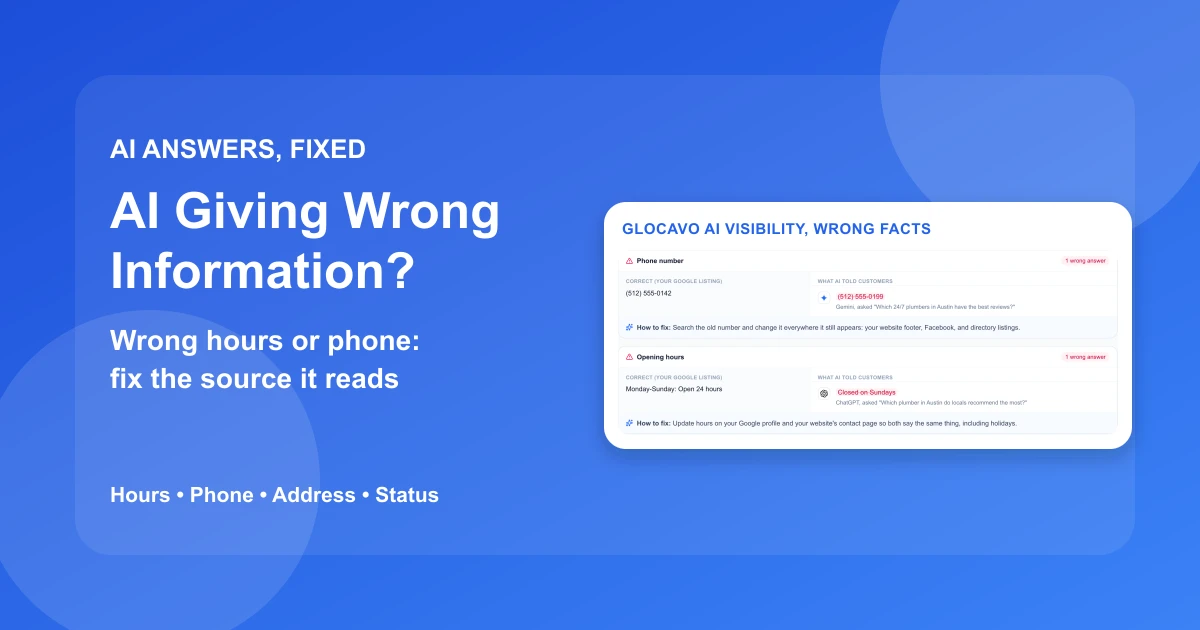
That's frustrating, because the wrong detail often isn't on your Google Business Profile at all. You updated the hours months ago. The engine still tells customers you close at 5:00 p.m. on Saturdays, and a customer who trusts it calls a competitor instead.
This guide works backward from the wrong value. You'll see why the engines get basic facts wrong, how to find the exact source holding the bad detail, how to fix each kind of detail, how to report a wrong answer to each engine, and how to confirm the fix stuck. It applies whether you're fixing your own business or a client's.
In this guide:
- Why AI engines repeat outdated business details
- Find the wrong fact and the page behind it
- Fix the wrong hours, phone, or address where it started
- When an AI Overview or ChatGPT is wrong, report it too
- Check that the fix stuck
- Still seeing AI giving wrong information? Quick answers
Why AI engines repeat outdated business details
An AI engine doesn't look up your business the way a customer does. It builds an answer from what it read: search results, directory listings, review sites, your website, and in Google's case, your Business Profile. If any of those still carries the old detail, the engine can repeat it. It can look like the engine made the detail up, what people call an AI hallucination, but for business details it's usually repeating something it read.
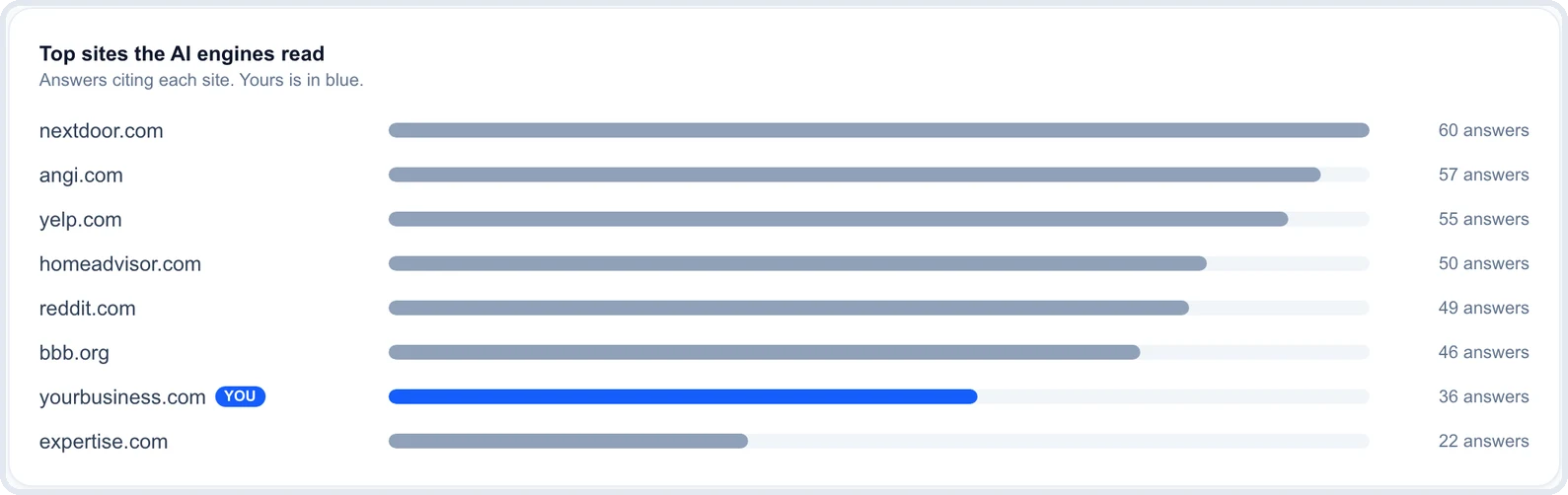
The engines read directories more than your website
For local questions, the engines lean on the big directories and review sites. In the example above, Nextdoor, Angi, Yelp, and HomeAdvisor were each cited in more answers than the business's own website. That's normal for a local business, and it's why a correct website alone doesn't fix a wrong answer.
The engines don't all read the same pages. Google's AI Overviews, AI Mode, and Gemini can draw on Google's own index and Business Profile data. ChatGPT, Perplexity, and Claude run their own web searches and cite what they find. None of them publishes a full list of the sources it uses for local facts.
Old details outlive the change
Changing your hours on Google doesn't change them anywhere else. The old hours can sit on a Yelp listing you forgot, a Facebook page nobody updates, a directory that copied your details years ago, or a "Contact" page on your own site.
Some of these are pages you've never touched. Data aggregators and scraper directories copy business details from each other, so one stale record can show up in places you didn't know existed. An engine answering from its training data, without a fresh search, can also repeat details that were correct a year ago. To an engine, five pages saying "closed on Sundays" can outweigh one profile saying "open 24 hours."
Moves, rebrands, and similar names get merged
The hardest cases come from changes. A business that moved still has its old address on pages that never heard about the move. A rebrand leaves the old name attached to the old phone number. A company with a similar name in the same city can get its details blended with yours.
When an engine merges two records, the answer can look right at a glance. The name is yours, but the phone number belongs to the old location or to someone else entirely.
Find the wrong fact and the page behind it
Before fixing anything, pin down three things: what the engine said, which engine said it, and which page it got the detail from. Guessing wastes time, because the page you'd check first is rarely the one causing the problem.
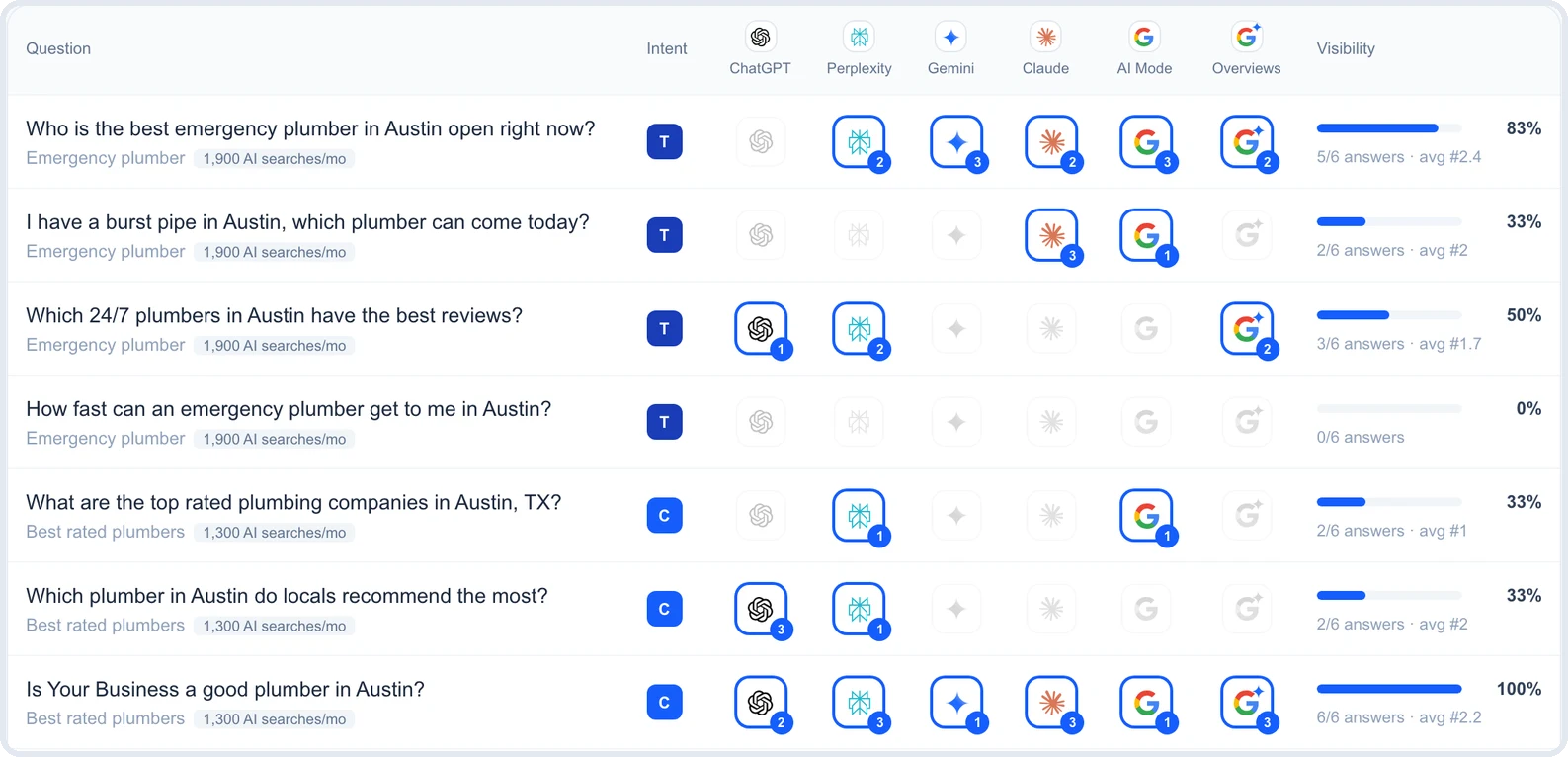
Ask the questions customers ask about you by name
Wrong facts show up most in questions that name the business: "What time does [business] close on Saturday?", "What's the phone number for [business]?", "Is [business] still open?" Ask each one on every engine your customers might use, from your own city, and save the full answers.
Recommendation questions matter too. A customer asking "Which plumber in Austin is open late?" can get your name with the wrong hours attached, which is worse than not being named at all.
Compare every answer with your Google Business Profile
Treat your Business Profile as the record of truth, since it's the one Google's engines read directly. Put each answer's phone number, hours, address, website, name, and open-or-closed status next to the profile.
Ignore formatting differences. "(512) 555-0142" and "512-555-0142" are the same number. Count only real contradictions, like a different number, different hours, or "permanently closed" when you're open.
Trace the wrong value to its source
This is where most of the time goes, and where most fixes fail. Search the exact wrong value in quotes, for example "512-555-0199" or "closed on Sundays" plus your business name. The pages that come up are your suspects.
Then check the sources the answer itself cites. Perplexity, ChatGPT, and Google's AI features usually show links next to the answer. When one of them is a directory page with the wrong detail, you've found it. If the profile itself is wrong, fix that first, because everything else may have copied it.
For one business, doing this by hand works. For a roster of clients, re-asking every engine each week gets slow. That's the job of AI visibility tracking in Glocavo: it asks all six engines on a schedule, flags any answer whose phone, hours, address, website, name, or status contradicts the Google listing, and lists the sites each engine read.
Fix the wrong hours, phone, or address where it started
Each kind of detail goes wrong for a different reason, so each has a slightly different fix. The table sums it up, and the sections below cover the details that cause the most lost calls.
| Wrong detail | Where it usually comes from | The fix |
|---|---|---|
| Opening hours | Old hours on Yelp, Facebook, or your contact page | Same hours everywhere, holidays included |
| Holiday hours | Special hours never set, or set on one site only | Special hours on the profile and your site before the date |
| Phone number | An old number in a footer, an ad, or a directory | Search the old number, replace every copy |
| Address | Pages that missed a move | Update or mark moved, remove duplicates |
| Open or closed | A duplicate listing or a "closed" mark | Fix the status at the source, merge duplicates |
| Website | An old domain, or a booking page instead of the site | One website URL everywhere |

Wrong opening hours and holiday hours
Wrong hours usually come from a page that never got the update. Check your contact page, your Facebook page, Yelp, Apple Business Connect, and Bing Places, then make every one of them say the same thing as your profile, down to the minute.
Holiday hours are a separate trap. If you don't set special hours on your profile before a holiday, engines can guess from your regular hours or from an old holiday post. Set them on the profile and on your website a week or two ahead, and say the same thing in both places.
An old phone number that won't go away
A phone number spreads further than any other detail. It's in your website footer, old ads, directory listings, and sometimes a tracking number a past agency set up. Search the old number in quotes and replace every copy you can edit.
Copies you can't edit, like an old directory with no login, are worth a correction request to the site. If a tracking number from a past campaign is the problem, decide whether to forward it to your main line or retire it everywhere.
The wrong address, or "permanently closed" when you're open
After a move, the old address lives on wherever the update didn't reach. Update the address on your profile first, then on the directories that rank for your business name, then on your own site. A duplicate listing at the old address should be marked as moved or removed, not left alone.
"Permanently closed" is the most damaging error, because customers don't call a business they think is gone. It usually comes from a duplicate listing marked closed, or from a directory that flagged you after a move. Find that listing, fix its status or merge it, and check that your main profile shows the correct status.
The wrong website or business name
Engines sometimes link an old domain, a booking page, or a franchise's main site instead of yours. Use one website URL on the profile and on every directory, and redirect any old domain to the current one so the old address still leads somewhere useful.
Name problems usually trace back to a rebrand or a keyword-stuffed name on a directory. Use your real business name everywhere. If you want to check every listing for drift, not only the one an engine quoted, follow a full listing consistency check.
When an AI Overview or ChatGPT is wrong, report it too
Reporting a wrong answer is worth doing, but it's not the fix. An engine can't be ordered to change a detail. You correct the pages it reads, and you use feedback to flag the answer while the engine catches up.
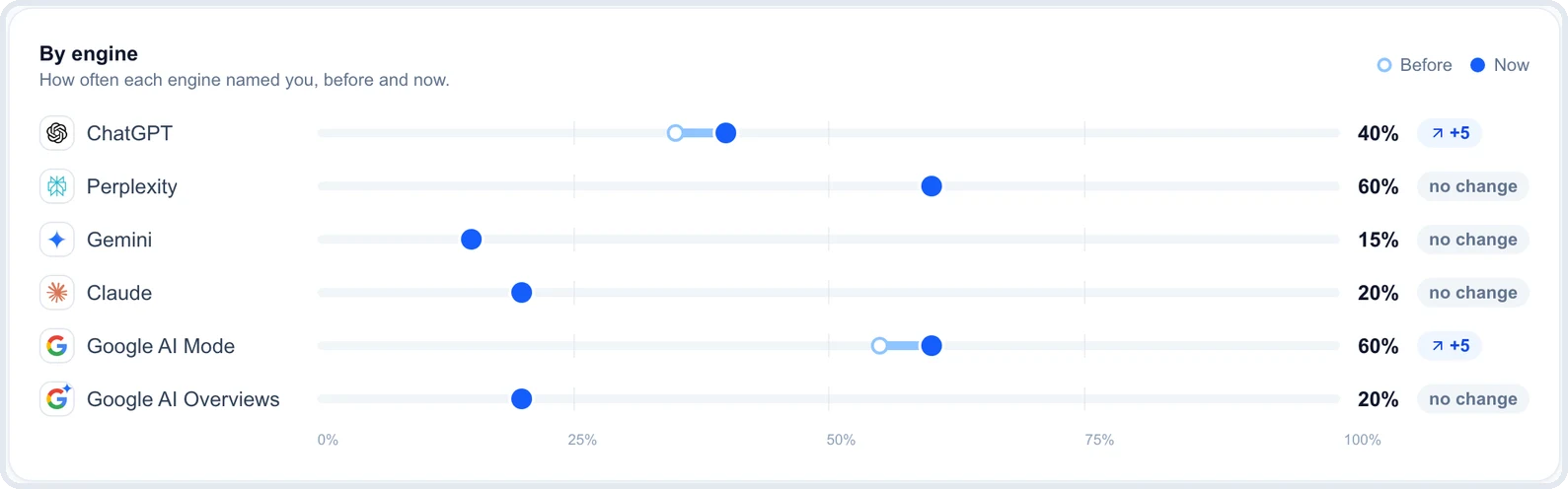
Google AI Overviews and AI Mode
When Google's AI Overview is incorrect about your business, use the feedback buttons at the bottom of the answer. Per Google's AI Overviews help page, click the thumbs-down icon, then Report a problem, choose the category, and add details in the text field before you submit.
Make the report specific. Quote the wrong sentence, give the correct detail, and say where to confirm it, like your Business Profile or your contact page. AI Mode answers have the same thumbs-up and thumbs-down controls.
ChatGPT, Perplexity, Gemini, and Claude
When ChatGPT has wrong business information, the same goes for Perplexity, Gemini, and Claude: all four have a thumbs-down button on their answers, with space to explain what's wrong. Use it, and write the correct detail in the comment.
Treat this feedback as a signal, not a correction request. None of these engines promises to act on a single report, and an answer built from a wrong directory page will keep coming back until that page changes. Report it, then go fix the source.
What reporting can't do
Feedback doesn't edit a directory, update an old page, or merge a duplicate listing. It also doesn't guarantee the next customer sees a different answer, since answers vary from one question to the next.
That's why the order matters. Fix the source first, report the answer second, and check again later. Reporting alone, without fixing the page behind it, is the most common reason a wrong fact keeps showing up.
Check that the fix stuck
A fix only counts once the engines stop repeating the wrong detail. That takes more than one check, because answers change from day to day even when nothing changed on your side.
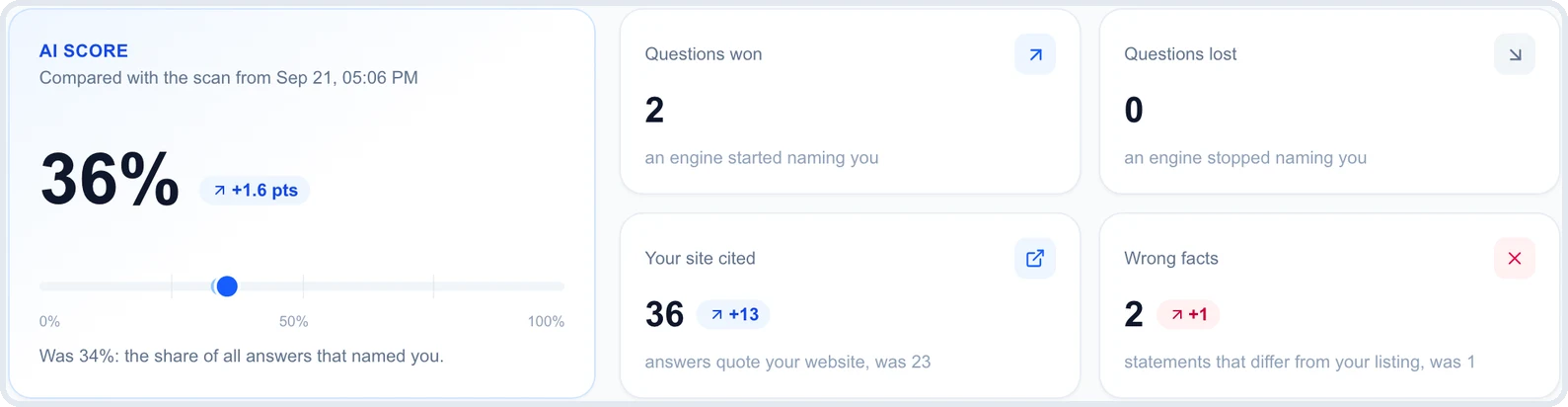
Give each kind of source time to catch up
Timing depends on where the fix lands. Edits to your Business Profile can show up in Google's own answers sooner than edits elsewhere, while engines that rely on directories wait for those pages to change and be read again. A page you fixed on your own site needs to be crawled again before any engine sees it.
Ask the same questions again after a week or two, on the same engines. If one engine still gives the wrong detail, check its cited sources again. There's usually one page you missed.
Watch for wrong details that come back
Fixed details can return. A directory refreshes from an aggregator that still has the old data, a duplicate listing reappears, or a new site copies an old record. One clean check is a good sign, not proof.
Keep checking the by-name questions on a regular schedule, monthly at minimum, and weekly for a business that just moved, rebranded, or changed its number. If you report to a client, show them the before and after so the fix is visible.
Keep one record of truth
Most wrong facts start the same way: a change made in one place and forgotten in the others. Make your Business Profile the first place any change goes, then copy the change in the same order every time:
- Your Google Business Profile, including special hours
- Your website: contact page, footer, and schema (the structured data search engines read)
- Apple Business Connect and Bing Places
- Yelp, Facebook, and the directories that rank for your business name
- Any page an AI engine has cited with the old detail
Write that list down. The next time your hours or phone number change, the update takes an hour instead of months of wrong answers. Fixing the source, not just reporting the answer, is what stops AI giving wrong information about you from coming back. Once the facts are right, the next question is whether AI engines recommend you at all.
Still seeing AI giving wrong information? Quick answers
Why is Google's AI Overview wrong about my business?
It usually repeats a detail from a page it read, often an old directory listing, an outdated page on your site, or a duplicate profile. Google doesn't publish an error rate for local details, so the practical step is to find the page holding the wrong value and correct it.
Can I make ChatGPT correct my business information directly?
No. There's no form that edits what ChatGPT says about a business. You can give feedback with the thumbs-down button, but the lasting fix is correcting the pages it reads, like directories, review sites, and your own website.
How long until ChatGPT shows my new phone number?
There's no fixed time. It depends on how fast the pages with the old number get updated and read again. Plan on checking after a week or two, and expect directory-based errors to take longer than fixes on your own site.
Why does the AI still show my old address after I moved?
Because some pages still list it. Update the profile, then the directories that rank for your business name, and mark or remove any duplicate listing at the old address. Search the old street address in quotes to find copies you missed.
Does fixing my Google Business Profile fix every AI engine?
It fixes the source Google's engines read most directly, so it comes first. ChatGPT, Perplexity, and Claude also read directories and review sites, so a correct profile alone won't fix an answer built from a wrong Yelp or Facebook page.
Can someone else's wrong information end up in my AI answers?
Yes. A business with a similar name nearby, an old record from a previous owner at your address, or a location of a different company can get merged with yours. Fix what you control, then ask the directories with the merged record to correct or separate it.