AI Visibility
See every question and every AI answer
Read the Prompts grid: which AI engines named you for each question and in what position, filter to the questions you lose, and open each engine's full answer with the businesses and sources it used.
Updated September 28, 2026 · 5 min read
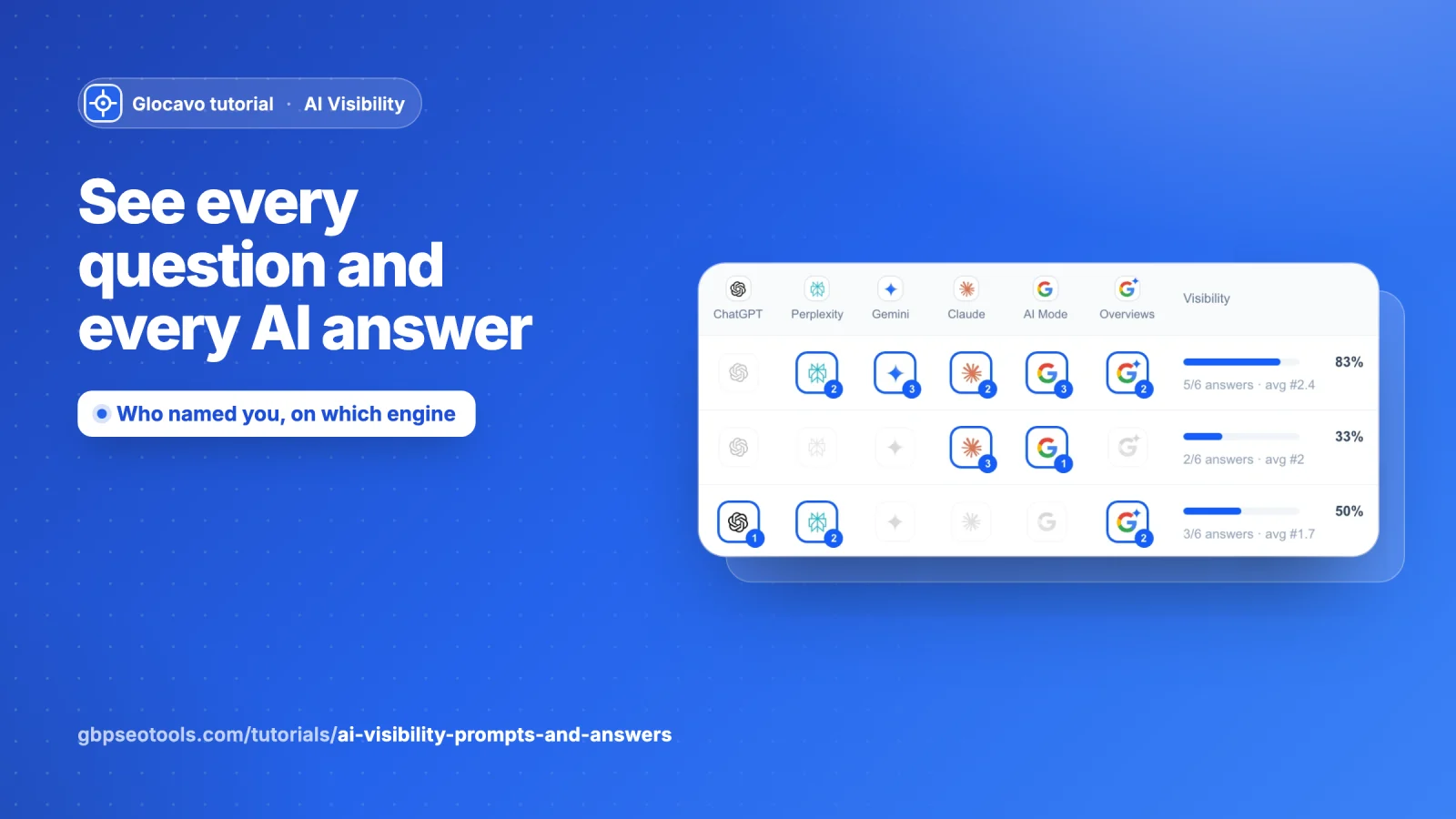
Prompts is where you see exactly what happened: every question Glocavo asked, which AI engines named your business, in what position, and the full answer each engine gave, with the businesses it named and the websites it used.
- Where
- Open a campaign → Prompts in the campaign menu.
- Cost
- Reading questions and answers uses no checks. Discover questions uses 2.
Open Prompts
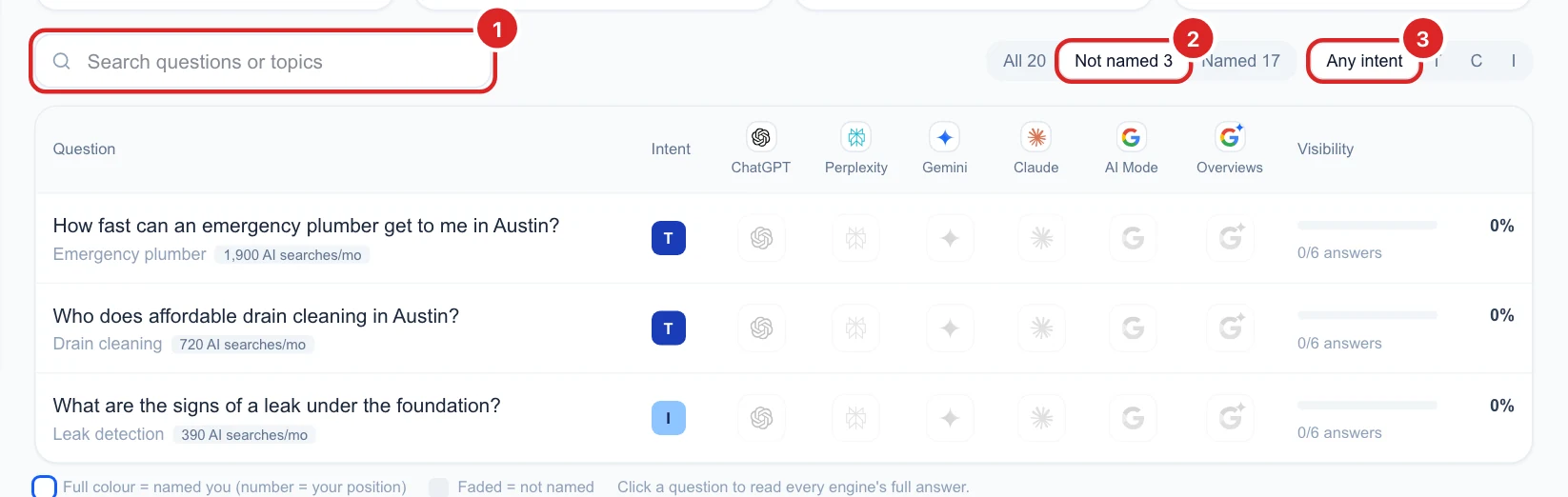
Click Prompts (1) in the campaign menu; the number next to it is how many questions you track. Four tiles at the top (2) sum it up:
- Questions tracked: asked on every engine at each scan.
- Name you: questions where at least one engine named you.
- Never name you: questions no engine named you for. These are your biggest opportunities.
- Average visibility: on average, the share of engines naming you per question.
Read the question grid
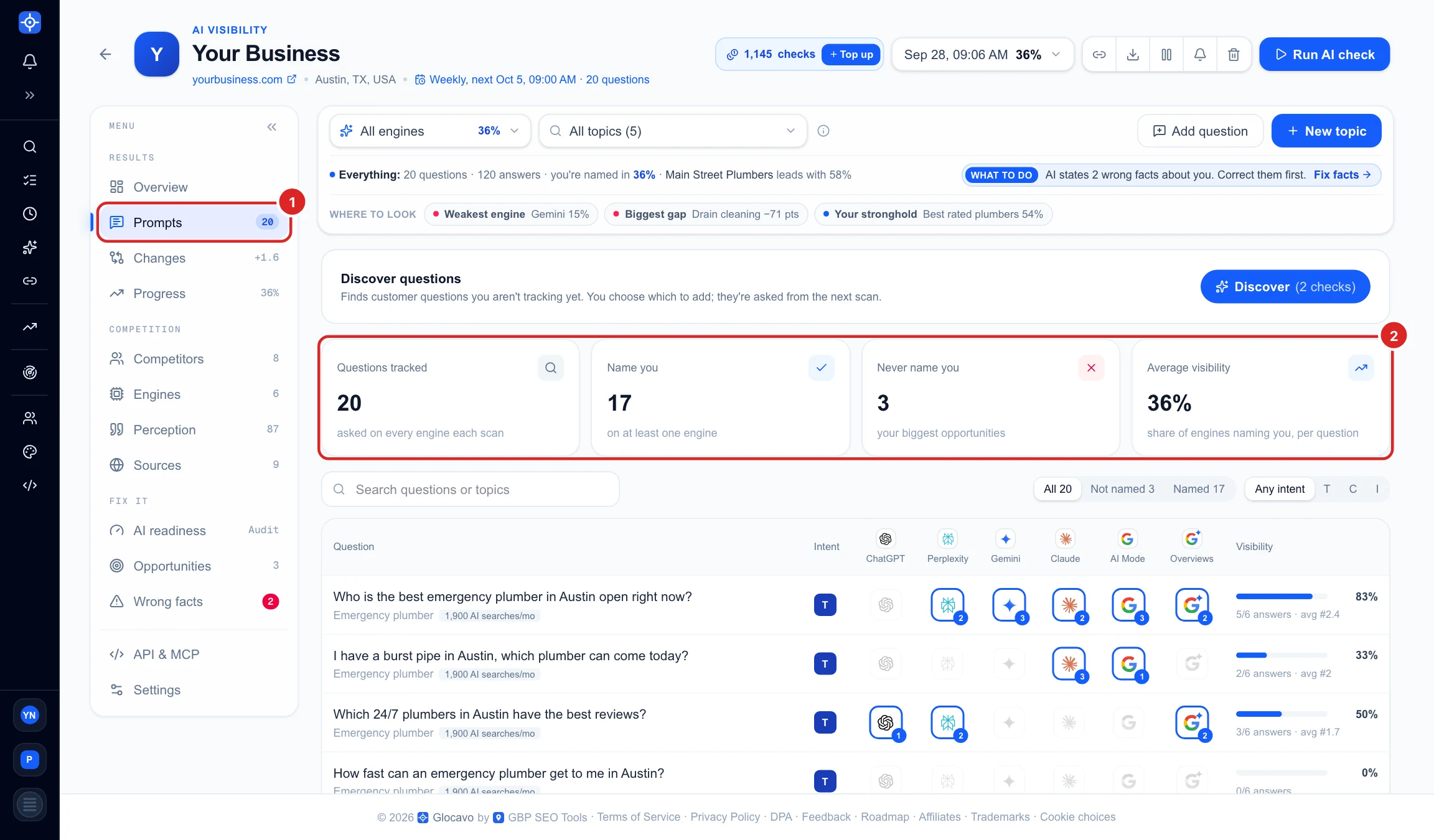
Each row is one question, with its topic and how many AI searches the topic gets a month.
- Each column (1) is one AI engine.
- A full-colour logo (2) means that engine named you. The small number is your position in its answer: 1 means you were the first business it named.
- A faded logo (3) means that engine did not name you.
- Visibility (4) is the share of engines that named you for this question, how many answers that is, and your average position.
Search and filter the questions
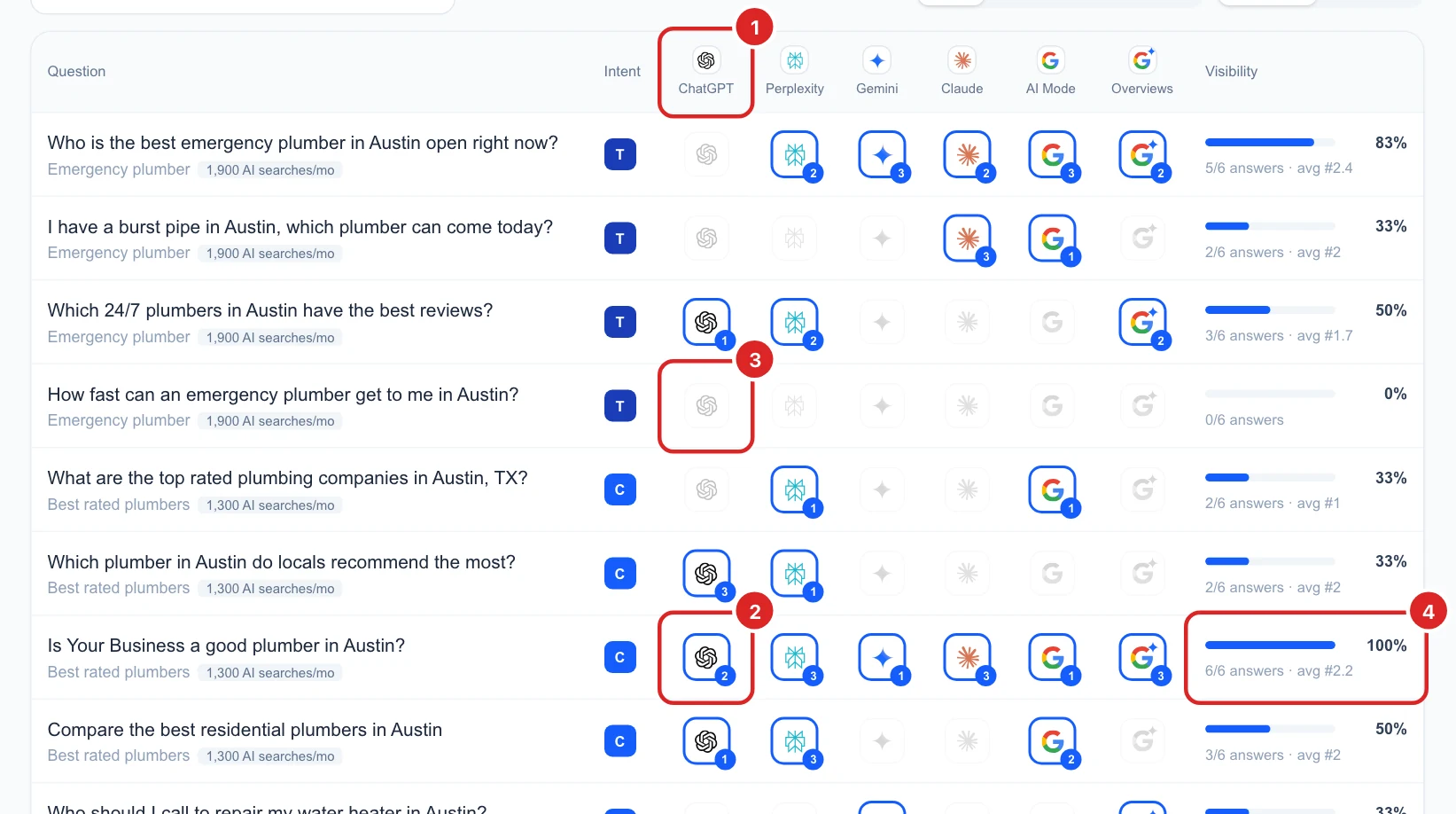
- Search (1) finds questions or topics by any word.
- All / Not named / Named (2): Not named shows only the questions no engine named you for, a quick list of what to work on.
- Any intent / T / C / I / N (3) shows one kind of question: T ready to buy, C comparing, I just learning, N looking for you by name.
The filter bar at the top of the report still applies here: pick one engine or topic there and the grid shows only that part. See Use the AI Visibility filter bar.
See what each AI engine answered
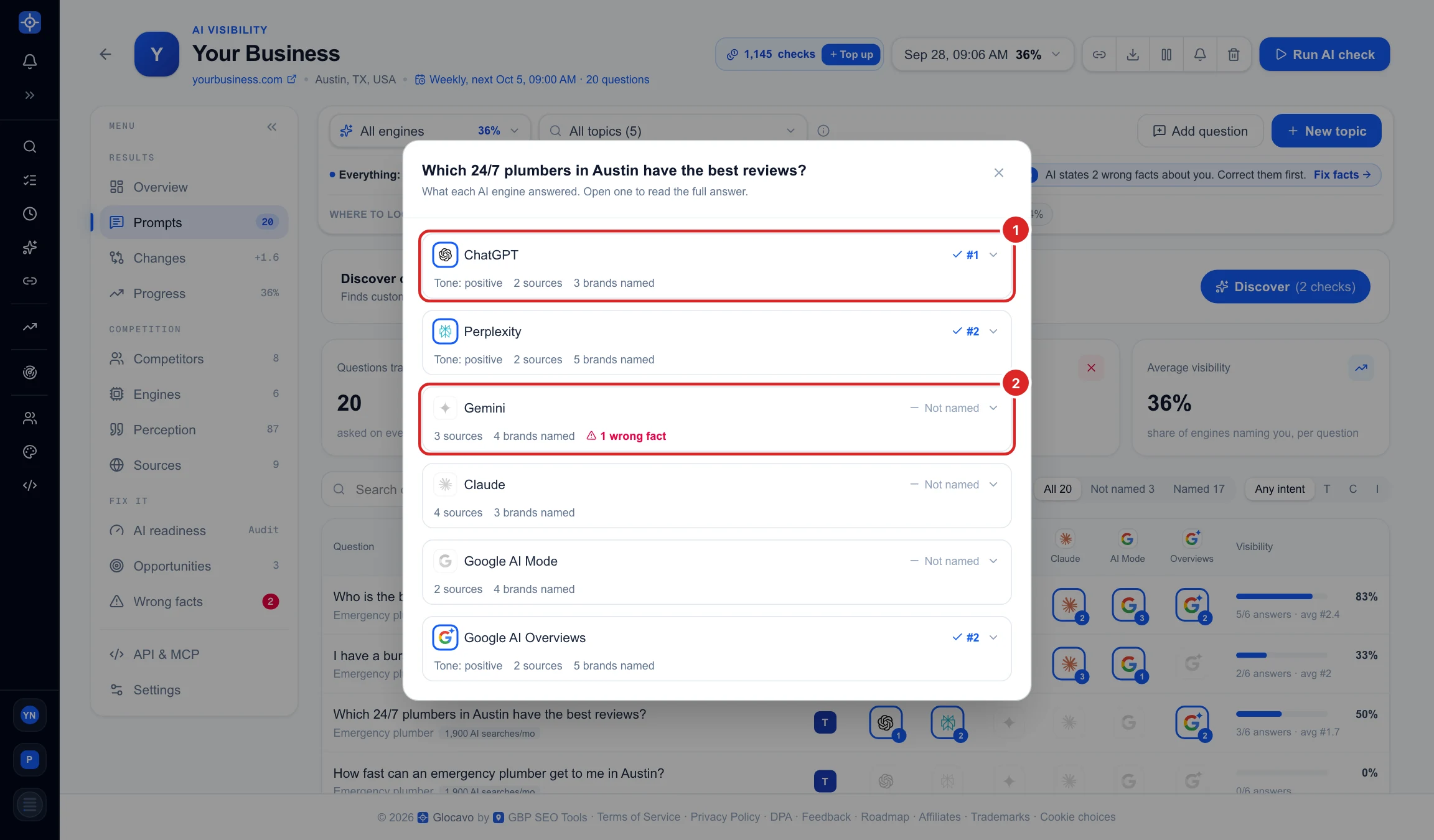
Click any question. A window lists every engine’s answer to it. At a glance you see which engines named you and in what position (1), which did not (2), the tone of the answer, how many sources and businesses it used, and a red warning when it states a wrong fact about you.
Read the full answer
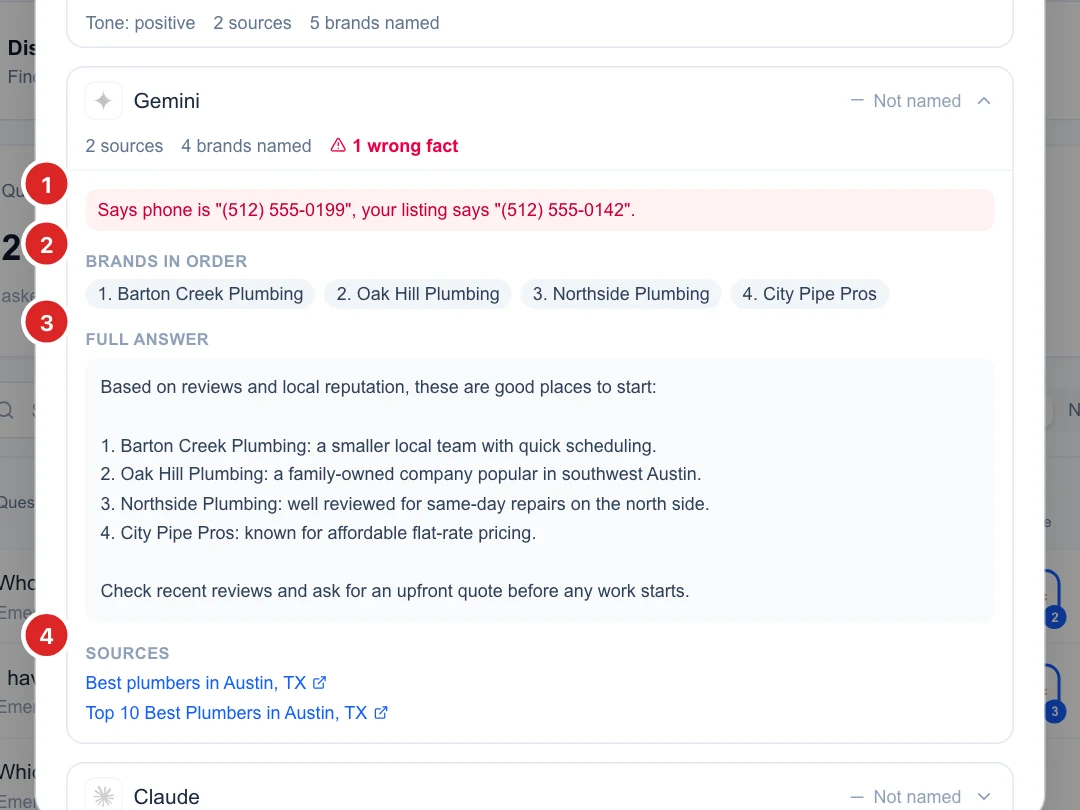
Click an engine to open its answer:
- Wrong facts (1): what the engine said versus what your Google listing says, for example an old phone number.
- Brands in order (2): every business the answer named, in the order it named them.
- Full answer (3): the exact text the AI engine gave.
- Sources (4): the web pages the engine relied on. Getting listed on these pages is one of the best ways to be named next time.
Find more questions to track
The Discover questions card above the tiles finds customer questions you are not tracking yet (2 checks). You choose which ones to add. New questions show at the top of Prompts as waiting for the next scan; they are asked from the next scan, or right away with Run AI check now. See it step by step in Manage your AI Visibility campaign.
Next
Narrow the grid to one engine or topic with the filter bar, or go back to Read your AI Visibility Overview.