AI Visibility
Get fix plans and make your site AI-ready
Turn every question AI engines don't name you for into a step-by-step fix plan, track what you've done, and check your web pages for what makes ChatGPT, Perplexity and Google's AI able to read and quote them.
Updated September 28, 2026 · 6 min read
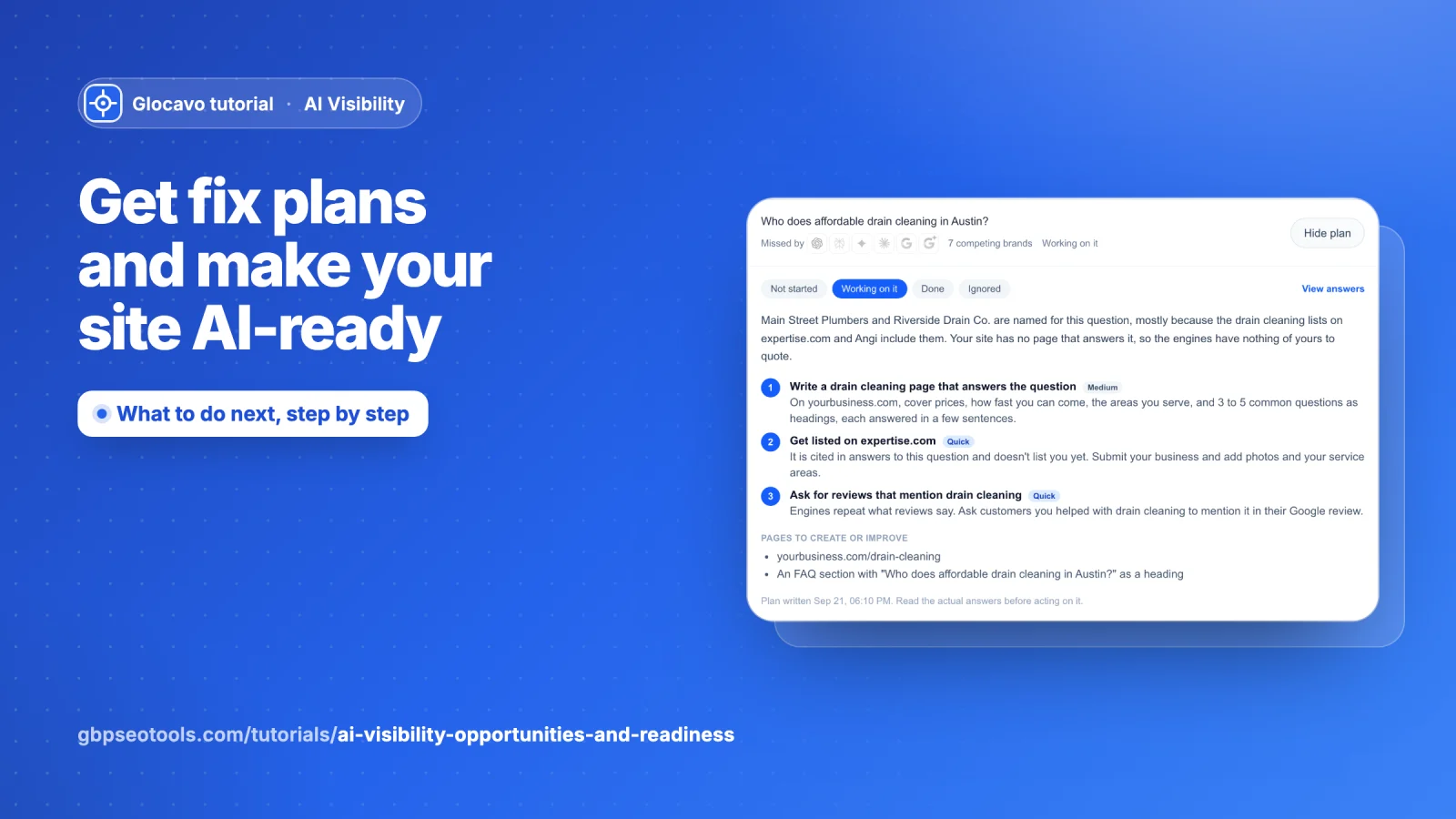
The rest of the report tells you where you stand. These two sections tell you what to do about it. Opportunities turns every question you lose into a to-do list, with a step-by-step fix plan for any of them. AI readiness checks your own web pages for what makes AI engines able to read, trust and quote them.
- Where
- Open a campaign → Opportunities or AI readiness, under Fix it in the campaign menu.
- Cost
- A fix plan uses 2 checks. Checking a page for AI readiness uses no checks.
Opportunities
Open Opportunities
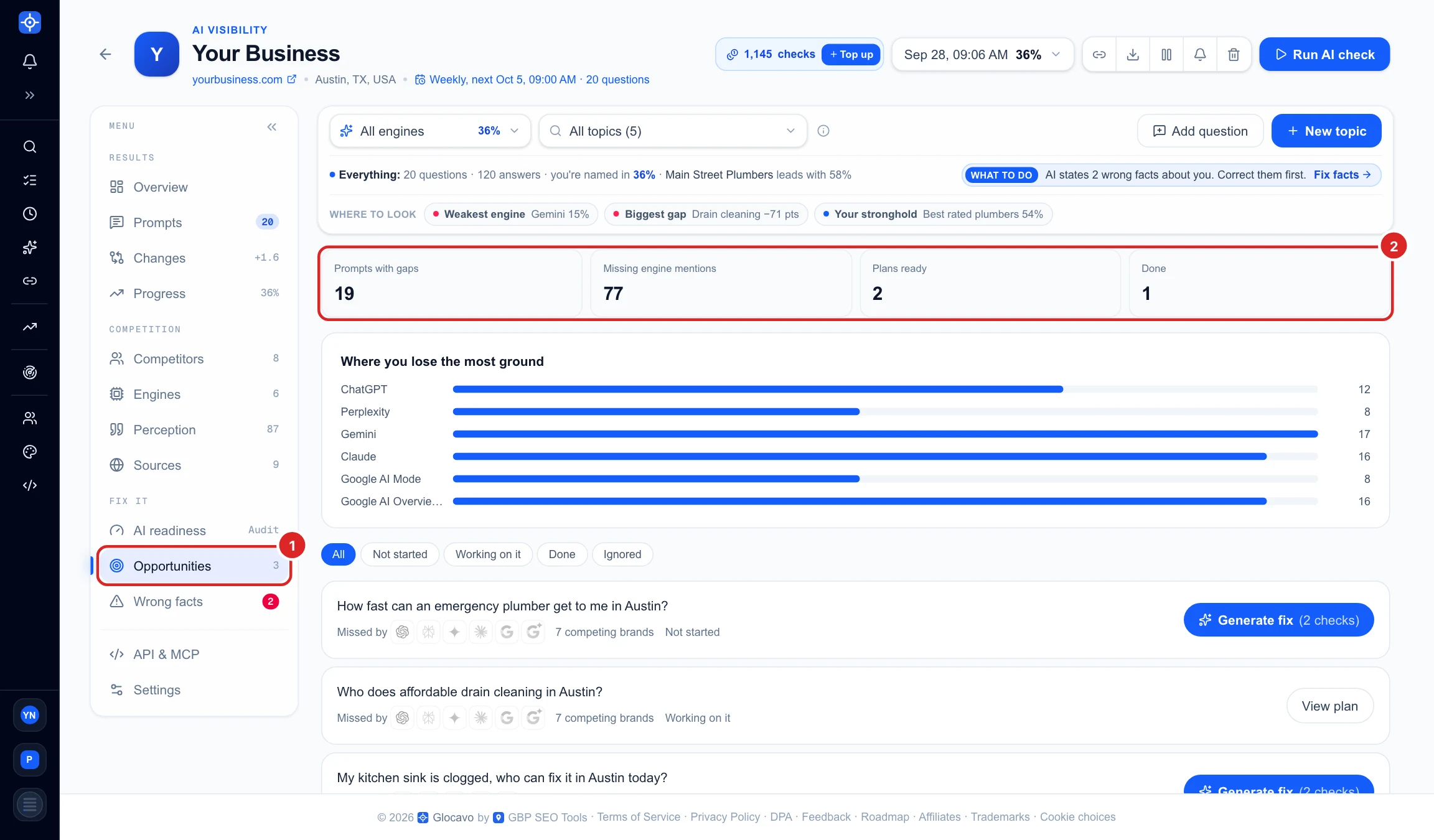
Click Opportunities (1) in the campaign menu. The number next to it counts the questions no engine names you for at all. The page itself lists every question where at least one engine left you out, and the tiles (2) sum them up:
- Prompts with gaps: questions at least one engine did not name you for.
- Missing engine mentions: every engine that left you out, added up across those questions.
- Plans ready and Done: how far along you are.
See where you lose the most ground
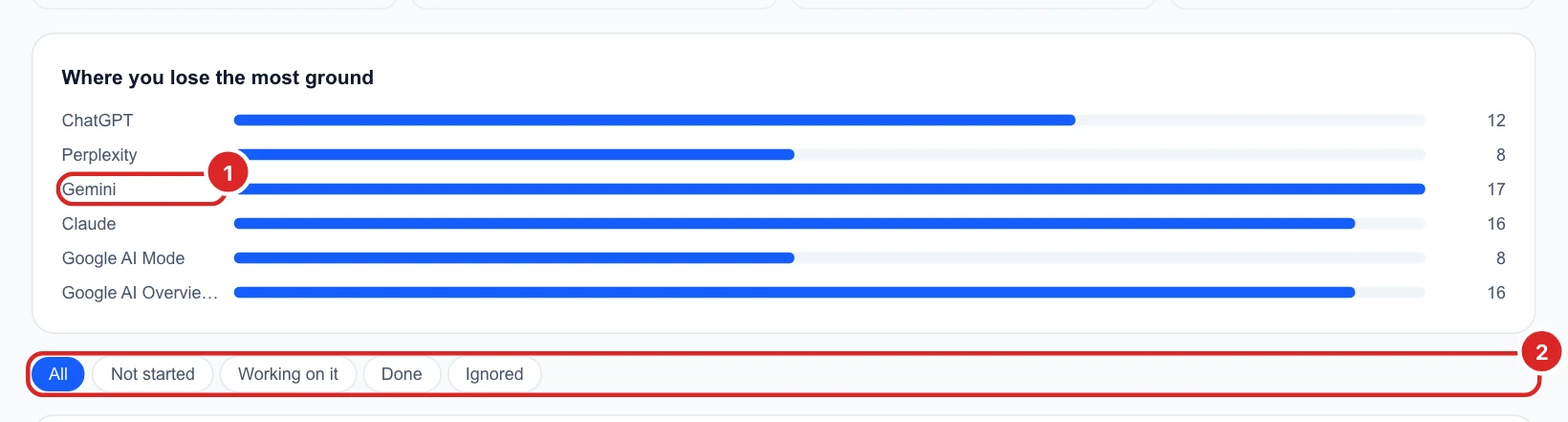
Where you lose the most ground counts, per engine, the questions it did not name you for. Here Gemini (1) missed you on 17 questions, so the plans for Gemini will do the most. Use the filter (2) to show only the questions not started yet, the ones you are working on, the ones done, or the ones you chose to ignore.
Read an opportunity
Each row is one question (1): the engines that did not name you for it, how many other businesses they named instead, and its status. The easiest wins come first: questions with the fewest competing businesses.
Generate fix (2) writes a plan for that question from the real answers and the sites the engines read. It uses 2 checks, and nothing is charged if the plan cannot be written.

Follow a fix plan and track it
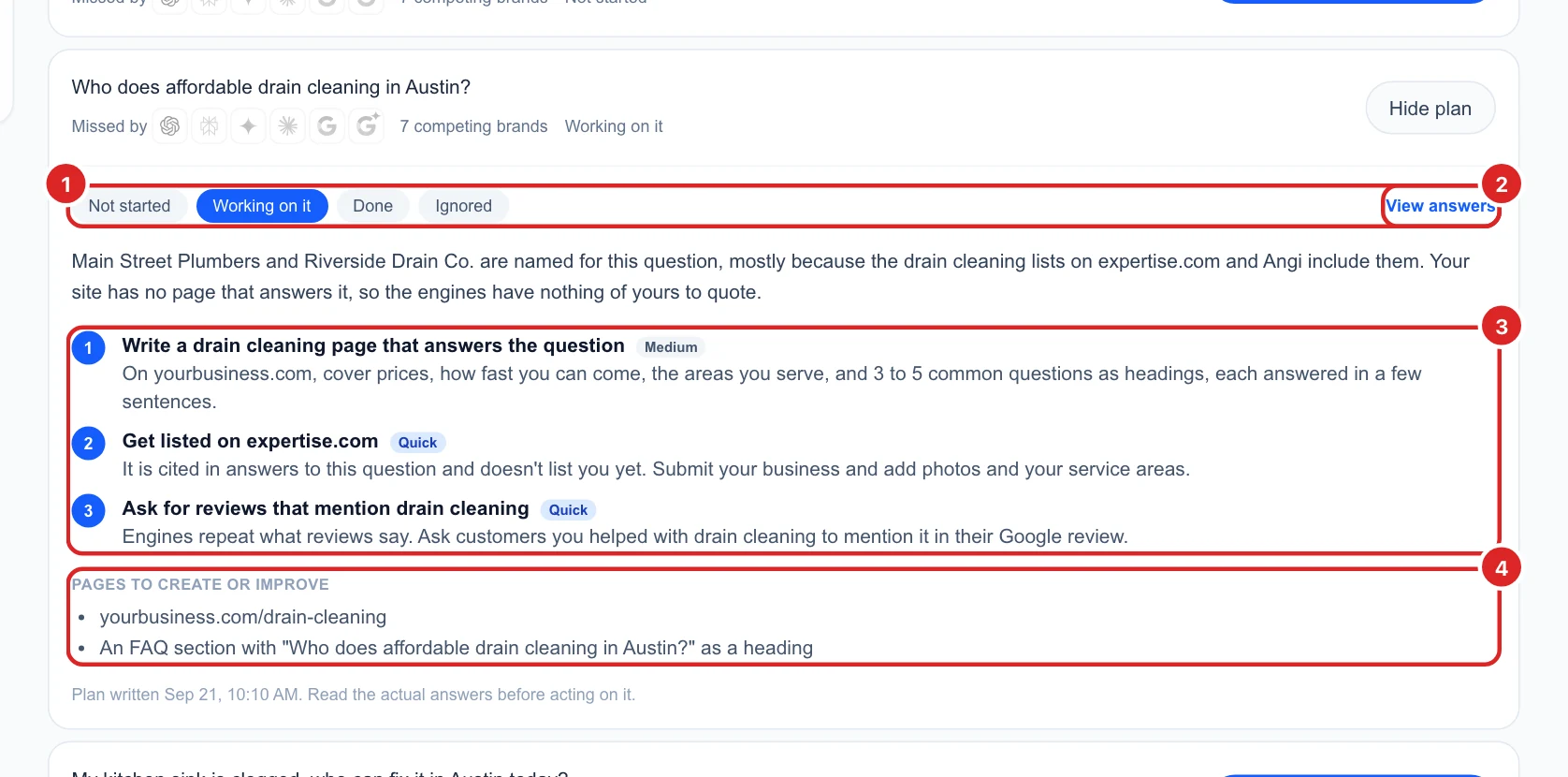
Open a plan with View plan. It explains why competitors are named and you are not, then gives:
- Steps (3), each marked Quick or Medium effort. Here: write a drain cleaning page, get listed on the directory the engines read, and ask for reviews that mention the service.
- Pages to create or improve (4) on your website.
Set the status (1) as you go: Working on it, Done, or Ignored for a question that does not matter to you. View answers (2) opens the full AI answers, so you can read them before acting.
AI readiness
Check a page on your website
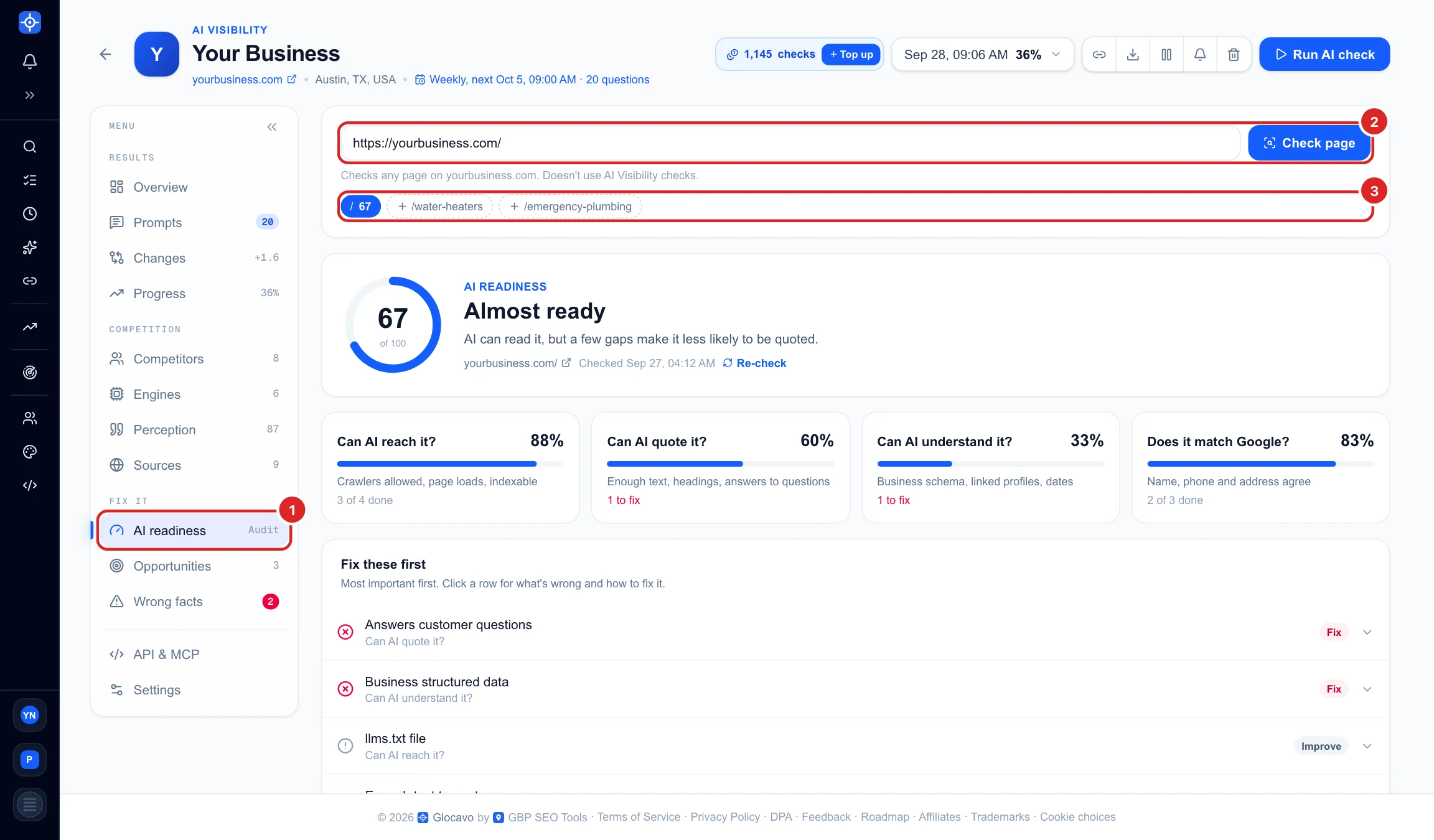
Click AI readiness (1) in the campaign menu. Your homepage is filled in: click Check page (2), or type the address of any other page on your site. Every page you checked is kept as a chip with its score (3), and dashed chips suggest pages the AI engines already quote, so you can check those next in one click.
Read the score and the four areas
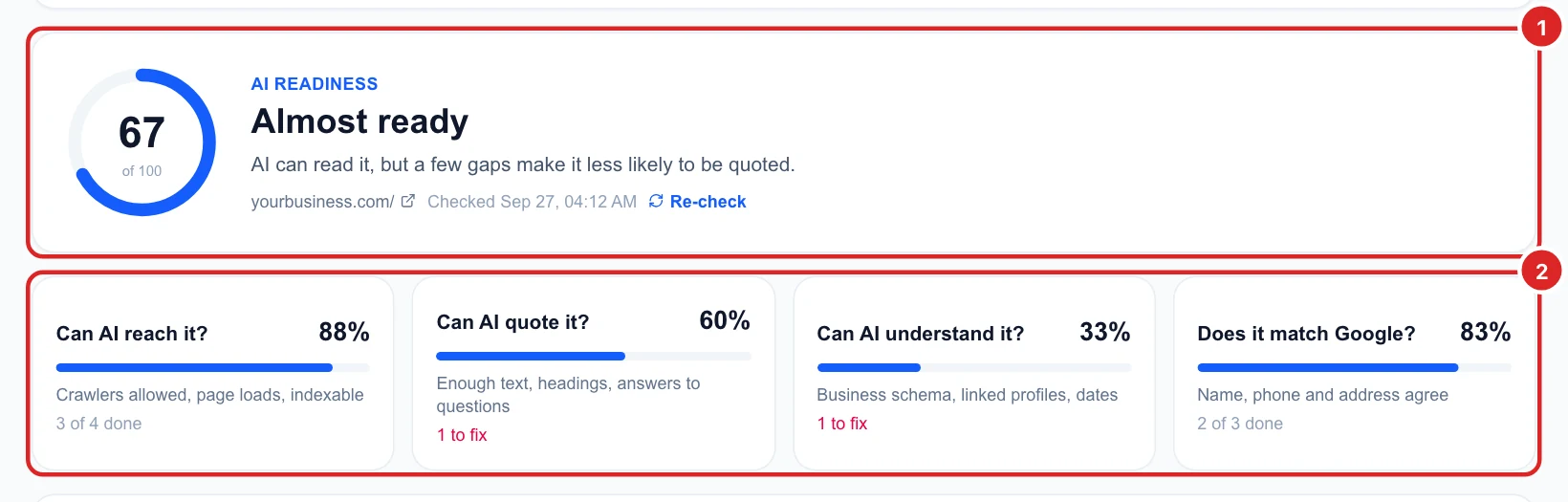
The score (1) is out of 100: 80 or more is AI-ready, 55 or more is Almost ready, and below that some basics stop AI from reading or trusting the page. Re-check runs it again after you change the page.
The four areas (2) split it up, and each one filters the list below when clicked:
- Can AI reach it? AI crawlers are allowed, the page loads and can be indexed.
- Can AI quote it? Enough text, clear headings and answers to real questions.
- Can AI understand it? Business structured data, linked profiles and an update date.
- Does it match Google? Your name, phone and address agree with your Google listing.
Fix the most important things first
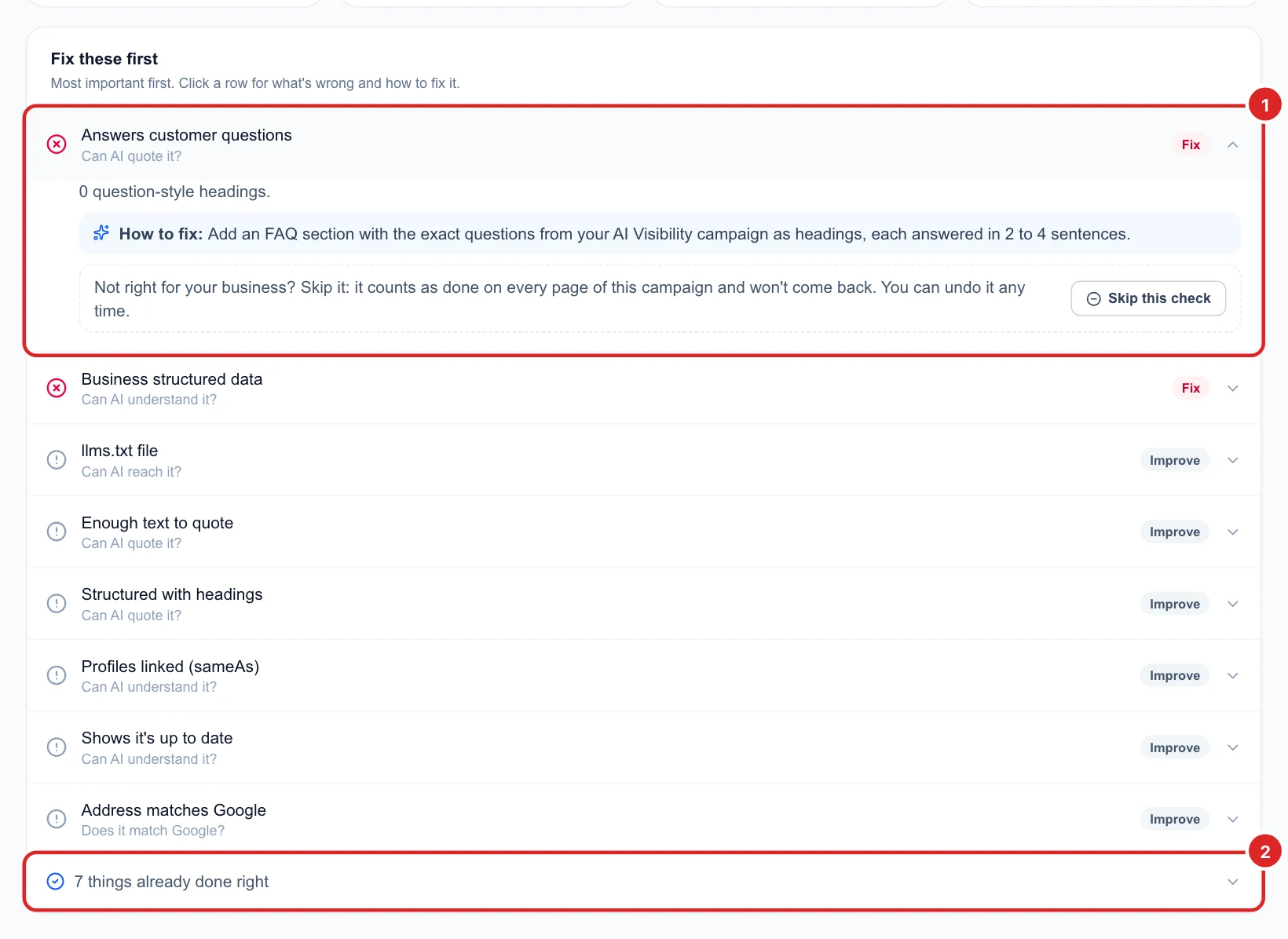
Fix these first lists what is missing, most important first: red Fix before grey Improve. Click a row (1) to see what was found and exactly how to fix it. Here the homepage has no questions as headings, so the fix is an FAQ section using the questions from your campaign. Everything that already passes is under things already done right (2).
Skip a check that does not apply to you
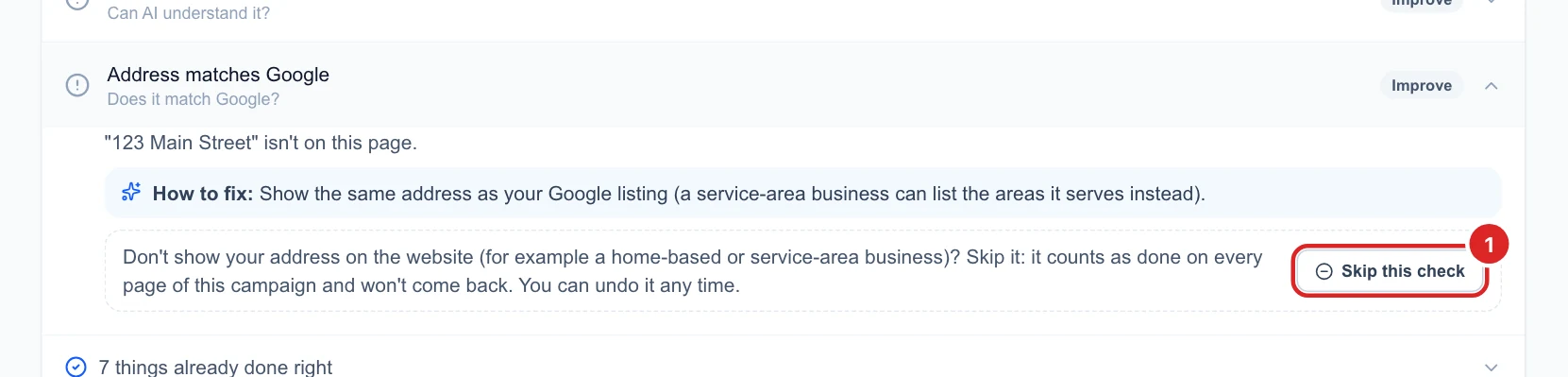
Some checks may not fit your business, for example showing your street address when you work from home or only serve customers at their place. Open the row and click Skip this check (1). It then counts as done on every page of this campaign and does not come back. You can undo it any time from the checks already done right.
Pages that score well are easier for AI engines to quote. After you improve a page, check Sources in the next scans to see whether the engines start citing it.
Next
See who wins the questions you lose in Compare yourself with your AI competitors, or fix the details AI gets wrong in Fix wrong facts AI tells customers.