AI Visibility
Compare yourself with your AI competitors
Pick any competitor and see where AI engines recommend them instead of you: head to head, by engine and topic, the exact questions they win, the sites the engines read about them, and every business named.
Updated September 28, 2026 · 5 min read
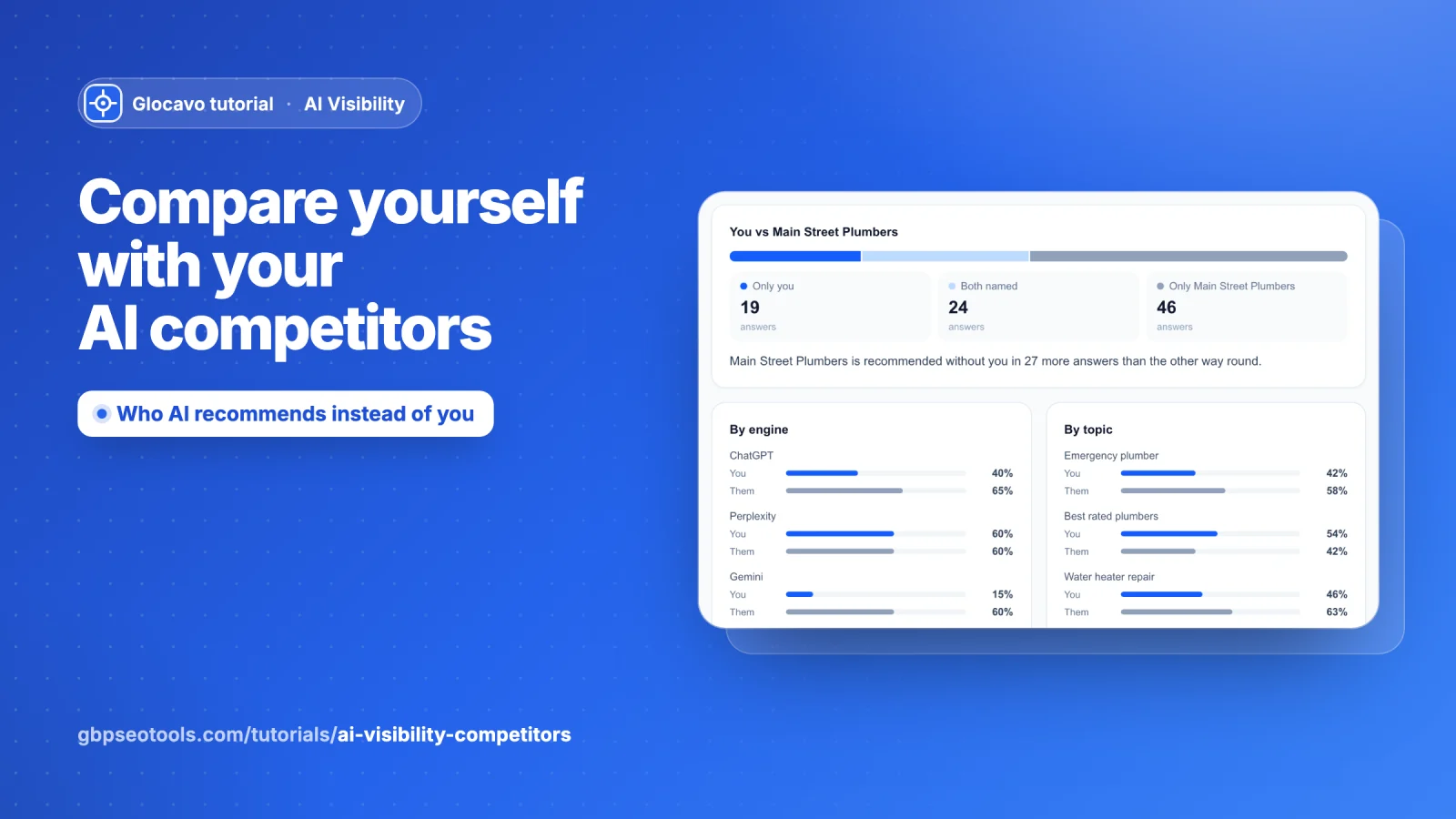
When an AI engine does not recommend you, it usually recommends someone else. The Competitors section shows you who, where and why: side by side with any business the engines named, down to the exact questions they win and the websites the engines read about them.
- Where
- Open a campaign → Competitors in the campaign menu.
- Cost
- Comparing competitors uses no checks.
Open Competitors and pick a business
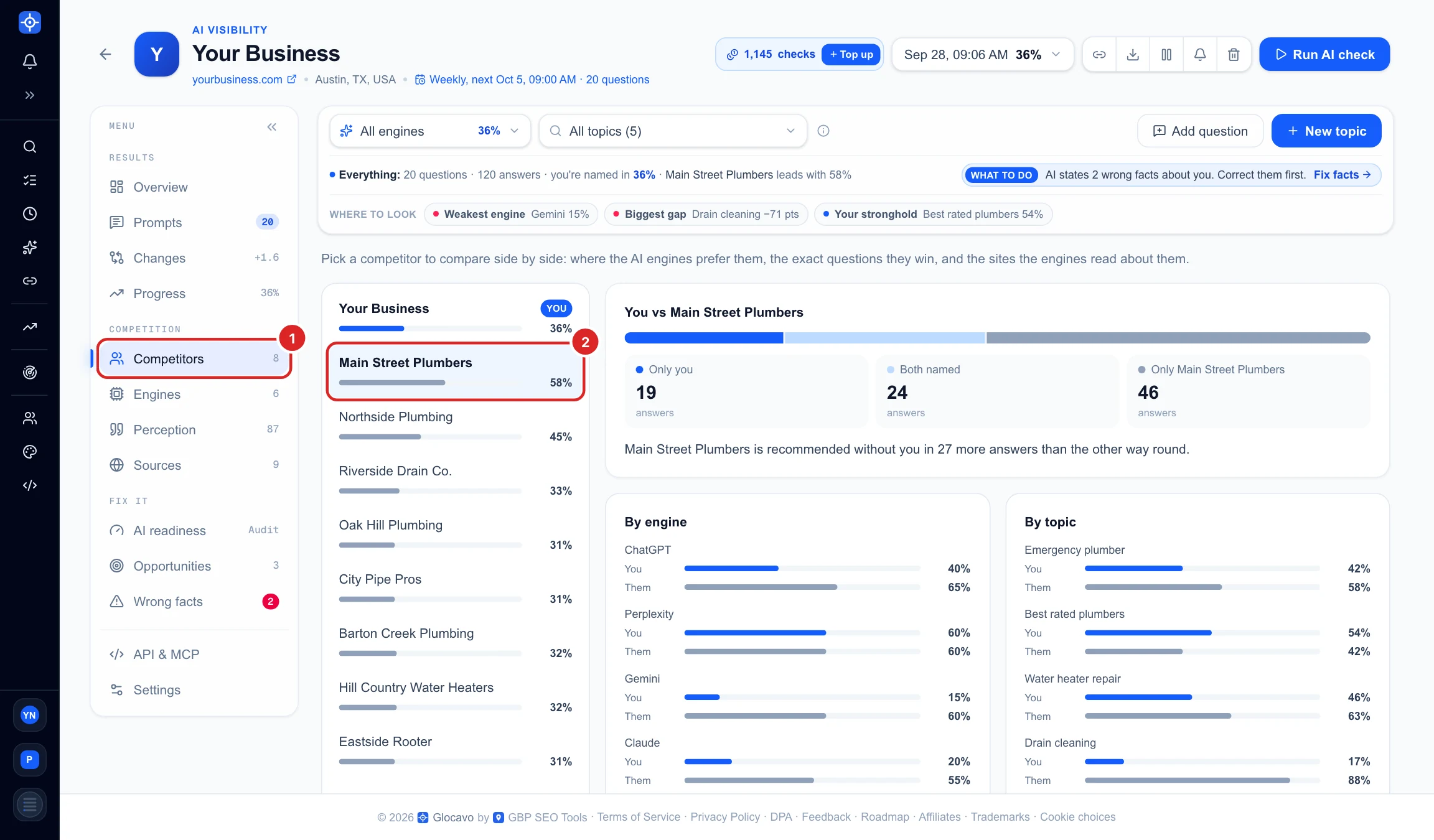
Click Competitors (1) in the campaign menu; the number next to it is how many other businesses the engines named. The list on the left (2) starts with you, then the competitors you track, then everyone else the engines named. The bar under each name is how often AI names that business.
Click any business to compare yourself with it. The rest of the page updates straight away.
Read the head to head
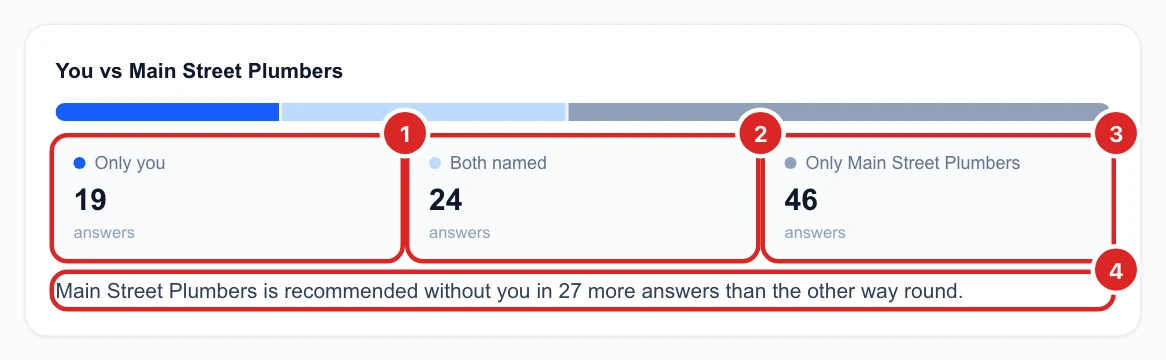
The top card counts every AI answer that named either of you, in three groups. The coloured bar shows the same split at a glance.
- Only you (1): answers that named you and not them.
- Both named (2): answers that named you both.
- Only them (3): answers that named them and left you out. This is the number to shrink.
The sentence under it (4) sums it up. Here Main Street Plumbers is recommended without you in 27 more answers than the other way round.
See where they beat you, by engine and by topic
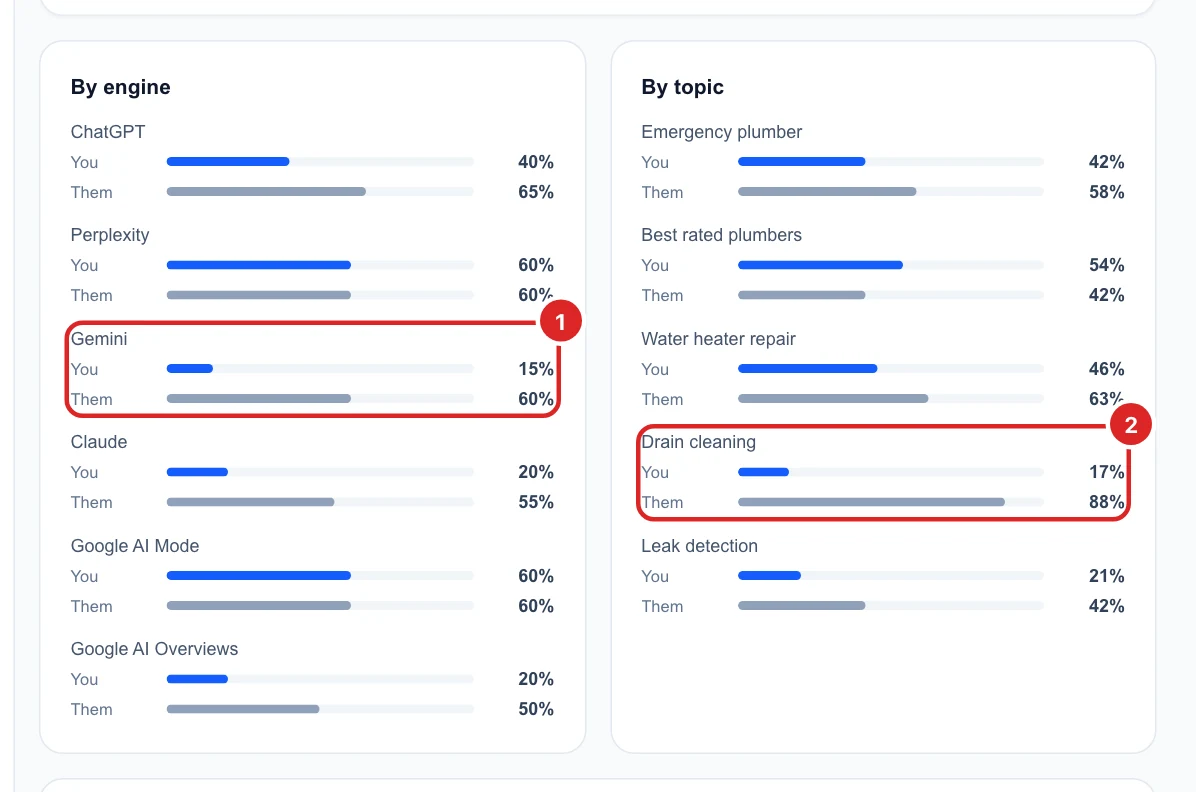
By engine and By topic put your bar (blue) next to theirs (grey) for each AI engine and each topic. Look for the biggest gaps:
- Gemini (1) names you in 15% of its answers and them in 60%, while Perplexity treats you equally. The problem is one engine, not all of them.
- Drain cleaning (2): 17% for you against 88% for them. That topic is theirs for now.
To see the whole report for just that engine or topic, pick it in the filter bar at the top.
Find the questions they win over you
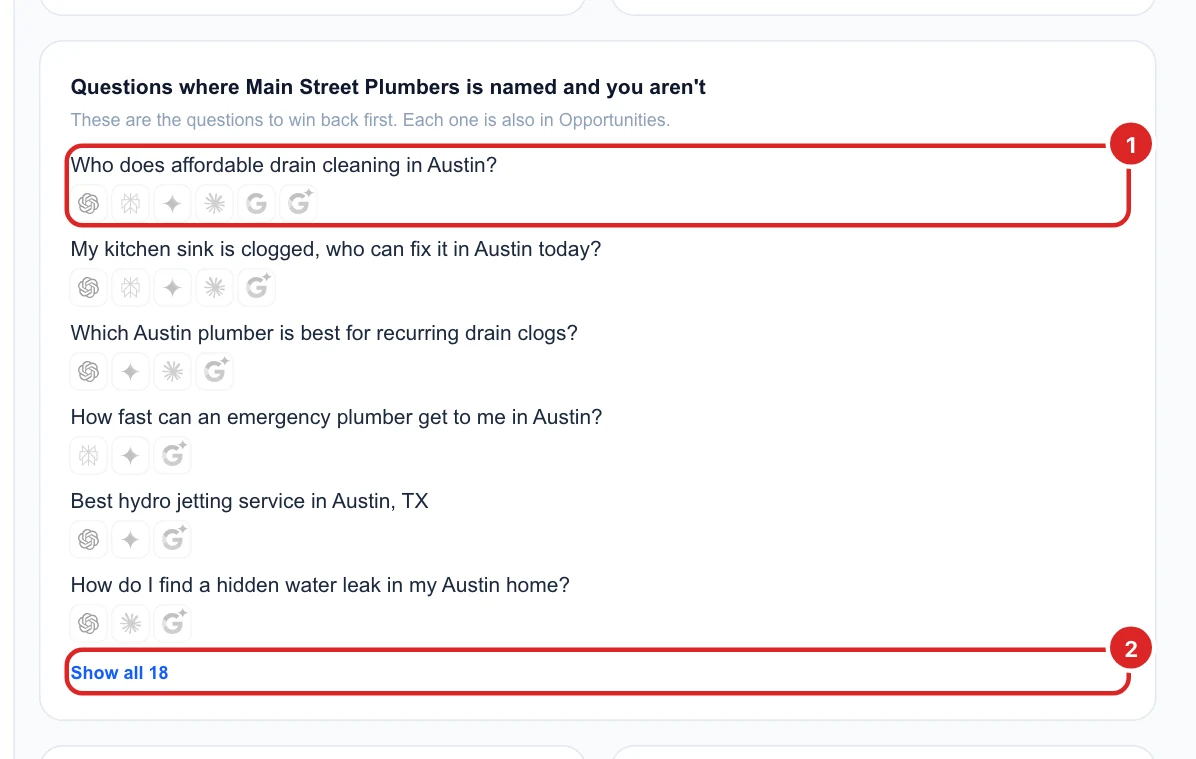
This card lists every question where the competitor was named and you were not (1). The logos under each question are the engines where that happened, and the questions lost on the most engines come first. Show all (2) opens the full list.
These are the questions to win back first. Each one also appears in Opportunities, and you can open the full AI answers for it in Prompts.
See what the engines read and say about them
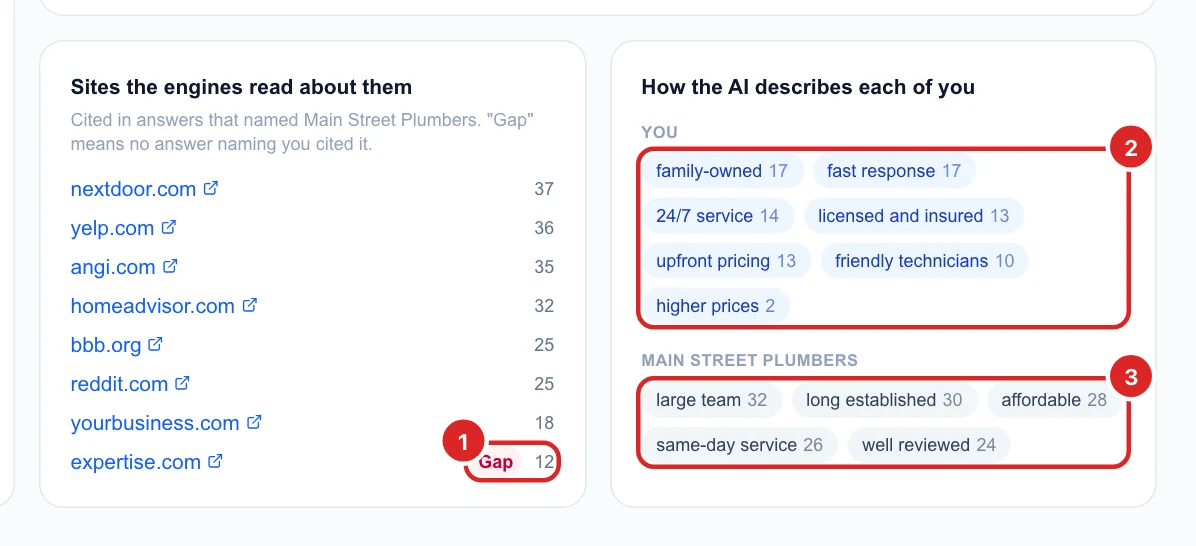
Sites the engines read about them lists the websites cited in answers that named this competitor, with how many answers cited each one. A red Gap (1) tag means no answer that named you cited that site: they are listed there and you probably are not. Getting listed and reviewed on those sites is one of the most direct ways to close the gap.
How the AI describes each of you shows the words the engines use for you (2) and for them (3), with how many answers used each one. If they are called affordable or same-day service and you are not, say it clearly on your website and in your Google Business Profile.
Check every business named
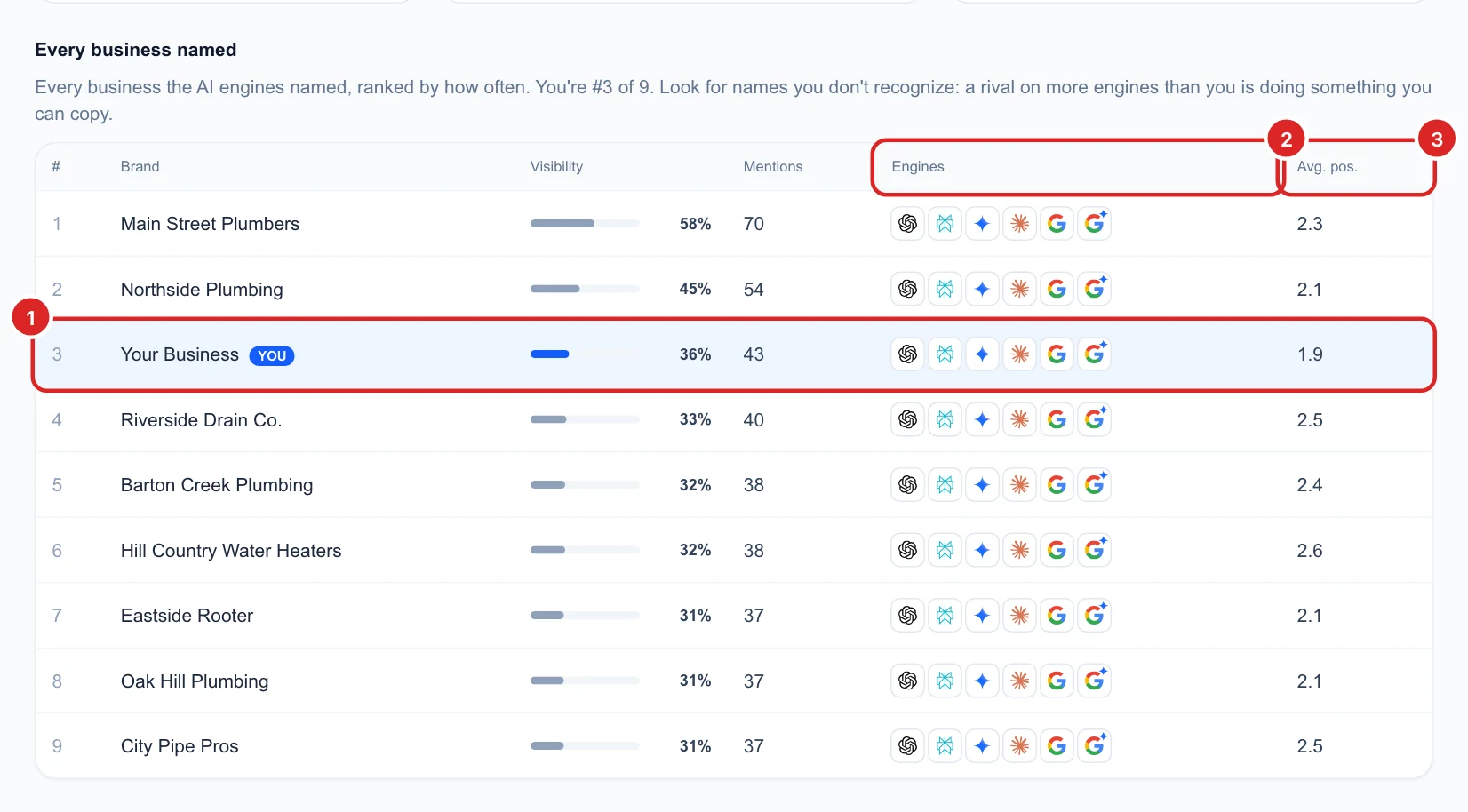
At the bottom, Every business named ranks all the businesses the AI engines named, by how often. Your row is highlighted (1): here you are #3 of 9.
- Visibility: the share of answers that named the business.
- Mentions: how many answers named it in total.
- Engines (2): which AI engines named it at least once.
- Avg. pos. (3): its usual place in the answer when named. 1 means first, so lower is better. You can be named less often than a competitor but listed higher when you are.
Look out for names you do not know: a business named on more engines than you is doing something you can copy.
Next
To follow you and your top 3 competitors over time, by visibility, share of voice, position or sentiment, see the chart in Read your AI Visibility Overview. To read the full answers behind these numbers, see See every question and every AI answer.