AI Visibility
See how each AI engine sees your business
Find out which AI engines name you and which ignore you, what each one recommends and reads, and how the engines describe you: the tone, the words they use and their exact sentences.
Updated September 28, 2026 · 5 min read
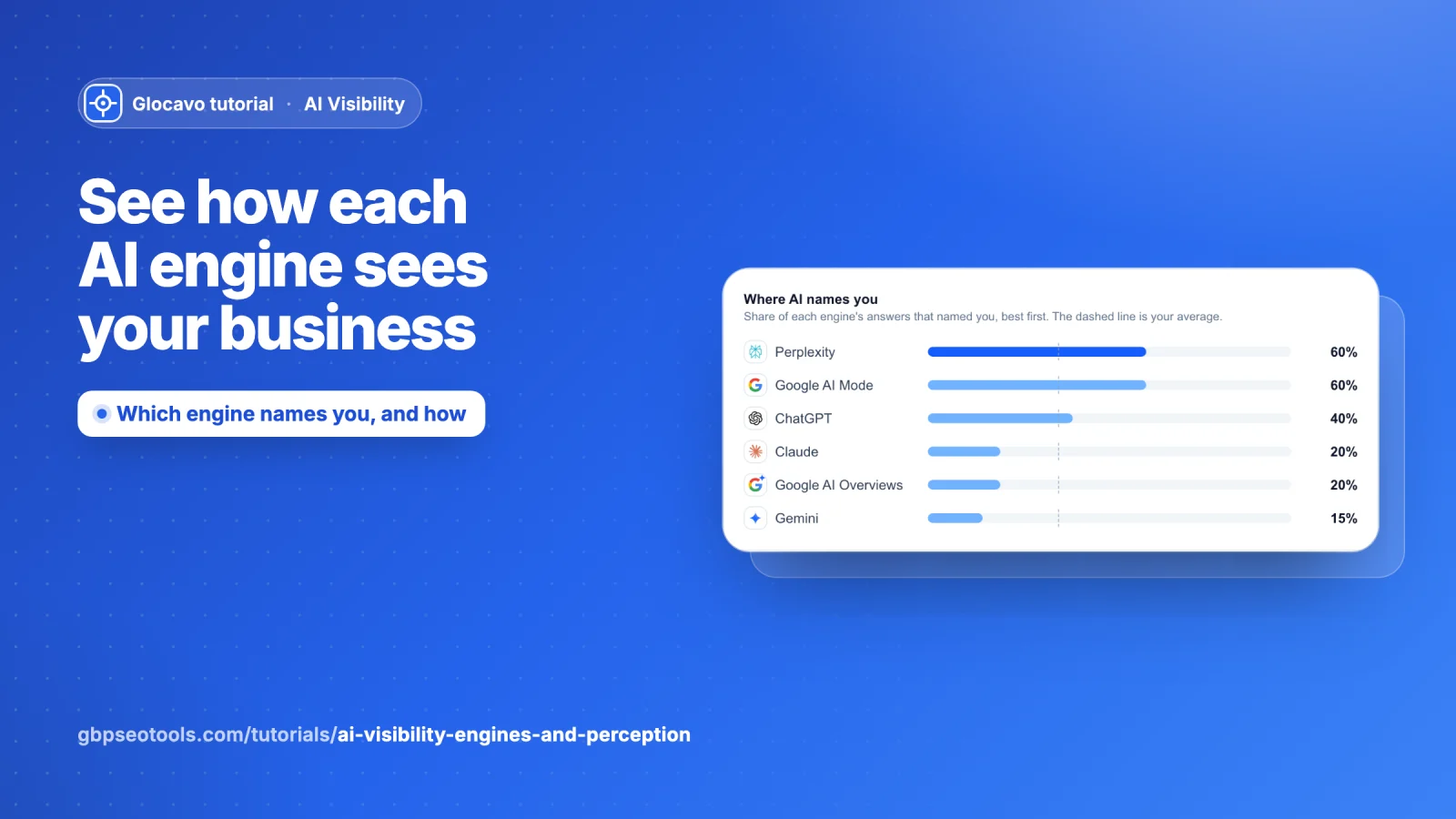
ChatGPT, Perplexity, Gemini, Claude and Google’s AI each read different websites and like different businesses. Engines shows how each one treats you. Perception shows what they say about you when they do recommend you: the tone, the words, and the exact sentences.
- Where
- Open a campaign → Engines or Perception in the campaign menu.
- Cost
- Reading both sections uses no checks.
Engines
Open Engines
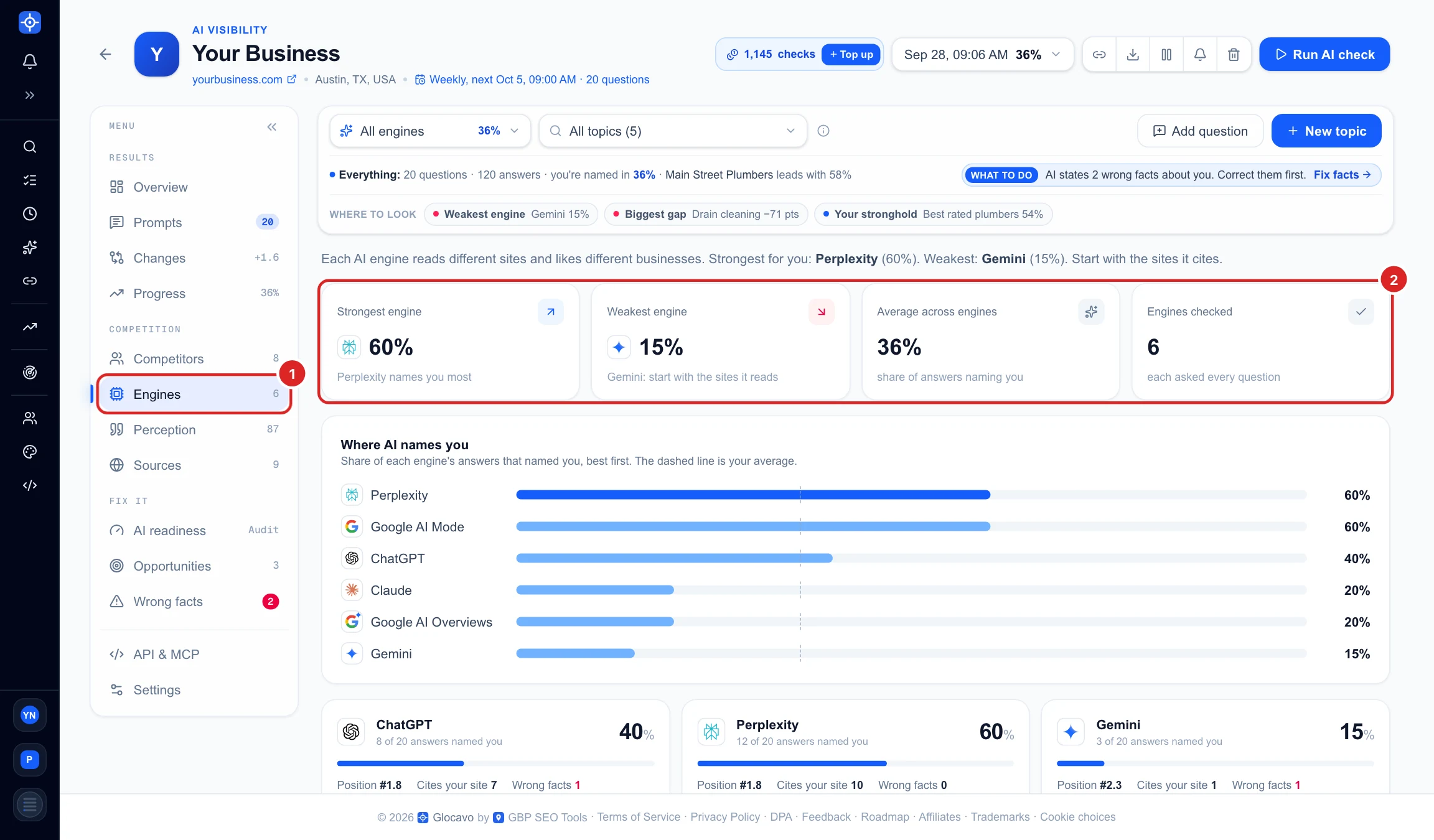
Click Engines (1) in the campaign menu. Four tiles (2) sum it up:
- Strongest engine: the one that names you most often.
- Weakest engine: the one that names you least. It turns red when it is below your average.
- Average across engines: the share of all answers that named you.
- Engines checked: every engine is asked every question.
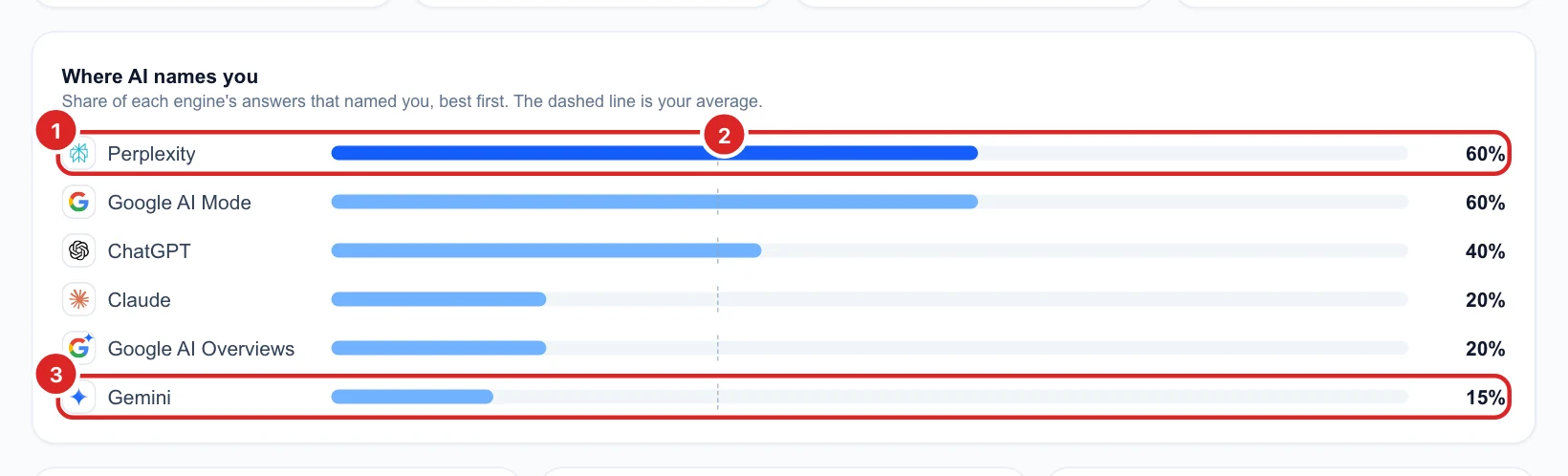
Compare the engines at a glance
Where AI names you ranks the engines from best to worst, by the share of their answers that named you. Your strongest engine (1) is dark blue. The dashed line (2) is your average, so you can see straight away which engines are above it and which are below. Here Gemini (3) names you in only 15% of its answers.
Read one engine's card
Below the ranking, every engine has its own card with the score and how many answers named you. Each card shows:
- Position, Cites your site and Wrong facts (2): your usual place in its answers, how many answers quoted your website, and how many got a fact about you wrong.
- Recommends (3): the businesses this engine names most, with how many answers named each one.
- Reads (4): the websites it cites most. Your own site is highlighted in blue (1): Perplexity quoted yourbusiness.com in 10 answers, while Gemini barely reads it.
- Questions it never named you on (5): opens the list in the next step.
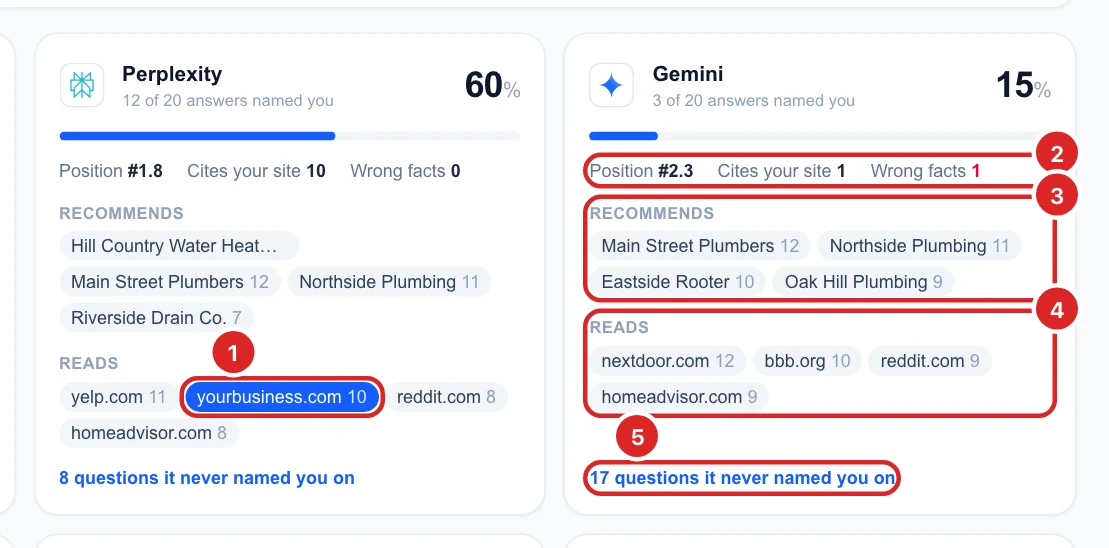
The sites in Reads are where to start for a weak engine. Getting listed and well reviewed on the sites Gemini reads is the most direct way to be named by Gemini.
See the questions an engine never names you for
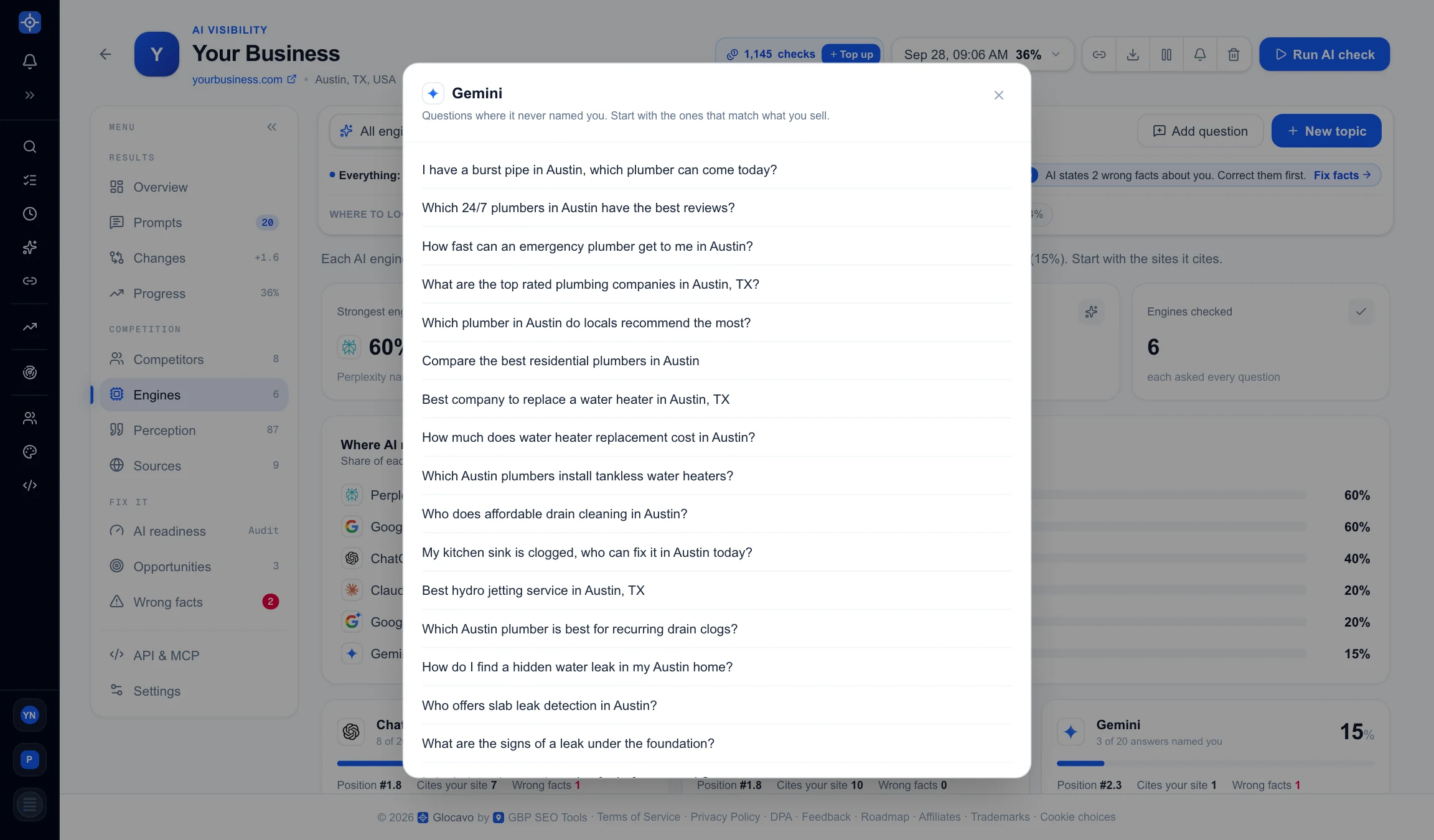
Click N questions it never named you on on any card. A window lists every question where that engine did not name you once. Start with the ones that match what you sell most.
Perception
Open Perception
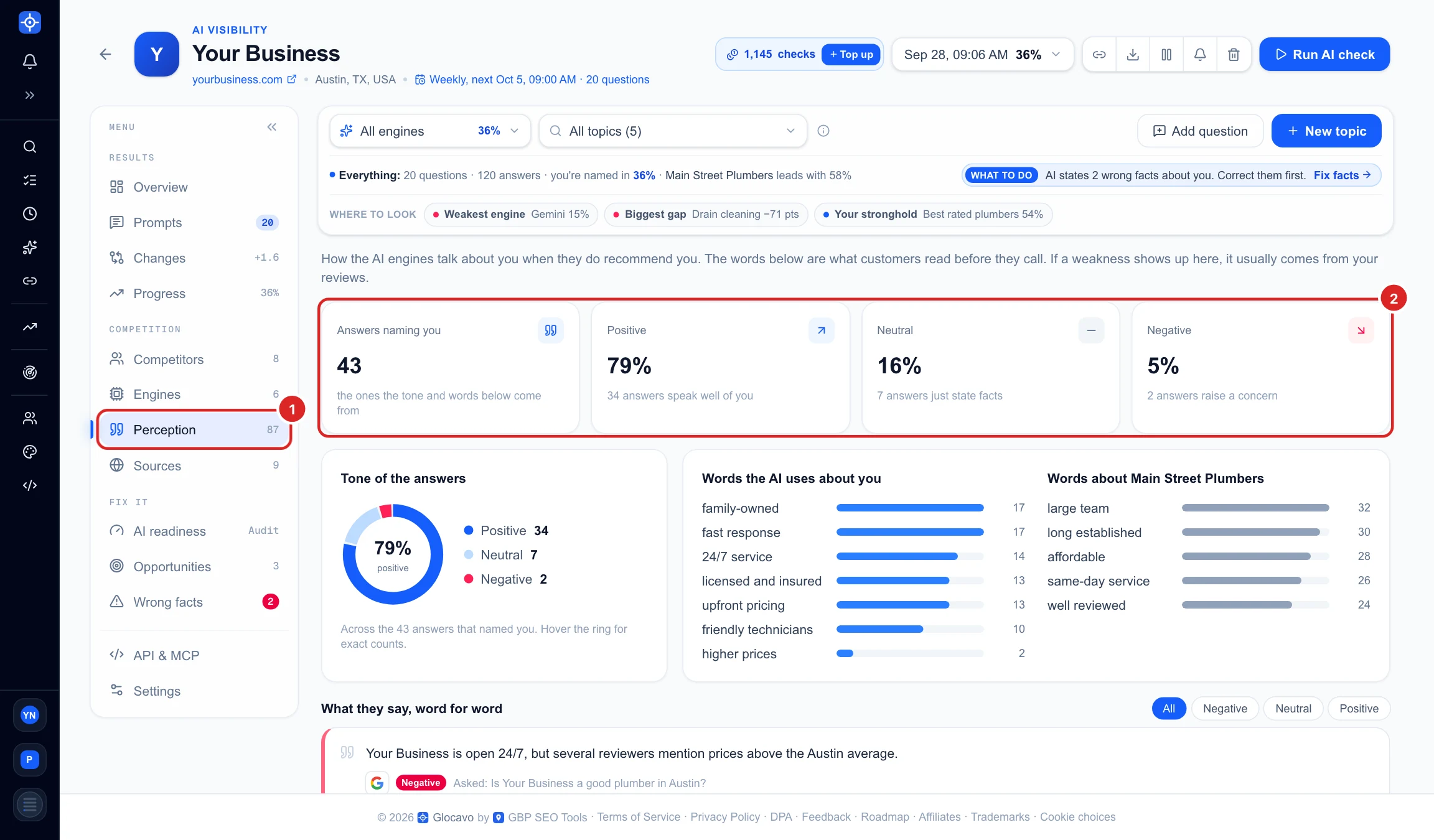
Click Perception (1) in the campaign menu. It only looks at the answers that named you, and the tiles (2) show how many there were and how they split by tone:
- Positive: the answer speaks well of you.
- Neutral: it just states facts, such as what you do and where.
- Negative: it raises a concern. This tile turns red when there is at least one.
Read the tone and the words AI uses
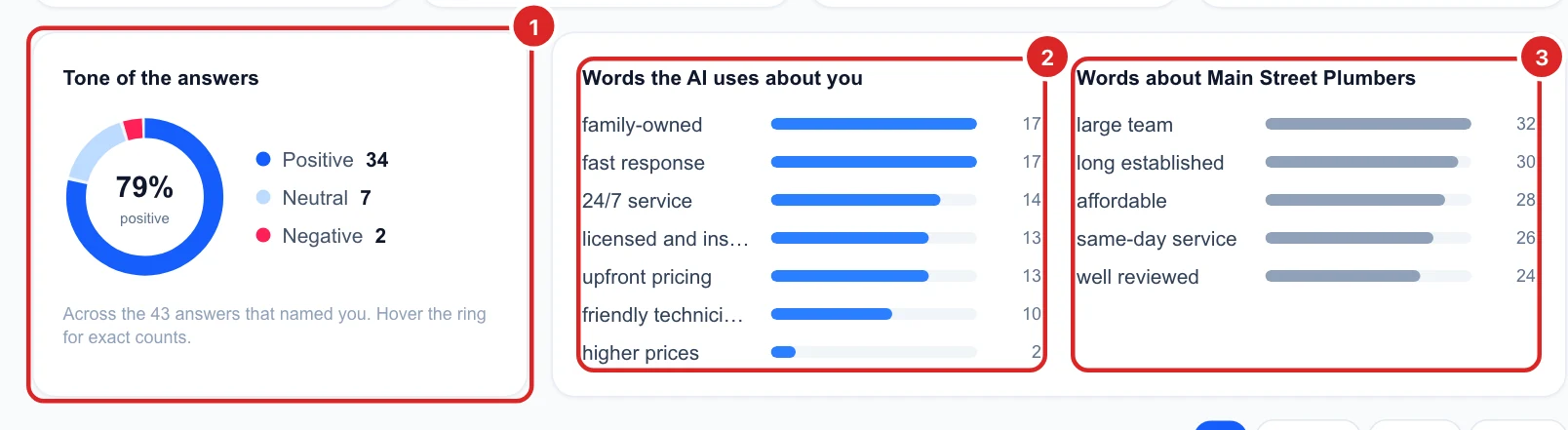
- Tone of the answers (1): the same split as a ring, with the share of positive answers in the middle.
- Words the AI uses about you (2): how the engines describe you, most used first. These are the words customers read before they call. A weak point such as higher prices shows up here too, and it usually comes from your reviews.
- Words about your top competitor (3): how they are described. A word they get and you do not, such as affordable or same-day service, is worth saying clearly on your website and Google Business Profile, if it is true for you.
Read what they say, word for word
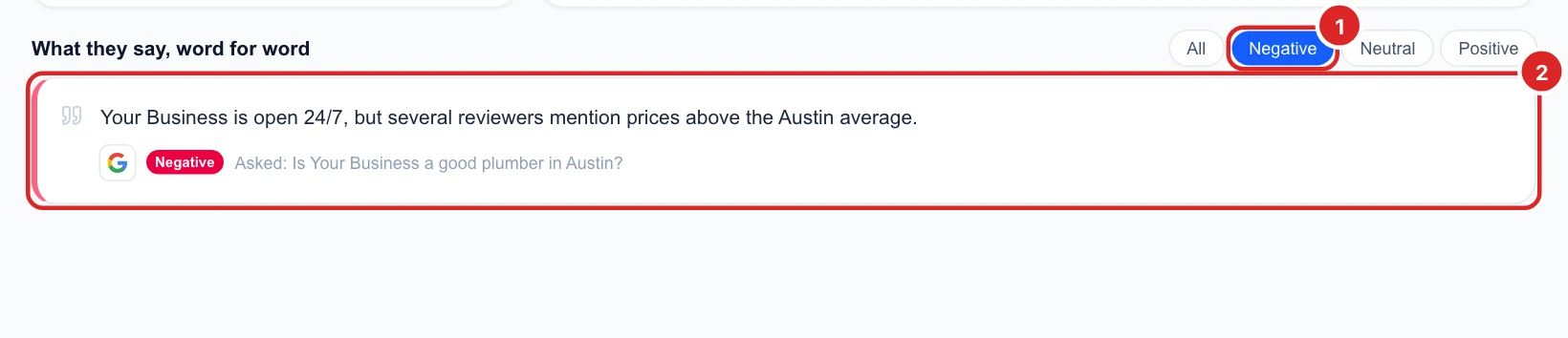
What they say, word for word lists the exact sentences the engines wrote about you, with the engine, the tone and the question that was asked. Use the Negative (1) filter to find every concern in one place (2). Here Google’s AI Mode says reviewers mention higher prices, so replying to those reviews and explaining your pricing is the fix.
If an engine states something that is simply wrong, like an old phone number or the wrong opening hours, it is not a tone problem: you will find it in the Wrong facts section. See Fix wrong facts AI tells customers.
Next
See who the engines recommend instead of you in Compare yourself with your AI competitors, or look at one engine across the whole report with the filter bar.