AI Visibility
Track your AI Visibility over time
See what changed since your last scan (questions won and lost, engines, competitors and sites), open any past scan from the calendar, and follow your AI score, each engine and each question across every scan.
Updated September 28, 2026 · 5 min read
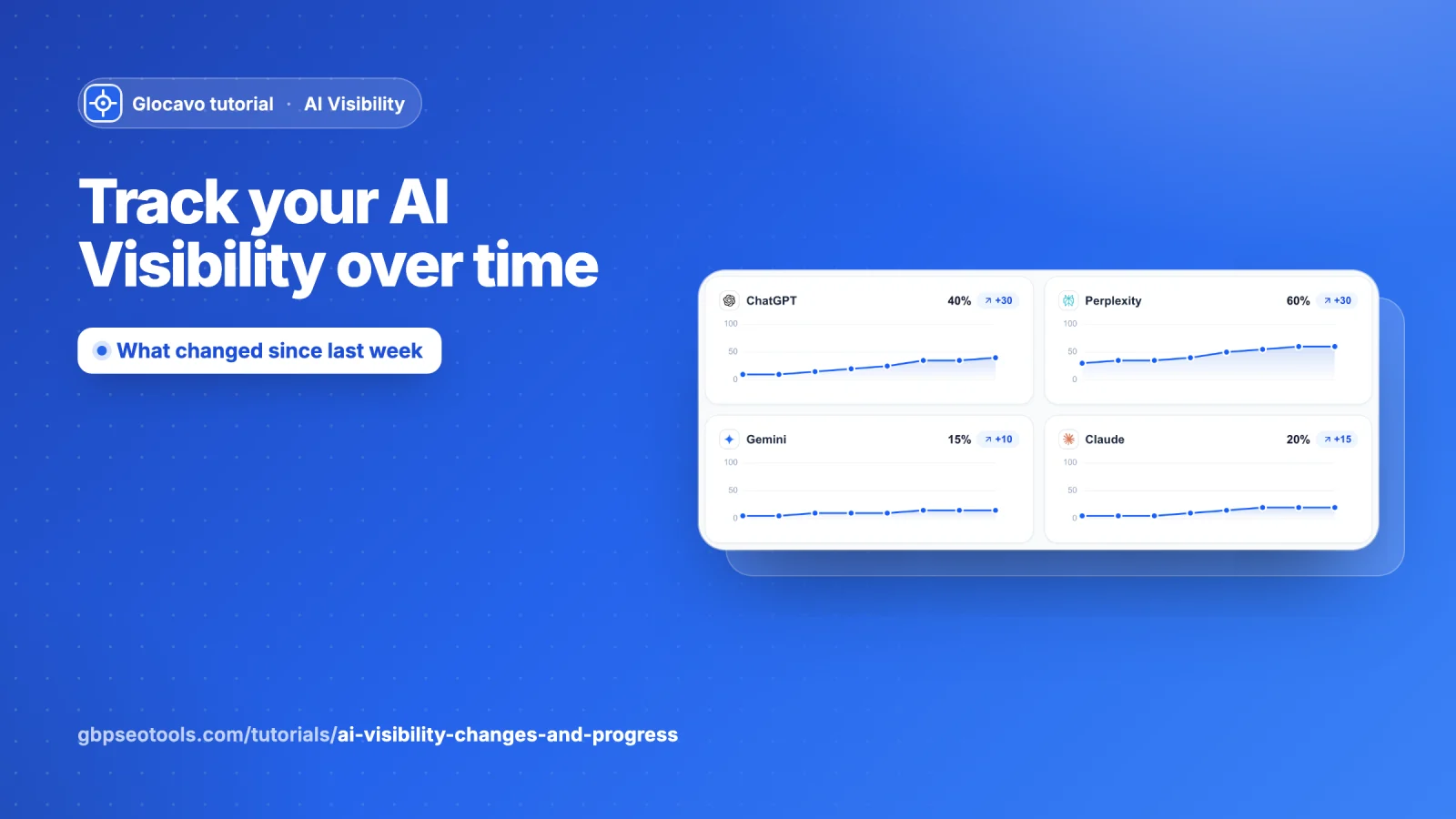
AI answers change from week to week, and so does your place in them. Changes shows exactly what moved since the scan before. Progress shows the trend across all your scans. The scan picker lets you open any past scan.
- Where
- Open a campaign → Changes or Progress in the campaign menu. The scan picker is at the top right of the report.
- Cost
- Comparing scans uses no checks.
- You need
- At least 2 scans. Until then, each section offers an example with made-up data.
Changes
See what changed since the last scan
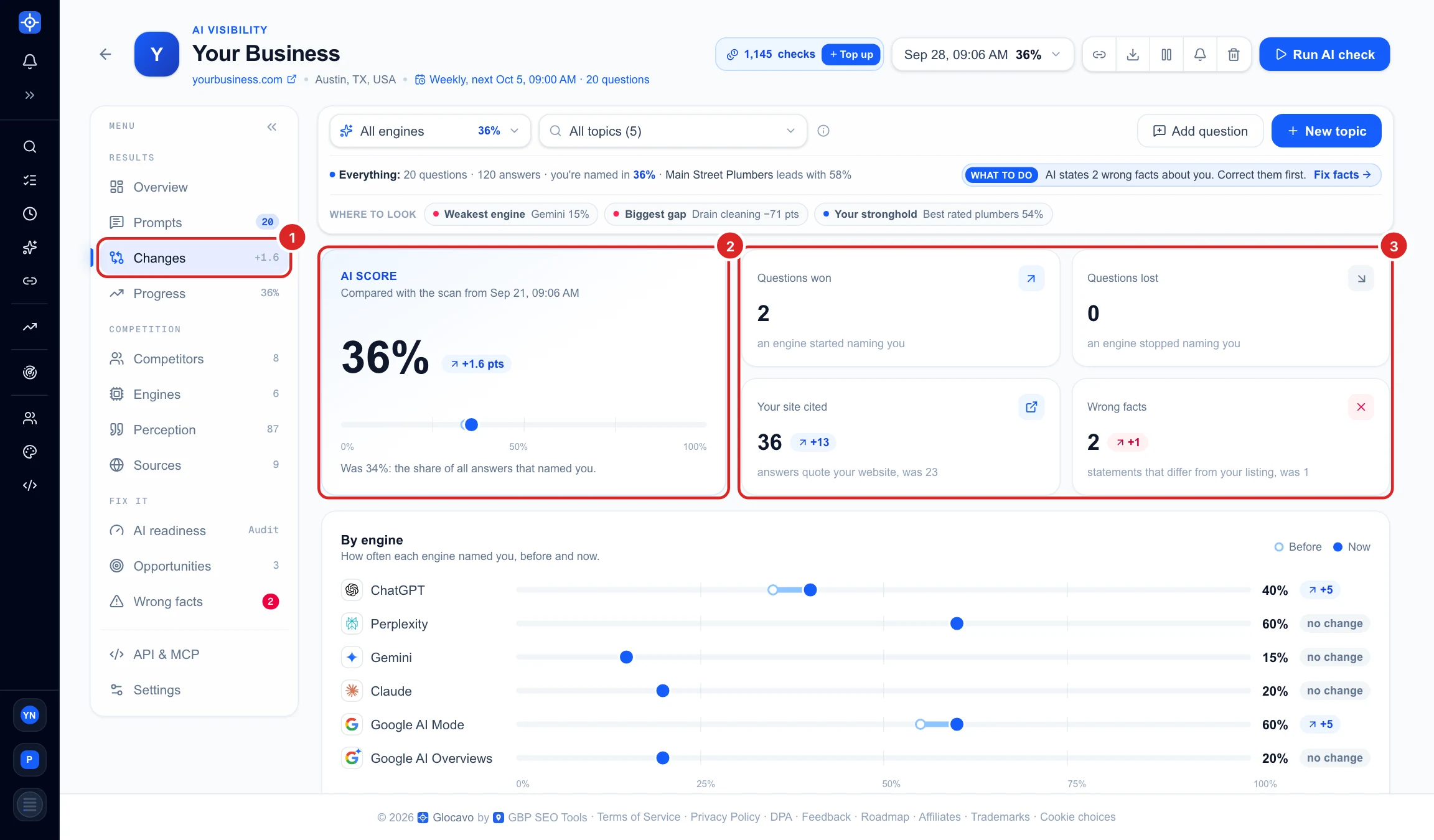
Click Changes (1) in the campaign menu; the number next to it is how many points your AI score moved. The top of the page compares this scan with the one before:
- AI Score (2): now and before, on one track. Here 36%, up 1.6 points from 34%.
- The four tiles (3): questions won (an engine started naming you), questions lost (an engine stopped), how many answers quote your website, and wrong facts. Blue is good news, red needs a look.
See which engines moved
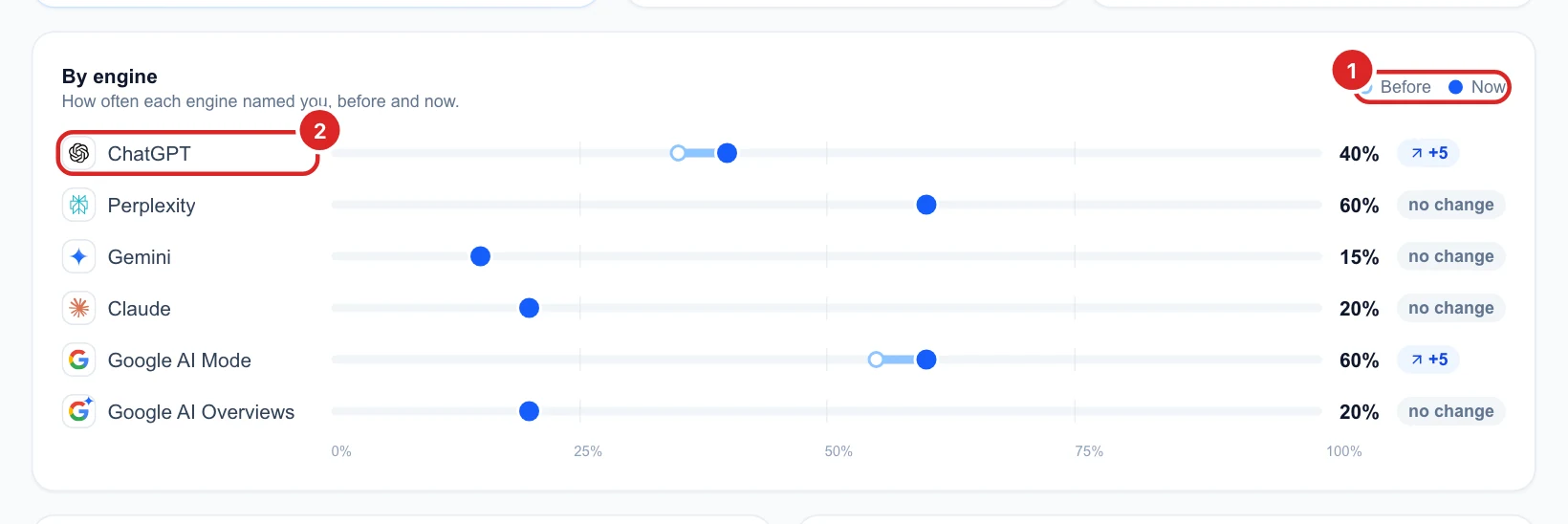
By engine puts before (hollow dot) and now (full dot) on the same line (1), so a longer bar is a bigger move. Here ChatGPT (2) names you in 5 points more of its answers than a week ago; the engines marked no change stayed the same.
See the questions, competitors and sites that moved
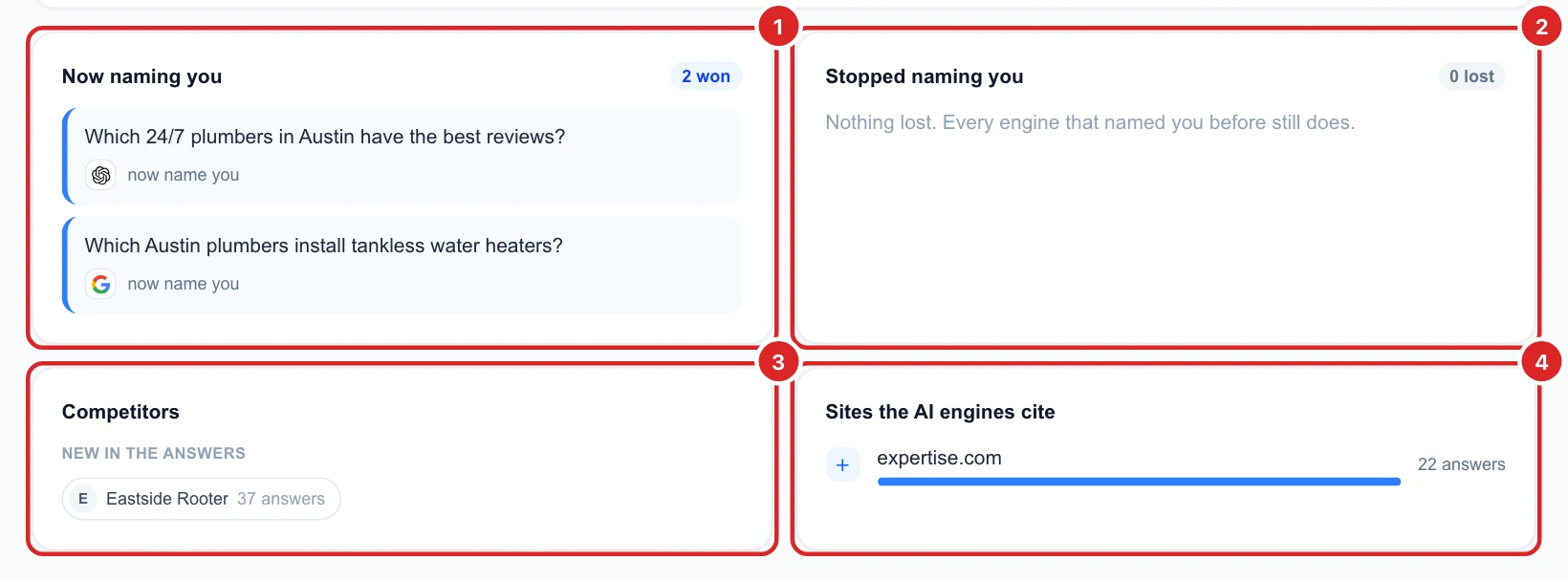
- Now naming you (1): questions where an engine started naming you, with the engine’s logo.
- Stopped naming you (2): questions you lost. These are the first to look at.
- Competitors (3): businesses that are new in the answers, no longer named, or moved a lot. Here Eastside Rooter appeared in 37 answers.
- Sites the AI engines cite (4): sites cited for the first time, or no longer cited. Here expertise.com started being cited in 22 answers.
Questions you added since the last scan are not compared yet: they show up in Changes from the scan after. The filter bar works here too: pick one engine or topic to see only what changed there.
Open a past scan
Pick a scan
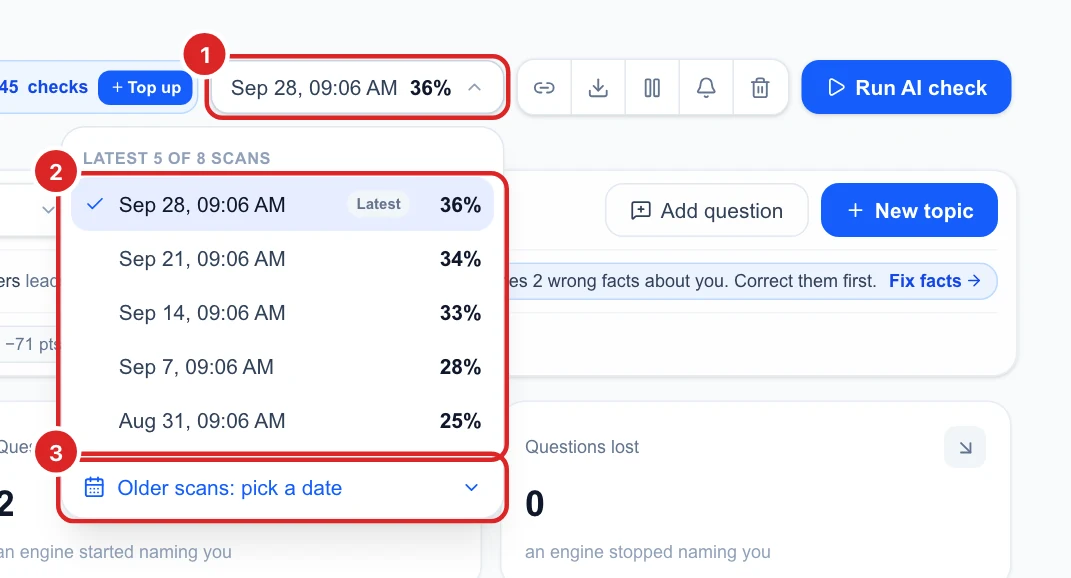
The date at the top right (1) is the scan you are looking at, with its AI score. Click it to see your latest 5 scans (2) and pick one. The whole report, every section, switches to that scan, and Changes then compares it with the scan before it.
Find an older scan on the calendar
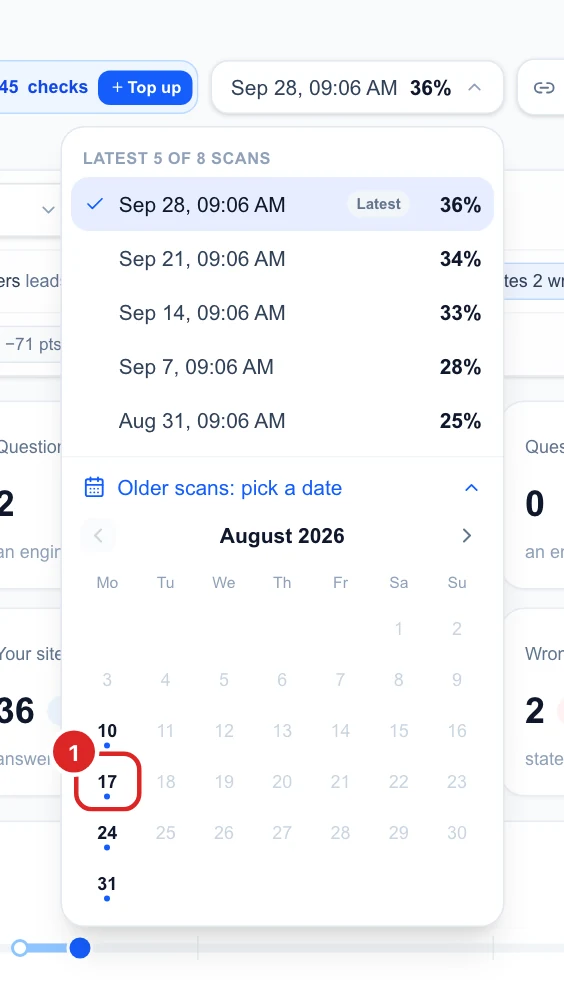
Once you have more than 5 scans, Older scans: pick a date opens a calendar. Days with a scan are in bold with a blue dot; click one (1) to open that scan. Use the arrows to change month. If a day has several scans, they are listed under the calendar.
Progress
Follow your AI score across every scan
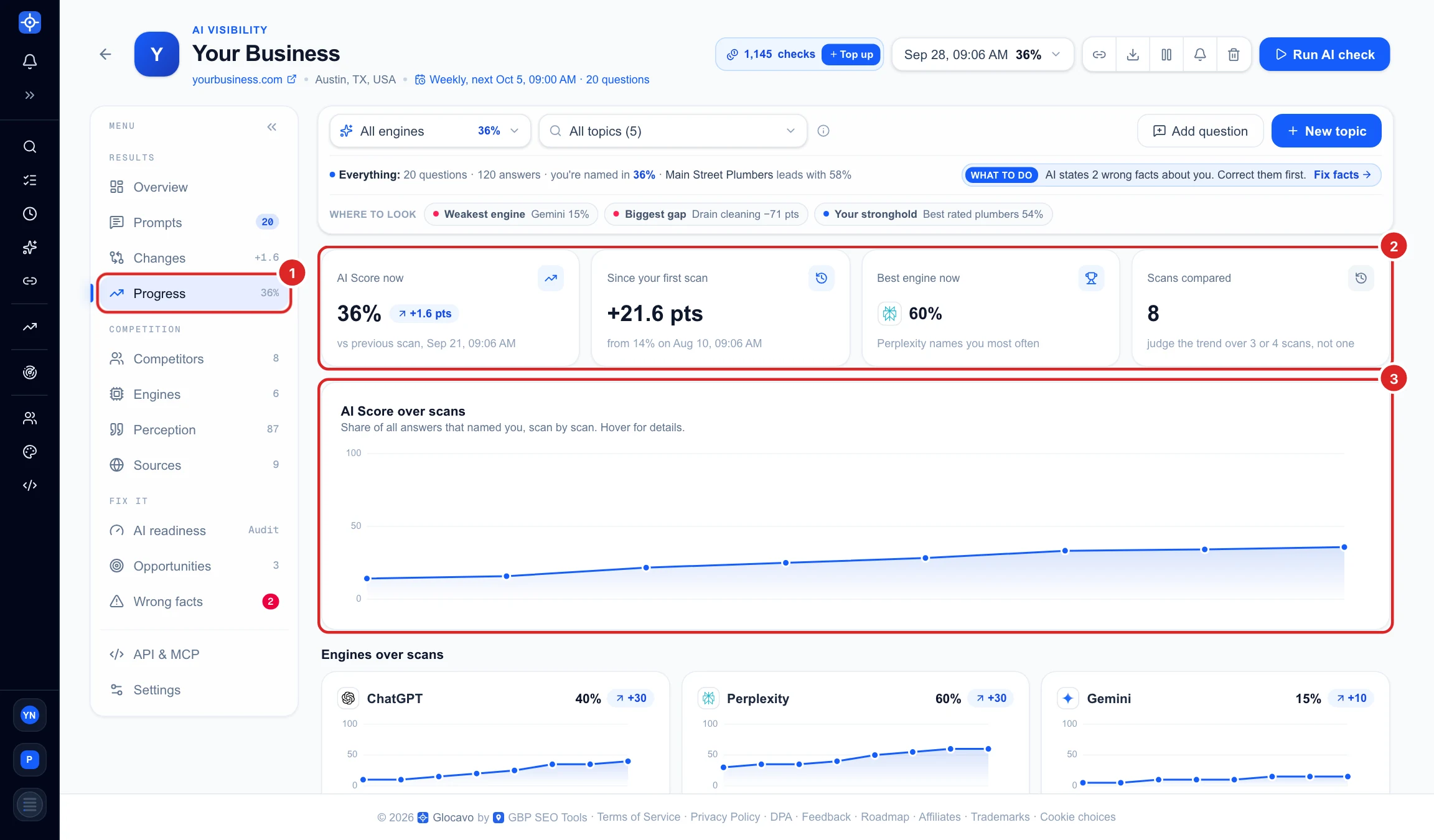
Click Progress (1) in the campaign menu. The tiles (2) give your AI score now compared with the scan before, how far you have come since your first scan, your best engine, and how many scans are compared. AI Score over scans (3) draws the whole line; hover a dot for its date and score.
Compare the engines over time
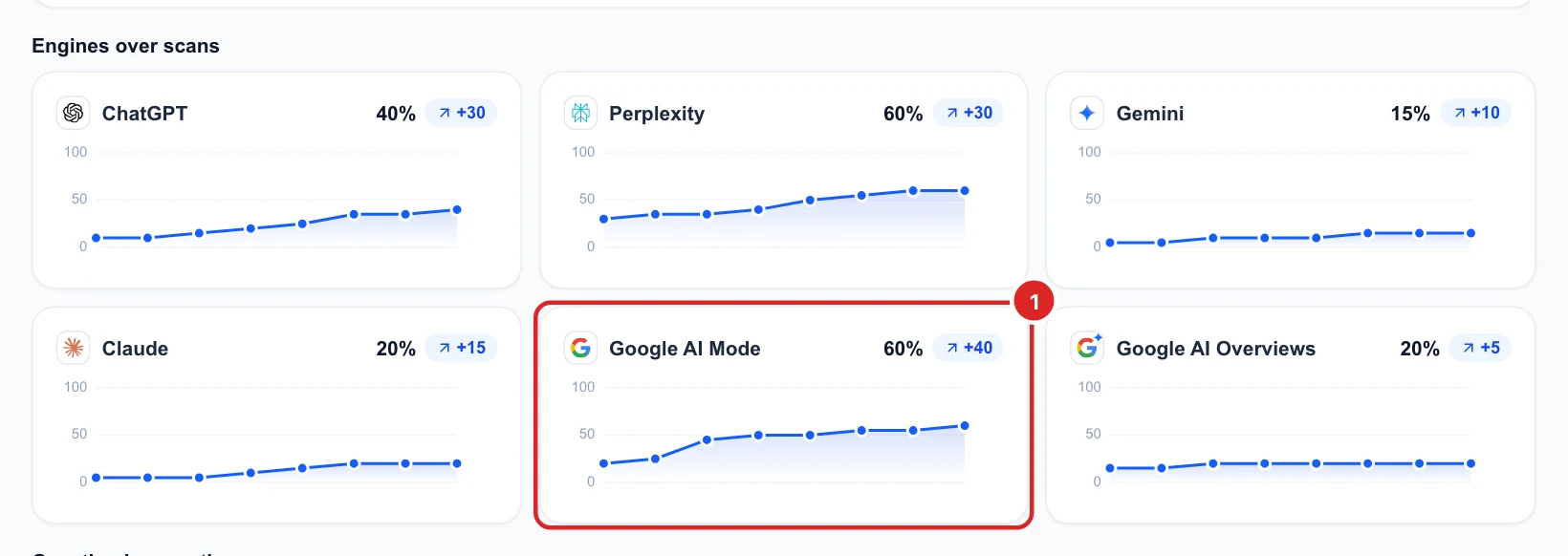
Engines over scans gives each AI engine its own small chart, with its score now and how much it moved since your first scan. Here Google AI Mode (1) climbed the most, up 40 points, while Google AI Overviews barely moved: that is where to put the next effort.
Check each question
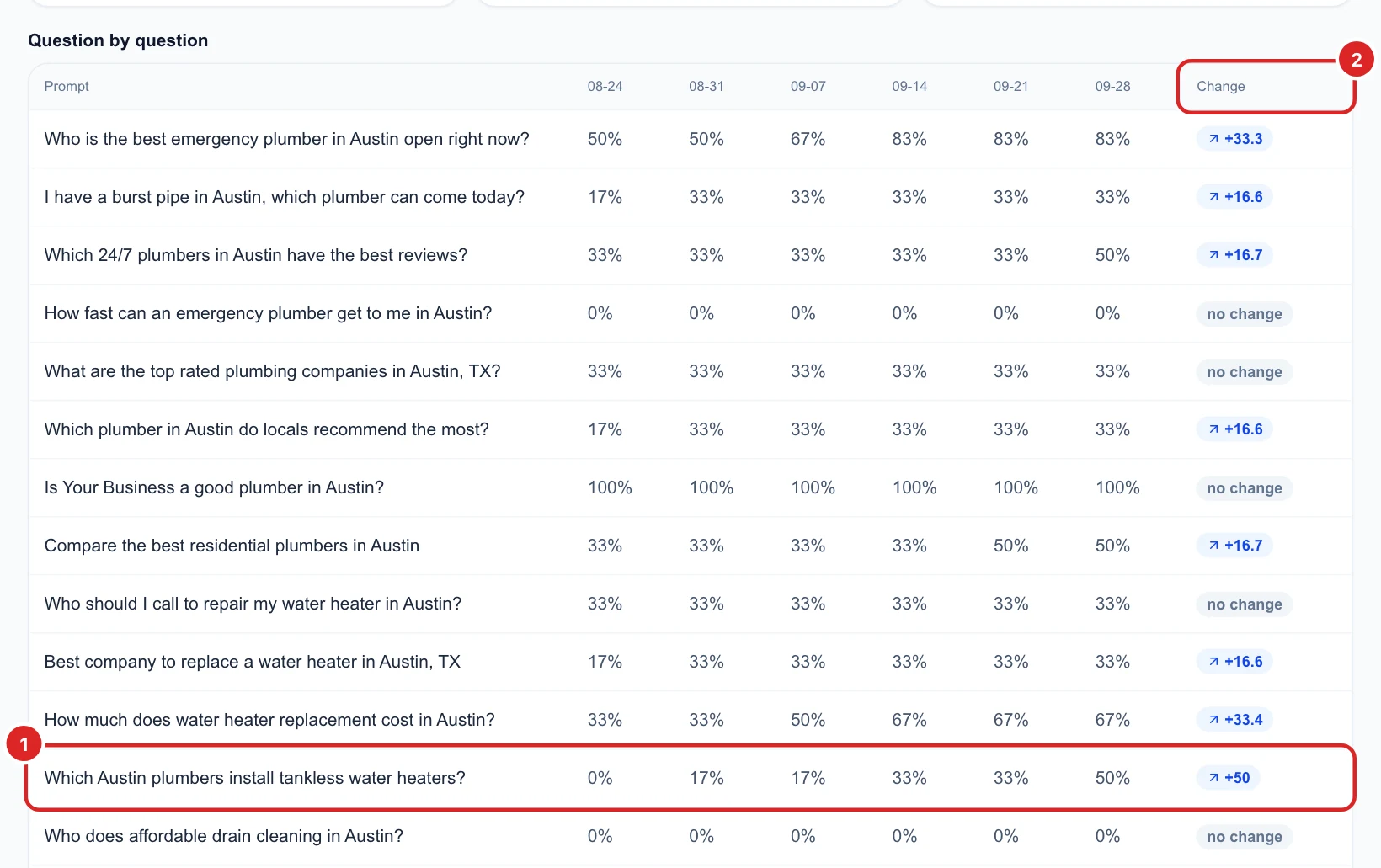
Question by question shows, for your last 6 scans, how often each question named you. The Change (2) column compares the first of those scans with the latest. Here “Which Austin plumbers install tankless water heaters?” (1) went from 0% to 50%: whatever you did for that service is working.
AI engines rewrite their answers all the time, so single scans go up and down. Judge the trend over 3 or 4 scans, not one.
Next
Turn the questions you lost into a plan with Get fix plans and make your site AI-ready, or follow you and your top competitors over time in Read your AI Visibility Overview.