Rank tracker
How scan credits and AI Power work
What a grid scan costs, what AI Power pays for, how many credits each plan includes, how top-ups and low-balance emails work, and how to see exactly where your credits went.
Updated October 3, 2026 · 6 min read
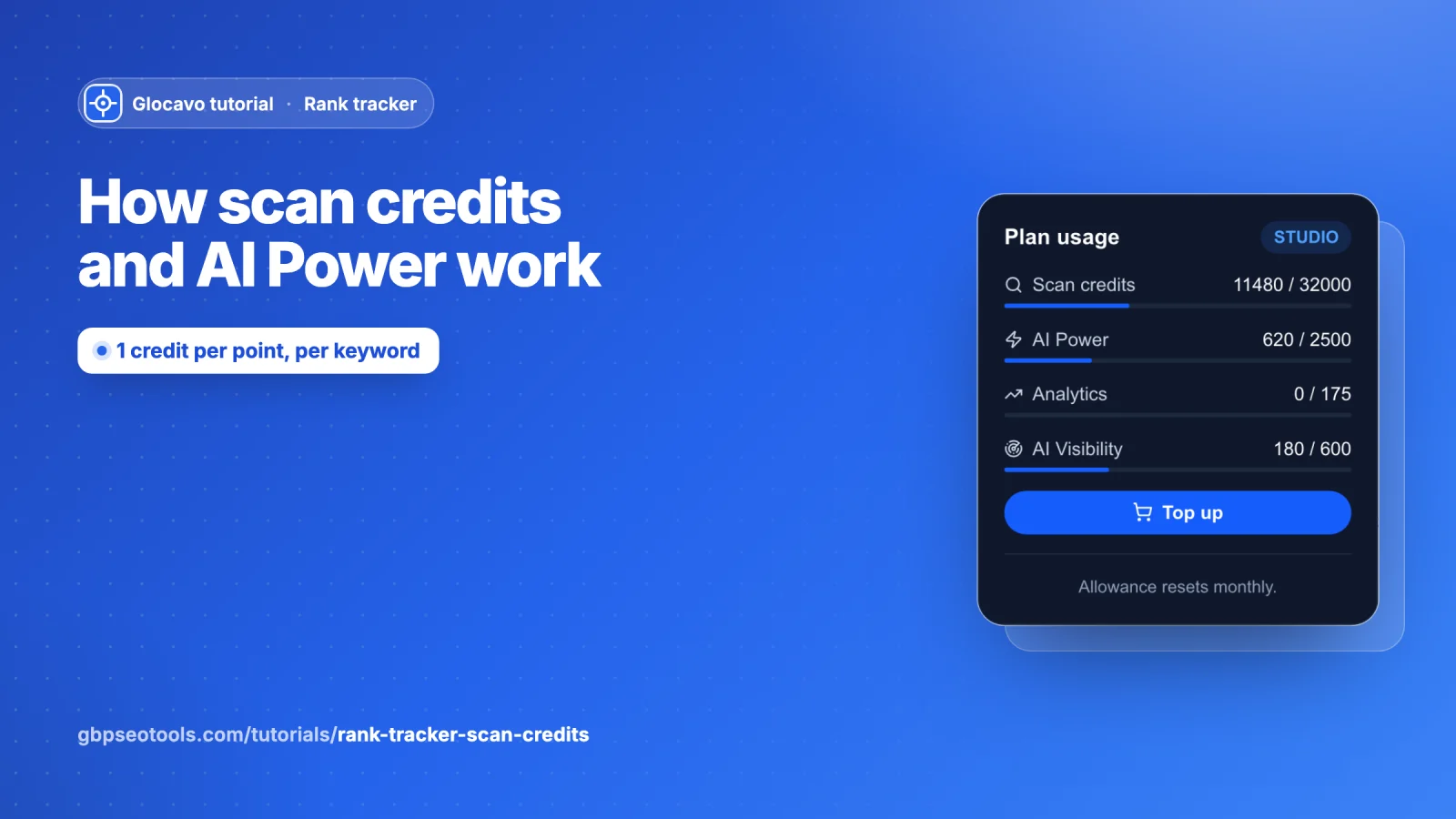
The rank tracker runs on two balances. Scan credits pay for grid scans. AI Power pays for the AI features. Every paid plan refills both each month, and top-up packs add more whenever you need it. This guide shows what everything costs, where to see your balance, how to top up and how to see exactly where your credits went.
- Where
- Your plan badge at the bottom of the sidebar, Billing & plans and Usage & activity.
- Who
- Every plan, Free included.
- In short
- 1 scan credit per grid point, per keyword. AI features use AI Power: 10 for keyword ideas, 25 for an AI Analysis.
Know what a scan costs
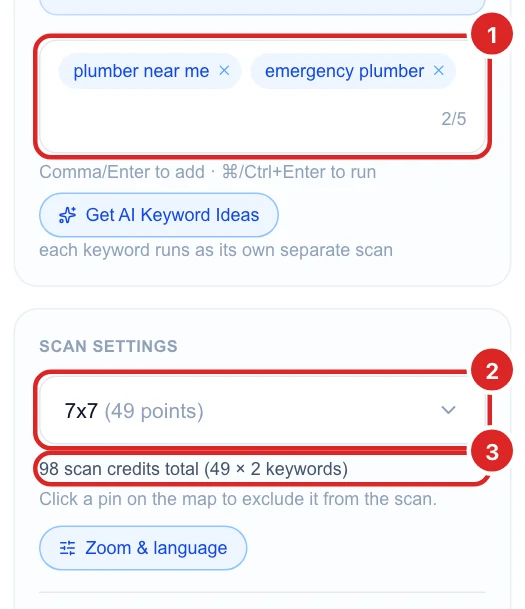
Every point on the grid is 1 scan credit, for each keyword. A 7x7 grid has 49 points, so one keyword costs 49 credits and two keywords cost 98. The line under the grid menu always shows the total before you run.
- Pins you turn off on the map are not charged.
- A recurring scan costs the same as a one-time scan, each time it runs.
- Opening reports, clicking points and comparing competitors is free: you only pay to run a scan.
- AI Power is a separate balance: 10 for a set of AI keyword ideas, 25 for an AI Analysis of a scan.
Check your balance
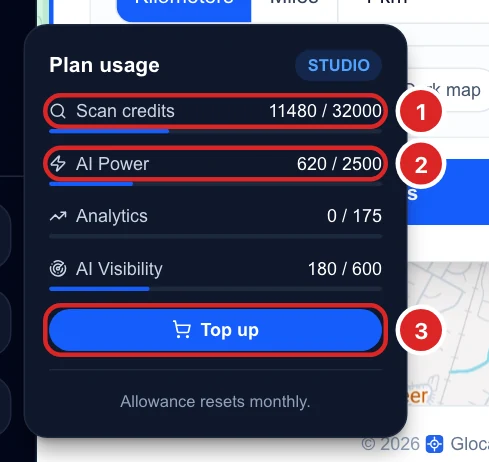
Click your plan badge at the bottom of the sidebar. Plan usage shows how much of each balance you have used this month, out of your allowance, with a bar for each. Top up takes you straight to the packs.
See how many credits each plan includes
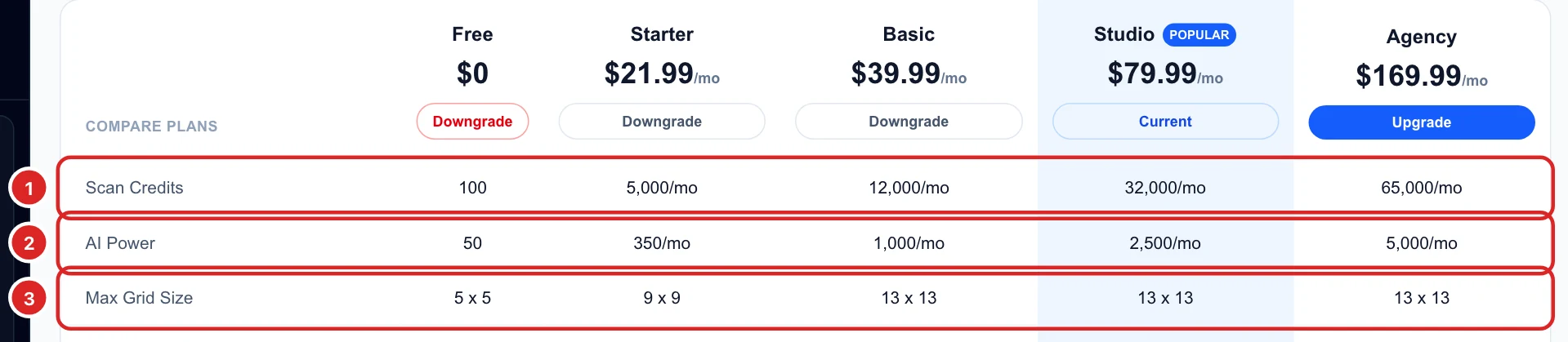
In Billing & plans, the Plans tab compares every plan:
- Scan credits: Free 100, Starter 5,000 a month, Basic 12,000, Studio 32,000, Agency 65,000.
- AI Power: Free 50, Starter 350 a month, Basic 1,000, Studio 2,500, Agency 5,000.
- Max grid size: 5x5 on Free, 9x9 on Starter, 13x13 on the others.
Paid plans refill every billing period, and unused monthly credits don’t carry over. Free’s credits are given once and don’t refill.
Buy a top-up
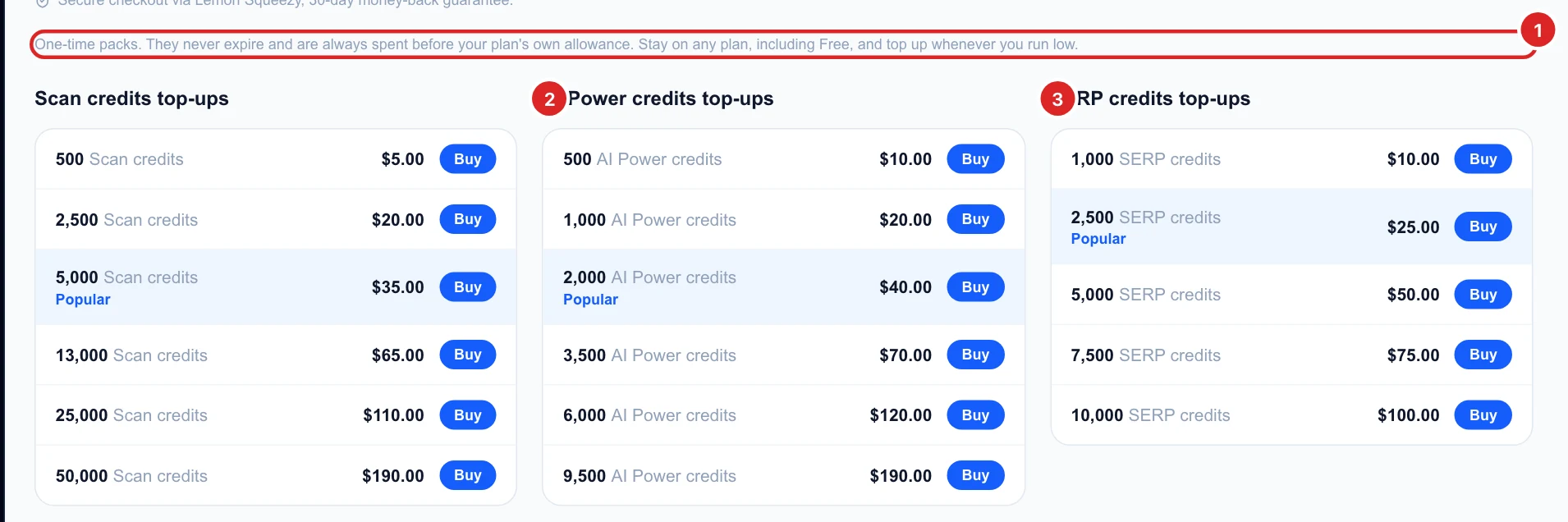
The Top-ups tab sells one-time packs for each of Glocavo’s four balances. The first two work on any plan, including Free:
- Scan credits: 500 for $5, 2,500 for $20, 5,000 for $35, 13,000 for $65, 25,000 for $110 and 50,000 for $190.
- AI Power: 500 for $10, 1,000 for $20, 2,000 for $40, 3,500 for $70, 6,000 for $120 and 9,500 for $190.
Click Buy next to a pack and pay at checkout. The credits are added to your balance right away.
Top up SERP credits and AI Visibility checks
The other two packs are for the other Glocavo tools:
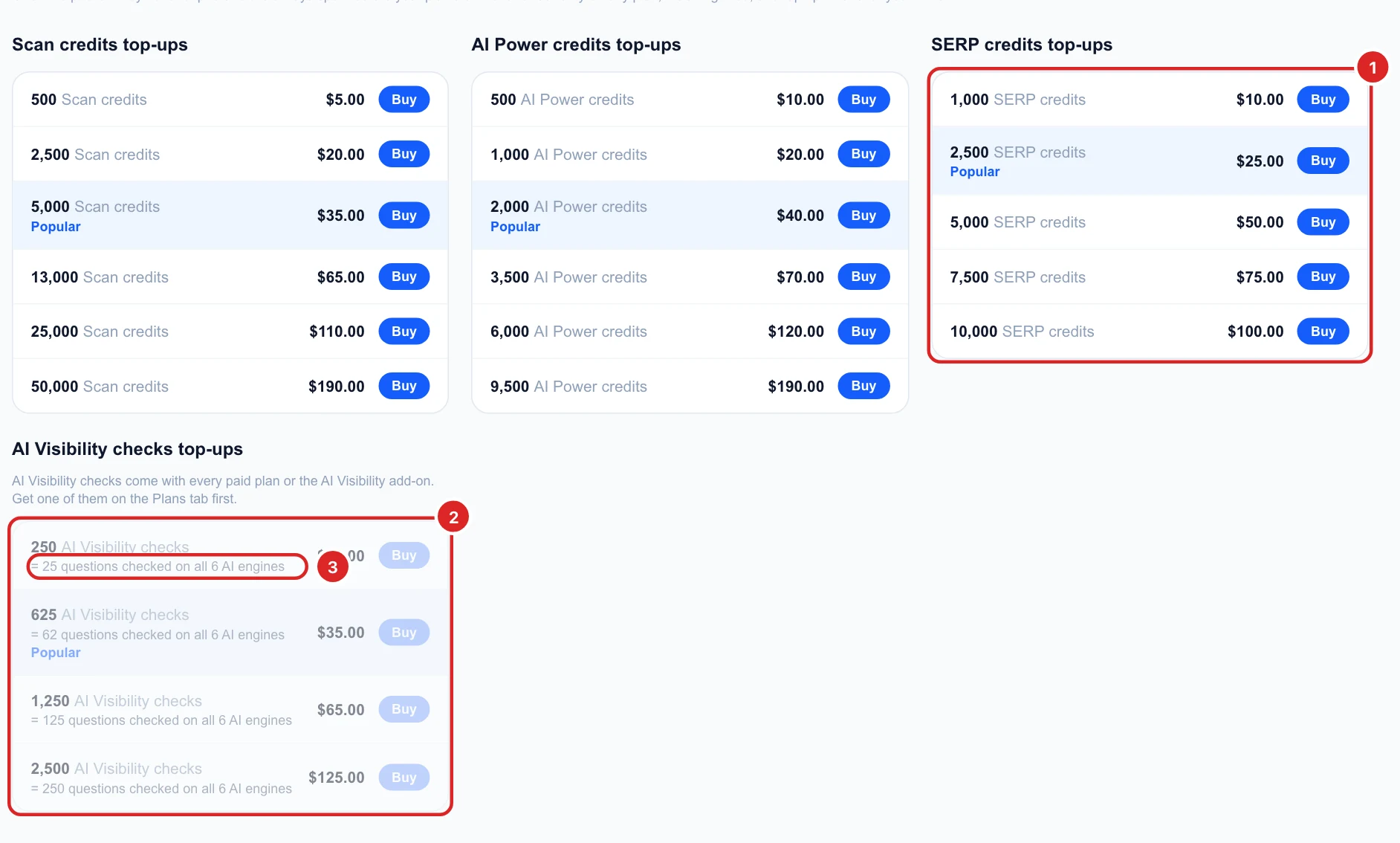
- SERP credits pay for Analytics (search rank tracking): 1,000 for $10, 2,500 for $25, 5,000 for $50, 7,500 for $75 and 10,000 for $100. They need a plan that includes Analytics, and they expire 12 months after purchase.
- AI Visibility checks pay for AI Visibility scans. Asking one question on all six AI engines uses 10 checks, so 250 checks ($15) cover 25 questions. Larger packs: 625 for $35, 1,250 for $65 and 2,500 for $125. You need a paid plan or the AI Visibility add-on first.
More on how checks are counted in How AI Visibility checks work.
Understand top-ups and turn on low-balance emails
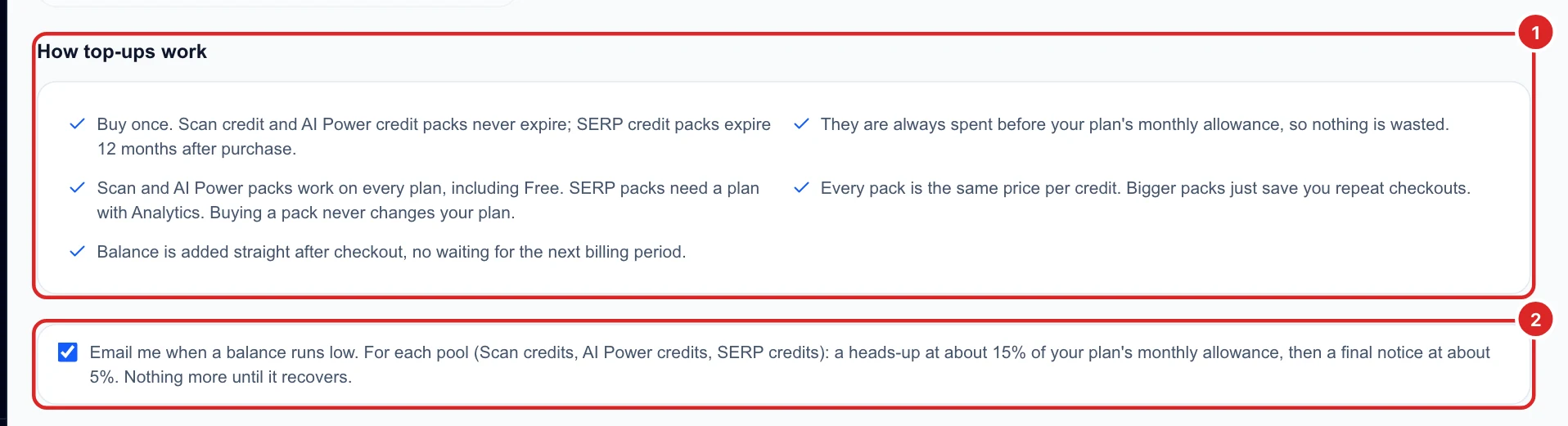
- Scan credit, AI Power and AI Visibility packs never expire; SERP credit packs expire 12 months after purchase.
- Packs are always spent before your monthly allowance, so nothing goes to waste.
- Every pack has the same price per credit; bigger packs just mean fewer checkouts.
- Buying a pack never changes your plan.
Tick Email me when a balance runs low to get a heads-up at about 15% of your monthly allowance and a final notice at about 5%, for each balance.
See where your credits went
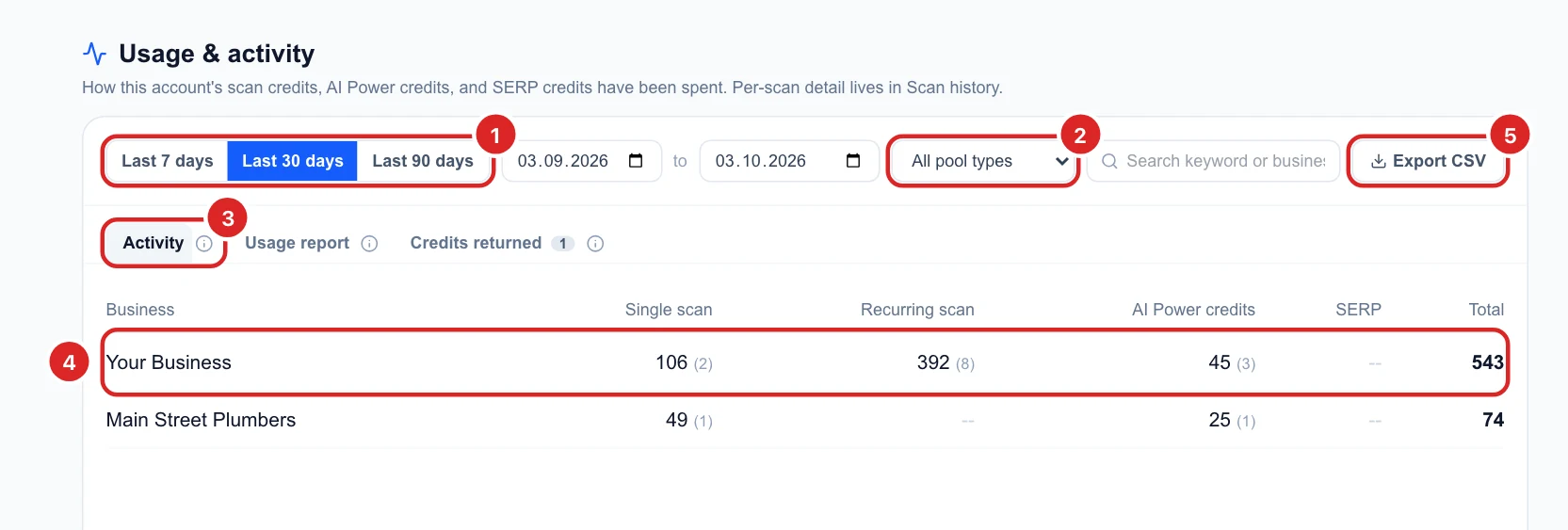
Usage & activity in the sidebar shows what was spent, per business:
- Pick the last 7, 30 or 90 days, or your own dates.
- Filter to one balance: scan credits, AI Power or SERP credits (used by Analytics).
- The Activity table splits each business into single scans, recurring scans and AI Power, with the number of runs in brackets: 392 (8) is 392 credits over 8 recurring runs.
- Export CSV downloads it. History is kept for 90 days, so export it if you need a longer record.
Read the usage report
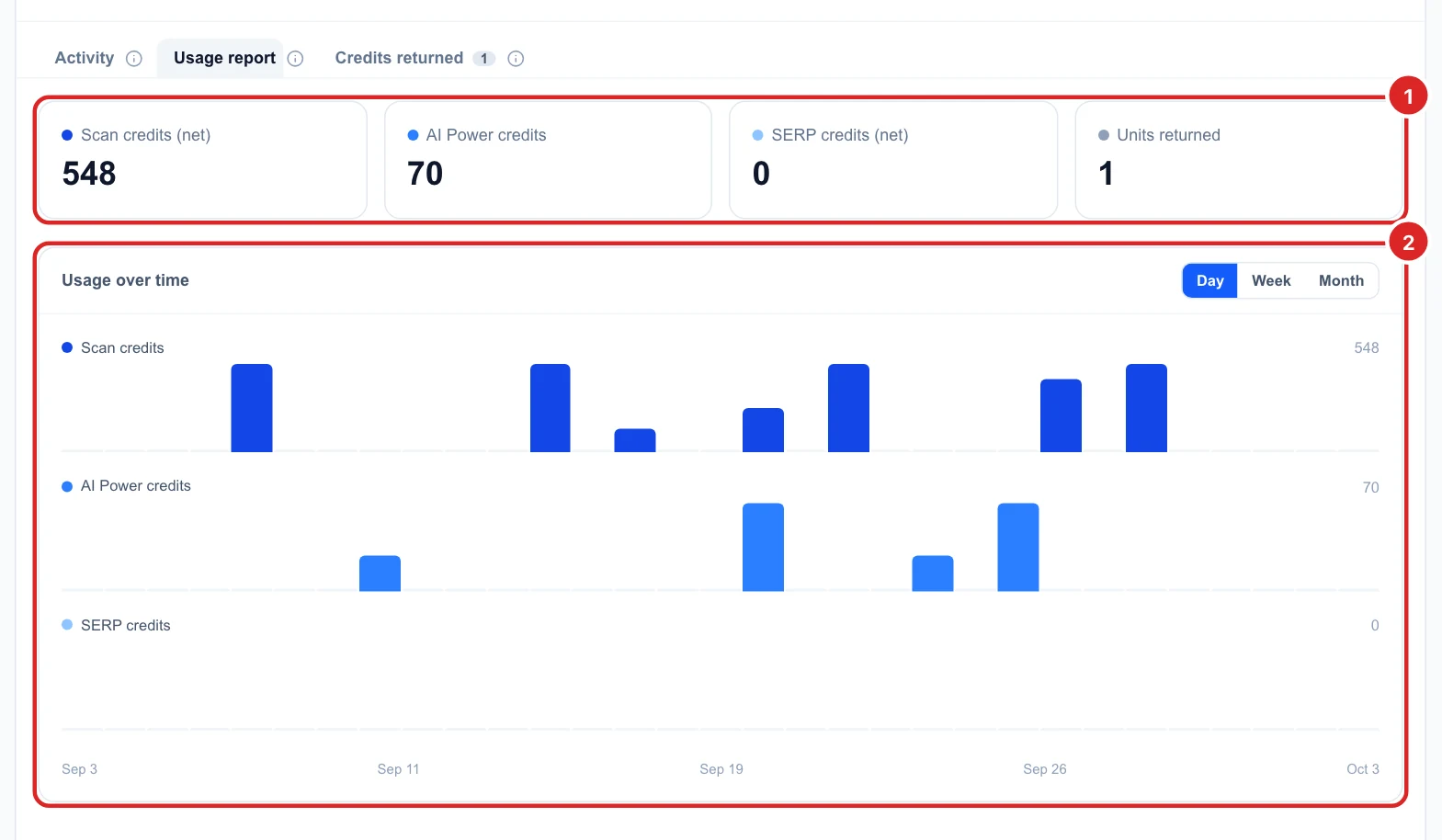
Usage report adds up the period: net scan credits, AI Power and SERP credits used, and the units returned. The chart below shows your spending over time, by day, week or month, so you can see whether a plan still fits how much you scan.
Check credits that came back
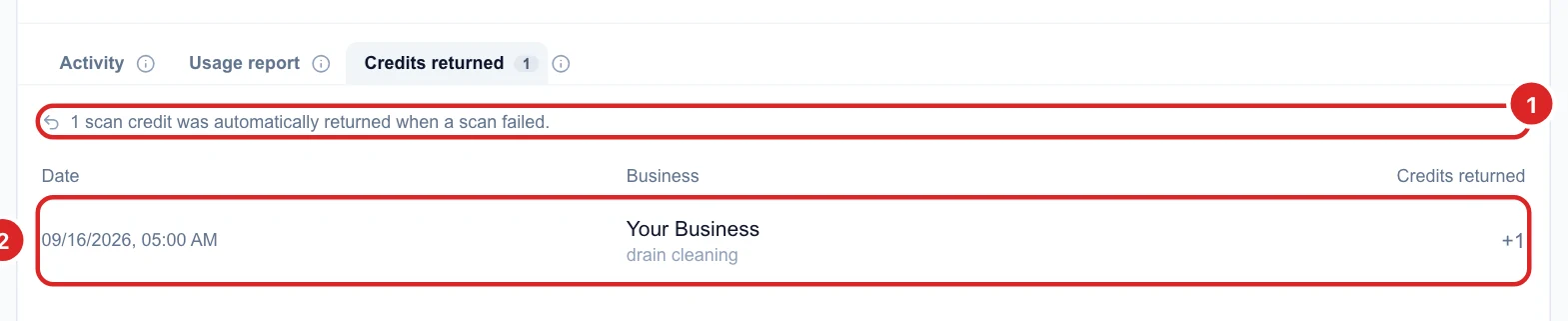
If some points of a scan can’t be checked, Glocavo returns their credits automatically. The Credits returned tab lists each one with the date, business, keyword and amount.
Know what happens when you run out
If a scan needs more credits than you have, it doesn’t run and nothing is charged. Glocavo says you’re out of scan credits and shows a Top up button. On a paid plan you can top up or wait for your monthly refill; on Free, a top-up is the way to keep scanning. The same goes for AI Power and the AI features.
Spend fewer credits
- Pick the right grid: a 5x5 (25 credits) often answers the question; save 13x13 (169) for a wide service area.
- Turn off pins over water, parks or areas you don’t serve.
- Track the keywords that matter: every extra keyword multiplies the cost.
- Match recurring scans to how fast things change: weekly or monthly is usually enough.
- Reuse AI Analysis: it is saved with the scan, so open it again instead of regenerating.
New to scanning? Start with Run your first Google Maps grid scan.