AI Visibility
How AI Visibility checks work
What a scan costs, the checks your plan includes, the $29.99, $49.99 and $99.99 add-on levels, top-up packs that never expire, which checks are used first and what happens when they run out.
Updated September 28, 2026 · 5 min read
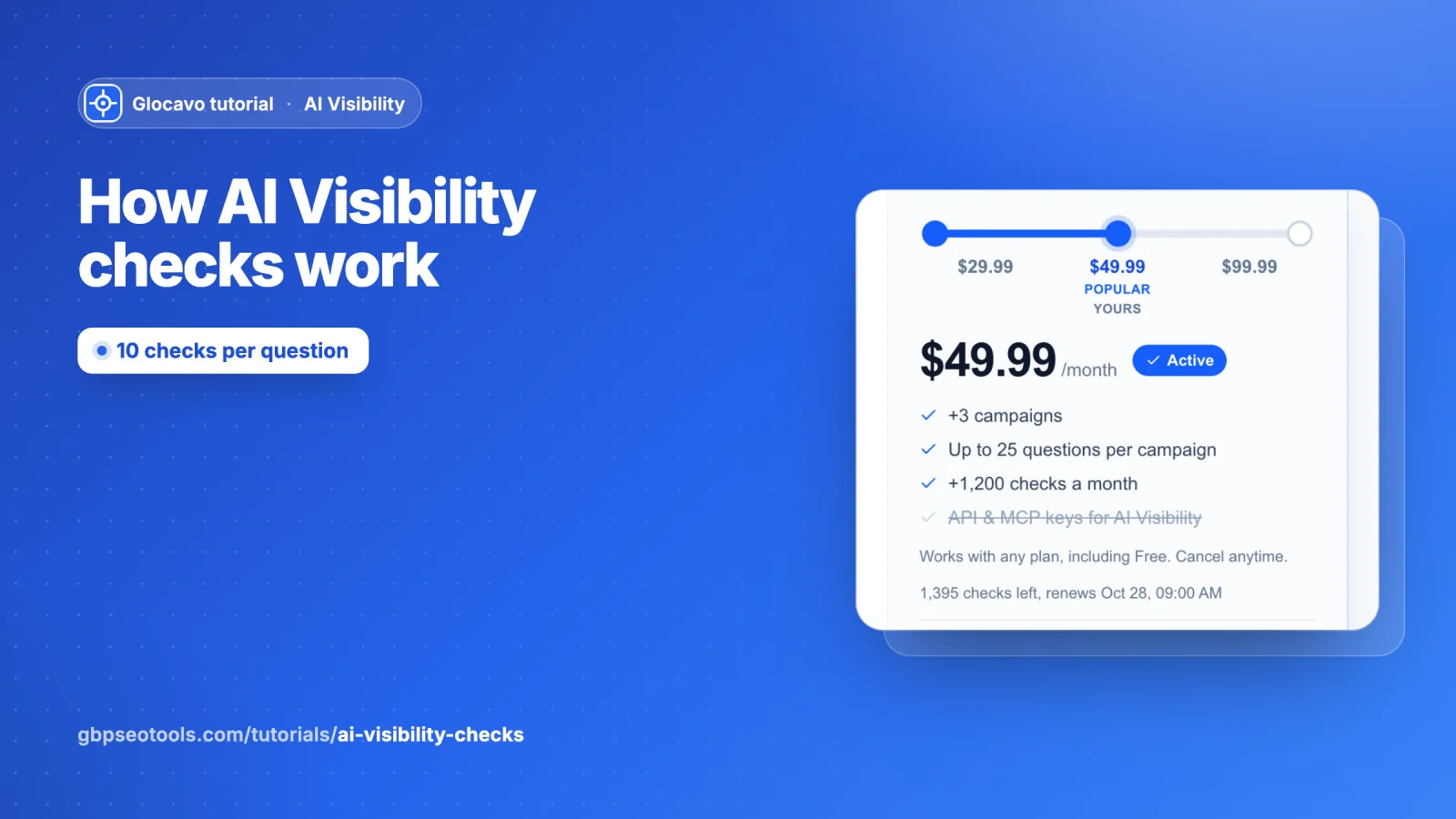
Checks are what AI Visibility runs on. Every time Glocavo asks an AI engine one of your questions, it uses checks. This guide explains what a scan costs, where your checks come from, which checks are used first, and what happens when they run out.
- Where
- Glocavo → AI Visibility (your balance) and Billing (plans, add-on and top-ups).
- Rule of thumb
- One question asked on all six AI engines = 10 checks.
What one check is
One check is one answer from one AI engine. The four chat engines cost more to ask than Google’s two, so they count double:
| AI engine | Checks per question |
|---|---|
| ChatGPT, Perplexity, Gemini, Claude | 2 each |
| Google AI Mode, Google AI Overviews | 1 each |
| All six engines | 10 |
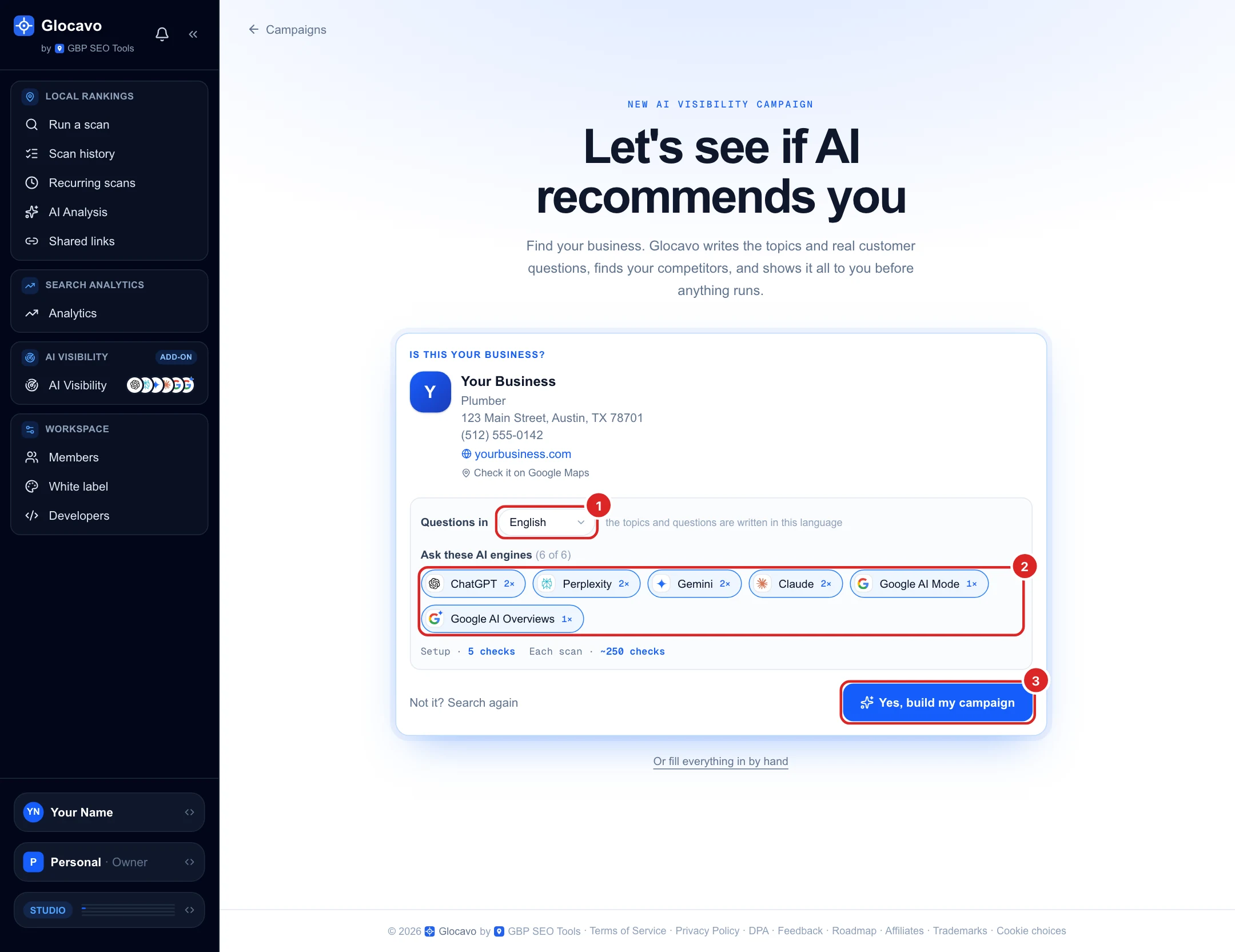
You see these weights on the engine chips when you create a campaign (2× and 1×), with the setup cost and the rough cost of each scan underneath.
What a scan costs
A scan asks every question to every engine you picked:
questions × checks per question × times each question is asked = checks per scan
- 20 questions on all six engines, asked once: 20 × 10 = 200 checks.
- The same 20 questions on ChatGPT and Google AI Mode only: 20 × 3 = 60 checks.
- Asking each question 2 or 3 times (Advanced, for one-off audits) multiplies the cost by 2 or 3.
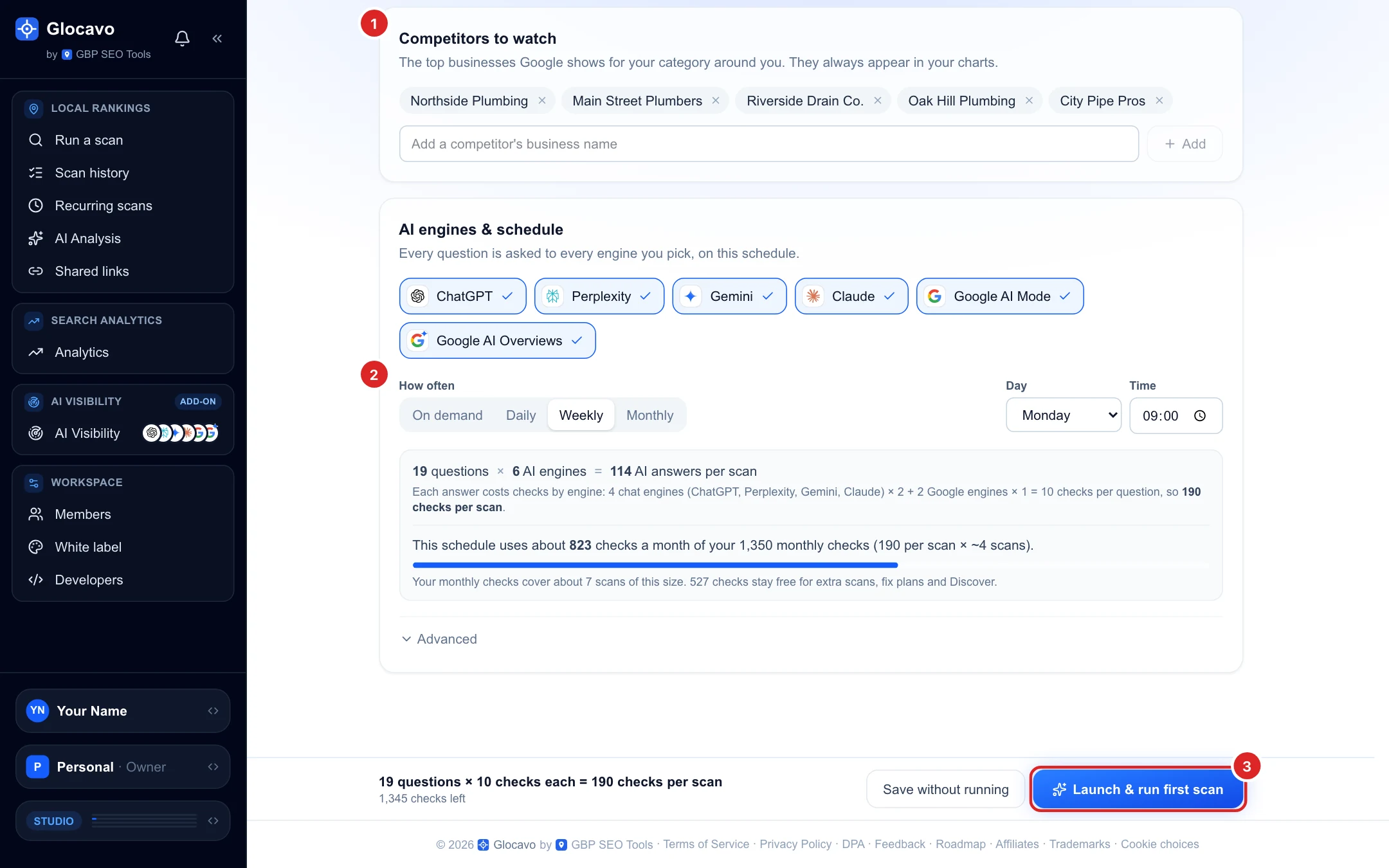
The review page shows the exact cost before you launch, and how many checks your schedule uses a month compared with your monthly checks.
A few other actions use a small number of checks:
- Building a campaign with AI: 5 checks (filling it in by hand uses none).
- Discover questions, a fix plan for a question, or Suggest a topic with AI: 2 checks each.
Reading your results, filtering, sharing and exporting never use checks.
Where your checks come from
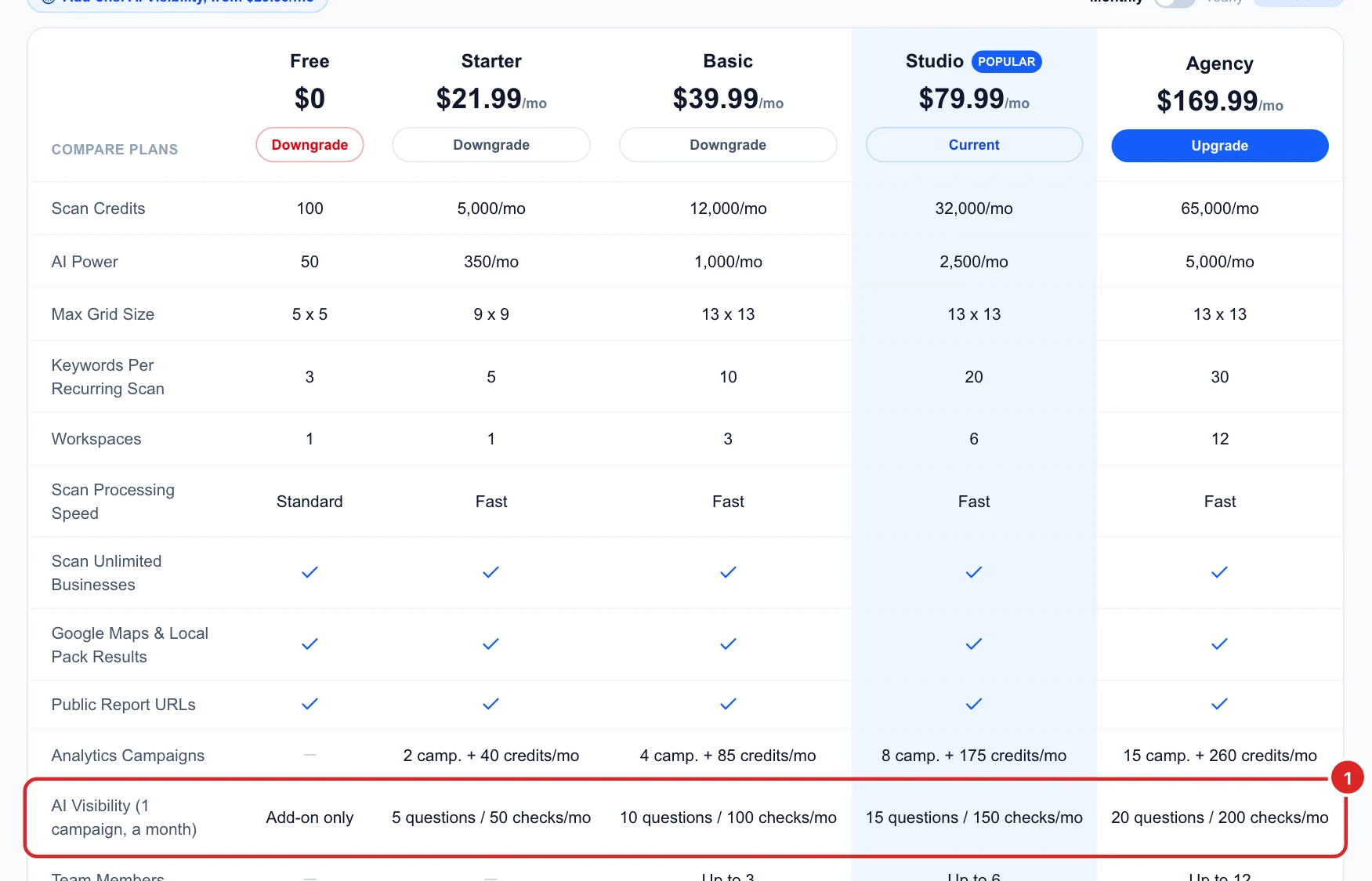
Your plan. Every paid plan includes one AI Visibility campaign and enough monthly checks for one scan of it on all six engines:
| Plan | Questions per campaign | Checks a month |
|---|---|---|
| Starter | 5 | 50 |
| Basic | 10 | 100 |
| Studio | 15 | 150 |
| Agency | 20 | 200 |
The Free plan has no AI Visibility of its own; it can use the add-on.
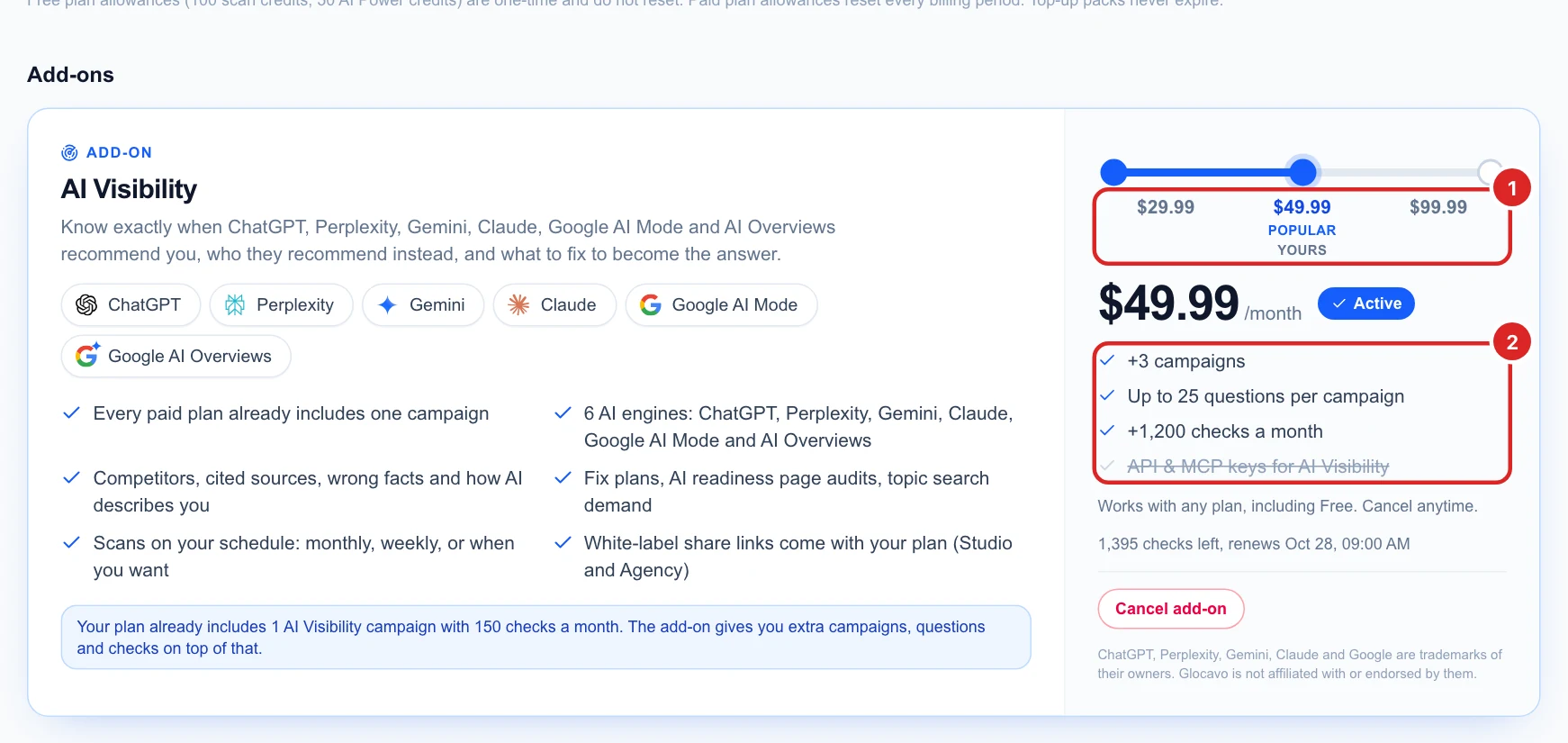
The AI Visibility add-on. A monthly add-on on top of any plan, Free included, in three levels:
| Level | Extra campaigns | Questions per campaign | Extra checks a month |
|---|---|---|---|
| $29.99 / month | +1 | Up to 15 | +600 |
| $49.99 / month | +3 | Up to 25 | +1,200 |
| $99.99 / month | +10 | Up to 50 | +3,200, plus API & MCP keys for AI Visibility |
The add-on adds to your plan: campaigns and monthly checks are added together, and you get the higher of the two question limits. For example, Studio (1 campaign, 15 questions, 150 checks) with the $49.99 add-on gives 4 campaigns, 25 questions per campaign and 1,350 checks a month. Change or cancel the level at Billing → Add-ons.
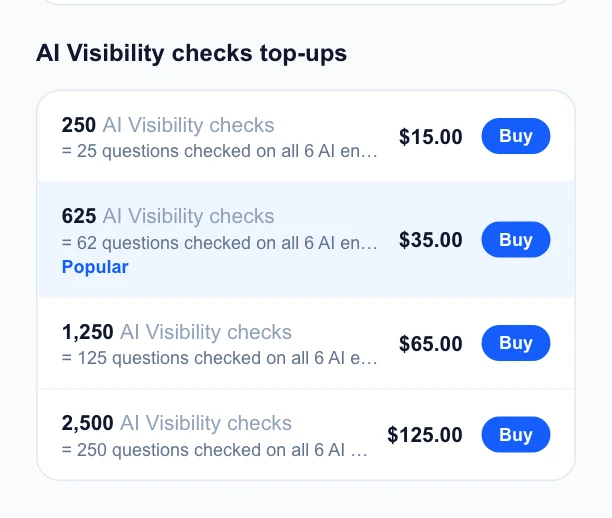
Top-up packs. One-time packs of extra checks, for a busy month or an extra audit. They never expire. You need AI Visibility from your plan or the add-on to buy them.
| Pack | Price | Questions on all six engines |
|---|---|---|
| 250 checks | $15 | 25 |
| 625 checks | $35 | 62 |
| 1,250 checks | $65 | 125 |
| 2,500 checks | $125 | 250 |
See your balance, and which checks are used first
The AI Visibility page shows your balance at the top:
- Checks left (1): everything you can use right now, monthly and top-up together.
- Monthly (2): this month’s checks left out of your allowance, where they come from (plan and add-on) and the date they reset. Unused monthly checks do not carry over to the next month.
- Top-up (3): checks left from packs you bought. Top-up checks are used first, then your monthly checks.
- Top up (4) opens the packs on the Billing page.
The line underneath tells you how many more scans your balance covers, how the month’s checks were used, and how many checks your scheduled scans use a month.

Inside a campaign, the same number is always in the header, with a Top up button next to it.

When checks run low or run out
- When about 5% of your monthly checks are left, Glocavo emails you once. You can turn low-balance emails off on the Billing page.
- A scan only starts if you have enough checks for the whole scan. Launch and Run AI check tell you when a scan does not fit your balance.
- A scheduled scan that does not fit is skipped, not run halfway, and you get an email saying so. It runs again on its next date once you have enough checks.
To make checks go further: untick questions you do not need, turn off engines your customers do not use, or scan monthly instead of weekly. A top-up covers a one-off busy month; a higher add-on level suits a campaign you want to scan more often.
Next
Ready to start? Create an AI Visibility campaign, then read your Overview after the first scan.