Account & billing
Upgrade your plan or buy a top-up
Check what you have left, compare the plans, upgrade from Free, switch to yearly, change or cancel a plan, and buy one-time credit top-ups.
Updated October 10, 2026 · 5 min read
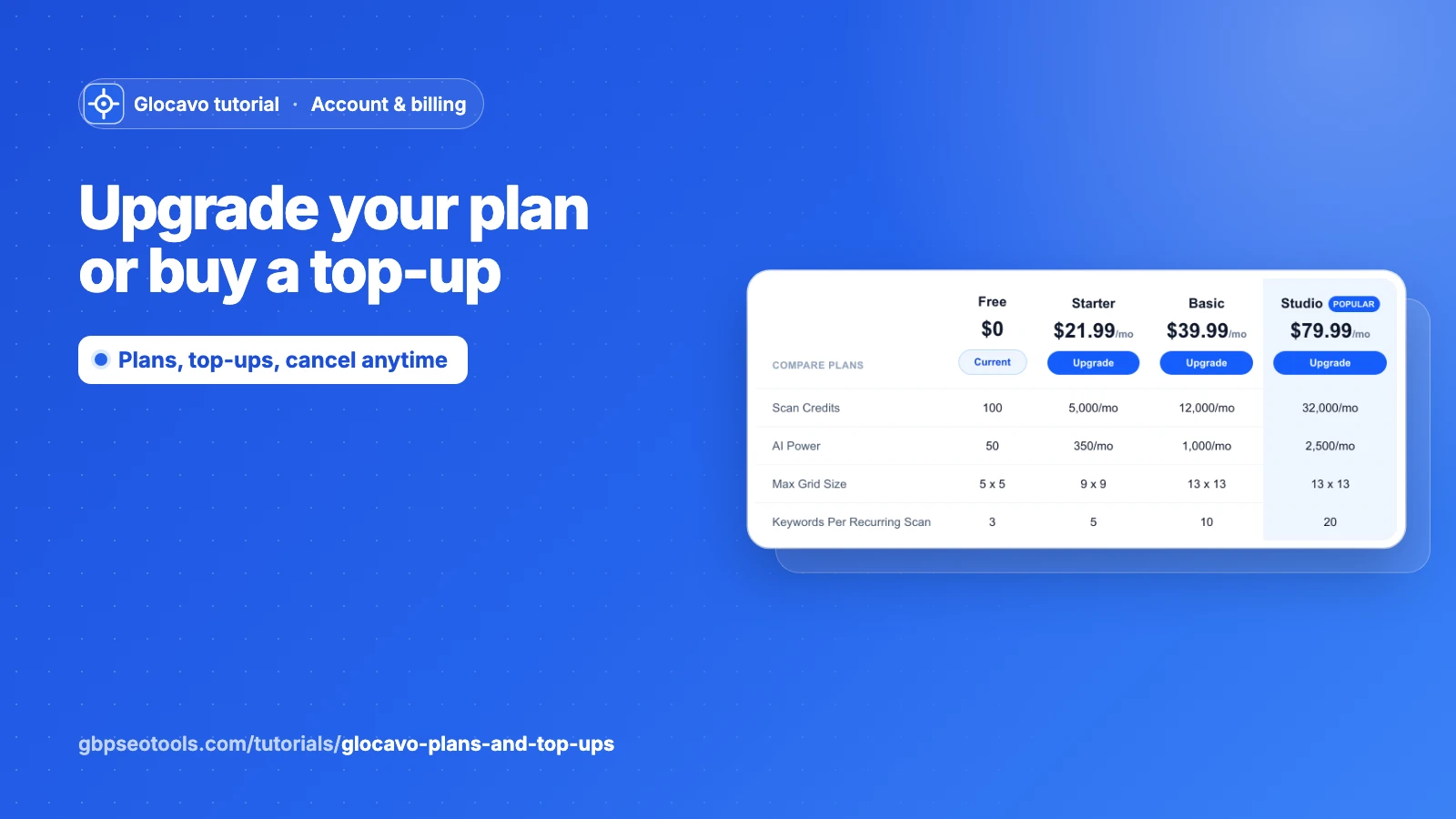
Glocavo has two ways to pay: a plan, which gives you a fresh allowance of credits every month, and top-ups, one-time packs of credits you buy only when you need them. You can use either, or both.
The Free plan starts you with 100 scan credits and 50 AI Power credits, and it never expires while you have scan credits left. Once they’re used up, Glocavo pauses until you upgrade or buy a top-up. Everything you made stays saved.
- Where
- Your plan at the bottom of the sidebar, or Billing & plans.
- Who
- The workspace owner. Teammates can see the plans but not change them.
- Payment
- Card, through Lemon Squeezy. A receipt is emailed after every charge.
Check what you have left
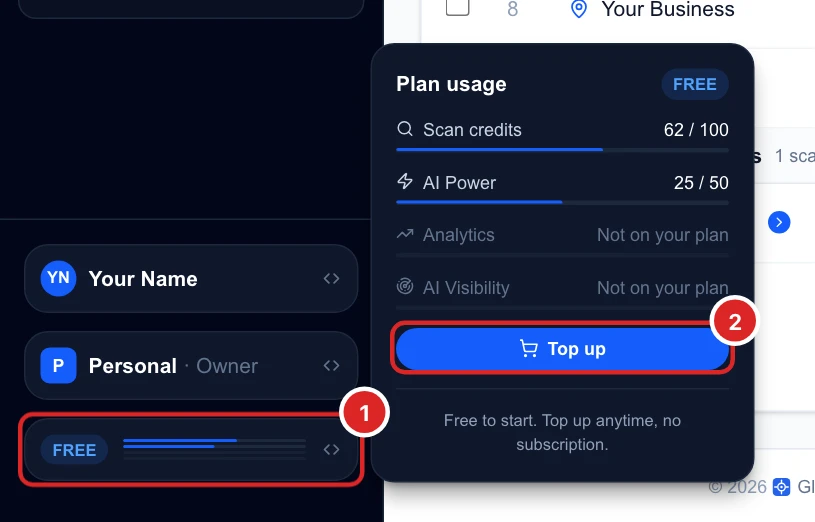
Click your plan at the bottom of the sidebar. Plan usage shows how much of each credit you’ve used: scan credits, AI Power, and Analytics and AI Visibility checks if your plan has them.
See how scan credits work for what each scan costs.
Compare the plans
Open Billing & plans. The Plans tab compares every plan side by side: monthly scan credits and AI Power, the biggest grid you can scan, keywords per recurring scan, workspaces, teammates, Analytics campaigns, AI Visibility, and features like the API and white label.
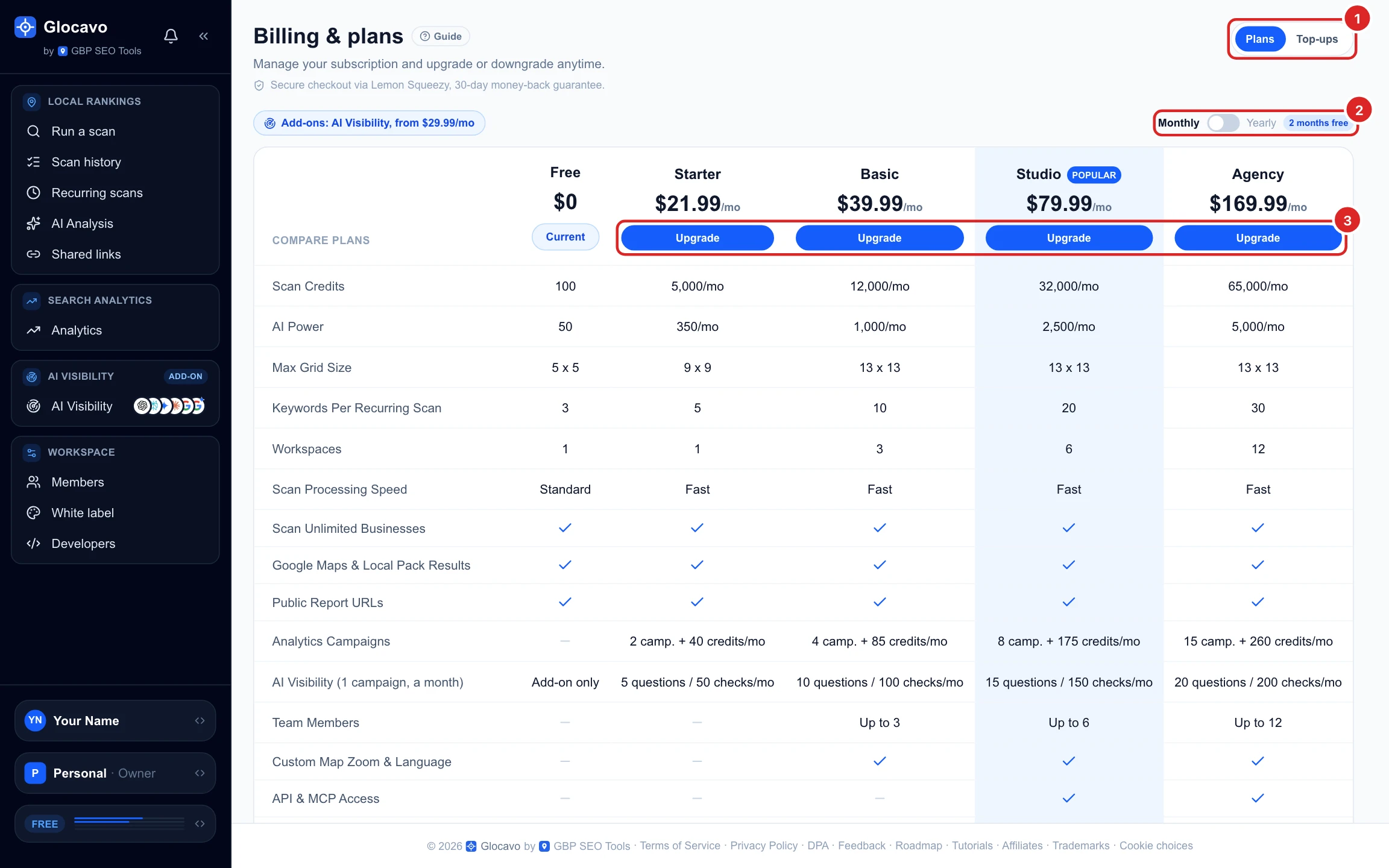
Pay yearly to save two months
Switch to Yearly to see the yearly prices: you pay for ten months and get twelve. Your credits still refill every month.

Upgrade from the Free plan
Click Upgrade on the plan you want. A short summary shows the price and how often you’re billed. Tick that you agree to the Terms, then click Continue to payment and pay by card in the secure checkout.
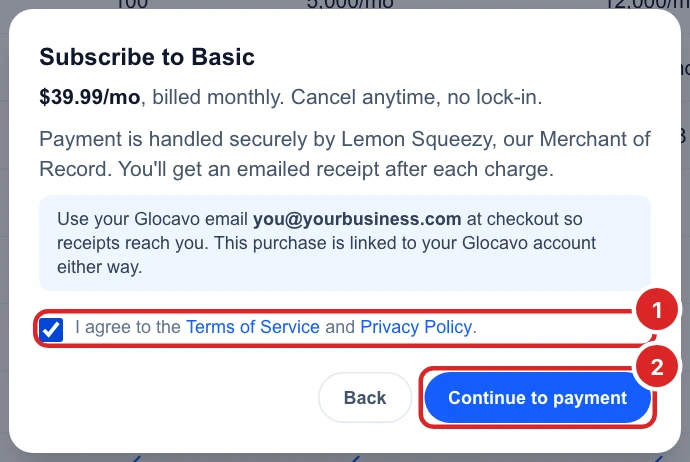
Use your Glocavo email at checkout so receipts reach you. The plan is linked to your account either way, and it’s active as soon as the payment goes through.
See your subscription
Once you’re on a paid plan, Current subscription at the top shows your plan, how you’re billed, the next renewal date and the card on file.

Move to a bigger or smaller plan
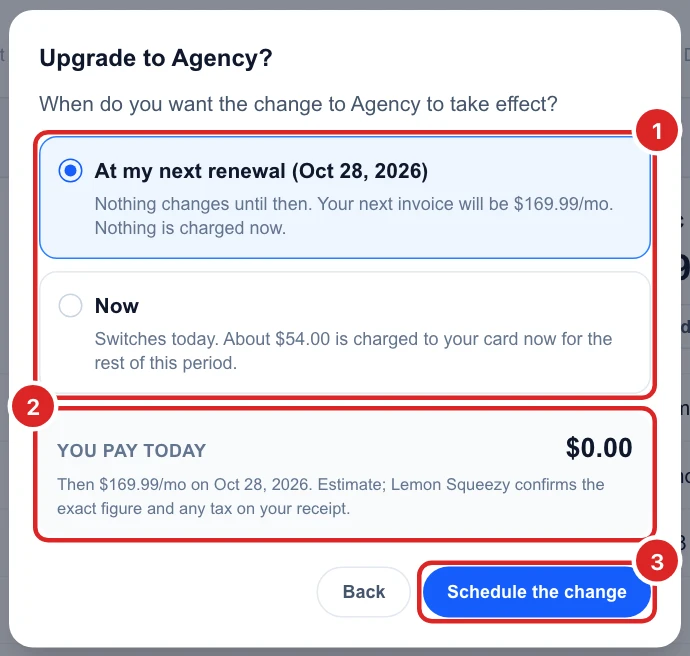
Click Upgrade or Downgrade on another plan and choose when it starts:
- At my next renewal: nothing changes or is charged until then.
- Now: an upgrade is charged for the rest of the current period; on a downgrade, the unused part of what you paid becomes credit toward your next invoice.
You pay today shows the amount before you confirm. Switching between monthly and yearly on the same plan happens at your next renewal.
Cancel your plan
Click Cancel plan. You keep your plan until the renewal date, you’re not charged again, and the account then moves to the Free plan. Your scans, campaigns and reports stay. Top-ups you bought are kept too.
Glocavo has a 30-day money-back guarantee. If something isn’t right, email support@gbpseotools.com.
Buy a top-up
Open the Top-ups tab, or click Top up in your plan card. Pick a pack and click Buy. The credits are added as soon as you’ve paid.
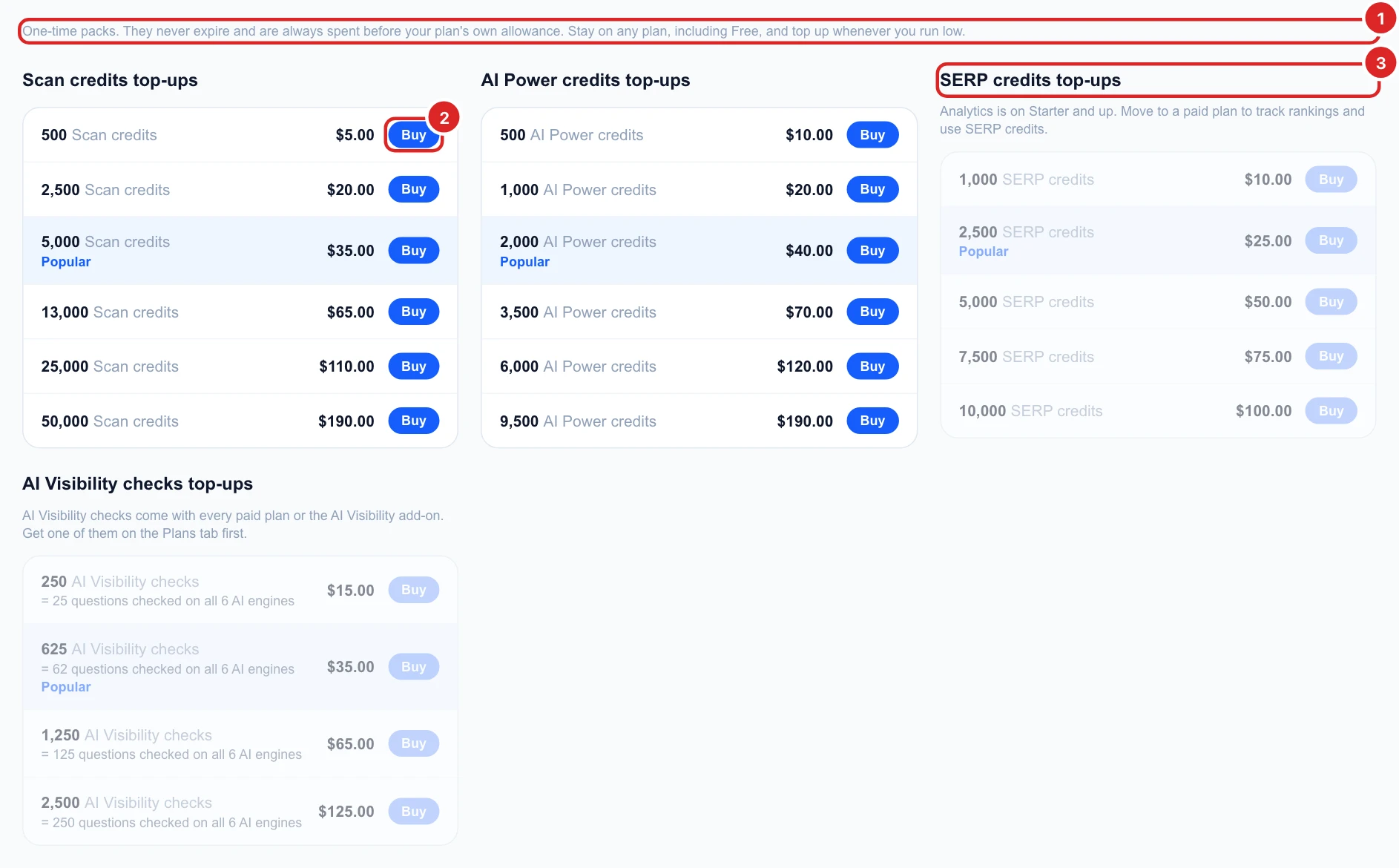
- Scan credits and AI Power: work on every plan, including Free, and never expire.
- SERP credits: for Analytics, so they need a plan with Analytics (Starter and up). They expire 12 months after purchase.
- AI Visibility checks: need a paid plan or the AI Visibility add-on, see how AI Visibility checks work.
- Top-ups are spent before your plan’s monthly allowance, so nothing is wasted, and every pack costs the same per credit.
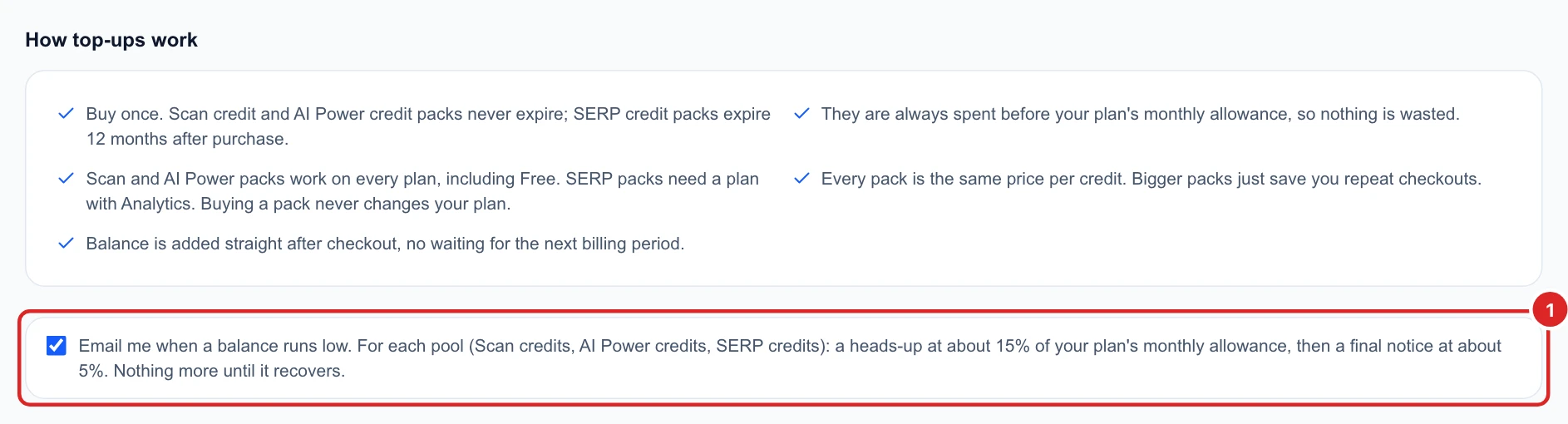
Get an email before you run low
At the bottom of the Top-ups tab, keep Email me when a balance runs low ticked. For each kind of credit you get a heads-up at about 15% left of your monthly allowance, then a final notice at about 5%.