Rank tracker
See who holds the Google local pack near you
Use the Local Pack tab to see every business in your scan, which ones reach Google's top 3 and where, their share of voice, and what to do if you are not in the map pack.
Updated October 3, 2026 · 6 min read
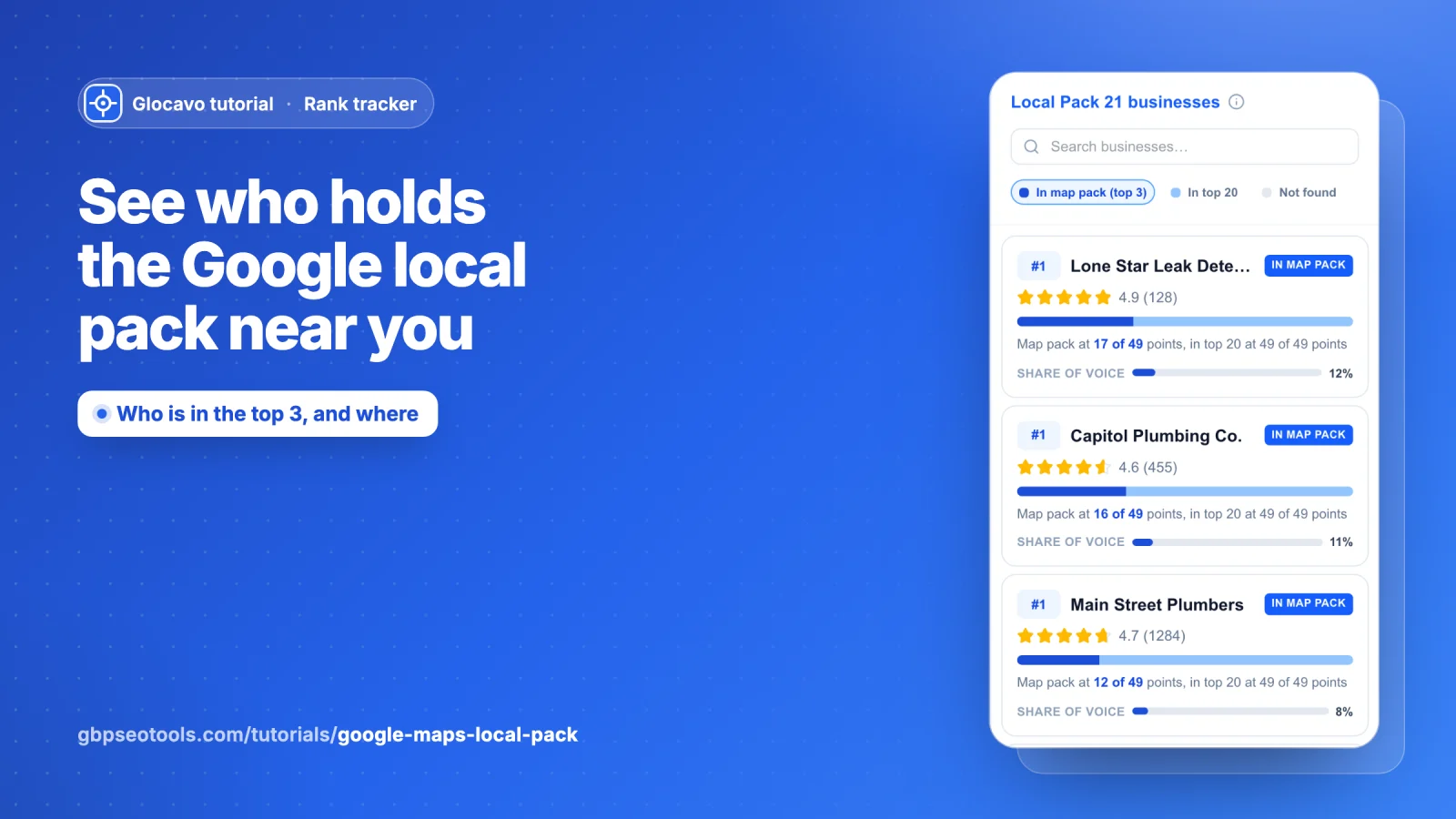
The local pack (or map pack) is the box of three businesses Google shows with a map above the normal results. Most calls, website visits and direction requests go to those three. The Local Pack tab shows every business that showed up in your scan, which ones made the top 3 and where, and how much of the top 3 each one holds across your area.
The Rank Map is about you; this tab is about the whole field. Read Read your Google Maps rank map first if you haven’t. The screenshots use a made-up plumber called Your Business in Austin, TX, scanned on a 7x7 grid for plumber near me.
- Where
- Any finished scan → the Local Pack tab, next to Rank Map.
- Who
- Every plan, Free included.
- Cost
- Nothing. It reads the scan you already ran.
Open the Local Pack tab
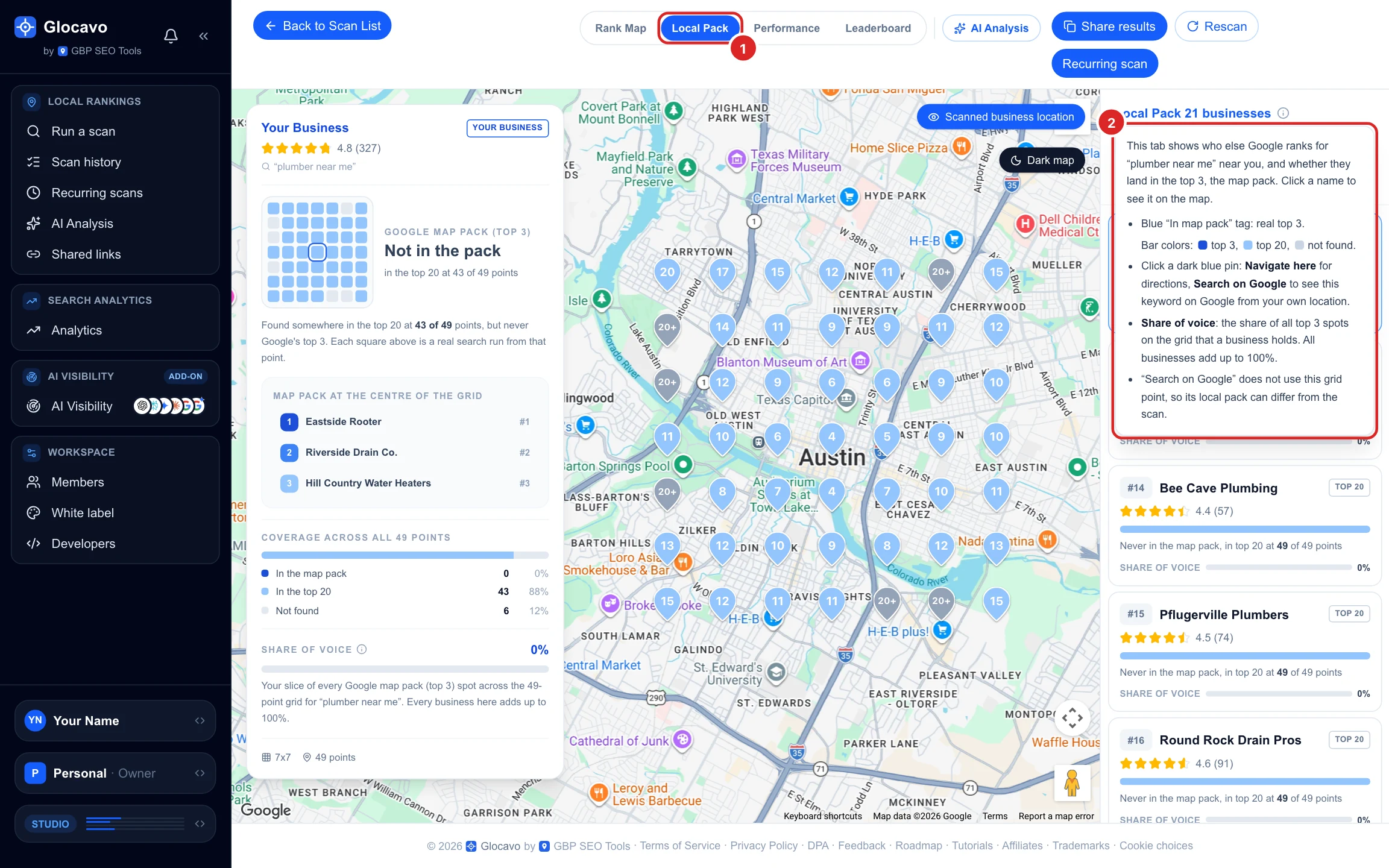
In a scan report, click Local Pack at the top. The first time, a short explainer opens under the list header. Click anywhere else to close it, or the (i) next to Local Pack 21 businesses to open it again.
The list of businesses sits on the right, the map in the middle and the details of the selected business on the left.
Check where your business stands
The tab opens on your own business, already filtered to the group it belongs to. In this example that is In top 20: Your Business shows up in the top 20 at 43 of 49 points but never in the top 3, so the card on the left says Not in the pack.
Your row is marked YOU and always comes first in its group. Each row shows the best position the business reached anywhere on the grid, its rating and reviews, a coverage bar and its share of voice (more on both in the next step).
See who holds the map pack
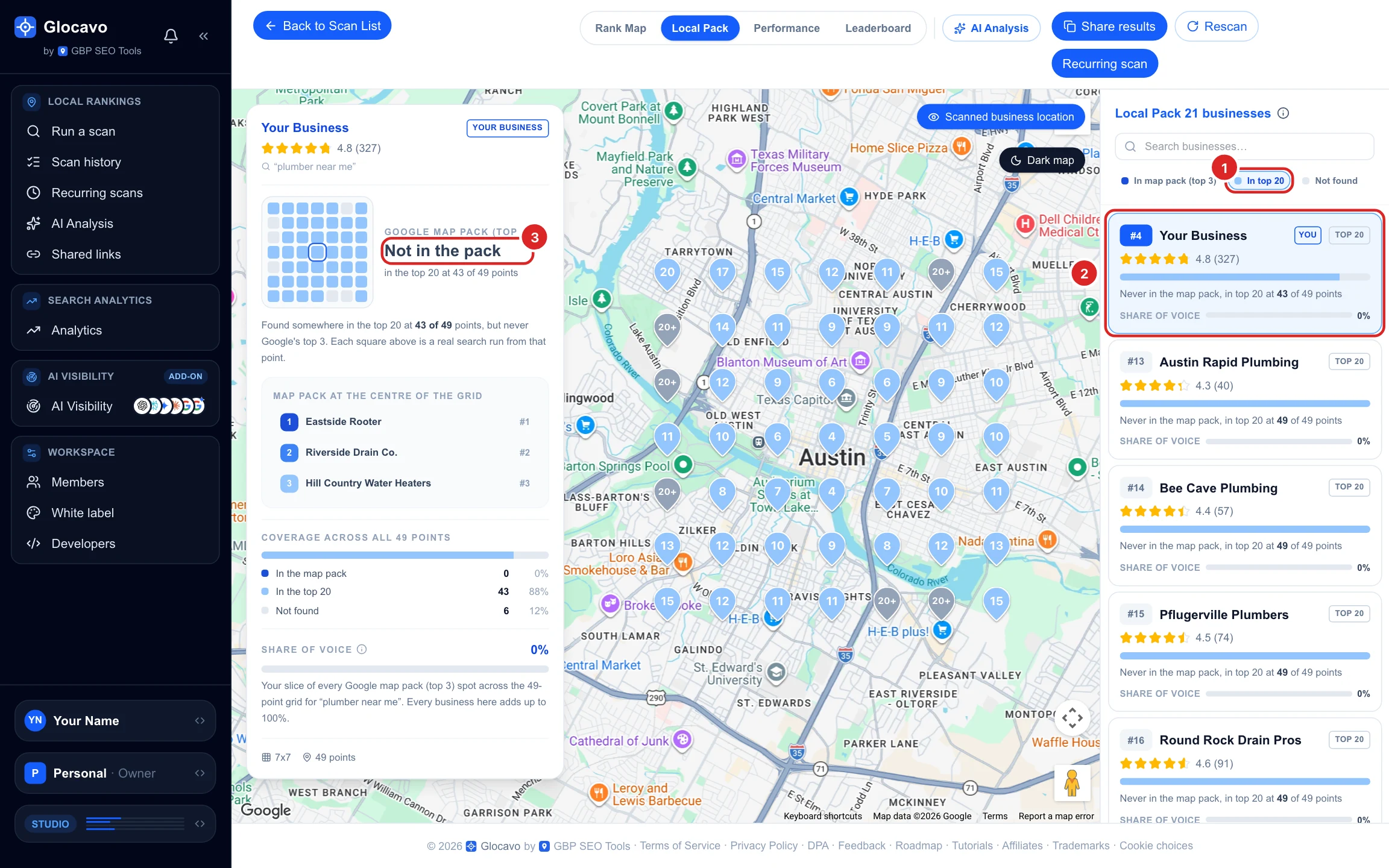
Click In map pack (top 3) to list every business that made the top 3 at least once. Click it again to clear the filter, and use Search businesses to find one by name.
- In map pack: the business reached the top 3 somewhere on the grid. Top 20 means it showed up, but never in the top 3.
- The coverage bar splits the grid: dark blue where it is in the top 3, light blue where it is in the top 20, grey where it isn’t found. The line under it puts that into words: Map pack at 17 of 49 points, in top 20 at 49 of 49 points.
- Share of voice: its slice of every top-3 spot on the grid. A 49-point grid has 147 spots (3 per point); all businesses together add up to 100%.
Open a competitor
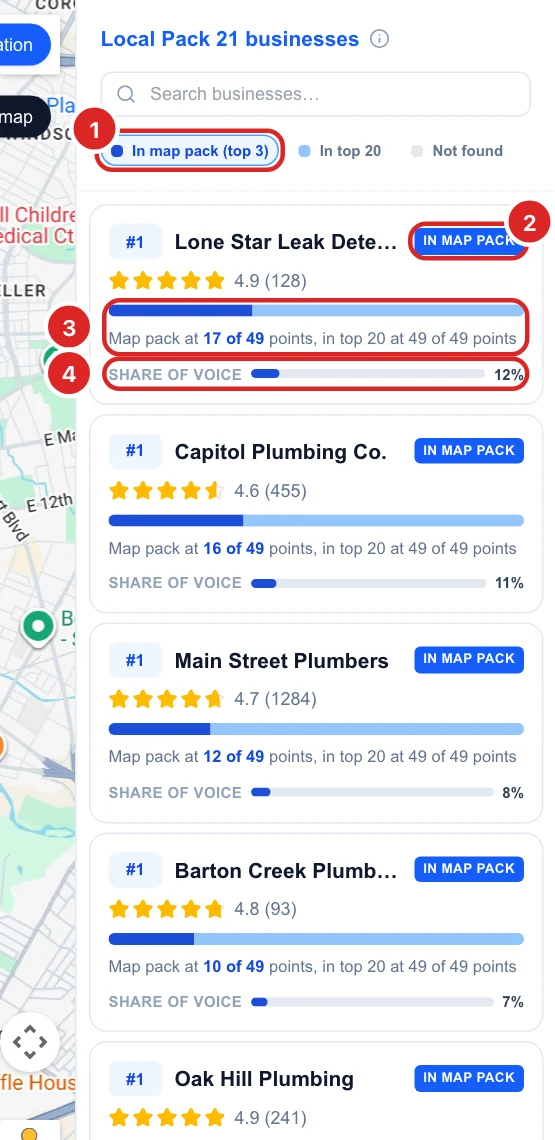
Click any business in the list. The map redraws for that business, in blue only: dark blue pins where it is in the top 3, light blue where it is in the top 20, grey where it isn’t found. Its card opens on the left.
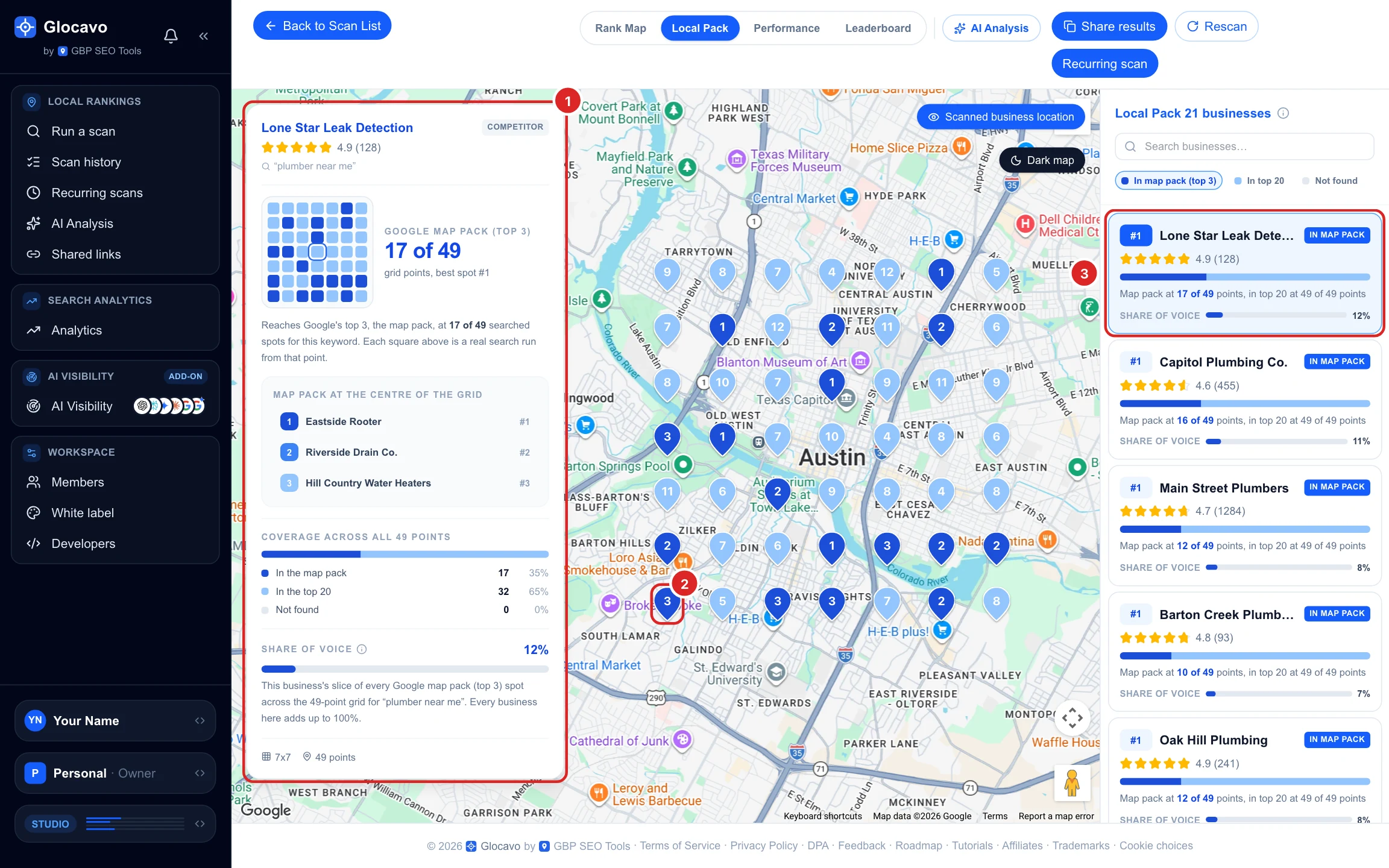
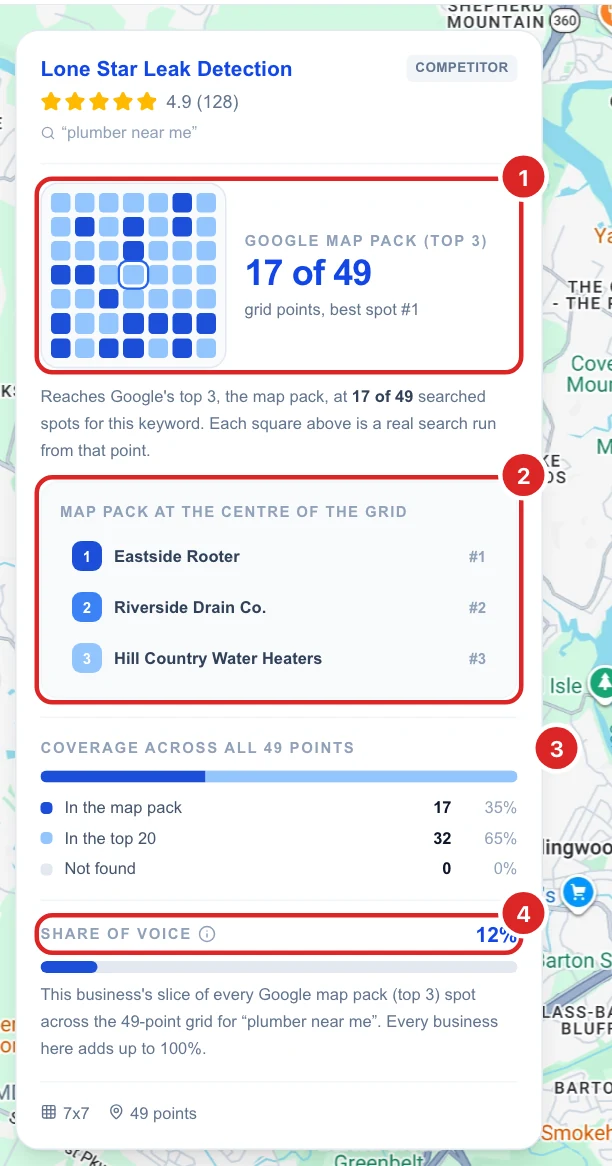
Read the business card
- Google map pack (top 3): at how many points it is in the top 3 and its best spot, for example 17 of 49, best spot #1. The small grid shows those points; click a square to open it on the map.
- Map pack at the centre of the grid: the three businesses Google shows at the point closest to your business. These are the businesses a customer at your door sees first.
- Coverage across all points: how many points are in the top 3, in the top 20 or not found, with percentages.
- Share of voice: its share of every top-3 spot. Click the (i) for the math.
Click a top-3 pin
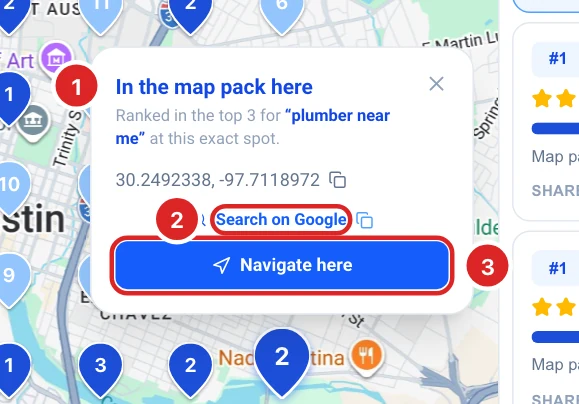
The dark blue pins can be clicked. The popup confirms the business is in the map pack at that spot and gives you:
- The point’s coordinates, with a button to copy them.
- Search on Google: the keyword on Google Search. This runs from where you are, not from the grid point, so its local pack can differ from the scan. The icon next to it copies the link.
- Navigate here: directions to that exact spot in Google Maps, to check it in person.
To see the full top 20 at a point (who is ahead of you and by how much), click the pin on the Rank Map tab instead.
Decide what to do next
- You are not in the pack anywhere: getting into the top 3 near your own address is the first goal. Open the three businesses under Map pack at the centre of the grid and compare their Google listings with yours: primary category, number of reviews and rating, photos, services and website. That is the gap to close.
- You are in the pack near your address only: you are relevant, but not prominent enough to win further out. More reviews, consistent listings on other directories and website pages for the areas you serve help you reach more points.
- One business has a much bigger share of voice: it is the one to beat. Plot its map from the Rank Map tab (Grid or Toughest competitors) to see exactly where it wins.
- Share of voice is spread thin: many businesses with small shares means nobody owns the area yet, which is a good chance to move up.
Run the same scan again after a few weeks of changes and compare your share of voice. A recurring scan does it for you.