Analytics
Find your Google competitors in Analytics
See every website that ranks for your keywords, how high and for how many, find the strongest ones, spot who dropped out, and decide how to compete with directories and local rivals.
Updated October 5, 2026 · 4 min read
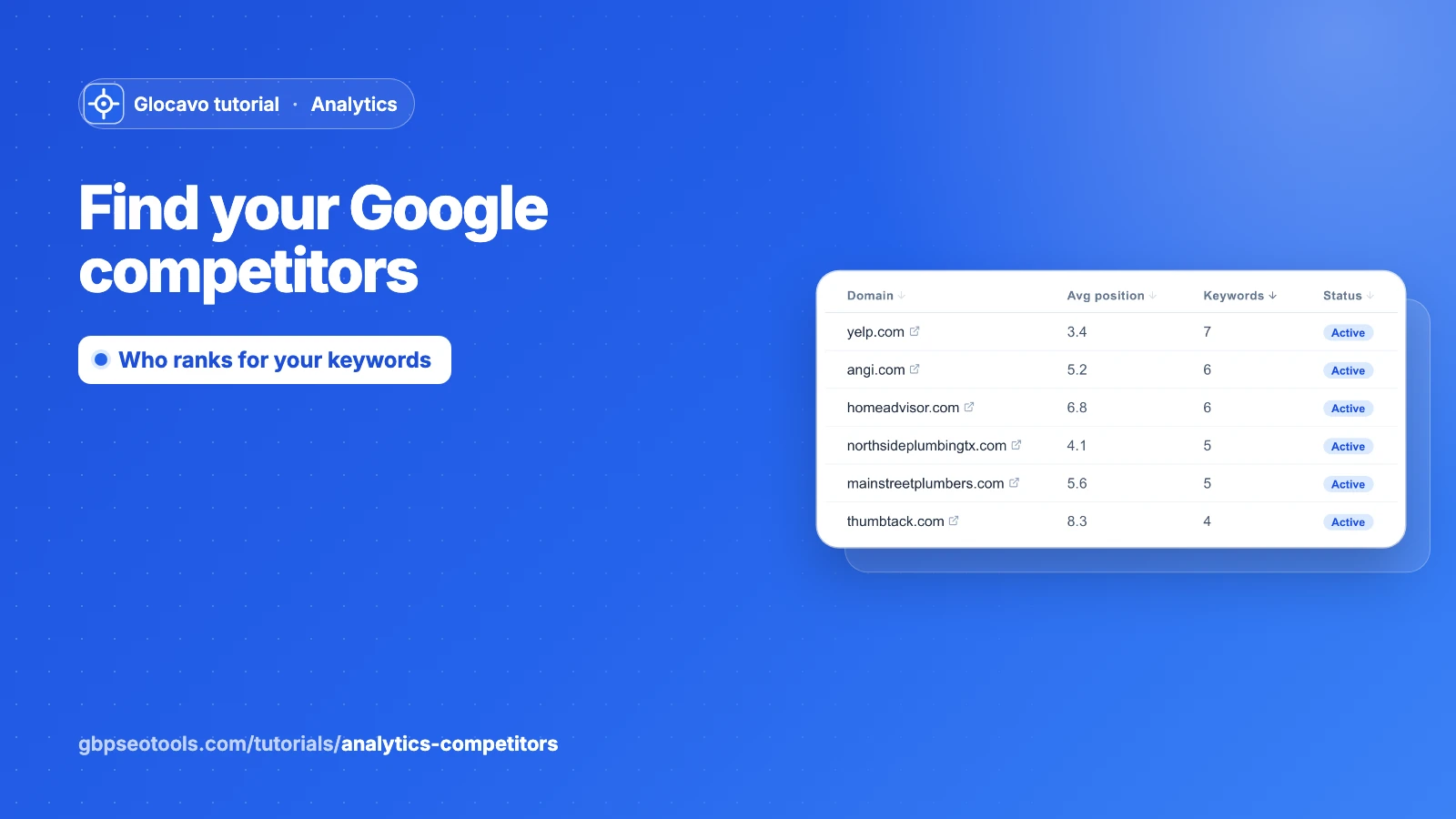
Your real competitors in Google aren’t always the businesses you think of. The Competitors tab lists every other website that showed up in the results for your keywords, how high it usually ranks and for how many of your keywords. You don’t add anyone: Glocavo builds the list from each check.
The screenshots use a made-up website, yourbusiness.com, with 14 other websites seen over five weekly checks: review and booking sites, and made-up local plumbers.
- Where
- Analytics → a campaign → Competitors.
- Who
- Starter plan and up.
- Cost
- Uses no credits. The list fills in by itself on every check of your keywords.
Open the Competitors tab
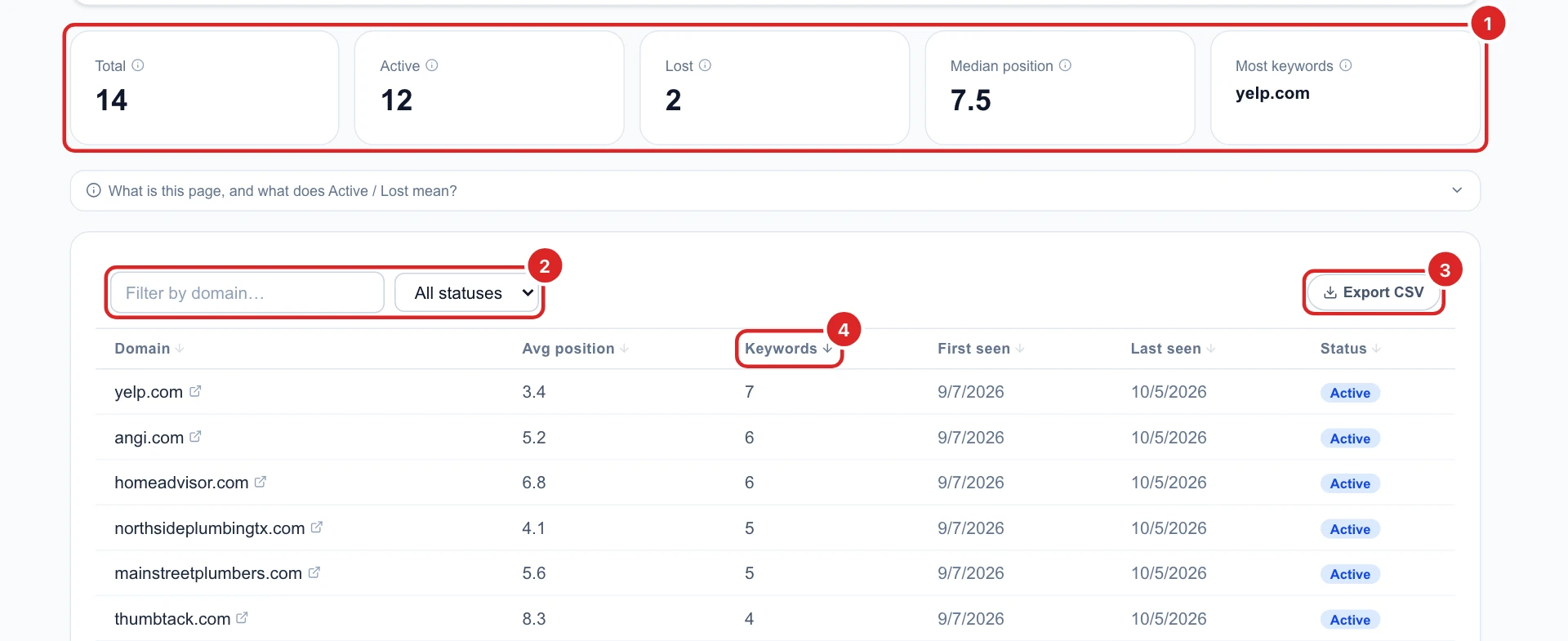
Open a campaign and click Competitors. Five numbers sum it up:
- Total: every website seen for your keywords since tracking started.
- Active and Lost: seen on the last check, or only on earlier ones.
- Median position: the typical average rank of these websites.
- Most keywords: the website that shows up for the most of your keywords.
Under them, the table lists every website, with most keywords first. Filter it by domain or status, sort it by any column, or download it with Export CSV.
Read each column
- Domain: click it to open the website in a new tab.
- Avg position: its average rank across your keywords and all checks. Lower is stronger.
- Keywords: for how many of your keywords it showed up.
- First seen and Last seen: the first and the most recent check it showed up in.
- Status: Active or Lost.
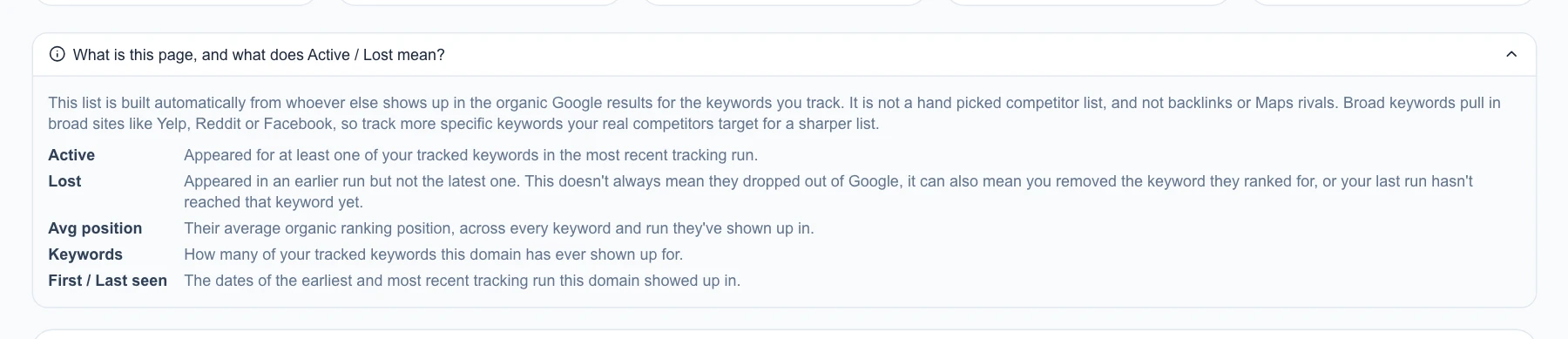
What is this page, and what does Active / Lost mean? above the table explains it all in the app.
Find who ranks highest
Click Avg position twice to put the strongest websites first. Here a small local business, lonestarleakdetection.com, averages 3.5, close to Yelp: it doesn’t show up for many keywords, but where it does, it ranks near the top.
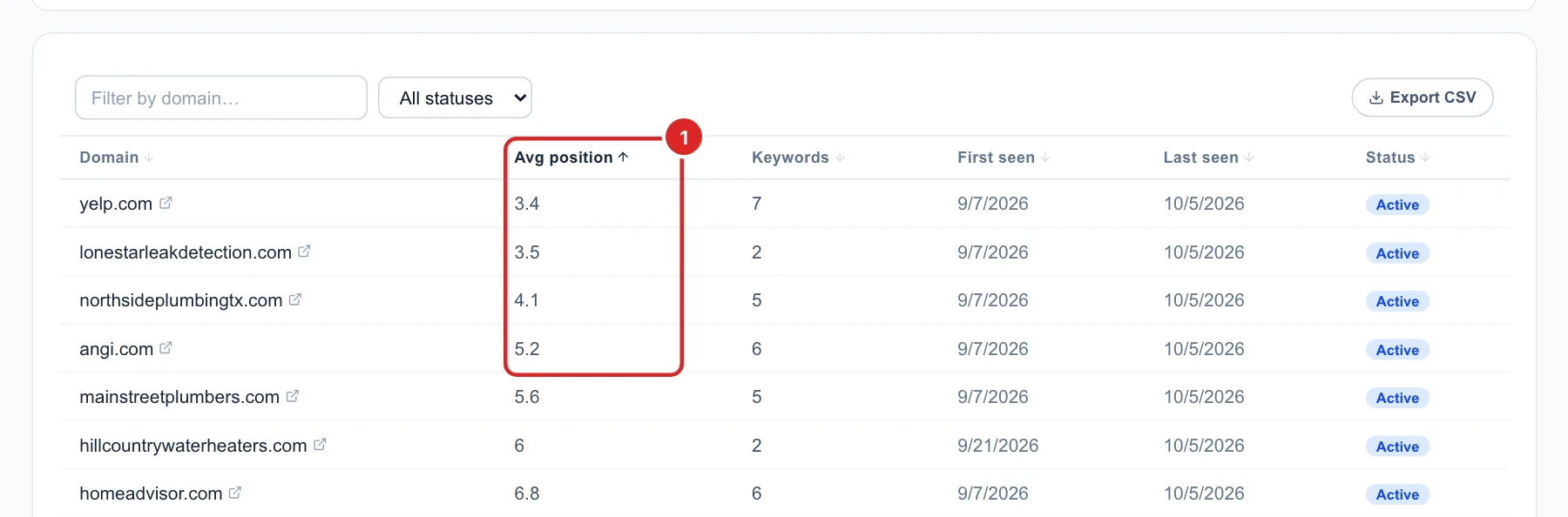
The two numbers together tell the story: many keywords and a good average is a strong all-round competitor; few keywords and a great average is a specialist that owns a niche.
See who dropped out
Choose Lost in the status filter to see websites that showed up before but not on the last check. Last seen tells you when they were last there.
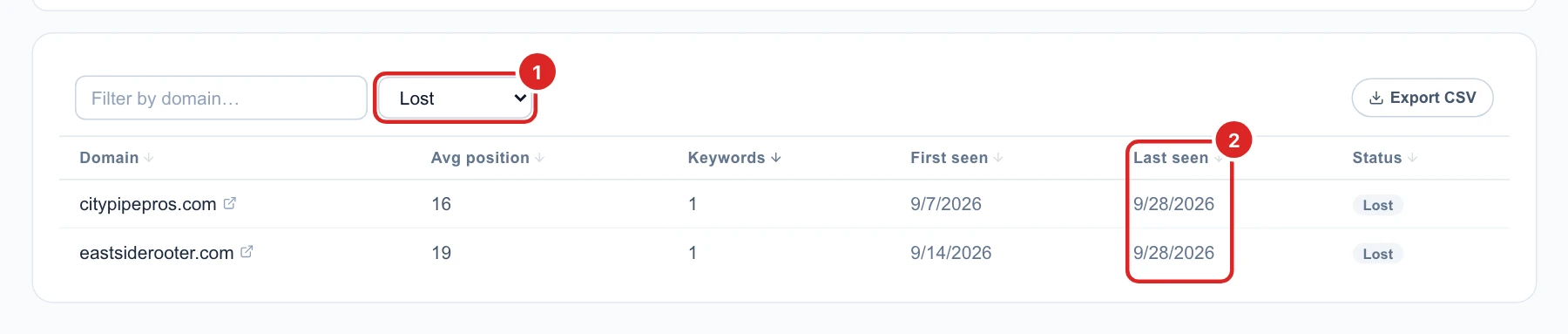
Lost doesn’t always mean they fell out of Google. If you deleted the keyword they ranked for, they show as Lost too.
Decide what to do next
- Review and booking sites (Yelp, Angi, HomeAdvisor, Thumbtack, BBB) rank above you for many keywords. You can’t outrank them all, so make sure your profile on each is complete: that puts your business in those results too.
- Local competitors that rank well: open their pages for your keywords and compare what they cover with yours.
- A list full of big general websites usually means broad keywords. Add more specific ones, like a service and your city, for a sharper list.
- To hear about it when a competitor overtakes you or a new one shows up, use the Alerts tab. To see one keyword’s full results, see one keyword’s history.